
GIGABYTE TRX50 AERO D Manual
PDF manual · 44 Pages
English



Quick check
Incorrect answer, please try again.
Chat with your GIGABYTE TRX50 AERO D manual using AI
Get instant AI answers from your GIGABYTE TRX50 AERO D manual
Ask anything about the GIGABYTE TRX50 AERO D. Answers come from this manual, with the pages they are based on.
Ask a Question
Do you recommend TRX50 AERO D?
Yes NoFrequently Asked Questions
This motherboard supports AMD Ryzen Threadripper PRO 7000 and Ryzen Threadripper 7000 Series processors using the AMD sTR5 socket. Users should check the official website for the latest CPU support list.
Is this answer helpful?
The board supports DDR5 5200/4800 MT/s ECC Registered memory. It has four DIMM sockets supporting up to 1TB of system memory with quad-channel architecture.
Is this answer helpful?
You can use the Q-Flash Plus button located on the back panel. Save the BIOS file on a USB drive, plug it into the dedicated port, and press the button to update automatically without turning on the system.
Is this answer helpful?
Yes, it includes a Qualcomm Wi-Fi 7 module supporting 802.11be standard along with Bluetooth 5.3 connectivity for wireless peripherals and networks.
Is this answer helpful?
There are four M.2 connectors supporting PCIe 5.0 SSDs and eight SATA 6Gb/s connectors for traditional hard drives or SSDs with RAID support.
Is this answer helpful?
Yes, press the Delete key during the POST to enter BIOS Setup. You can also use the End key for Q-Flash or F12 to access the boot menu immediately.
Is this answer helpful?
The motherboard follows the E-ATX form factor, measuring 30.5cm by 26.4cm. Ensure your case supports this size for proper installation and airflow.
Is this answer helpful?
Advantages and Disadvantages
Advantages

- Support for latest AMD Threadripper CPUs with sTR5 socket for extreme performance.
- Integrates Wi-Fi 7 and 10GbE LAN for ultra-fast wired and wireless connectivity.
- Features robust DDR5 quad-channel memory support up to 1TB capacity.
- Includes Q-Flash Plus for BIOS updates without needing a functional system.
- Multiple M.2 slots with PCIe 5.0 support for lightning-fast storage speeds.
Disadvantages

- E-ATX size may not fit into standard mid-tower computer cases.
- High power consumption may require a premium 1000W or greater power supply.
- Complex layout might be challenging for first-time PC builders to navigate.
- Advanced features require specific knowledge to configure within BIOS settings.
- Premium pricing reflects high-end components compared to consumer grade boards.
Product Specification
Form Factor
E-ATX (SSI CEB)
Socket
AMD sTR5
Chipset
AMD TRX50
RAM
4x DDR5 DIMM, quad PC5-62400R/DDR5-7800 (OC), max 1TB (RDIMM-3DS)
Expansion Slots
2x PCIe 5.0 x16, 1x PCIe 4.0 x16, 3x M.2/M-Key (PCIe 5.0 x4), 1x M.2/M-Key (PCIe 4.0 x4)
External Ports
2x USB4 with DisplayPort (40Gbps), 4x USB-A 3.1 (10Gbps), 4x USB-A 3.0 (5Gbps), 1x 10GBase-T, 1x 2.5GBase-T, 2x Audio Jack, 1x DisplayPort-In 1.4, 2x Antenna Connector RP-SMA
Internal Headers
1x USB-C 3.2 Key-A Header (20Gbps), 1x USB 3.0 Header (5Gbps, 2x USB 3.0), 2x USB 2.0 Header (480Mbps, 4x USB 2.0), 8x SATA 6Gbps
Lighting Headers
2x 4-Pin RGB (+12V/G/R/B, max 2A), 2x 3-Pin ARGB (+5V/DATA/GND, max 5A)
Buttons/Switches
Power-Button (internal), Reset-Button (internal), Clear-CMOS-Button (external), USB BIOS Flashback/Q-Flash Plus (external)
Audio
7.1 (Realtek ALC1220), DTS:X Ultra
Graphics
N/A
Wireless
Wi-Fi 7 (WLAN 802.11a/b/g/n/ac/ax/be, 2x2, Qualcomm QCNCM865), Bluetooth 5.3
RAID Levels
0/1/10 (TRX50)
Power Connectors
1x 24-Pin ATX, 2x 8-Pin EPS12V
VRM
24 Virtual Phases (16+8+4)
CPU MOSFETs (VCORE)
16x 108A
SoC MOSFETs (VCCGT)
8x 10⁸A
AUX MOSFETs (VCCAUX)
4x
Lighting
N/A
Special Features
Audio+solid capacitors, Diagnostic LED (Segment Display), Diagnostic LED (LED Indicators), 4x M.2 Passive Coolers, I/O Shield Integrated, ECC Support, Onboard TPM 2.0 Support (AMD fTPM)
Manufacturer Warranty
3 years (from production date, handled via authorized retailer)
USB Notation
Left
Product Description
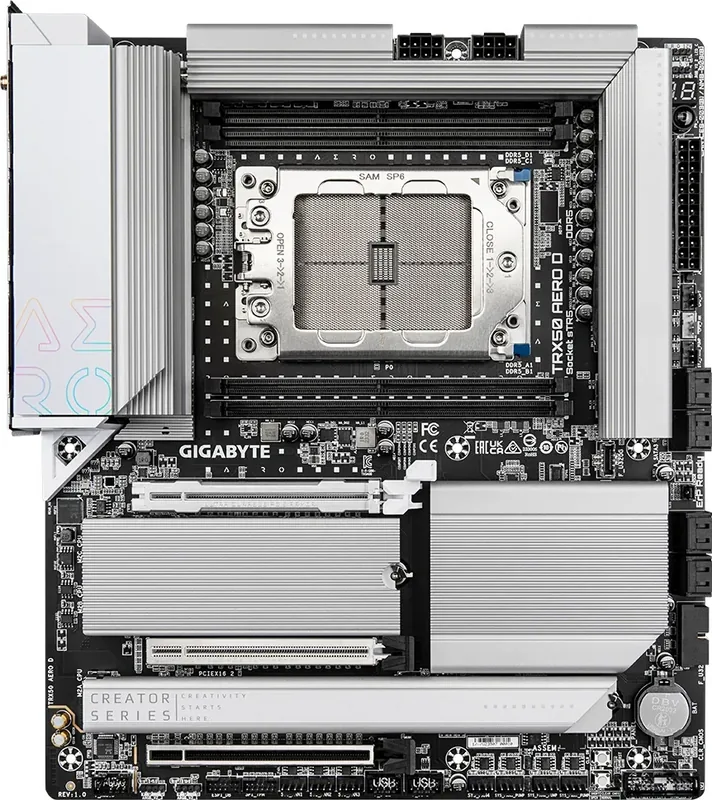
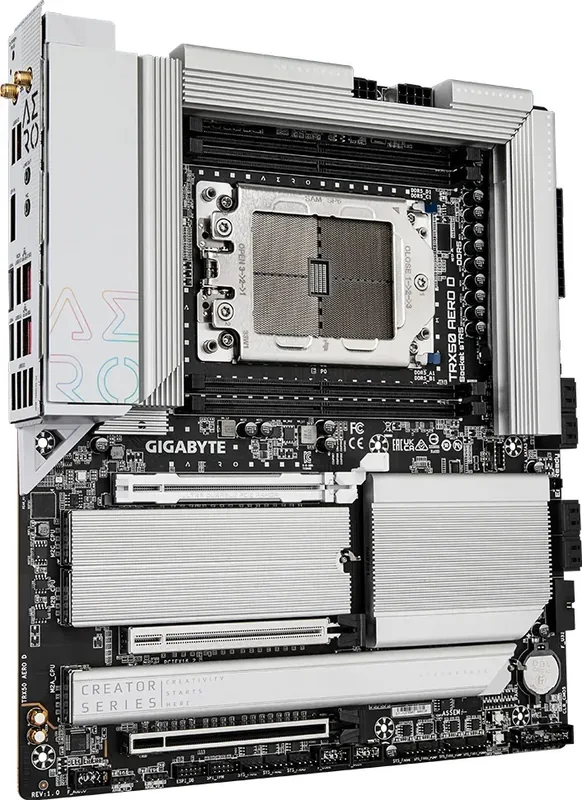
Elevate Your Workstation with the GIGABYTE TRX50 AERO D
When you require top-tier performance for professional workflows, the GIGABYTE TRX50 AERO D stands out as a formidable choice. Designed for enthusiasts and creators who demand maximum horsepower, this motherboard leverages the AMD sTR5 socket to support the latest Ryzen Threadripper processors. Whether you are rendering 3D graphics, compiling large codebases, or editing high-resolution video, the power provided here is unmatched. The foundation for this system lies in its robust architecture, ensuring stability under heavy loads.
Connectivity is another area where this platform excels. Integrating Wi-Fi 7 technology, users experience lightning-fast wireless speeds that accommodate modern networking standards. Alongside wireless capabilities, Ethernet connections are prioritized with a Marvell 10GbE LAN chip ensuring rapid data transfers for large files. Audio quality is also enhanced through dedicated Realtek CODECs that deliver immersive soundscapes for content creators.
Managing storage has never been more efficient. The board features multiple M.2 slots that support PCIe 5.0 SSDs, allowing for incredibly fast boot times and application loading. For traditional drives, ample SATA ports remain available for expanded archive capabilities. Memory support reaches new heights with quad-channel DDR5 DIMMs handling up to a terabyte of system RAM. This setup guarantees that multitasking remains smooth even with dozens of applications running simultaneously. The E-ATX form factor provides ample space for robust heat sinks and extensive ventilation options.
Installation and maintenance are streamlined through thoughtful design choices. Physical buttons allow for quick power and reset actions during testing, while the Q-Flash Plus feature simplifies BIOS updates without needing a working CPU or memory installed. Status LEDs guide users through troubleshooting, lighting up to indicate specific hardware states during the boot process. Debug codes help identify issues quickly without guessing.
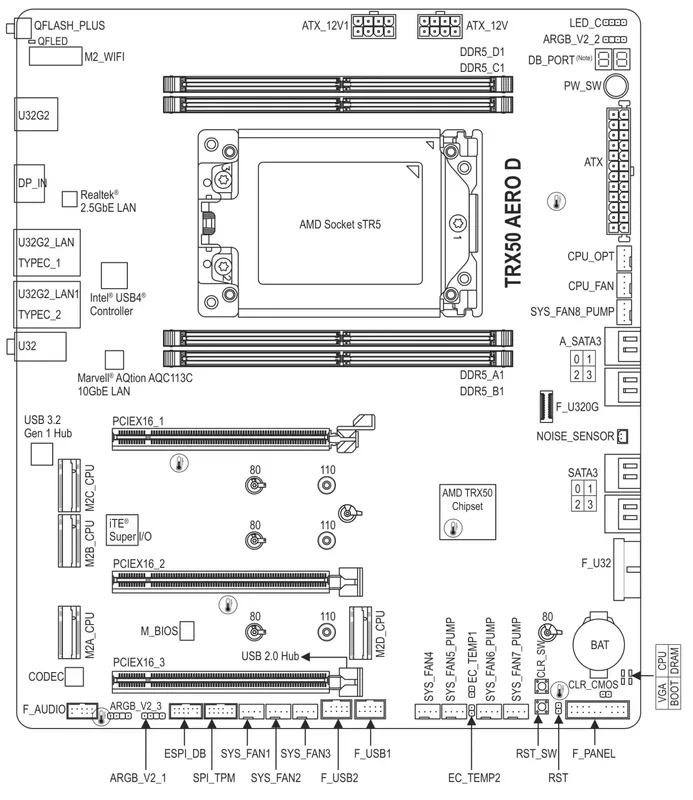
To fully leverage these capabilities, consulting the GIGABYTE TRX50 AERO D Manual is essential. It provides detailed guidance on component installation, BIOS configuration, and driver setup. Understanding the layout helps prevent accidental damage during assembly. The manual covers everything from CPU cooler mounting to configuring RAID arrays, ensuring a seamless setup experience. By familiarizing yourself with these details before powering on, you ensure longevity and optimal performance for your build. This ensures that every component functions harmoniously within your high-performance ecosystem.
Key Takeaways
- Support for AMD Threadripper 7000 Series.
- Wi-Fi 7 and 10GbE LAN included.
- DDR5 Quad Channel memory architecture.
- Easy BIOS flashing with Q-Flash Plus.
- Comprehensive setup guides available online.
- E-ATX form factor with robust cooling.
Search for 67,706 Manuals online


Type-in Brand or Model