
GIGABYTE S55U Manual
PDF manual · 48 Pages
English



Quick check
Incorrect answer, please try again.
Chat with your GIGABYTE S55U manual using AI
Get instant AI answers from your GIGABYTE S55U manual
Ask anything about the GIGABYTE S55U. Answers come from this manual, with the pages they are based on.
Ask a Question
Do you recommend S55U?
Yes NoFrequently Asked Questions
Use an HDMI cable to connect your PC to one of the HDMI ports. For best gaming performance with 4K at 120Hz, use HDMI port 3 or 4 which support HDMI 2.1. Select the correct input source on the monitor menu.
Is this answer helpful?
Yes, the monitor supports Google Assistant for voice commands. You must first connect the monitor to the internet and sign in to your Google account to enable features like searching for content or adjusting volume.
Is this answer helpful?
Yes, the GIGABYTE S55U includes FreeSync technology to eliminate screen tearing and stuttering. Enable this feature in the Image settings under Advanced Settings for compatible graphics cards.
Is this answer helpful?
Plug a USB stick or hard drive into the USB port. The Media app will launch automatically. If it does not, navigate to Apps > Media manually. Supported formats include MP4, MKV, AVI, and various audio codecs.
Is this answer helpful?
eARC (Enhanced Audio Return Channel) offers higher bandwidth than standard ARC, allowing for uncompressed audio formats like Dolby Atmos. Use HDMI port 3 labeled eARC for the best audio experience with a compatible soundbar.
Is this answer helpful?
Enable the casting feature on your Android or Windows device. On the monitor, go to Advanced System Settings > Mobile Connection Guide > Screen Share. Select the monitor name from your device's list to mirror your screen.
Is this answer helpful?
Advantages and Disadvantages
Advantages

- Supports 4K resolution at 120Hz for ultra-smooth gaming performance
- Built-in Android TV with access to thousands of streaming apps
- Google Assistant integration for convenient voice control
- HDMI-CEC and eARC support for simplified device management
- Dedicated gaming modes with FreeSync and low input lag
Disadvantages

- Voice features availability depends on specific country regions
- Bluetooth range limitations may affect wireless audio stability
- Some advanced calibration settings require technical knowledge
- Initial setup for Google Assistant requires network configuration
- Certain file formats may not be supported for direct playback
Product Specification
Function
Monitor (stationary)
Diagonal
54.6" (138.7cm)
Resolution
3840x2160 (4K UHD), 16:9, 81ppi
Panel
VA, Quantum-Dot
Backlight
LED, Full Array Local Dimming (132 zones), Blue light filter, flicker-free
Brightness
500cd/m^2 (typical), 1500cd/m^2 (HDR)
Contrast
5000:1 (static)
HDR
HDR10, HLG, Dolby Vision
Response time
2ms (GtG)
Refresh rate
120Hz (3840x2160)
Variable synchronization
Adaptive Sync, AMD FreeSync Premium, HDMI VRR, ALLM
Motion blur reduction function
GIGABYTE Aim Stabilizer
Connections
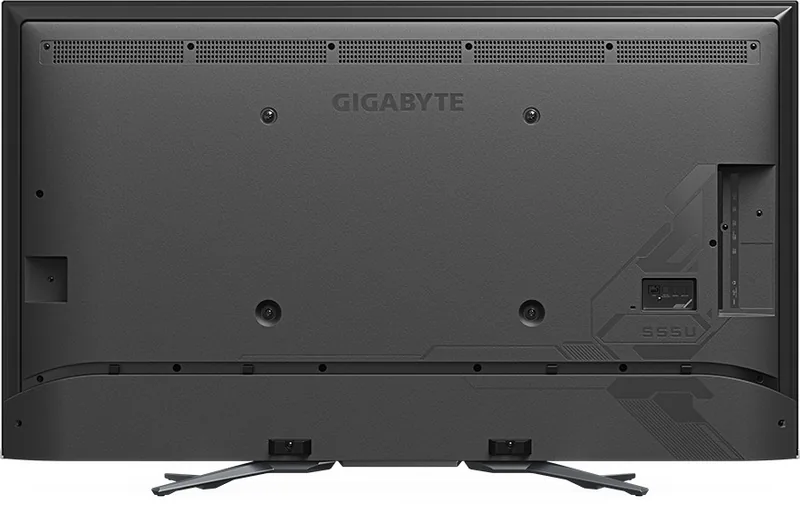
2x HDMI 2.1 (120Hz@3840x2160), 2x HDMI 2.0 (120Hz@3840x2160), 1x USB-A 3.0 (Upstream, 5Gb/s), 1x USB-A 3.0 (Downstream, 5Gb/s), 1x USB-A 2.0 (480Mb/s, Media connection), 1x Toslink S/PDIF Out, 1x 3.5mm jack (Line-Out), 1x RJ-45 1Gb LAN, 1x serial 2.5mm jack (RS-232), 1x serial (Service connection), 1x AC-In C13 (Power connection)
Shape
straight (flat)
Viewing angle
178°/178°
Coating
non-glare (matte)
Color depth
10bit (1.07 billion colors)
FRC
unknown
sRGB
140%
DCI-P3
96%
Speakers
Speakers (2x 10W)
Ergonomics
with stand, height adjustable N/A, pivot N/A, rotatable N/A, tiltable N/A
VESA
400x300 (free)
Power consumption
83W (max), 0.5W (standby)
Energy efficiency SDR (A to G)
90kWh/1000h (G)
Energy efficiency HDR (A to G)
30kWh/1000h (G)
Features
Security lock (Kensington Security Slot), Slim Bezel
Screen-to-body ratio
93.03% (calculated)
Dimensions
1232x749x309mm (WxHxD) with stand, 1232x717x98mm (WxHxD) without stand
Color
black (display frame) / black (lower bezel) / black (stand) / black (back)
Weight
18.10kg (with stand), 16.90kg (without stand)
Power supply
internal
Smart TV
Operating system (Android TV), integrated media player, app control
Wireless
Wi-Fi 5 (WLAN 802.11a/b/g/n/ac)
USB spelling
Link
Product Description
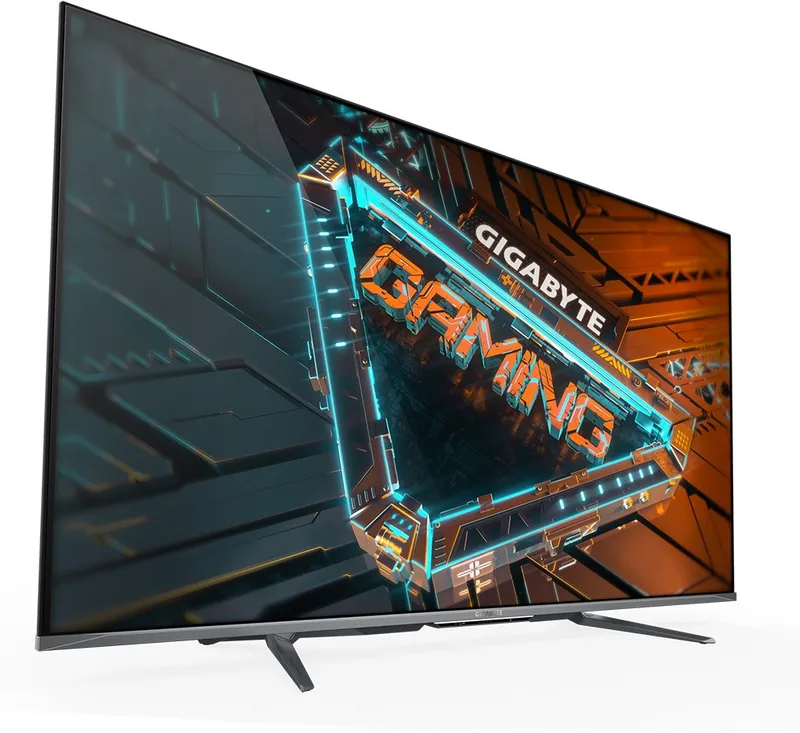
GIGABYTE S55U 54.6: The Ultimate 4K Gaming and Smart Monitor Experience
The GIGABYTE S55U 54.6 redefines home entertainment by combining stunning 4K resolution with advanced smart features designed for gamers and media enthusiasts alike. This monitor is not just a display; it is a central hub for your digital life, offering seamless connectivity and intelligent control that adapts to your needs.
Immersive Gaming Performance
For competitive gamers, the S55U delivers low input lag and rapid response times essential for high-stakes gameplay. The dedicated Game Mode optimizes settings to reduce motion blur and enhance reaction speed. Features like FreeSync technology ensure tear-free visuals by synchronizing the refresh rate with compatible graphics cards. The built-in Gaming Assistant provides real-time FPS counters, customizable crosshairs, and screen alignment tools, giving you a strategic edge in every match.
Smart Connectivity and Control
Connectivity is effortless with support for wired Ethernet, Wi-Fi, and Bluetooth pairing for peripherals and audio devices. The HDMI-CEC function allows you to control external devices directly from your remote, while the eARC/ARC support on HDMI port 3 ensures high-quality audio transmission to soundbars and receivers. Whether you are streaming movies or playing console games, the monitor handles multiple inputs with ease.
Intelligent Android TV Integration
Powered by an integrated Android TV system, the S55U offers access to thousands of apps including popular streaming services. Voice control via Google Assistant lets you search for content, adjust settings, or check the weather hands-free. The intuitive home screen organizes your favorite apps and media sources, making navigation simple and enjoyable. You can even cast content wirelessly from your mobile device using Screen Share or Content Share features.
Picture and Sound Optimization
Adjust the viewing experience to perfection with extensive picture settings. Customize brightness, contrast, color temperature, and sharpness to suit any environment. The Blue Light Filter protects your eyes during long sessions, while Smart Scene detection automatically enhances image quality based on the content being displayed. Audio enthusiasts will appreciate Dolby Atmos support and adjustable equalizer settings for rich, immersive sound.
Important Notes
- Ensure your external devices support HDMI-CEC for full control functionality.
- Some voice features may vary depending on your region and language settings.
- Regularly update the firmware to enjoy the latest improvements and security patches.
Search for 67,706 Manuals online


Type-in Brand or Model