
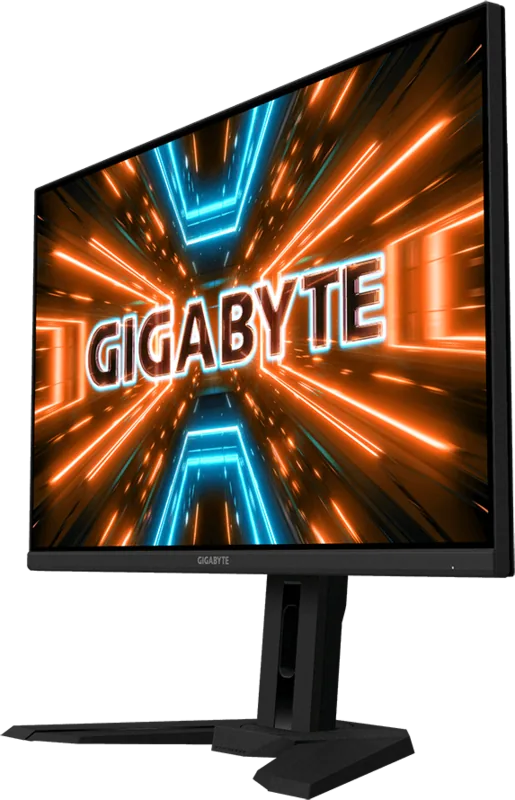
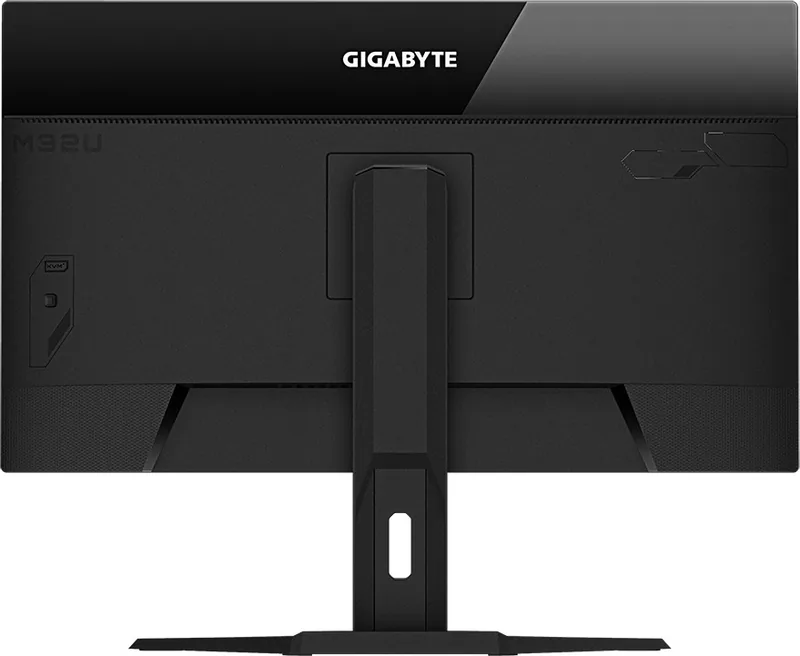
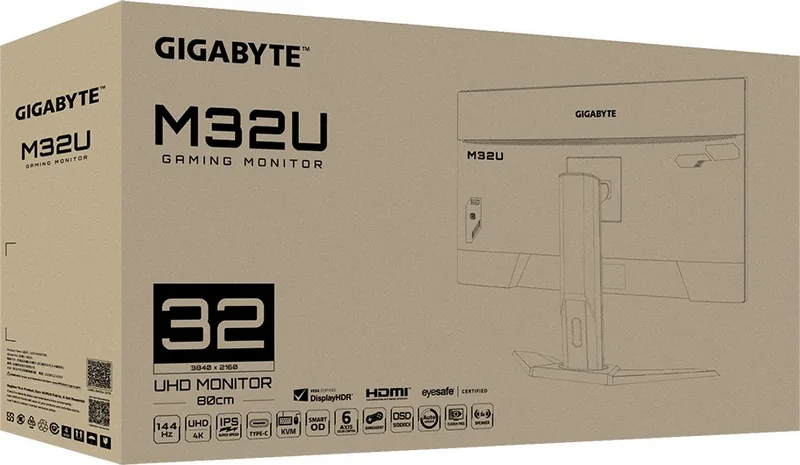
GIGABYTE M32U Manual
PDF manual · 48 Pages
English



Quick check
Incorrect answer, please try again.
Chat with your GIGABYTE M32U manual using AI
Get instant AI answers from your GIGABYTE M32U manual
Ask anything about the GIGABYTE M32U. Answers come from this manual, with the pages they are based on.
Ask a Question
Do you recommend M32U?
Yes No
Darian Blanda
5 months ago
Are there common issues with dead pixels or panel defects on this model?
Thomas Klein
5 months ago
Does the 32-inch size cause eye strain due to height when used at a desk?
quos_quo
5 months ago
Does this monitor suffer from dead pixels or clouding issues, and are they common?

Manual.ly
5 months ago
While many users report excellent image quality with no defects, some reviews mention the presence of dead pixels (including green ones) and clouding. These issues appear to be inconsistent across units, often described as a matter of luck during the 'monitor lottery.' Clouding is noted as a design-related drawback on certain panels. If you encounter such defects, especially those visible during work, consider returning the unit promptly.
Sean Thompson
6 months ago
Is there any audible noise coming from the monitor when it is powered off?
Frequently Asked Questions
The monitor supports a maximum refresh rate of 144Hz when connected via HDMI 2.1 or DisplayPort 1.4 at 4K resolution, ensuring fluid motion for gaming.
Is this answer helpful?
Yes, the GIGABYTE M32U includes HDR support with features like Light Enhance and Dark Enhance to improve contrast and color performance in compatible content.
Is this answer helpful?
Absolutely. The monitor features a USB Type-C port that supports video input, data transfer, and power delivery, allowing for a single-cable connection with compatible laptops.
Is this answer helpful?
The KVM (Keyboard, Video, Mouse) switch allows you to control two different computers using one monitor, keyboard, and mouse by simply pressing a button to switch inputs.
Is this answer helpful?
Yes, the included stand offers height adjustment up to 130mm, tilt from -5 to 20 degrees, and swivel functionality for optimal ergonomic positioning.
Is this answer helpful?
No, the GIGABYTE M32U does not come with integrated speakers; however, it includes a headphone jack for connecting external audio devices.
Is this answer helpful?
Advantages and Disadvantages
Advantages

- Stunning 4K UHD resolution with 144Hz refresh rate for ultra-smooth gameplay
- Versatile connectivity including HDMI 2.1, DP 1.4, and full-featured USB Type-C
- Advanced gaming features like AMD FreeSync Premium Pro and customizable Game Assist tools
- Built-in KVM switch for efficient multi-computer management
- Ergonomic stand with height, tilt, and swivel adjustments for user comfort
Disadvantages

- Higher price point compared to standard 1080p or 1440p monitors
- Large physical size may require significant desk space
- No built-in speakers, requiring external audio solutions
- USB charging speed for devices may vary depending on configuration
- Menu navigation can be slightly complex due to the depth of settings
Product Specification
Function
Monitor (stationary)
Diagonal
31.5" (80.0cm)
Resolution
3840x2160 (4K UHD), 16:9, 140ppi
Panel
IPS, Manufacturer: Innolux (M315DCA-K7B)
Backlight
LED, Blue light filter, flicker-free
Brightness
350cd/m^2 (typical), 400cd/m^2 (HDR)
Contrast
1,000:1 (static)
HDR
VESA DisplayHDR 400
Response Time
1ms (MPRT)
Refresh Rate
144Hz (3840x2160)
Variable Synchronization
Adaptive Sync, AMD FreeSync Premium certified (48-144Hz via DisplayPort, 48-144Hz via HDMI, with LFC support, with HDR)
Motion Blur Reduction Function
GIGABYTE Aim Stabilizer
Connections
2x HDMI 2.1 (144Hz@3840x2160), 1x DisplayPort 1.4 (144Hz@3840x2160), 1x USB-C 3.0 with DisplayPort (Upstream, 5Gb/s, PD 18W), 1x USB-B 3.0 (Upstream, 5Gb/s), 3x USB-A 3.0 (Downstream, 5Gb/s), 1x 3.5mm Jack (Line-Out), 1x AC-In C13 (Power Connection)
Shape
straight (flat)
Viewing Angle
178°/178°
Coating
non-glare (matte)
Color Depth
10bit (1.07 Billion Colors)
FRC
yes (8bit+2bit)
sRGB
123%
DCI-P3
90%
Speakers
Speakers (2x 3W)
Operation
Control Knob
Ergonomics
with stand, height adjustable (5.1 inches), Pivot N/A, swivel (+/- 30 degrees), tilt (+20°/-5°)
VESA
100x100 (occupied)
Power Consumption
140W (max), 45.5W (typical), 0.5W (Standby)
Features
Security Lock (Kensington Security Slot), KVM Switch, Picture-in-Picture, Slim Bezel
Screen-to-Body Ratio
90.17% (calculated)
Dimensions
28.15x23.04x9.62 inches (WxHxD) with stand compressed, 28.15x16.69x2.69 inches (WxHxD) without stand
Color
black (display frame) / black (lower bezel) / black (stand) / black (back)
Weight
22.82 lbs (with stand), 15.98 lbs (without stand)
Power Supply
internal
USB Spelling
Link
Product Description
Discover the GIGABYTE M32U 31.5 Monitor: A Gaming and Productivity Powerhouse
The GIGABYTE M32U is a high-performance LCD monitor designed for gamers, content creators, and professionals who demand precision and speed. With a massive 31.5-inch screen offering stunning 4K UHD resolution at 3840x2160 pixels, this display brings your digital world to life with incredible clarity. The 16:9 aspect ratio ensures compatibility with all modern content, while the IPS panel technology delivers vibrant colors and wide viewing angles of 178 degrees horizontally and vertically.
For competitive gamers, the M32U shines with a blazing fast refresh rate of up to 144Hz via HDMI 2.1 and DisplayPort 1.4. This smooth motion handling, combined with AMD FreeSync Premium Pro support, eliminates screen tearing and stuttering, providing a seamless visual experience. The monitor also features specialized Game Assist tools, including an adjustable crosshair, gaming timer, and a real-time dashboard that tracks CPU and GPU performance metrics directly on screen.
Connectivity is where this monitor truly excels. It boasts a versatile array of ports including two HDMI 2.1 inputs, one DisplayPort 1.4, and a robust USB Type-C port capable of delivering power and video data simultaneously. The built-in KVM switch allows users to control multiple computers using a single set of peripherals, enhancing productivity for multi-device setups. Additionally, the ergonomic stand offers tilt, height adjustment, and swivel capabilities, ensuring you can find the perfect viewing position to reduce eye strain during long sessions.
Whether you are immersing yourself in AAA titles, editing 4K video, or managing complex spreadsheets, the GIGABYTE M32U provides the reliability and features needed to elevate your workflow. Its sleek design and comprehensive connectivity options make it a standout choice for any modern desk setup.
Search for 67,706 Manuals online


Type-in Brand or Model
Deondre Runte
4 months ago
Is this monitor reliable for PS5 gaming and what GPU is recommended?
Manual.ly
4 months ago
This monitor offers excellent performance for PS5 gaming with low input lag and vibrant colors. For PC users, we recommend a high-end graphics card such as an RTX 3070 or RX 6700 XT to fully utilize the 4K resolution at 144Hz. Please ensure your system meets these requirements for optimal results.