
GIGABYTE M27F Manual
PDF manual · 45 Pages
English



Quick check
Incorrect answer, please try again.
Chat with your GIGABYTE M27F manual using AI
Get instant AI answers from your GIGABYTE M27F manual
Ask anything about the GIGABYTE M27F. Answers come from this manual, with the pages they are based on.
Ask a Question
Do you recommend M27F?
Yes NoFrequently Asked Questions
The monitor supports a refresh rate of 144Hz, ensuring smooth visuals for gaming.
Is this answer helpful?
Yes, it supports wall mounting using a standard 100x100 mm bracket kit.
Is this answer helpful?
Yes, it includes a KVM switch for managing multiple computers with one keyboard.
Is this answer helpful?
The specified response time is 1ms (MPRT) for minimal motion blur.
Is this answer helpful?
Yes, it features Low Blue Light certification to reduce eye strain.
Is this answer helpful?
It has HDMI, DisplayPort, and USB Type-C inputs for connectivity.
Is this answer helpful?
Advantages and Disadvantages
Advantages

- 144Hz refresh rate ensures fluid motion during competitive play for gamers
- USB Type-C support allows single-cable solutions for laptops
- Ergonomic stand supports height changes and tilting for posture protection
- Low Blue Light technology reduces harmful exposure during usage
- KVM switch function simplifies management across multiple computers
Disadvantages

- Full HD resolution on 27-inch screen may reduce pixel density
- 300 nits brightness limits HDR performance in bright environments
- No HDMI 2.1 support restricts next-gen console features
- 1ms MPRT response time may vary from GTG in some scenarios
- Wall mount requires separate purchase of 100x100 mm kit
Product Specification
Function
Monitor (fixed)
Diagonal
27" (27.0 in)
Resolution
1920x1080 (FHD), 16:9, 82 ppi
Panel Type
IPS
Backlight
LED, Blue Light Filter, flicker-free
Brightness
300 cd/m2 (typical)
Contrast
1,000:1 (static), 100,000,000:1 (dynamic)
Response Time
1ms (MPRT)
Refresh Rate
144Hz (1920x1080)
Variable Refresh Rate
Adaptive Sync, AMD FreeSync Premium Certified (48-144Hz via DisplayPort, 48-144Hz via HDMI, with LFC Support, no HDR)
Blur Reduction Function
GIGABYTE Aim Stabilizer
Ports
2x HDMI 2.0, 1x DisplayPort 1.2, 1x USB-C 3.0 with DisplayPort 1.2 (Upstream, 5Gb/s), 1x USB-B 3.0 (Upstream, 5Gb/s), 2x USB-A 3.0 (Downstream, 5Gb/s), 1x 3.5mm Jack (Line-Out), 1x DC-In Power Jack (Power)
Shape
Straight (Flat)
Viewing Angles
178 deg / 178 deg
Coating
Anti-glare (matte)
Color Depth
8-bit (16.7 Million Colors)
Frame Rate Control
Unknown
sRGB
130%
DCI-P3
95%
Controls
Joystick
Ergonomics
with Stand, Height Adjustable (130mm), Pivot N/A, Swivel N/A, Tilt (+20 deg / -5 deg)
VESA Mount
100x100 (Supported)
Power Consumption
61W (max), 0.3W (Standby), 32W (Old Energy Label A+++ to G)
SDR Energy Efficiency (A to G)
23kWh/1000h (F)
Old Energy Efficiency (A+++ to G)
46.7kWh (B)
Features
Security Lock (Kensington Security Slot), KVM Switch, Slim Bezel
Screen-to-Body Ratio
88.93% (calculated)
Dimensions
24.22x21.00x8.00 in (WxHxD) with Stand (folded), 24.22x14.46x1.66 in (WxHxD) without Stand
Color
Black (Display Bezel) / Black (Lower Bezel) / Black (Stand) / Black (Back)
Weight
12.13 lbs (with Stand)
Power Supply
External
USB Labeling
Link
Product Description
Immersive Gaming
Performance
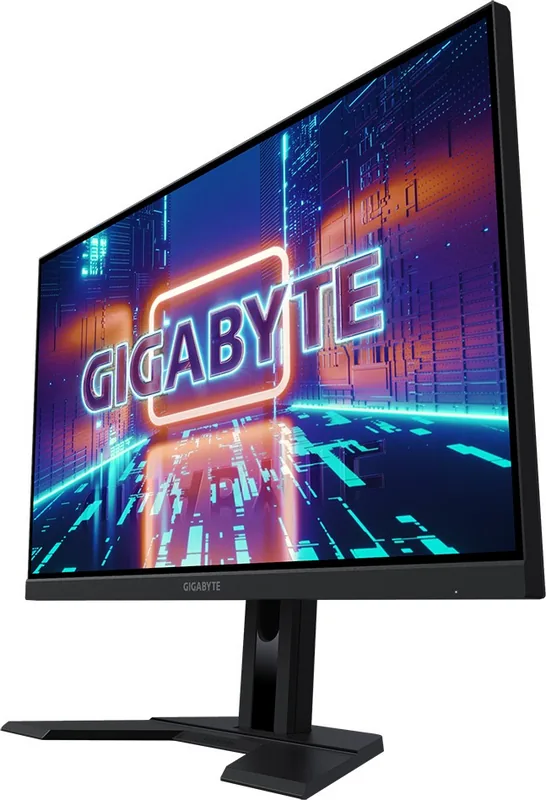
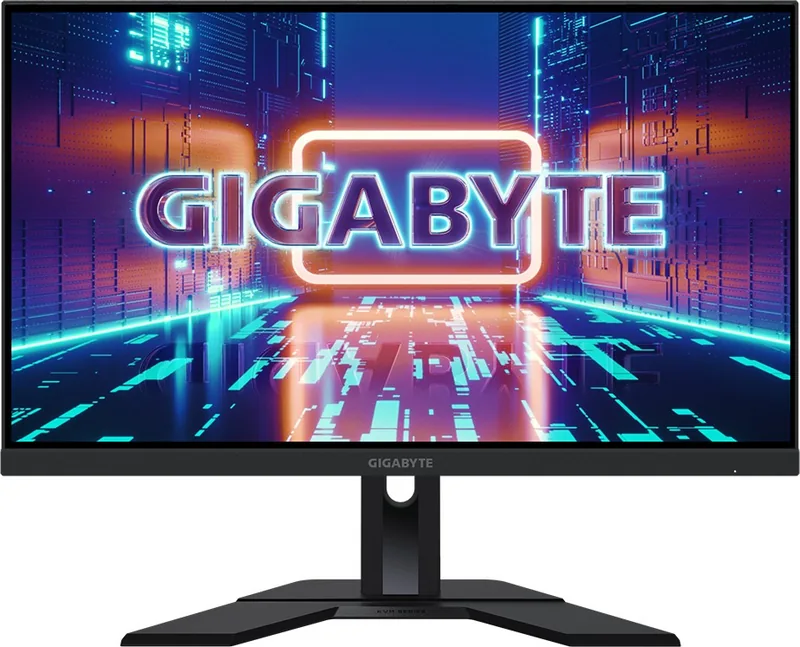
The GIGABYTE M27F delivers a robust gaming experience with its 27-inch Full HD panel. Users benefit from a rapid 144Hz refresh rate that ensures fluid motion during competitive play. Response times are optimized to minimize blur, allowing for precise aiming and tracking. This combination of speed and clarity defines the core performance characteristics.
Connectivity
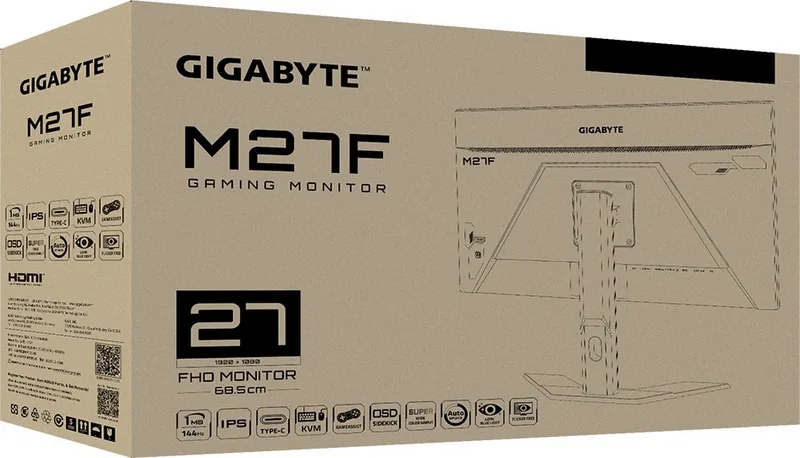
Connection flexibility is essential for versatile setups. The unit features multiple HDMI inputs alongside a DisplayPort to support various devices. USB Type-C capabilities allow for single-cable solutions powering laptops while transmitting video signals. A KVM switch function simplifies management across multiple computers using shared keyboards. This connectivity ensures every peripheral fits seamlessly into your workstation.
Interface
Adjusting visual settings allows for tailored viewing experiences. Picture modes include options for shooters, role-playing games, and movie watching. The OSD menu provides access to Black Equalizer and Crosshair overlays for tactical advantages. Dashboard features monitor system data like CPU temperature directly. Navigation through these settings utilizes a single control button for ease of use. Following the GIGABYTE M27F, 27" Manual guidelines helps maximize these features.
Stand
Physical adjustability protects your posture during long sessions. The stand supports height changes and tilting to find comfortable sightlines. Wall mounting is supported for users preferring a clean desk surface. Ventilation holes are strategically placed to prevent overheating during intense usage periods. Ensuring proper airflow safeguards the longevity of internal components over time.
Safety
Protecting your investment is vital for consistent operation. Cleaning requires a soft lint-free cloth to avoid scratching the screen surface. Never spray liquids directly onto the panel to prevent moisture damage. Safety dictates unplugging power cables before cleaning. Keeping original packaging materials facilitates safe shipping if you move.
Care
Eye strain can be minimized through configuration. Low Blue Light technology reduces harmful exposure for extended evening usage. Color vibrance and gamma adjustments let you calibrate output. Factory settings provide a balanced baseline while custom options allow for personalization. Gamers can activate FreeSync Premium for synchronization with graphics cards.
Conclusion
This monitor serves as a reliable choice for entertainment. Performance metrics meet the demands of modern gaming titles. Comprehensive setup support ensures users can optimize their environment. The blend of speed and design makes it a standout option.
Search for 67,706 Manuals online


Type-in Brand or Model