
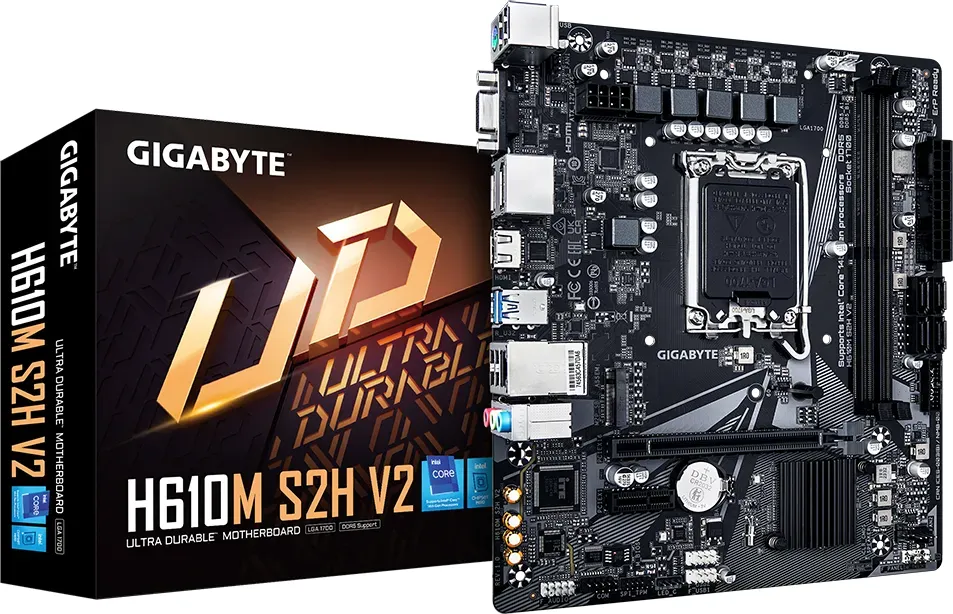
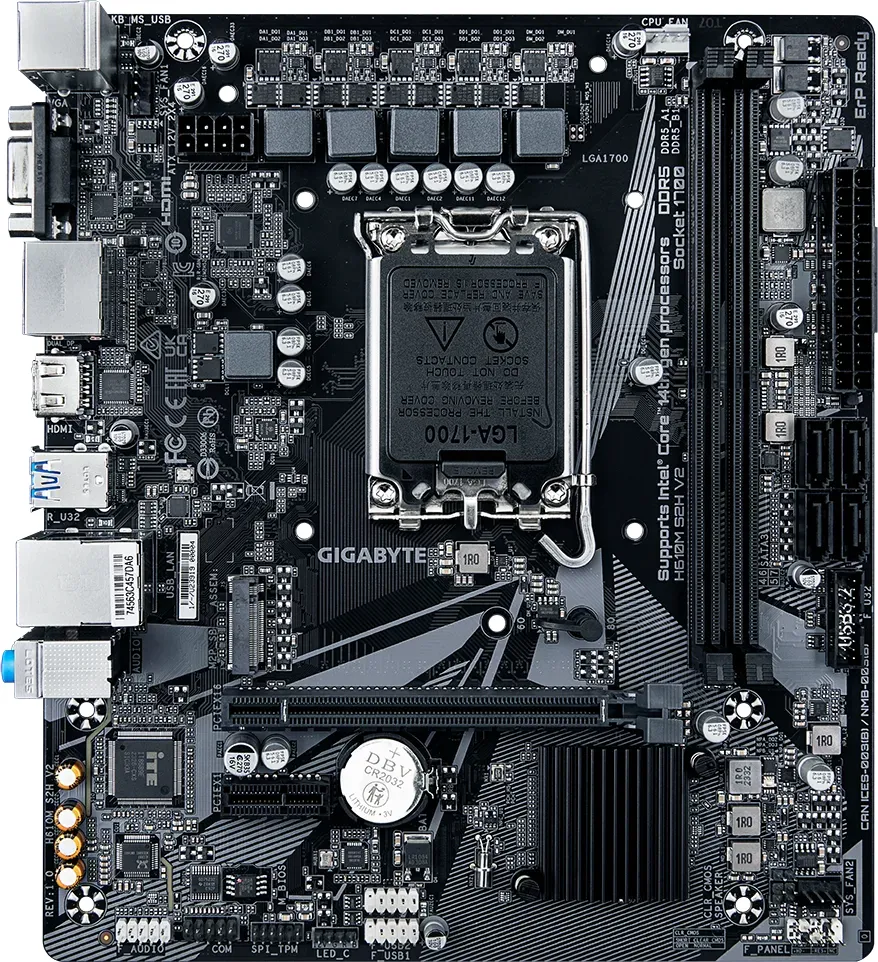
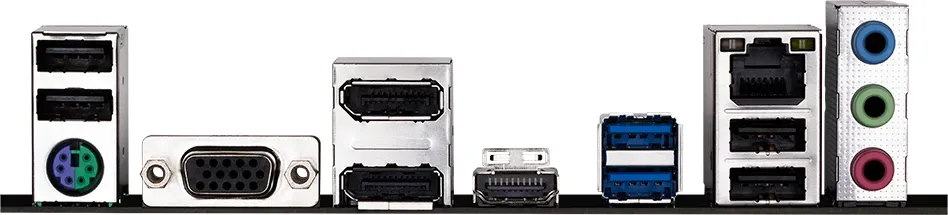
GIGABYTE H610 Series Manual
PDF manual · 32 Pages
English



Quick check
Incorrect answer, please try again.
Chat with your GIGABYTE H610 Series manual using AI
Get instant AI answers from your GIGABYTE H610 Series manual
Ask anything about the GIGABYTE H610 Series. Answers come from this manual, with the pages they are based on.
Ask a Question
Do you recommend H610 Series?
Yes NoFrequently Asked Questions
This motherboard supports 12th Generation Intel Core i9, i7, i5, i3, and Pentium Gold processors using the LGA1700 socket. Please check the official GIGABYTE website for the complete list of supported CPUs.
Is this answer helpful?
The board features two DDR4 DIMM sockets and supports up to 64 GB of system memory, with each socket handling up to 32 GB. It supports speeds ranging from 2133 MHz to 3200 MHz depending on the CPU.
Is this answer helpful?
Yes, the GIGABYTE H610M S2H DDR4 fully supports Windows 11 64-bit operating systems. It also remains compatible with Windows 10 64-bit for users preferring that environment.
Is this answer helpful?
No, this motherboard does not include built-in Wi-Fi. It features a Gigabit Ethernet LAN port for wired connections. You will need a USB or PCIe Wi-Fi adapter for wireless internet access.
Is this answer helpful?
You can update the BIOS using the Q-Flash utility directly from the BIOS menu or the @BIOS application within Windows. Ensure your power supply is stable and do not interrupt the process to avoid system failure.
Is this answer helpful?
The board supports one M.2 PCIe SSD (Socket 3) and four SATA 6Gb/s connectors. This allows for a mix of high-speed NVMe drives and traditional hard drives or SATA SSDs.
Is this answer helpful?
While it lacks extreme overclocking features, the H610M S2H is capable of running modern games when paired with a dedicated graphics card. It provides sufficient PCIe lanes and memory support for mid-range gaming builds.
Is this answer helpful?
Advantages and Disadvantages
Advantages

- Supports 12th Gen Intel Core processors via LGA1700 socket
- Dual channel DDR4 memory architecture for improved bandwidth
- Multiple video output options including HDMI 2.0 and DisplayPort
- Integrated Q-Flash utility simplifies BIOS updates
- Micro ATX form factor fits smaller computer cases
Disadvantages

- Only two DDR4 DIMM sockets limit maximum memory expansion
- PCIe x16 slot runs at x16 but only one expansion slot available
- M.2 slot supports only PCIe SSDs not SATA variants
- Basic chipset may lack advanced overclocking features
- No built-in Wi-Fi requiring separate adapter for wireless use
Product Specification
Socket
Intel 1700
Chipset
Intel H610
CPU Compatibility
Core i-14000, Core i-13000, Core i-12000, Pentium Gold G7000, Celeron G6000
Buttons/Switches
N/A
Audio
7.1 (Realtek ALC897)
Graphics
iGPU
Wireless
N/A
RAID Level
N/A
Multi-GPU
N/A
Lighting
N/A
Manufacturer Warranty
Three years (from production date, handled via authorized retailer)
USB Labeling
Left
Product Description
GIGABYTE H610M S2H DDR4: A Solid Foundation for Modern Computing
The GIGABYTE H610M S2H DDR4 motherboard represents a reliable entry point into the world of 12th Generation Intel Core processors. Designed with a Micro ATX form factor, this board offers an excellent balance of performance and compact size, making it ideal for budget-conscious builders who still demand stability. The LGA1700 socket ensures compatibility with the latest Intel i9, i7, and i5 processors, allowing users to experience significant upgrades in speed and efficiency without breaking the bank.
One of the standout features of this motherboard is its robust connectivity options. It supports DDR4 memory up to 3200 MHz, providing ample bandwidth for everyday tasks and light gaming. The onboard graphics solution integrates Intel HD Graphics, offering versatile display outputs including HDMI 2.0, DisplayPort, DVI-D, and D-Sub. This allows users to connect multiple monitors or high-resolution displays effortlessly. For storage needs, the board includes a fast M.2 connector supporting PCIe SSDs alongside four SATA ports, ensuring flexible data management and rapid boot times.
GIGABYTE has integrated several unique software utilities to enhance user experience. The APP Center provides access to tools like @BIOS for easy firmware updates, EasyTune for system tuning, and Q-Flash for BIOS modifications without entering the operating system. These features simplify maintenance and optimization, making the system easier to manage for both novices and enthusiasts. Additionally, the Realtek Audio CODEC delivers high-definition sound quality, while the Gigabit LAN chip ensures stable internet connectivity.
Safety and durability are prioritized through comprehensive protection circuits and clear installation guidelines found in the user manual. From electrostatic discharge precautions to detailed instructions on CPU and memory installation, every step is designed to prevent hardware damage. The board also supports dual-channel memory architecture, which doubles memory bandwidth when two modules are installed correctly. Whether you are building a home office PC or a casual gaming rig, the GIGABYTE H610M S2H DDR4 stands as a dependable choice that combines essential features with user-friendly design.
Important Notes
- Always verify CPU support lists on the official website before purchasing.
- Use an ESD wrist strap during installation to prevent static damage.
- Ensure the power supply unit meets the recommended wattage for stable operation.
Search for 67,706 Manuals online


Type-in Brand or Model