
GIGABYTE H510 Series Manual
PDF manual · 30 Pages
English



Quick check
Incorrect answer, please try again.
Chat with your GIGABYTE H510 Series manual using AI
Get instant AI answers from your GIGABYTE H510 Series manual
Ask anything about the GIGABYTE H510 Series. Answers come from this manual, with the pages they are based on.
Ask a Question
Do you recommend H510 Series?
Yes NoFrequently Asked Questions
It supports 10th Generation Intel Core i9, i7, i5, i3, Pentium, and Celeron processors in the LGA1200 package. Check the GIGABYTE website for the specific CPU support list.
Is this answer helpful?
The motherboard has two DDR4 DIMM sockets and supports up to 64 GB of system memory using 32 GB single DIMM modules.
Is this answer helpful?
Yes, it features one M.2 connector that supports both SATA and PCIe SSDs in 2242, 2260, and 2280 form factors.
Is this answer helpful?
No, this motherboard does not include built-in wireless connectivity. You will need a separate PCIe or USB Wi-Fi adapter.
Is this answer helpful?
You can clear CMOS by shorting the CLR_CMOS jumper pins with a screwdriver while the power is off, or by removing the battery for a minute.
Is this answer helpful?
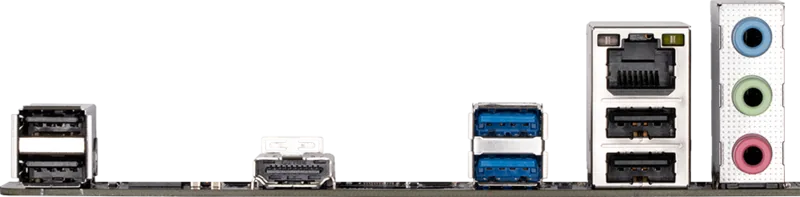
The back panel includes one D-Sub port, one DVI-D port, and one HDMI port for connecting monitors.
Is this answer helpful?
Yes, the UEFI BIOS offers both Easy Mode for quick settings and Advanced Mode for detailed configuration with mouse support.
Is this answer helpful?
Advantages and Disadvantages
Advantages

- Supports latest 10th Gen Intel Core processors
- Dual channel DDR4 memory up to 64GB capacity
- Multiple video output options including HDMI and DVI
- M.2 slot supports fast NVMe SSD storage
- Comprehensive BIOS tools for system tuning
Disadvantages

- Limited overclocking capabilities compared to Z-series chipsets
- Only two DDR4 DIMM slots available
- No built-in Wi-Fi or Bluetooth connectivity
- Basic VRM design suitable for non-overclocked CPUs
- Integrated graphics may struggle with heavy gaming
Product Specification
Form Factor
µATX
Socket
Intel 1200
Buttons/Switches
N/A
Audio
7.1 (Realtek ALC897)
Graphics
iGPU
Wireless
N/A
Multi-GPU
N/A
Power Connectors
1x 24-Pin ATX, 1x 8-Pin EPS12V
Lighting
N/A
Features
Audio+solid capacitors, Onboard TPM 2.0 Support (Intel PTT)
Manufacturer Warranty
three years (from production date, handled via authorized retailer)
USB Layout
Link
Product Description
GIGABYTE H510 Motherboard Overview
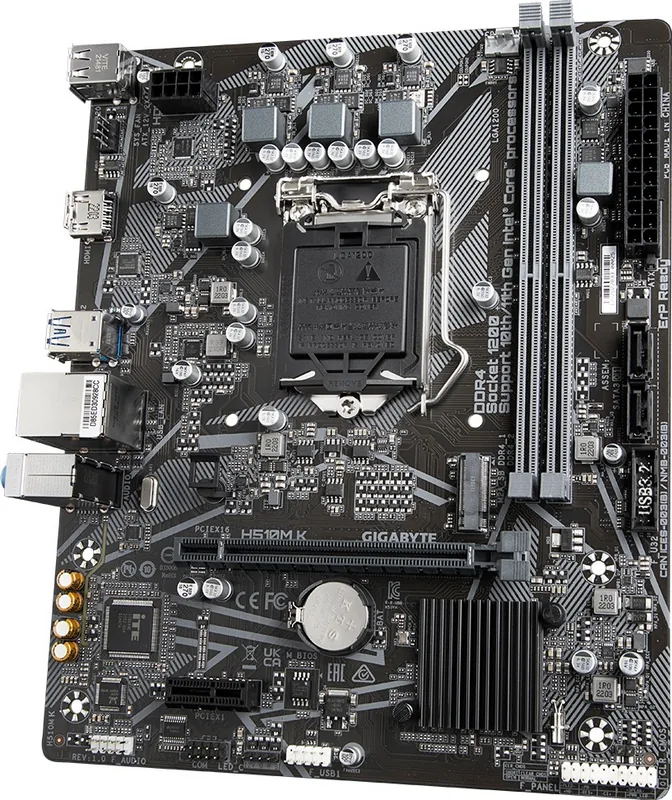
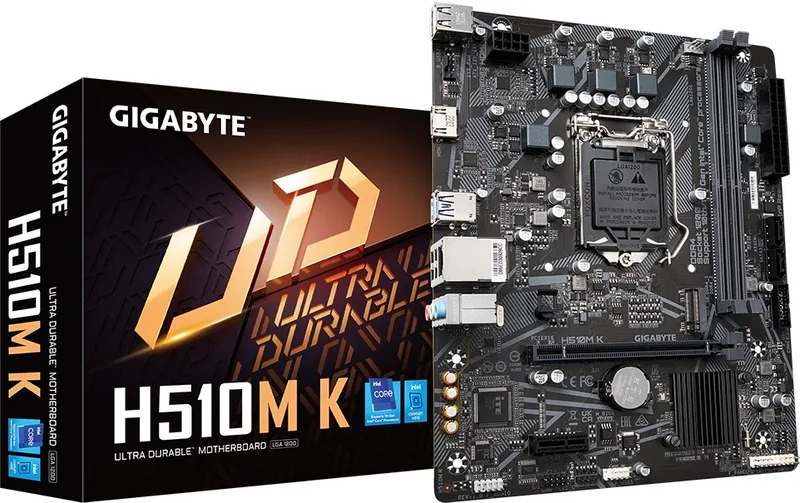
The GIGABYTE H510 motherboard series, specifically the H410M S2H V3 model often associated with this chipset family, offers a robust foundation for building reliable desktop systems. Designed for users seeking stability and essential features without excessive cost, this board supports the latest 10th Generation Intel Core processors in the LGA1200 package. Whether you are upgrading an existing system or building a new PC for office work, home entertainment, or light gaming, this motherboard provides the necessary connectivity and performance.
Built around the Intel H510 Express Chipset, the board ensures efficient data transfer and system management. It features two DDR4 DIMM sockets supporting up to 64 GB of dual-channel memory, allowing for high-speed multitasking. The integrated graphics capabilities support multiple display outputs including D-Sub, DVI-D, and HDMI, enabling resolutions up to 4K depending on the connected monitor. For storage needs, it includes an M.2 connector for fast NVMe SSDs alongside four SATA 6Gb/s ports for traditional hard drives.
Connectivity is comprehensive, featuring USB 3.2 Gen 1 ports for rapid data transfer and USB 2.0 ports for legacy peripherals. The onboard Realtek audio codec delivers high-definition sound with support for 7.1-channel configurations. Security is not overlooked, with support for Trusted Platform Module (TPM) headers and Intel PTT technology. The BIOS setup utility allows for detailed hardware tuning, fan control, and system monitoring, ensuring your computer runs cool and efficiently. Additionally, GIGABYTE emphasizes environmental responsibility by using recyclable packaging materials.
Key Features
- Supports 10th Gen Intel Core i9/i7/i5/i3/Pentium/Celeron processors
- Dual channel DDR4 memory architecture up to 64GB
- Integrated graphics with HDMI, DVI-D, and VGA outputs
- M.2 slot for ultra-fast NVMe SSDs
- Gigabit LAN and multiple USB ports
- Comprehensive BIOS controls for stability and performance
Important Notes
Always ensure your power supply unit meets the recommended wattage to prevent instability. When installing components, use an ESD wrist strap or touch a metal object to discharge static electricity. Regularly update your BIOS from the official GIGABYTE website to maintain compatibility with newer CPUs and memory modules.
Search for 67,706 Manuals online


Type-in Brand or Model