
GIGABYTE H310 Series Manual
PDF manual · 40 Pages
English



Quick check
Incorrect answer, please try again.
Chat with your GIGABYTE H310 Series manual using AI
Get instant AI answers from your GIGABYTE H310 Series manual
Ask anything about the GIGABYTE H310 Series. Answers come from this manual, with the pages they are based on.
Ask a Question
Do you recommend H310 Series?
Yes NoFrequently Asked Questions
It supports 8th Generation Intel Core i7, i5, i3, Pentium, and Celeron processors in the LGA1151 package. Always check the latest CPU support list before building or updating BIOS.
Is this answer helpful?
The board has two DDR4 DIMM slots and supports up to 32 GB of system memory. It uses dual-channel architecture for better bandwidth and supports common DDR4 speeds such as 2666, 2400, and 2133 MHz.
Is this answer helpful?
Yes. The motherboard includes D-Sub and HDMI outputs for processors with integrated graphics. HDMI can support higher resolutions and audio output through a compatible display.
Is this answer helpful?
It provides four SATA 6Gb/s connectors for hard drives and SSDs. The manual also explains SATA mode options in BIOS, including AHCI and hot-plug related settings.
Is this answer helpful?
Use GIGABYTE Q-Flash for updating or backing up BIOS without entering the operating system, or use @BIOS from Windows. The text advises caution and recommends updating only when needed.
Is this answer helpful?
Load Optimized Defaults in BIOS or clear the CMOS using the jumper or battery method. The manual recommends returning to default settings if unstable tuning prevents normal startup.
Is this answer helpful?
Yes, if the goal is a basic Intel desktop. The layout is simple, the BIOS offers easy mode, and the manual gives strong installation safety guidance. It is less suitable for users wanting advanced expansion or heavy tuning.
Is this answer helpful?
Advantages and Disadvantages
Advantages

- Supports 8th Gen Intel processors for a flexible entry-level platform.
- Dual-channel DDR4 memory support improves basic system responsiveness.
- HDMI, D-Sub, Gigabit LAN, and multiple USB ports cover everyday needs.
- BIOS tools, fan controls, and Q-Flash add useful setup and maintenance options.
Disadvantages

- Only two DIMM slots limit memory expansion compared with larger boards.
- Overclocking and voltage tuning are aimed at advanced users and carry risk.
- Higher memory speeds depend on specific CPU support, which narrows tuning options.
- No onboard Wi-Fi or modern high-end expansion features are highlighted in the text.
Product Specification
Socket
Intel 1151 v2
Chipset
Intel H310
CPU Compatibility
Core i-9000, Core i-8000, Pentium Gold G5000, Celeron G4000
Buttons/Switches
N/A
Audio
7.1 (Realtek ALC887)
Graphics
iGPU
Wireless
N/A
RAID Level
N/A
Multi-GPU
N/A
Manufacturer Warranty
three years (from production date, handled by specialist dealer)
USB Notation
Link
Product Description
GIGABYTE H310 Manual: A Practical Look at the H310M H 2.0
Built for simple, dependable Intel builds
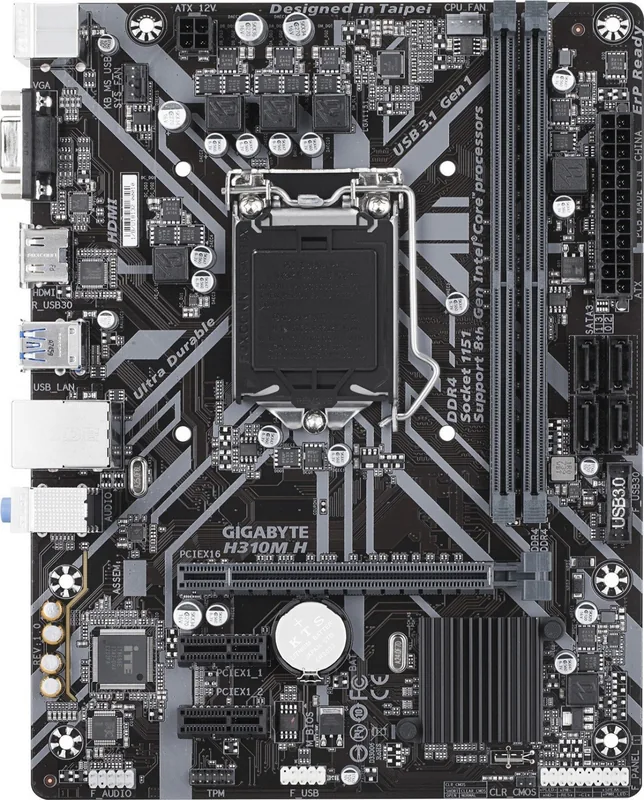
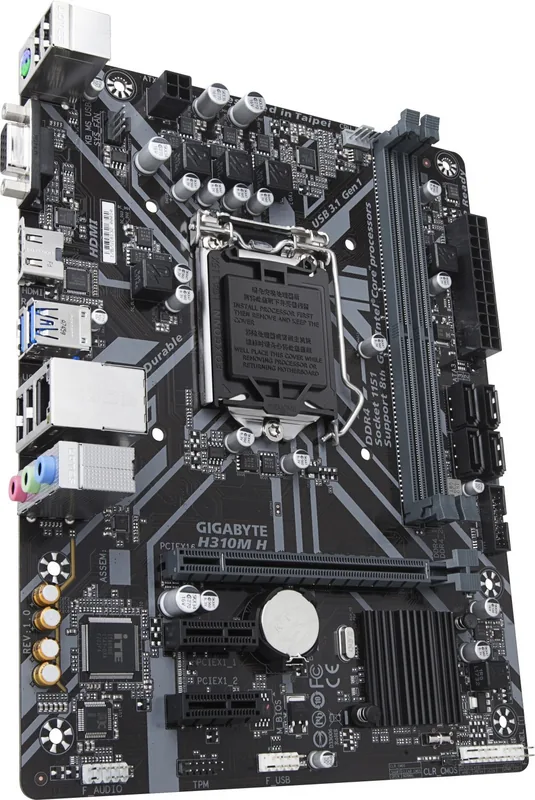
The GIGABYTE H310 H310M H 2.0 is a compact Micro ATX motherboard aimed at users who want a stable, affordable foundation for an everyday desktop. The GIGABYTE H310 Manual presents it as a board for 8th Generation Intel Core, Pentium, and Celeron processors in the LGA1151 package, making it a sensible match for office work, light home use, and basic productivity systems.
Balanced features in a small footprint
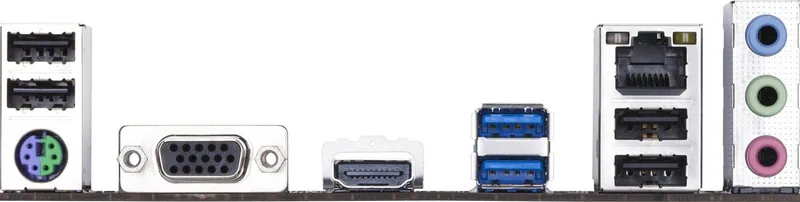
Despite its modest size, this board offers a practical set of essentials. It supports dual-channel DDR4 memory up to 32 GB, includes HDMI and D-Sub display outputs, and provides Gigabit LAN for reliable networking. Storage is handled through four SATA 6Gb/s connectors, while the rear panel adds USB 3.1 Gen 1, USB 2.0, audio jacks, and PS/2 support for legacy peripherals.
BIOS tools and everyday control
One of the strongest parts of the board is its firmware and utility support. The BIOS includes classic and easy modes, fan tuning options, boot control, security settings, and storage configuration. Tools like Q-Flash and @BIOS help with updates, while APP Center utilities can be used for monitoring, system tuning, and quick maintenance. These features make the board approachable for beginners while still giving advanced users room to adjust performance, power, and cooling behavior.
Installation, safety, and long-term use
The manual places a strong emphasis on careful installation. It repeatedly reminds users to disconnect power, avoid static discharge, and verify connector orientation before powering on. That guidance is especially useful for first-time builders, since the board relies on secure connections for the CPU, fans, front panel, USB headers, and SATA devices. It also notes the need to match memory and CPU support carefully when aiming for higher memory speeds.
Environment and support mindset
Another notable detail is GIGABYTE’s focus on responsible packaging and recycling. The product materials are designed with reuse and recyclability in mind, and the documentation also includes regulatory and environmental guidance. For users who want a no-frills motherboard with practical features, a clear setup path, and wide support resources, the H310M H 2.0 stands out as a straightforward choice.
Notes
- Best suited for budget Intel-based systems.
- XMP and higher memory speeds depend on CPU support.
- BIOS changes should be made carefully to avoid instability.
- Check motherboard revision before updating BIOS or drivers.
Search for 67,706 Manuals online


Type-in Brand or Model