
GIGABYTE GS34WQC Manual
PDF manual · 32 Pages
English



Quick check
Incorrect answer, please try again.
Chat with your GIGABYTE GS34WQC manual using AI
Get instant AI answers from your GIGABYTE GS34WQC manual
Ask anything about the GIGABYTE GS34WQC. Answers come from this manual, with the pages they are based on.
Ask a Question
Do you recommend GS34WQC?
Yes NoFrequently Asked Questions
The monitor features a native resolution of 3440 by 1440 pixels, providing sharp imagery suitable for ultrawide workflows and gaming.
Is this answer helpful?
Yes, this model supports FreeSync Premium technology to reduce screen tearing and improve in-game performance.
Is this answer helpful?
Yes, the unit is compatible with VESA mounts. You must use screws that are 10 millimeters long to prevent damage to the panel.
Is this answer helpful?
The stand allows tilt adjustment from negative five degrees to twenty degrees. Height can also be raised up to 100 millimeters.
Is this answer helpful?
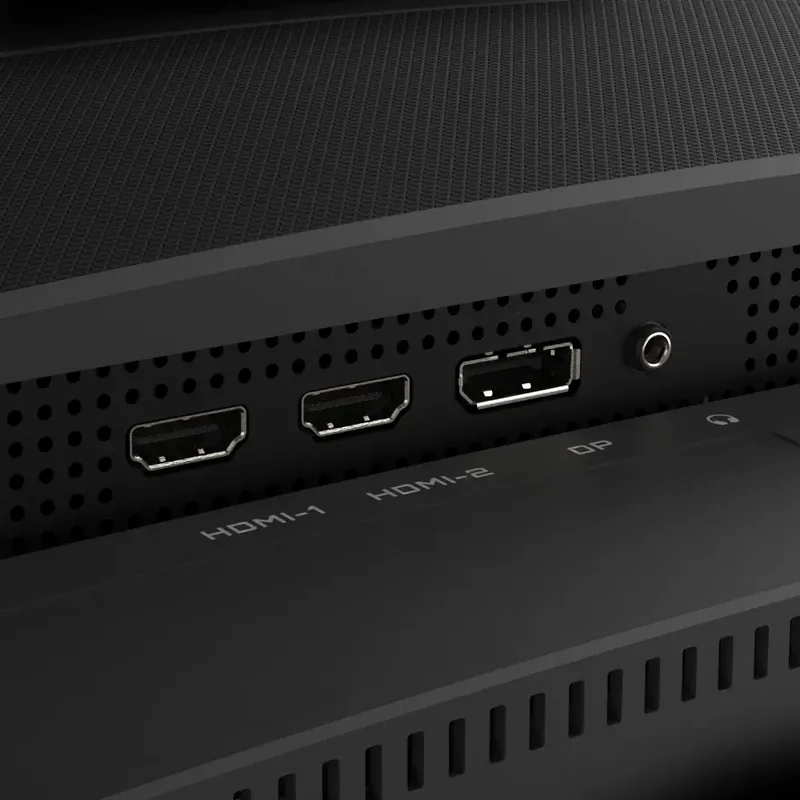
There are two HDMI ports, one DisplayPort, and a headphone jack for audio output directly from the monitor.
Is this answer helpful?
Advantages and Disadvantages
Advantages

- Ultrawide 21:9 aspect ratio fills peripheral vision for immersion.
- High refresh rate up to 120Hz ensures smooth motion.
- FreeSync Premium technology eliminates screen tearing.
- Height adjustment of 100 mm fits various desk setups.
Disadvantages

- Osc menu navigation buttons are small for precise control.
- Screws for wall mount require specific length to avoid damage.
- No HDR support listed in standard specifications.
- Stand base occupies significant desk space compared to arms.
Product Specification
Function
Monitor (Stationary)
Diagonal
34" (34.02 in)
Resolution
3440x1440 (UWQHD), 21:9, 110 ppi
Panel
VA
Backlight
LED, Blue Light Filter, flicker-free
Brightness
300 cd/m^2 (typical)
Contrast
4,000:1 (Static)
Response Time
1ms (MPRT)
Refresh Rate
120Hz (135Hz OC, 3440x1440)
Variable Refresh Rate
Adaptive Sync, AMD FreeSync Premium Certified (48-120Hz via DisplayPort, 48-120Hz via HDMI, with LFC Support, with HDR)
Motion Blur Reduction
GIGABYTE Aim Stabilizer
Connectors
2x HDMI 2.0 (120Hz@3440x1440), 1x DisplayPort 1.4 (120Hz@3440x1440), 1x 3.5mm Jack (Line-Out), 1x AC-In C13 (Power Input)
Curve
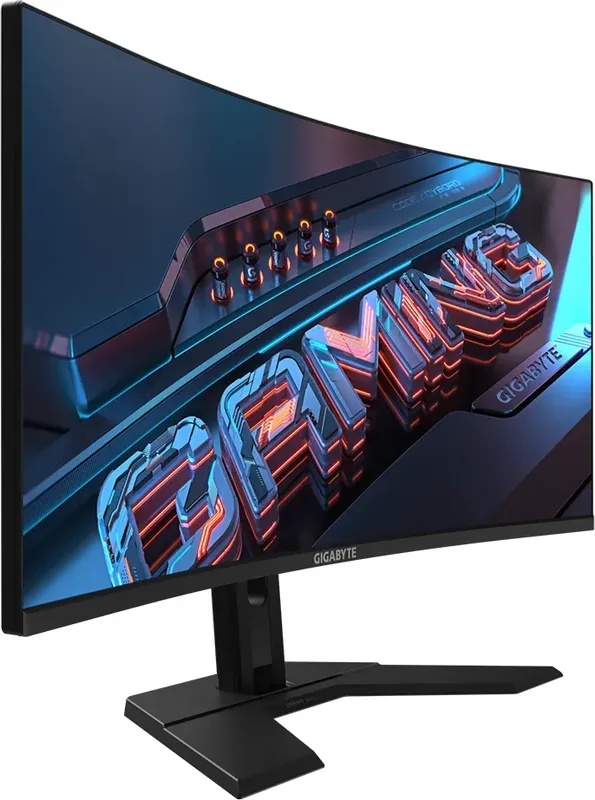
Curved (curved), 1500R (4.92 ft)
Viewing Angle
178°/178°
Coating
non-glare (matt)
Color Depth
8bit (16.7 Million Colors)
FRC
Unknown
sRGB
120%
Controls
D-Pad
Ergonomics
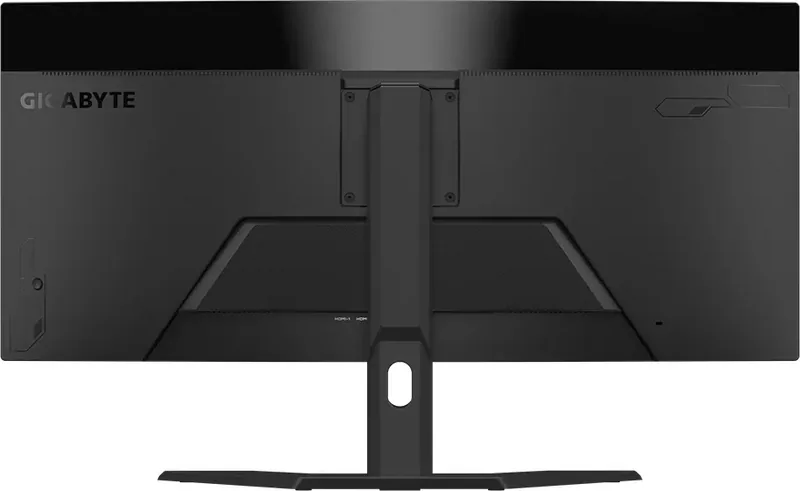
with Stand Base, Height Adjustable (3.94 in), Pivot N/A, Tiltable N/A, Tilt (+20°/-5°)
VESA
100x100 (Covered)
Power Consumption
35.5W (typical), 0.5W (Standby)
Energy Efficiency SDR (A to G)
31kWh/1000h (F)
Energy Efficiency HDR (A to G)
58kWh/1000h (G)
Features
Security Lock (Kensington Security Slot), Picture-in-Picture, Slim Bezel
Screen-to-Body Ratio
90.35% (Calculated)
Dimensions
31.85x19.24x9.24in (WxHxD) with stand folded, 31.85x14.31x4.51in (WxHxD) without stand
Color
Black (Display Frame) / Black (Lower Bezel) / Black (Stand Base) / Black (Rear)
Weight
18.47 lbs (with stand), 13.40 lbs (without stand)
Power Supply
Internal
USB Version
Link
Product Description
Elevate Your Gaming Experience with the GIGABYTE GS34WQC
The world of competitive gaming demands tools that provide a distinct edge on the field. The GIGABYTE GS34WQC 34 Inch Monitor stands out as a premier choice for gamers seeking deep immersion and high performance. This ultrawide display offers a stunning 21:9 aspect ratio that effectively fills your peripheral vision. With a native resolution of 3440 x 1440, users enjoy sharp details without sacrificing necessary frame rates. It is essential to read the GIGABYTE GS34WQC 34 Inch Manual for initial configuration to ensure optimal performance.
Immersive Display Technology
One of the key highlights found in the documentation is the support for high refresh rates. Gamers can utilize the 120Hz refresh rate capability to ensure exceptionally smooth motion. FreeSync Premium technology further reduces screen tearing and stuttering significantly. This synchronization keeps the visual experience fluid during intense battle sequences. The 34-inch panel size ensures that you do not miss any action on the far screen edges. Color depth reaches sixteen point seven million colors for vibrant imagery.
Connectivity and Setup
Connecting peripherals is seamless with the included ports. There are two HDMI ports and one DisplayPort for versatile input options. A headphone jack allows for private audio playback directly from the unit. Setting up the monitor is straightforward for most users. The unit supports tilt adjustment from negative five degrees to twenty degrees. It also features a height adjustment of up to one hundred millimeters. VESA compatibility ensures flexibility for wall mounting if the base is not preferred.
Enhancing Gameplay
The monitor includes several utility features designed specifically for gamers. The Black Equalizer function brightens dark scenes so hidden enemies are easier to spot immediately. A Crosshair overlay can be added to assists in shooter games effectively. Picture modes let you switch between Standard, Gaming, and Movie presets quickly. Users should note that the OSD lock feature prevents accidental changes during competitive play. Power consumption is reasonable with a standby mode that saves energy costs.
User Comfort and Safety
Eye strain is a concern for long sessions. This model adopts Flicker-Free technology to prevent eye fatigue. It also passes TUV certification for Low Blue Light. Recommended viewing distance ranges from fifty to seventy-six centimeters. Position the top of the screen at eye-level for the best posture. Regular breaks are vital for maintaining health. Unplug the monitor if not used for long periods. Keep ventilation holes clear of obstructions to prevent overheating.
Final Thoughts
Owning this ultrawide monitor transforms the desk setup into a professional command center. While the manual requires reading for optimal settings, the hardware speaks for itself. Whether for work or play, the performance justifies the investment. Reviewing the safety information ensures long-term reliability and user comfort. The screen surface is sensitive so use a soft lint-free cloth for cleaning. Avoid abrasive materials that could damage the panel. Enjoy crisp visuals and responsive controls with this advanced display solution today.
Search for 67,706 Manuals online


Type-in Brand or Model