

GIGABYTE GC-WB1733D-I Manual
PDF manual · 14 Pages
English



Quick check
Incorrect answer, please try again.
Chat with your GIGABYTE GC-WB1733D-I manual using AI
Get instant AI answers from your GIGABYTE GC-WB1733D-I manual
Ask anything about the GIGABYTE GC-WB1733D-I. Answers come from this manual, with the pages they are based on.
Ask a Question
Do you recommend GC-WB1733D-I?
Yes NoFrequently Asked Questions
It fits PCI Express x1 slots on the motherboard.
Is this answer helpful?
Yes, the card integrates Bluetooth 5.1 Low Energy capability.
Is this answer helpful?
Yes, antennas must be connected to prevent radio damage.
Is this answer helpful?
It complies with FCC Part 15 rules for digital devices.
Is this answer helpful?
Yes, drivers must be installed after hardware is set up.
Is this answer helpful?
5GHz bands may be restricted indoors in some regions like Canada.
Is this answer helpful?
Advantages and Disadvantages
Advantages

- Supports 2.4GHz and 5GHz WLAN bands for versatile connectivity options.
- Bluetooth 5.1 LE provides improved range and battery efficiency.
- Easy to install into standard PCI Express x1 slots on motherboards.
Disadvantages

- 5GHz usage restricted indoors in specific frequency bands for some regions.
- Requires external antenna mounting which can be obstructive to desk aesthetics.
- Must use specific USB header on the motherboard for Bluetooth.
Product Specification
Type
WLAN Adapter, WPAN Adapter
Form Factor
1x PCIe Card (Adapter), 1x M.2 Module 2230
Interface
1x PCIe x1, 1x USB 2.0 9-Pin Pin Header (Receptacle, 480Mb/s), 1x USB-A 2.0, 1x M.2/A-E-Key (1x PCIe 1.0 x1, 1x USB 2.0)
Connections
1x WLAN 802.11a/b/g/n/ac (1x 2.4GHz or 1x 5GHz, inc. 802.11d/e/i/h/w/r/v/k/mc), 1x Bluetooth 5.1 (LE), 1x Power Amplifier (2x RP-SMA Antenna Connector), 1x Antenna (RP-SMA, individually adjustable, with magnetic antenna mount, 2x electrical)
Data Rates
1x 2.4GHz WLAN (300Mb/s, 2x2), 1x 5GHz WLAN (1.733Gb/s, 2x2), 1x Bluetooth 5.1
Power Supply
Power supply only via Interface
Chipset
Intel 9260 (WLAN Adapter, WPAN Adapter)
Compatibility
Universal
Features
TPC/DFS, Intel Wireless Display, MU-MIMO
USB Designation
Link
Product Description
Upgrade Your PC Connectivity with GIGABYTE GC-WB1733D-I
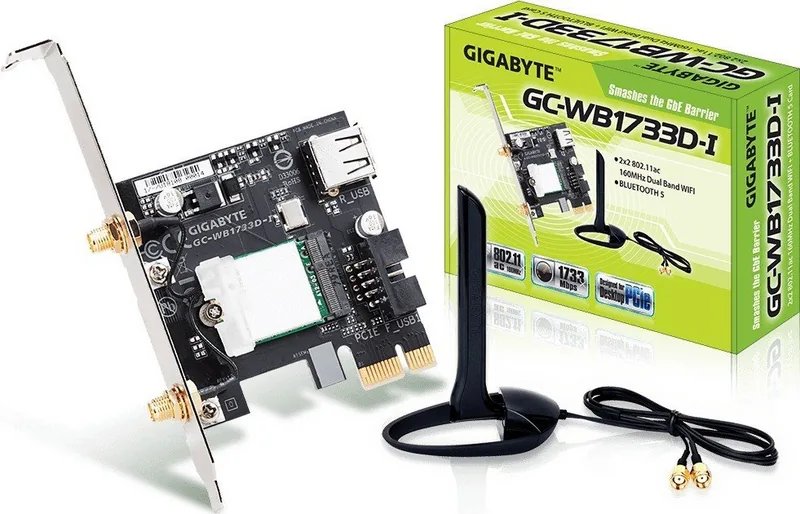
Enhancing your personal computer networking capabilities is essential for modern digital experiences. The GIGABYTE GC-WB1733D-I (Rev. 1.0) stands out as a robust solution for expanding wireless and Bluetooth functionality into desktop systems. This adapter supports both 2.4GHz and 5GHz WLAN bands, ensuring stable connections for high-speed internet access without the hassle of physical cables. Furthermore, the integrated Bluetooth 5.1 LE capability allows for seamless pairing with various peripherals like headsets and controllers.
Installation Process
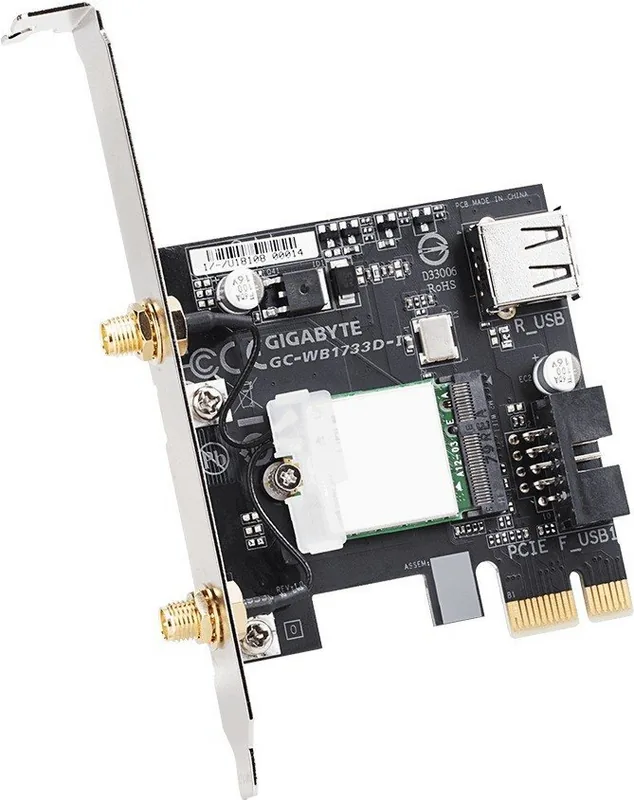
Setting up this hardware is straightforward for enthusiasts and technical professionals alike. You begin by inserting the card into a suitable PCI Express x1 slot on your motherboard chassis. The design includes a dedicated USB connector that requires connection to an F_USB header on the board. This ensures necessary data transmission for Bluetooth auxiliary functions. Additionally, external antenna cables must be screwed firmly to the antenna connectors on the card itself to prevent loose signal loss. Proper placement and orientation of antennas significantly impact signal strength and maximum range for your environment.
Regulatory Compliance and Safety
Safety and global regulatory compliance are paramount for electronic devices operating in public frequencies. This unit meets FCC standards for Class B digital devices in the United States and adheres to Canadian ICES regulations regarding radio noise. In the European Union, it strictly complies with CE directives regarding electromagnetic compatibility and the Radio Equipment Directive. China RoHS restrictions are also addressed to ensure environmental safety during disposal. These certifications provide users peace of mind regarding local usage laws and protection against harmful interference from neighboring devices.
Performance and Advanced Features
Utilizing an Intel wireless module, the card delivers reliable performance across multiple operating systems. Users benefit from wide channel support and improved power efficiency compared to older Wi-Fi generation standards. The 5GHz frequency band offers significantly less congestion than the 2.4GHz option, making it ideal for high-bandwidth activities like streaming or competitive gaming. However, users in certain regions might find indoor restrictions active on specific 5GHz frequency bands near radars. Always check local compliance before attempting outdoor usage in the restricted 5GHz range to avoid legal issues.
Conclusion and Driver Setup
Whether for home gaming setups or demanding office productivity, adding this card improves your overall network environment significantly. Drivers and utilities must be installed correctly after physical setup to enable full functionality and stability. Adjusting settings based on your specific environment optimizes connectivity further for your specific needs. This product represents a solid upgrade path for desktop systems lacking modern wireless standards while maintaining regulatory adherence worldwide for safe use. Ensure you download the latest software from the manufacturer website for optimal performance and bug fixes.
Search for 67,706 Manuals online


Type-in Brand or Model
Thomas Schmidt
8 months ago
I see reviews saying Bluetooth needs a USB header. Is this cable included and absolutely necessary, or will Bluetooth work via the PCIe slot alone?
Manual.ly
8 months ago
Thank you for asking. This card requires the included USB 2.0 header cable to be connected to your motherboard to activate the Bluetooth function. The PCIe slot handles the WiFi data only. While you do not strictly need a free USB port for WiFi, you must locate an open USB 2.0 header on the board for Bluetooth to function. We recommend checking your motherboard manual for header availability before installation to avoid connectivity issues with peripherals.