
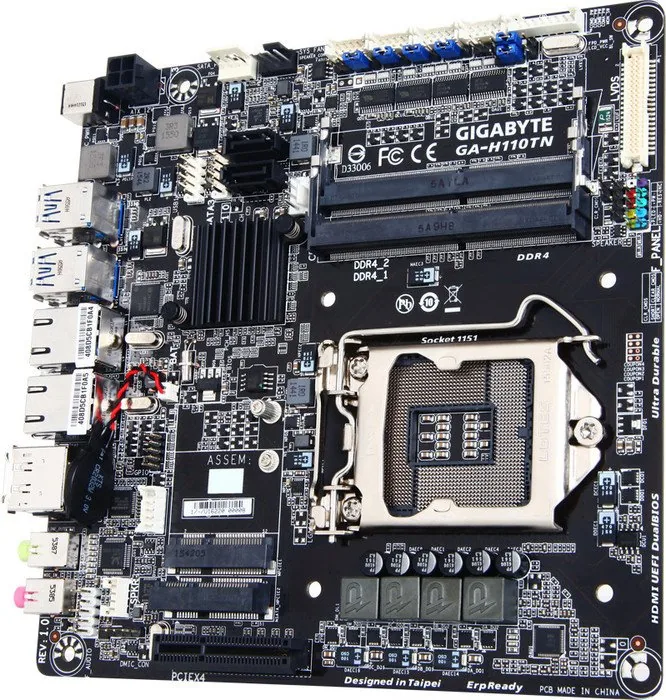
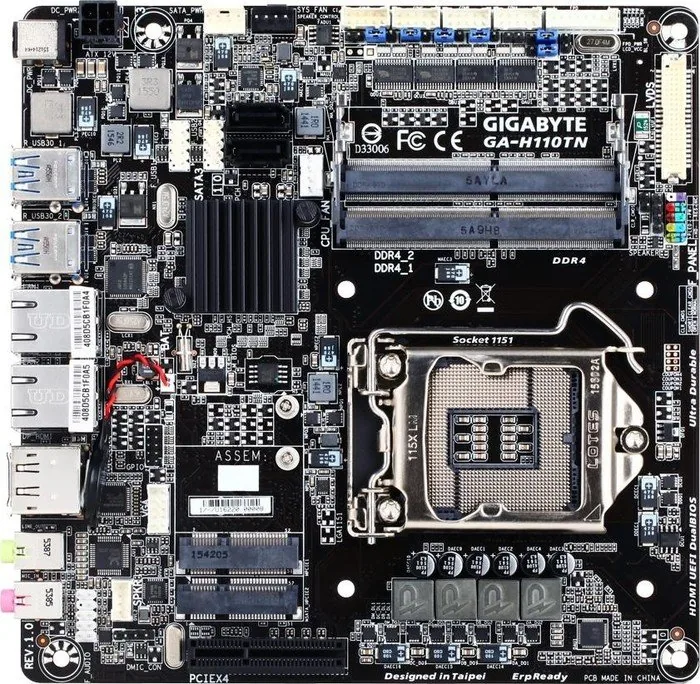

GIGABYTE GA-H110TN Manual
PDF manual · 42 Pages
English



Quick check
Incorrect answer, please try again.
Chat with your GIGABYTE GA-H110TN manual using AI
Get instant AI answers from your GIGABYTE GA-H110TN manual
Ask anything about the GIGABYTE GA-H110TN. Answers come from this manual, with the pages they are based on.
Ask a Question
Do you recommend GA-H110TN?
Yes NoFrequently Asked Questions
It is best for compact desktops, embedded systems, office PCs, kiosks, and other space-saving builds that need stable performance and broad I/O support.
Is this answer helpful?
It supports Intel Core i7, i5, i3, Pentium, and Celeron processors in the LGA1151 package, depending on the exact CPU support list.
Is this answer helpful?
The board supports up to 32 GB of DDR4 memory through two DDR4 SO-DIMM slots, using a dual-channel architecture for improved bandwidth.
Is this answer helpful?
It includes HDMI and DisplayPort on the rear panel, plus internal support for LVDS, VGA header, and flat-panel display connections.
Is this answer helpful?
Yes, it features two Intel Gigabit LAN controllers, which can improve network reliability and offer more flexibility for specialized setups.
Is this answer helpful?
No. The manual states that the DC-in power jack and the 4-pin ATX 12V connector should not be used simultaneously as power input sources.
Is this answer helpful?
It supports DualBIOS, Q-Flash, and @BIOS. These tools help update, back up, and recover BIOS settings more safely if needed.
Is this answer helpful?
Advantages and Disadvantages
Advantages

- Compact Thin Mini-ITX design fits small systems and embedded builds.
- Dual Intel Gigabit LAN adds reliable networking and flexible deployment.
- Multiple display options support HDMI, DisplayPort, LVDS, and flat-panel use.
- Rich headers and BIOS tools help with customization, maintenance, and recovery.
Disadvantages

- Only two memory slots limit expansion compared with larger boards.
- H110 chipset is basic and not aimed at high-end performance tuning.
- Uses SO-DIMM memory, which may be less common in some desktop setups.
- Advanced BIOS settings can be complex for first-time builders.
Product Specification
Socket
Intel 1151
Chipset
Intel H110
CPU Compatibility
Core i-7000, Core i-6000, Pentium Gold G4000, Pentium G4000, Celeron G3000
Header Lighting
N/A
Graphics
iGPU
Wireless
N/A
RAID Level
N/A
Multi-GPU
N/A
Manufacturer Warranty
three years (from production date, handling via dealer)
USB Notation
Link
Product Description
GIGABYTE H110 Manual Overview
The GIGABYTE H110 series, including the GA-H110TN and GA-H110TN-GSM PLUS, is built for compact systems that still need dependable connectivity, flexible display support, and stable everyday performance. The GIGABYTE H110 Manual presents a motherboard family designed around the Intel H110 Express chipset and LGA1151 processors, making it a practical choice for small-form-factor PCs, embedded builds, and business-oriented desktops.
One of the strongest points of this platform is its balance between size and capability. With a Thin Mini-ITX layout, DDR4 SO-DIMM support, and up to 32 GB of memory, it suits systems where space is limited but responsiveness still matters. The board supports Intel Core, Pentium, and Celeron processors, while also offering integrated graphics output through DisplayPort and HDMI, plus LVDS and flat-panel headers for specialized display setups.
Connectivity is another highlight. Dual Intel Gigabit LAN ports improve network reliability and are especially useful for workstations, network appliances, and compact servers. Alongside that, the board offers USB 3.0, SATA 6Gb/s, mSATA support, serial port headers, GPIO, and multiple audio and fan headers. This makes it adaptable for both standard desktop use and custom industrial-style integration.
The BIOS section focuses on control and stability rather than aggressive tuning. Users can manage boot order, security settings, power behavior, fan speed, and memory timing, while utilities like Q-Flash and DualBIOS help protect against failed updates. The manual also emphasizes safe installation practices, ESD protection, clear CMOS procedures, and proper cable handling, which are essential for long-term reliability.
In practical terms, the GIGABYTE H110 stands out as a compact board for users who value efficient design, broad I/O options, and straightforward maintenance. It is not meant for extreme overclocking, but it offers a dependable base for office systems, kiosks, digital signage, and embedded PC projects.
Notes
- Check the motherboard revision before updating BIOS or drivers.
- Use compatible DDR4 SO-DIMM modules for best results.
- The DC-in jack and ATX 12V connector should not be used as power input at the same time.
- Load optimized defaults after BIOS updates or CMOS resets.
Search for 67,706 Manuals online


Type-in Brand or Model