
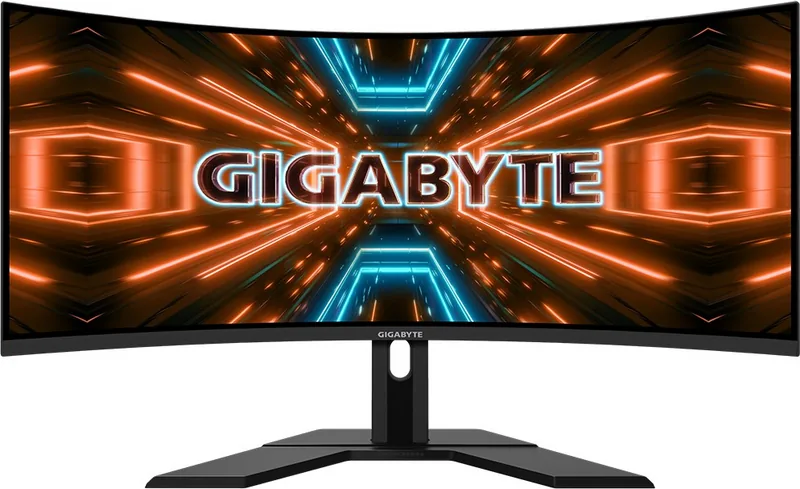
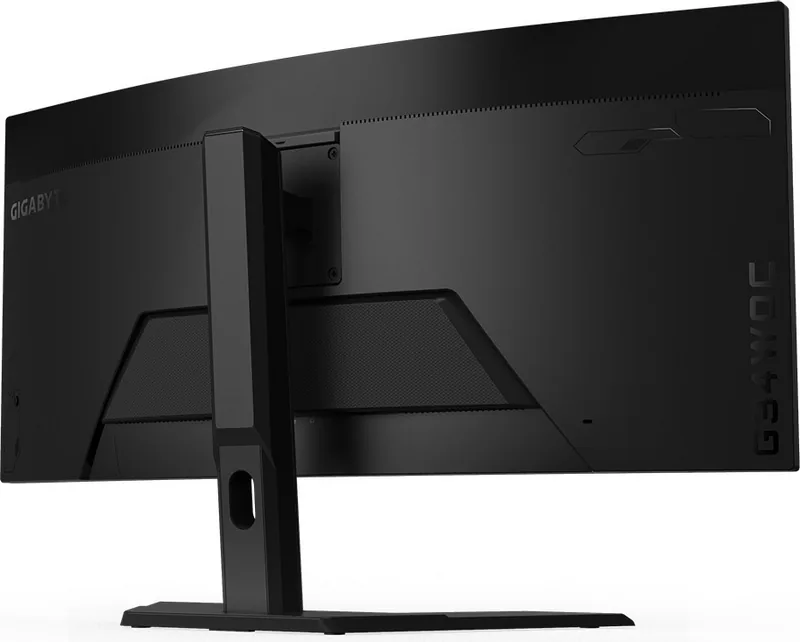
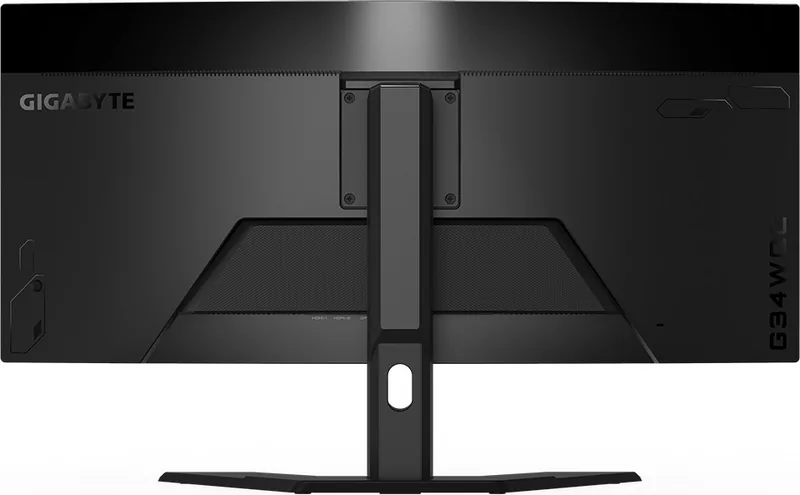
GIGABYTE G34WQC Manual
PDF manual · 40 Pages
English



Quick check
Incorrect answer, please try again.
Chat with your GIGABYTE G34WQC manual using AI
Get instant AI answers from your GIGABYTE G34WQC manual
Ask anything about the GIGABYTE G34WQC. Answers come from this manual, with the pages they are based on.
Ask a Question
Do you recommend G34WQC?
Yes No
Julia Weber
8 months ago
Is power consumption higher than average? I also want to know if the stand height can be adjusted or VESA mounted.

Manual.ly
8 months ago
This monitor is designed for performance. While power usage may vary with brightness settings, it aligns with expectations for 144Hz gaming screens. Regarding the stand, height adjustment is limited. For custom ergonomics, it supports a 75x75mm VESA mount pattern, enabling you to attach an extension arm for better height control.
Frequently Asked Questions
Yes, the monitor features FreeSync Premium technology which is designed to reduce screen lag and tearing during gameplay. Ensure your graphics card supports the feature for optimal performance.
Is this answer helpful?
The native resolution for the GIGABYTE G34WQC is 3440 x 1440 pixels. This WQHD resolution provides an ultra-wide viewing experience suitable for both gaming and productivity tasks.
Is this answer helpful?
Yes, the monitor supports VESA wall mounting standards. It requires a 100mm x 100mm mounting hole pattern and uses phi 4mm screws with a pitch of 0.7mm and 10mm length.
Is this answer helpful?
Navigate to the main menu, select Settings, then choose Reset All. This restores the monitor to its factory default configuration for all picture and system settings.
Is this answer helpful?
Yes, the monitor includes a Low Blue Light mode that reduces blue light emissions. Levels range from 0 to 10, with higher levels reducing more exposure to protect your eyes.
Is this answer helpful?
The package includes a monitor, base, stand, power cable, DP cable, and HDMI cable. It also contains a warranty card and a quick start guide for setup assistance.
Is this answer helpful?
The maximum refresh rate is 144Hz. It supports various timing lists including 60Hz, 100Hz, and 144Hz depending on the input source connection type and cable quality.
Is this answer helpful?
Advantages and Disadvantages
Advantages

- High 144Hz refresh rate ensures smooth motion for gaming applications.
- FreeSync Premium eliminates screen tearing and stuttering effectively.
- VESA 100x100mm wall mount support offers flexible installation options.
- Dual HDMI and Dual DisplayPort connections allow multiple device support.
- Extensive OSD settings include GameAssist and Picture Mode adjustments.
Disadvantages

- The stand does not support swivel or pivot rotation adjustment.
- No built-in speakers are included requiring external audio output.
- OSD navigation button layout might feel unintuitive for new users.
- Wall mounting requires purchasing a separate third-party bracket kit.
- HDR requires specific DisplayPort settings to activate on some systems.
Product Specification
Function
Monitor (stationary)
Diagonal
34" (34.02")
Resolution
3440x1440 (UWQHD), 21:9, 110ppi
Panel
VA
Backlight
LED, Blue Light Filter, flicker-free
Brightness
350 cd/m^2 (typical)
Contrast
3,000:1 (static), 12,000,000:1 (dynamic)
HDR
VESA DisplayHDR 400
Response Time
1ms (MPRT)
Refresh Rate
144Hz (3440x1440)
Variable Refresh Rate
Adaptive Sync, AMD FreeSync Premium certified (48-144Hz via DisplayPort, 48-120Hz via HDMI, with LFC Support, with HDR)
Motion Blur Reduction
GIGABYTE Aim Stabilizer
Signal Frequency
48-144Hz (V)
Connectors
2x HDMI 2.0 (100Hz@3440x1440), 2x DisplayPort 1.4 (144Hz@3440x1440), 1x 3.5mm Jack (Line-Out), 1x AC-In C13 (Power)
Curve
Curved, 1500R / 4.92ft
Viewing Angle
178deg/178deg
Coating
non-glare (matte)
Color Depth
8bit (16.7M colors)
FRC
N/A (8bit native)
sRGB
120%
DCI-P3
90%
Speakers
Speakers (2x 2W)
Controls
Joystick
Ergonomics
With stand, height adjustable (3.94 inches), Pivot N/A, swivel N/A, tilt (+20deg/-5deg)
VESA
100x100mm (mounted)
Power Consumption
80W (max), 0.5W (standby)
Energy Efficiency SDR (A to G)
39kWh/1000h (G)
Energy Efficiency HDR (A to G)
80kWh/1000h (G)
Features
Security Lock (Kensington Security Slot), Picture-in-Picture, Slim Bezel
Screen-to-Body-Ratio
90.35% (calculated)
Dimensions
31.85x19.24x9.24in (WxHxD) with stand compressed, 31.85x14.31x4.51in (WxHxD) without stand
Color
Black (Bezel) / Black (Bottom Bezel) / Black (Stand) / Black (Back)
Weight
18.52 lbs (with stand)
Power Supply
Internal
USB Labeling
Left
Product Description
Unlocking the Potential of Your Ultrawide Display
When you invest in a high-performance ultrawide monitor like the GIGABYTE G34WQC 34, understanding its full capabilities is essential for getting the best experience. This section serves as an overview to help you navigate the device effectively. While the monitor comes with robust hardware features, referencing the GIGABYTE G34WQC 34 Manual is crucial for proper installation and configuration. Many users overlook safety precautions, but reading the guide ensures longevity. The package contents include a monitor, base, stand, power cable, DP cable, HDMI cable, warranty card, and quick start guide. Keeping these materials is advised for future transportation. Always check for missing items from the box immediately upon delivery to ensure no defects are overlooked. Contact the dealer if anything is absent from the initial unboxing process.
The GIGABYTE G34WQC 34-inch curved gaming monitor offers an immersive 21:9 aspect ratio with a stunning 3440 x 1440 resolution. This high resolution ensures sharp images and allows for multitasking without cropping. With a refresh rate of 144Hz and a 1ms response time, this screen is designed for fast-paced gaming. Players will appreciate the FreeSync Premium technology that eliminates screen tearing and lag, creating smoother visuals during intense action sequences. The monitor also supports HDR via DisplayPort version adjustments, enhancing dynamic range in supported content. The power consumption is rated at 80W maximum operating power, which is efficient for a large screen. The LED backlights have a minimum life of 30000 hours. These specifications ensure reliability over time. Additionally, the monitor supports multiple timing lists to accommodate various input devices from different manufacturers.
Connectivity is a strong point for this model, featuring two HDMI 2.0 ports and two DisplayPort 1.4 inputs. This flexibility lets you connect multiple devices, such as a gaming PC and a laptop, without constantly swapping cables. The inclusion of a 3.5mm headphone jack provides a convenient audio solution, reducing the need for external speakers or headsets connected to your computer. Additionally, the stand allows for height adjustment up to 100mm and tilt, ensuring ergonomic comfort during long sessions. Wall mounting is also possible using a standard VESA 100x100mm kit.
Software features within the On-Screen Display menu enhance usability significantly. Users can access the GameAssist tool to configure crosshairs and adjust gaming timers directly on the screen. The Black Equalizer function brightens dark areas in games, helping players spot enemies in shadowy corners. Picture modes cater to various needs, including FPS, RTS, Movie, and Reader settings, ensuring optimal color accuracy for work or leisure. PIP/PBP modes allow split-screen viewing for productivity workflows.
Safety and compliance are handled through rigorous standards. The manual outlines regulatory notices including FCC and CE compliance, ensuring safe usage across regions. It also provides detailed troubleshooting steps for common issues like no power or image distortion. Following the safety precautions is vital to prevent damage from liquids or electrical hazards. Finally, the WEEE directive information ensures proper disposal and recycling of the device to protect the environment. The environmental use period is ten years, reflecting durability.
By following the guidelines in the GIGABYTE G34WQC 34 Manual, users maximize the lifespan and performance of their investment. Whether for competitive gaming or professional productivity, this monitor delivers on its promises when set up correctly. Ignoring installation steps may void warranties, so caution is advised when opening the packaging or connecting cables. Proper care involves using a soft cloth for cleaning and avoiding direct sunlight on the screen.
Search for 67,706 Manuals online


Type-in Brand or Model
ut_non
7 months ago
Is the monitor stand height adjustable enough for ergonomic office use, and is the power consumption high?
Manual.ly
7 months ago
Thank you for your question. While the stand offers tilt and swivel adjustments, multiple users note that the vertical height range is limited. For taller setups, a monitor arm is recommended. Regarding power usage, it is consistent with similar panels in this category. Utilizing the eco-mode settings can help reduce consumption during long office hours.