
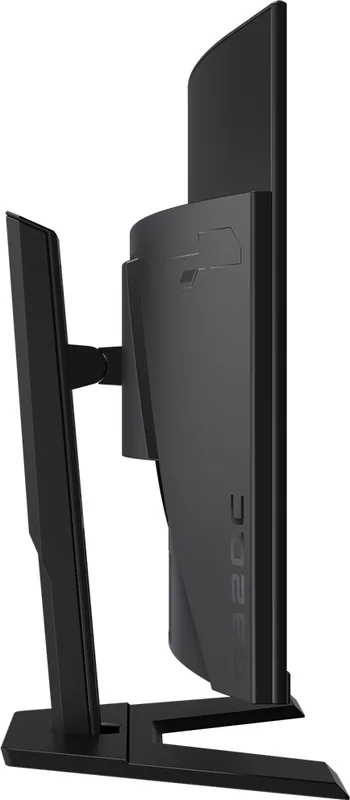
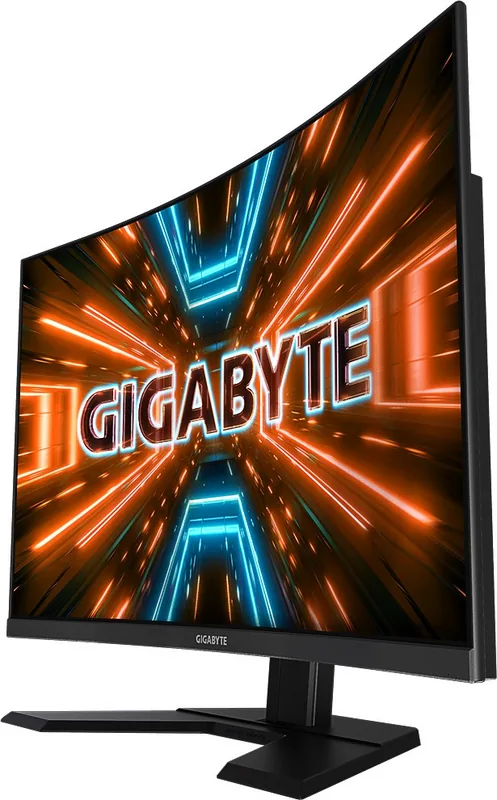
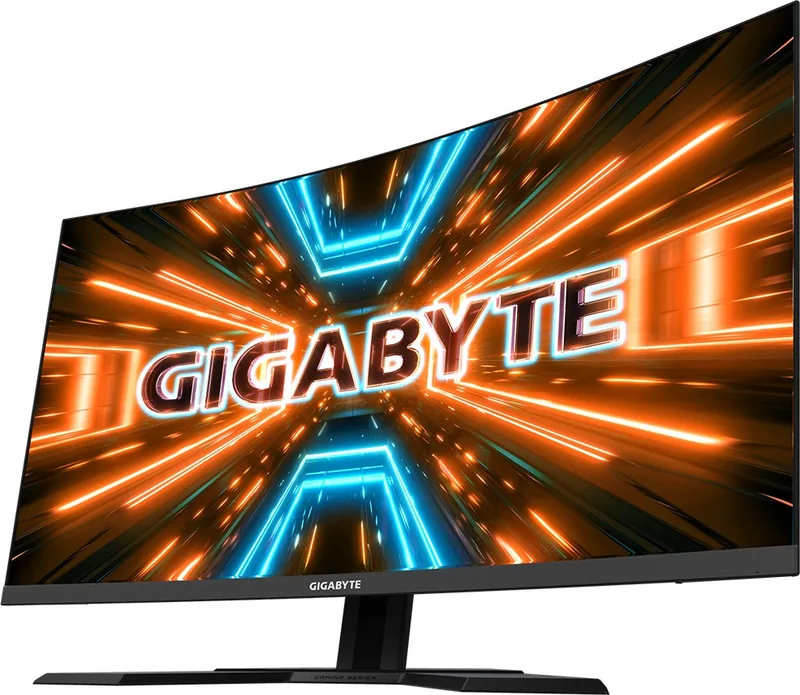
GIGABYTE G32QC Manual
PDF manual · 42 Pages
English



Quick check
Incorrect answer, please try again.
Chat with your GIGABYTE G32QC manual using AI
Get instant AI answers from your GIGABYTE G32QC manual
Ask anything about the GIGABYTE G32QC. Answers come from this manual, with the pages they are based on.
Ask a Question
Do you recommend G32QC?
Yes No
Sarah Jensen
7 months ago
I am seeing significant ghosting and motion blur on fast movements. Are there specific settings I should adjust?

Manual.ly
6 months ago
Thank you for contacting support. Ghosting is often resolved by setting Overdrive to Balance rather than High. Please ensure Aim Stabilizer is set to Off and Super Resolution is adjusted to 1 or 2. VA panels naturally exhibit some smearing during fast cursor movement. If issues persist, check your cable connection and ensure FreeSync is enabled in both the monitor and GPU settings.
Frequently Asked Questions
The monitor supports a refresh rate of 165Hz with HDMI 2.0 and DP inputs. This ensures smooth motion in games and media playback without lag or stuttering issues for competitive gaming.
Is this answer helpful?
Yes HDR is supported through the OSD menu settings. You can configure the HDR effect using the DisplayPort 1.2 input though specific graphics card settings must be adjusted to utilize the feature correctly.
Is this answer helpful?
Yes the stand allows for height adjustment ranging from 0 to 100 mm. Additionally you can tilt the screen between 5 degrees forward and 20 degrees backward for optimal viewing angles.
Is this answer helpful?
The back features two HDMI 2.0 ports one DisplayPort 1.2 two USB 3.0 downstream ports one USB upstream port and a headphone jack for audio output directly from the display.
Is this answer helpful?
You must remove the included stand and install a separate VESA 100x100mm mount on the back of the panel. Use the provided screws to secure the bracket securely before attaching to your mount.
Is this answer helpful?
No the monitor does not have integrated speakers. Users must use the headphone jack or connect external speakers to a separate source computer for audio output during use.
Is this answer helpful?
Optimal viewing distance is recommended to be between 510 and 760 mm. The ergonomic design supports the eyes by placing the screen slightly below eye level for comfortable long-term sitting positions.
Is this answer helpful?
Advantages and Disadvantages
Advantages

- 165Hz refresh rate provides ultra-smooth gameplay experience for gamers.
- 31.5-inch curved VA panel creates immersive depth and better focus.
- AMD FreeSync Premium Pro eliminates screen tearing and stuttering artifacts.
- Integrated OSD Dashboard displays real-time CPU and GPU statistics efficiently.
- VESA mount compatibility allows for flexible desk or wall installation options.
Disadvantages

- Resolution is 1440p rather than 4K which might disappoint some users.
- No built-in speakers included requiring external audio devices for sound.
- Stand height adjustment is limited to 100mm compared to full arms.
- DisplayPort version is 1.2 limiting HDR capabilities on some setups.
- Glossy coating on screen may reflect light in bright environments significantly.
Product Specification
Function
Monitor (stationary)
Diagonal
31.5 in
Resolution
2560x1440 (QHD), 16:9, 93 ppi
Panel
VA
Backlight
LED, Blue Light Filter, flicker-free
Brightness
350 cd/m2 (typical)
Contrast
3,000:1 (static), 12,000,000:1 (dynamic)
HDR
VESA DisplayHDR 400
Response Time
1ms (MPRT)
Refresh Rate
165Hz (2560x1440)
Variable Refresh Rate
Adaptive Sync, AMD FreeSync Premium Certified (48-165Hz via DisplayPort, 48-144Hz via HDMI, with LFC Support, with HDR)
Motion Blur Reduction
GIGABYTE Aim Stabilizer
Signal Frequency
48-165Hz (V)
Ports
2x HDMI 2.0, 1x DisplayPort 1.2, 1x USB-B 3.0 (Upstream, 5Gb/s), 2x USB-A 3.0 (Downstream, 5Gb/s, BC), 1x 3.5mm Jack (Line-Out), 1x DC-In Barrel Jack (Power)
Curvature
curved, 1500R (59.06 in)
Viewing Angle
178 deg / 178 deg
Coating
non-glare (matte)
Color Depth
8-bit (16.7M colors)
FRC
N/A (8-bit native)
sRGB
124%
DCI-P3
94%
Control
Control Panel
Ergonomics
with Base, Height Adjustable (3.94 in), Pivot N/A, Swivel N/A, Tilt (+20/-5 deg)
VESA
100x100 (Supported)
Power Consumption
90W (max), 0.5W (standby)
SDR Energy Efficiency (A to G)
39 kWh/1000h (G)
HDR Energy Efficiency (A to G)
62 kWh/1000h (G)
Features
Security Lock (Kensington Security Slot), Picture-in-Picture, Slim Bezel
Screen-to-Body Ratio
90.95% (calculated)
Dimensions
27.97x21.74x9.24 in (WxHxD) with Base folded, 27.97x16.67x4.05 in (WxHxD) without Base
Color
black (Display Frame) / black (Lower Bezel) / black (Base) / black (Back)
Weight
17.20 lbs (with Base), 12.13 lbs (without Base)
Power Supply
external
USB Labeling
Link
Product Description
Experience Immersion with the GIGABYTE G32QC
The GIGABYTE G32QC delivers a stunning 31.5-inch curved screen designed for ultimate gaming immersion. This monitor features a VA panel with a high contrast ratio of 3000:1 which brings deep blacks and vibrant colors. The native resolution is 2560 by 1440 pixels providing sharp details on a large canvas. With a refresh rate of 165Hz, motion appears smooth and fluid during fast-paced gameplay. AMD FreeSync Premium Pro technology eliminates screen tearing and stuttering effectively. The curved design wraps around your field of view reducing eye strain during long sessions.
Advanced Features for Gamers
Gamers will appreciate the integrated OSD Dashboard which displays real-time system performance statistics. You can monitor CPU and GPU temperature and usage without needing third-party software overlays. The Game Assistant features include a crosshair overlay and gaming timer for competitive advantage. Black Equalizer technology enhances visibility in dark scenes without washing out dark areas. Users can adjust the image settings through a handy Control button on the back of the unit. There are multiple preset picture modes like Standard FPS RTS RPG and Film for various content types.
Connectivity and Ergonomics
Connectivity options are robust with two HDMI 2.0 ports and one DisplayPort 1.2 input. A USB 3.0 hub with upstream connection allows for peripheral management and device charging. A headphone jack provides direct audio output for private listening sessions. The stand includes height adjustment up to 100mm and tilt functionality for ergonomic comfort. If you prefer a wall mount the unit supports standard VESA 100x100mm patterns for installation. Referencing the GIGABYTE G32QC, 31.5 Manual data helps optimize these settings for your specific setup needs. Safety regulations ensure proper grounding and ventilation requirements are met for safe operation over time. The power consumption is efficient at 75W max which is reasonable for this class of display. Whether you are gaming or watching films this screen adapts to your content preferences seamlessly.
Final Verdict
Overall this monitor stands out for its balance of price performance and features. The 1ms MPRT response time keeps input lag low for responsive controls. The wide viewing angles ensure consistent color accuracy even when viewed from the side. Packaging includes a warranty card and quick start guide for easy unboxing. Cleaning requires a soft microfiber cloth without direct liquid spray on the panel. Keep the screen away from water and heat sources to maintain longevity. This model is excellent for PC enthusiasts seeking a large high refresh rate solution for their desk setup. It is crucial to follow the unboxing instructions to avoid damaging the panel packing. The heavy packaging protects the unit well during transit. You should save the box for potential future shipping or warranty returns as recommended. The monitor is sensitive to static electricity so handle with care during installation. Ensure cables are routed neatly to prevent obstructions behind the desk surface. The LED power indicator shows white when active and blinks when standby. This visual cue helps you see the power state at a glance. The backlight life expectancy is rated at 30000 hours for a long service life. Many users find the OSD menu navigation intuitive after a short period of use. Customizable profiles allow you to save your preferred settings for quick access later.
Search for 67,706 Manuals online


Type-in Brand or Model
Stefan Mueller
7 months ago
I am worried about motion blur on VA panels. Does this monitor have ghosting issues in fast FPS games?
Manual.ly
6 months ago
The Gigabyte G32QC uses a VA panel, which can exhibit some motion blur due to slower pixel response times from black to white. Some users report ghosting in fast-paced games if Overdrive settings are too aggressive. To minimize this, set Overdrive to Balance rather than maximum and ensure FreeSync is configured correctly according to your graphics card. While some blurring during scrolling is common for this panel type, many players find the image quality acceptable with the right adjustments. High contrast and color accuracy are generally highlighted as strengths despite these limitations.