
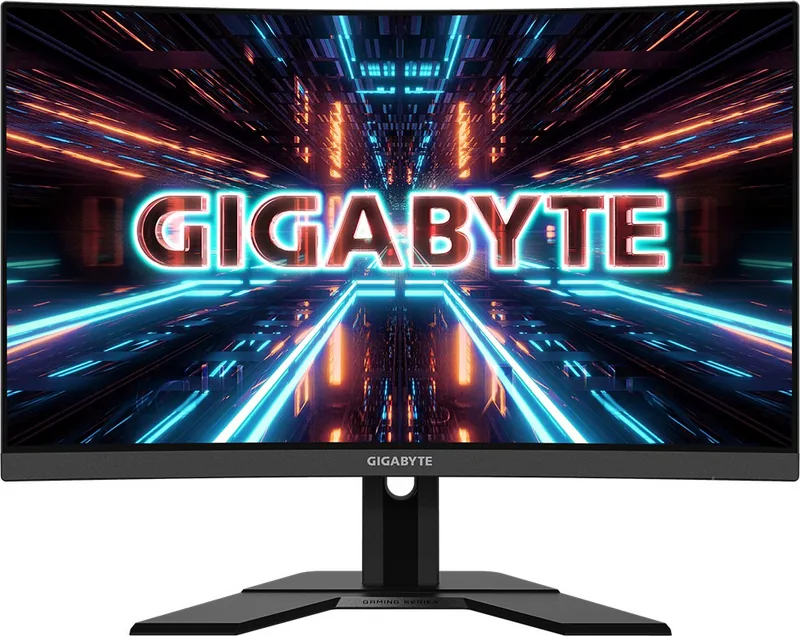
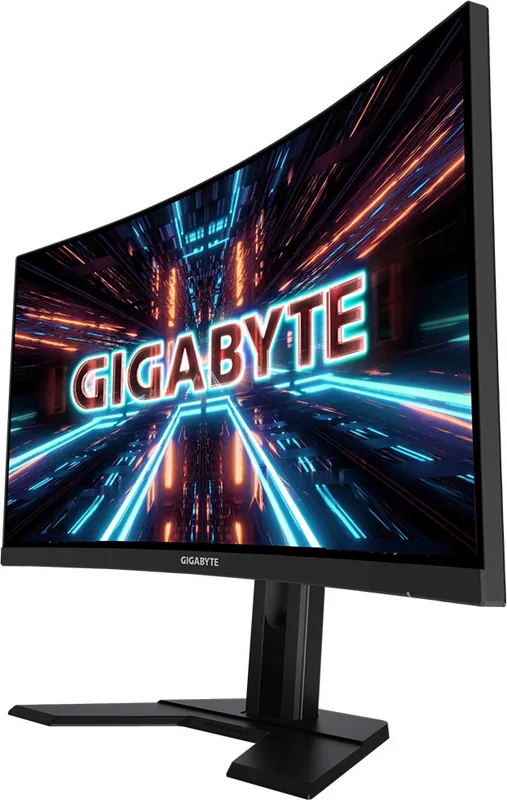
GIGABYTE G27QC Manual
PDF manual · 46 Pages
English



Quick check
Incorrect answer, please try again.
Chat with your GIGABYTE G27QC manual using AI
Get instant AI answers from your GIGABYTE G27QC manual
Ask anything about the GIGABYTE G27QC. Answers come from this manual, with the pages they are based on.
Ask a Question
Do you recommend G27QC?
Yes No
Tim Thompson
6 months ago
Does this monitor suffer from noticeable smearing or ghosting during fast movements, and is there a fix?

Manual.ly
6 months ago
This model uses a VA panel which is known for excellent color reproduction but can exhibit some motion blur or smearing compared to TN panels. While you cannot completely eliminate this trait inherent to the technology, adjusting specific settings in the OSD menu can help minimize the effect. Additionally, be aware that the included OSD_Sidekick software may have hotkeys that could be intrusive during gaming.
Jaime Rath
4 months ago
Is the OSD_Sidekick software reliable, or do its default hotkeys interfere with gameplay?
Frequently Asked Questions
The monitor features a native QHD resolution of 2560 x 1440 pixels, providing sharp images and plenty of screen real estate for multitasking.
Is this answer helpful?
Yes, the GIGABYTE G27QC supports AMD FreeSync technology, which helps eliminate screen tearing and stuttering for a smoother gaming experience when paired with compatible graphics cards.
Is this answer helpful?
Yes, the stand allows for vertical height adjustment up to 130mm, enabling you to position the screen at eye level for better ergonomics.
Is this answer helpful?
It comes equipped with two HDMI 2.0 ports and one DisplayPort 1.2, giving you flexibility to connect multiple devices simultaneously.
Is this answer helpful?
Yes, you can remove the stand and attach the monitor to a VESA-compatible wall mount or arm using the standard 100x100mm mounting holes.
Is this answer helpful?
The GIGABYTE G27QC boasts a high refresh rate of 165Hz, ensuring fluid motion for fast-paced games and smooth scrolling.
Is this answer helpful?
Advantages and Disadvantages
Advantages

- High 165Hz refresh rate for ultra-smooth gameplay
- Fast 1ms MPRT response time reduces motion blur
- IPS panel delivers accurate colors and wide viewing angles
- Built-in USB 3.0 hub simplifies peripheral connections
- Comprehensive OSD features including crosshair and dashboard
Disadvantages

- Stand does not support swivel or rotation adjustments
- No built-in speakers included in the package
- Brightness levels may be lower compared to HDR monitors
- DisplayPort version settings require manual configuration
- Some advanced features require specific cable types
Product Specification
Function
Monitor (stationary)
Diagonal
27" (27.0 inches)
Resolution
2560x1440 (QHD), 16:9, 109 ppi
Panel
VA
Backlight
LED, Blue Light Filter, flicker-free
Brightness
250 cd/m^2 (typical)
Contrast
3000:1 (static), 12,000,000:1 (dynamic)
Response Time
1ms (MPRT)
Refresh Rate
165Hz (2560x1440)
Variable Synchronization
Adaptive Sync, AMD FreeSync Premium certified (48-165Hz via DisplayPort, 48-144Hz via HDMI, with LFC support, with HDR)
Blur Reduction Function
GIGABYTE Aim Stabilizer
Signal Frequency
48-165Hz (V)
Connectors
2x HDMI 2.0, 1x DisplayPort 1.2, 1x USB-B 3.0 (Upstream, 5Gb/s), 2x USB-A 3.0 (Downstream, 5Gb/s, BC), 1x 3.5mm jack (Line-Out), 1x AC-In C13 (Power input)
Shape
curved, 1500R/1.50m
Viewing Angle
178°/178°
Coating
non-glare (matte)
Color Depth
8bit (16.7 million colors)
FRC
N/A (native 8bit)
sRGB
120%
DCI-P3
92%
Speakers
Speakers (2x 2W)
Operation
Control knob
Ergonomics
with base, height adjustable (130mm), Pivot N/A, rotatable N/A, tiltable (+20°/-5°)
VESA
100x100 (occupied)
Power Consumption
70W (max), 0.5W (standby), 45W (energy label old A+++ to G)
Energy Efficiency Old (A+++ to G)
65.7 kWh (C)
Features
Security lock (Kensington Security Slot), Picture-in-Picture, Slim Bezel
Screen-to-Body Ratio
89.63% (calculated)
Dimensions
24.0x20.9x8.0 in (WxHxD) with base compressed, 24.0x14.5x3.3 in (WxHxD) without base
Color
black (display frame) / black (lower bezel) / black (base) / black (back)
Weight
14.11 lbs (with base)
Power Supply
internal
USB Writing Style
Link
Product Description
Discover the GIGABYTE G27QC: A Gamer's Dream Monitor
The GIGABYTE G27QC, 27" monitor is a powerhouse designed for enthusiasts who demand speed and clarity. This sleek display combines a stunning QHD resolution with an ultra-fast refresh rate to deliver fluid visuals that keep you ahead of the competition. Whether you are engaging in intense first-person shooter battles or editing high-resolution content, this screen provides the precision needed to excel.
At the heart of the GIGABYTE G27QC lies a vibrant IPS panel that offers exceptional color accuracy and wide viewing angles. The 165Hz refresh rate ensures smooth motion, while the 1ms response time eliminates ghosting and blur. This combination creates an immersive experience where every frame counts. The monitor also supports FreeSync technology, synchronizing the display with your graphics card to prevent screen tearing and stuttering during gameplay.
Ergonomics play a crucial role in long gaming sessions, and the GIGABYTE G27QC, 27" delivers on comfort. The stand allows for height adjustment up to 130mm, along with tilt adjustments to find the perfect viewing angle. For those who prefer a cleaner desk setup, the monitor features a VESA mount compatible design, allowing for easy wall installation using a standard 100x100mm bracket. Connectivity is seamless with dual HDMI ports, a DisplayPort, and built-in USB 3.0 hubs, making it easy to connect multiple devices without cluttering your workspace.
Beyond raw performance, the GIGABYTE G27QC includes intelligent software features like the Dashboard and Game Assist. These tools provide real-time system monitoring and customizable crosshairs to enhance your competitive edge. With its robust build quality and comprehensive feature set, this monitor stands out as a top choice for gamers seeking value and performance.
Important Notes
- Always use the provided accessories for safe operation.
- Keep packaging materials for future transport needs.
- Ensure proper ventilation to maintain optimal operating temperatures.
Search for 67,706 Manuals online


Type-in Brand or Model
Thomas Richter
7 months ago
Does the OSD software cause hotkey conflicts, and is screen smearing noticeable?
Manual.ly
7 months ago
Keys can be remapped in the software to avoid conflicts. Since this is a VA panel, slight smearing can appear during fast motion, but it is reduced with overdrive settings. Screen bleeding varies, yet adjustments help. The colors and contrast remain top tier for the price.