

GIGABYTE G27FC Manual
PDF manual · 45 Pages
English



Quick check
Incorrect answer, please try again.
Chat with your GIGABYTE G27FC manual using AI
Get instant AI answers from your GIGABYTE G27FC manual
Ask anything about the GIGABYTE G27FC. Answers come from this manual, with the pages they are based on.
Ask a Question
Do you recommend G27FC?
Yes No
Mike Johnson
7 months ago
I read reviews mentioning the standby LED blink might be disturbing in a bedroom. Can this light be turned off or dimmed?

Manual.ly
7 months ago
Thank you for your question. Yes, the standby illumination can typically be adjusted via the On-Screen Display menu. You can try disabling the activity indicator or dimming the light to suit your environment. If you need specific guidance on menu navigation for the Gigabyte G27FC model, please contact our support team directly for assistance with your setup.
Frequently Asked Questions
The screen size is 27 inches with a 16:9 aspect ratio.
Is this answer helpful?
Specs do not mention HDR support specifically in the provided data.
Is this answer helpful?
Lift the safety plate then adjust the stand up to 130mm height.
Is this answer helpful?
Yes, VESA support is 100mm x 100mm and does not void warranty.
Is this answer helpful?
A power cable, HDMI cable, USB cable, and DP cable come with the unit.
Is this answer helpful?
Yes, USB 3.0 ports support BC 1.2 charging capability at 5V/1.5A.
Is this answer helpful?
Use a soft lint-free cloth and do not spray cleaner directly on the surface.
Is this answer helpful?
Advantages and Disadvantages
Advantages

- High 165Hz refresh rate provides smooth gameplay for fast-paced titles.
- FreeSync technology eliminates screen tearing for better visual fluidity.
- Adjustable stand height and tilt support ergonomic user positioning significantly.
- Multiple input ports including HDMI and DisplayPort offer connectivity flexibility.
- Built-in game features like crosshair aid competitive players significantly.
Disadvantages

- 1080p resolution on 27 inches results in lower pixel density compared to higher specs.
- Brightness of 250 nits may appear dim in very bright room environments.
- No USB-C input limits connectivity options for modern laptop setups significantly.
- Picture mode settings can be complex for first-time users to configure properly.
- Requires specific screwdriver for stand assembly which adds initial setup time.
Product Specification
Function
Monitor (Stationary)
Diagonal
27.00 inches
Resolution
1920x1080 (FHD), 16:9, 82 ppi
Panel
VA
Backlight
LED, Blue Light Filter, flicker-free
Brightness
250 cd/m^2 (Typical)
Contrast
3,000:1 (Static), 12,000,000:1 (Dynamic)
Response Time
1ms (MPRT)
Refresh Rate
165 Hz (1920x1080)
Variable Synchronization
Adaptive Sync, AMD FreeSync Premium Certified (48-165 Hz via DisplayPort, 48-144 Hz via HDMI, LFC Support, no HDR)
Motion Blur Reduction Function
GIGABYTE Aim Stabilizer
Signal Frequency
48-165 Hz (V)
Ports
2x HDMI 1.4, 1x DisplayPort 1.2, 1x USB 3.0 Type-B (Upstream, 5 Gb/s), 2x USB 3.0 Type-A (Downstream, 5 Gb/s, BC), 1x 3.5mm Jack (Line-Out), 1x AC-In C13 (Power Input)
Curvature
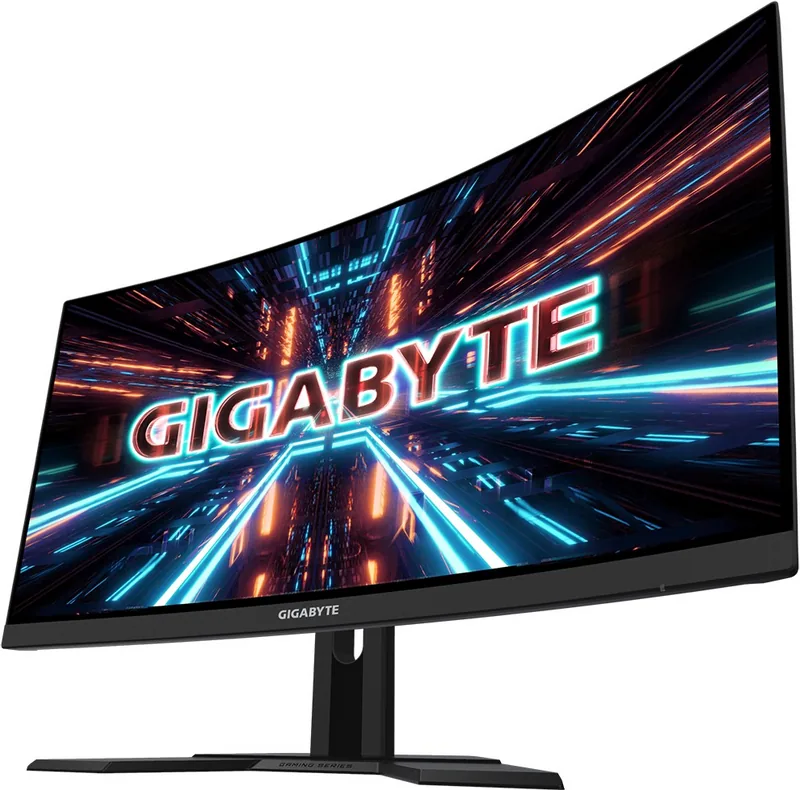
Curved, 1500R (4.92 ft)
Viewing Angle
178 deg/178 deg
Coating
Non-glare (Matte)
Color Depth
8-bit (16.7 Million Colors)
FRC
N/A (Native 8-bit)
sRGB
120%
DCI-P3
90%
Speakers
Speakers (2x 2W)
Controls
Control Pad
Ergonomics
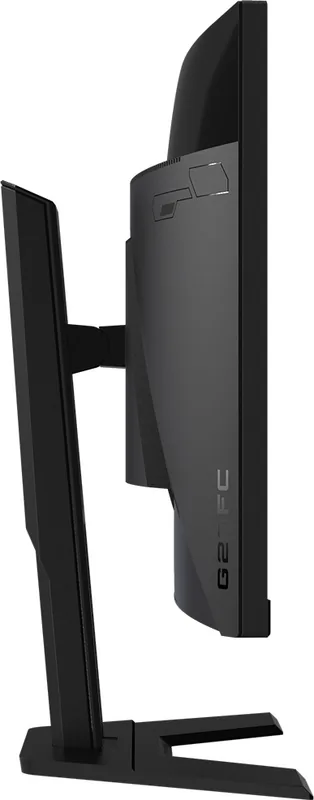
With Stand, Height Adjustable (5.12 inches), Pivot N/A, Rotate N/A, Tilt (+20 deg/-5 deg)
VESA
100x100 (Mounted)
Power Consumption
55W (Max), 0.5W (Standby)
Features
Security Lock (Kensington Security Slot), Picture-in-Picture, Slim Bezel
Screen-to-Body Ratio
89.63% (Calculated)
Dimensions
24.03x20.91x8.00 inches (WxHxD) With Stand Compressed, 24.03x14.46x3.33 inches (WxHxD) Without Stand
Color
Black (Display Frame) / Black (Bottom Bezel) / Black (Stand) / Black (Back)
Weight
14.09 lbs (With Stand)
Power Supply
Internal
USB Labeling
Left
Product Description
Gaming Experience with GIGABYTE
The GIGABYTE G27FC stands out as a compelling choice for enthusiasts seeking high-performance visuals without breaking the bank. With a sleek 27-inch frame, this monitor delivers an immersive gaming experience that rivals much more expensive options on the market. The panel boasts impressive specifications that cater directly to competitive gamers. A 165Hz refresh rate ensures smooth movement, reducing motion blur significantly during intense sessions. Gamers will appreciate the FreeSync technology that syncs the monitor to eliminate screen tearing. This synchronization creates a seamless visual flow.
Ergonomics and Safety
Ergonomics are a major priority in the design process. Users can adjust the tilt and height of the screen to find the perfect viewing angle. The height adjustment reaches up to 130mm, allowing users to align the top with their eye level. This flexibility helps reduce neck strain during long marathons of work or play. Safety is also emphasized with built-in certifications ensuring compliance with international standards. Cleaning the screen is simple with a soft cloth. Power consumption is managed efficiently, allowing for extended use. Placing the device in a well-ventilated place is crucial for longevity. Unplugging during long non-use periods is advised.
Connectivity Setup
When exploring technical details such as those referenced in the GIGABYTE G27FC, 27" Manual guide, users discover robust game assistance features. Tools like the Crosshair and Aim Stabilizer provide a tactical edge. The On-Screen Display menu is navigable via a control button. Picture modes like Standard, FPS, and Movie optimize settings. The rear panel features multiple connectivity options including two HDMI inputs and a DisplayPort connection. Additional USB 3.0 ports allow for convenient peripheral charging. The headphone jack provides private audio. VESA holes support wall mounting.
Final Thoughts
For those mounting the device, the 100 x 100 mm VESA holes are ready. The package includes essential cables. Keeping the original box is recommended. The response time is fast enough. Overall performance remains consistent across the 1080p resolution. The dashboard function displays CPU and GPU temperatures. It is a reliable tool for modern needs. Proper ventilation prevents overheating. The stand base requires a screwdriver. These precautions protect internal components. The warranty card included helps track service eligibility.
Search for 67,706 Manuals online


Type-in Brand or Model
Max Weber
6 months ago
Is there a way to disable the bright standby LED light mentioned in some reviews? It seems important for users with bedroom setups.
Manual.ly
6 months ago
Yes, this feature is fully adjustable. You can navigate to the OSD menu and select the power indicator setting. Options typically include turning it off or changing the blink patterns to dim modes. This helps ensure the monitor does not emit unnecessary light during standby, making it suitable for darker environments such as a bedroom. If you cannot locate the setting within the menu, please contact our support team for detailed navigation steps.