
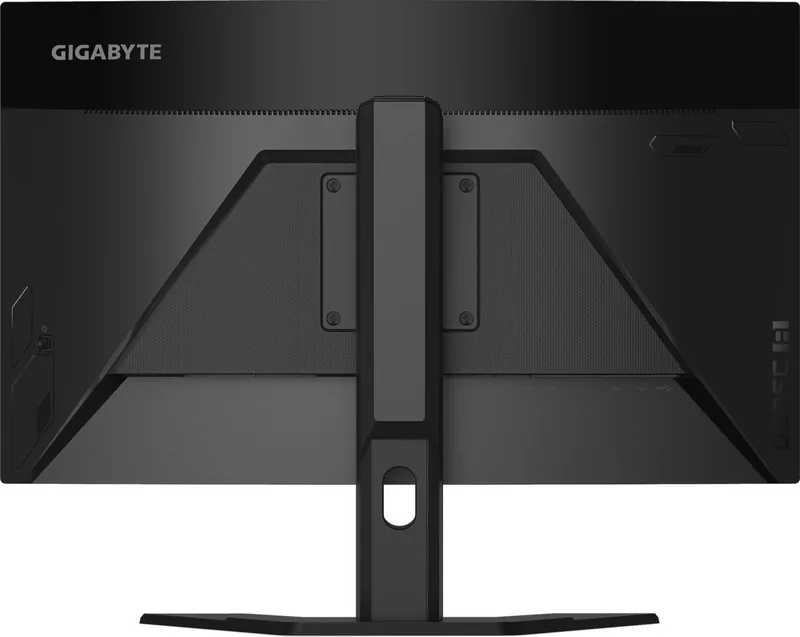
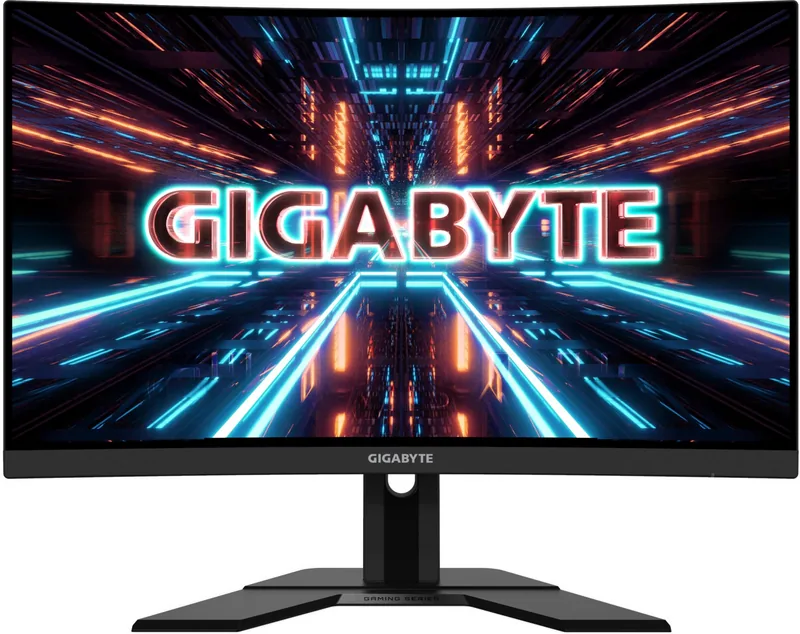
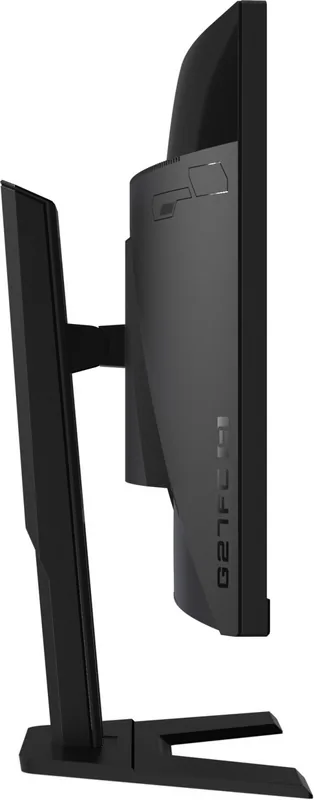
GIGABYTE G27FC A Manual
PDF manual · 45 Pages
English



Quick check
Incorrect answer, please try again.
Chat with your GIGABYTE G27FC A manual using AI
Get instant AI answers from your GIGABYTE G27FC A manual
Ask anything about the GIGABYTE G27FC A. Answers come from this manual, with the pages they are based on.
G27FC A Maintenance Schedule
Wipe dust with a soft, lint-free cloth. Apply cleaner to the cloth, not the screen. Avoid acidic or abrasive cleaners and excessive pressure.
Take at least 10-minute breaks every half-hour. Look away at a far object for at least 20 seconds during breaks to reduce eye strain.
Ask a Question
Do you recommend G27FC A?
Yes No
Murphy Yundt
6 months ago
Is the stand height adjustable on this model?
Edwin Lehner
5 months ago
Is the screen depth truly deep black, or is there a difference between 'deep black' and just 'black'?

Manual.ly
5 months ago
The product features good image quality and adjustable stand height. However, some users note that while the display offers good contrast, it may not achieve true deep black levels compared to premium models with OLED technology. If you are not using the device for gaming where color accuracy is critical, it remains a recommended purchase.

Sarah Miller
6 months ago
Can I adjust the height of the stand easily?
Constantin Tromp
6 months ago
How good are the picture quality and black levels, and is this monitor suitable for gaming?
Manual.ly
6 months ago
The monitor offers solid build quality, adjustable height, good image quality, and useful features. However, the black levels and color depth are not especially deep, so dark scenes may appear less rich than on premium displays. It is recommended mainly for everyday work and media use rather than demanding gaming.
Carmen Russell
4 months ago
How is the picture quality, especially black levels, and is it suitable for gaming?
Manual.ly
4 months ago
The monitor is well built, height-adjustable, and well equipped, with generally good image quality. However, black levels and color depth may not appear truly deep black, so it is better suited to everyday use than demanding gaming where contrast performance is important.
Lena Park
3 months ago
Is the picture quality suitable for gaming, especially regarding black levels and color depth?
Manual.ly
3 months ago
The monitor offers good overall image quality, solid build quality, and useful features, but its black levels and color depth may not satisfy demanding gamers. It is better suited to everyday use, office work, and media viewing than to games where deep blacks are especially important.
Myriam Marquardt
3 months ago
Is this monitor suitable for gaming, and how good are the black levels?
Manual.ly
3 months ago
The monitor is well built, height-adjustable, and offers a good picture with solid features. However, its black levels and color depth are not especially deep, so it may be less suitable for demanding gaming or dark-scene content. It is better recommended for everyday use and work.
Frequently Asked Questions
It has a 27-inch display with a 16:9 aspect ratio and a native Full HD resolution of 1920 x 1080.
Is this answer helpful?
The monitor supports refresh rates up to 165 Hz. Supported Full HD timings include 60 Hz, 120 Hz, 144 Hz, and 165 Hz through the appropriate connection and system configuration.
Is this answer helpful?
Yes. It includes FreeSync, which is designed to help reduce screen tearing and stuttering in compatible games and hardware setups.
Is this answer helpful?
It provides two HDMI 2.0 inputs, one DisplayPort 1.2 input, a headphone jack, two USB 3.0 downstream ports, and one USB upstream port.
Is this answer helpful?
Yes. It supports a 100 x 100 mm VESA mounting pattern. Use a manufacturer-recommended or otherwise compatible mounting solution and follow its installation instructions.
Is this answer helpful?
The included stand supports height adjustment up to 130 mm and tilt adjustment from -5 to 20 degrees. Swivel and pivot support are not specified.
Is this answer helpful?
Built-in features include Black Equalizer, Aim Stabilizer, Overdrive, a selectable on-screen crosshair, gaming timer, gaming counter, refresh-rate display, and multi-monitor alignment guides.
Is this answer helpful?
Advantages and Disadvantages
Advantages

- 165 Hz refresh rate and 1 ms MPRT support smoother motion for fast-paced games.
- FreeSync, Overdrive, Black Equalizer, and Aim Stabilizer provide useful gaming-focused image controls.
- Two HDMI 2.0 ports, DisplayPort 1.2, USB hub, and headphone output support versatile desk setups.
- Height adjustment, tilt, and 100 x 100 mm VESA compatibility offer flexible positioning.
- Game Assist tools include a crosshair, timer, counter, refresh-rate readout, and alignment guides.
Disadvantages

- Full HD resolution on a 27-inch screen may appear less detailed than higher-resolution alternatives.
- Typical brightness of 250 nits may be limited in very bright rooms.
- Aim Stabilizer is unavailable below 100 Hz and when FreeSync is enabled.
- The stand supports height and tilt, but no swivel or pivot adjustment is specified.
- Some devices are listed as incompatible with USB BC 1.2 charging through the connected hub.
Product Specification
Function
Monitor (desktop)
Diagonal
27 in (68.6 cm)
Resolution
1920x1080 (FHD), 16:9, 82 ppi
Panel
VA
Backlight
LED, blue light filter, flicker-free
Brightness
250 cd/m2 (typical)
Contrast
3,000:1 (static)
Response time
1 ms (MPRT)
Refresh rate
165 Hz (170 Hz OC, 1920x1080)
Variable synchronization
Adaptive Sync, AMD FreeSync Premium certified (48-165 Hz via DisplayPort, 48-144 Hz via HDMI, with LFC support, without HDR)
Blur reduction feature
GIGABYTE Aim Stabilizer
Signal frequency
48-165 Hz (V)
Ports
2x HDMI 1.4, 1x DisplayPort 1.2, 1x USB-B 3.0 (upstream, 5 Gb/s), 2x USB-A 3.0 (downstream, 5 Gb/s, BC), 1x 3.5 mm jack (line-out), 1x AC input C13 (power connection)
Shape
curved, 1500R/59.06 in
Viewing angle
178 degrees/178 degrees
Coating
non-glare (matte)
Color depth
8-bit (16.7 million colors)
FRC
N/A (native 8-bit)
sRGB
127%
DCI-P3
91%
Speakers
Speakers (2x 2 W)
Controls
Joystick
Ergonomics
with stand, height-adjustable (5.12 in), pivot N/A, swivel N/A, tilt (+20 degrees/-5 degrees)
VESA
100x100 (occupied)
Power consumption
60 W (maximum), 25 W (typical), 0.5 W (standby)
Energy efficiency SDR (A to G)
25 kWh/1,000 h (F)
Special features
Security lock (Kensington Security Slot), slim bezel
Screen-to-body ratio
89.63% (calculated)
Dimensions
24.03x20.91x7.99 in (WxHxD) with stand compressed, 24.03x14.46x3.33 in (WxHxD) without stand
Color
black (display bezel) / black (bottom bezel) / black (stand) / black (rear)
Weight
14.11 lb (with stand)
Power supply
internal
USB designation
Link
Product Description
GIGABYTE G27FC A 27 - Read, Download & Print Free
The GIGABYTE G27FC A is a 27-inch curved gaming monitor designed for players who want smooth motion, immersive viewing, and practical connectivity in one desktop display. Its Full HD 1920 x 1080 resolution and 16:9 format provide a familiar, accessible layout for competitive games, entertainment, web browsing, and everyday tasks.
Built for fast-paced gaming
A 165 Hz refresh rate helps make on-screen movement feel fluid, while the 1 ms MPRT response time is intended to reduce perceived blur during rapid action. The monitor also supports FreeSync technology to help minimize tearing and stuttering when paired with compatible hardware. Overdrive settings allow further response-time tuning, and Aim Stabilizer can reduce blur in fast games under supported conditions.
Gaming-focused tools are available directly through the on-screen controls. Black Equalizer brightens dark areas to reveal more detail, while the Game Assist menu offers a customizable crosshair, gaming timer, counter, refresh-rate display, and alignment guides for multi-monitor setups. These features let users adjust their viewing experience without interrupting play.
Flexible picture and connectivity options
The display uses a 3000:1 typical contrast ratio, 250 nits typical brightness, and 178-degree viewing angles. Multiple picture modes are provided for FPS games, RTS and RPG titles, movies, reading, photos, and general use. Users can also adjust brightness, contrast, sharpness, gamma, color temperature, saturation, and blue-light filtering through the OSD menu.
Connectivity includes two HDMI 2.0 ports, one DisplayPort 1.2 input, a headphone jack, two USB 3.0 downstream ports, and one USB upstream port. The USB ports support BC 1.2 charging up to 5 V/1.5 A for compatible devices. This selection makes it easier to connect a PC, console, peripherals, and headphones from a central display setup.
Ergonomics and daily use
The included stand supports height adjustment up to 130 mm and tilt adjustment from -5 to 20 degrees. It is also compatible with 100 x 100 mm VESA mounting for users who prefer a monitor arm or wall installation. A single joystick-style control provides quick access to volume, input selection, image modes, and monitor settings.
Notes
For best comfort, place the top of the screen slightly below eye level and take regular viewing breaks. Keep ventilation openings clear, clean the panel with a soft lint-free cloth, and use only compatible mounting hardware and recommended accessories.
Search for 67,706 Manuals online


Type-in Brand or Model
Roxanne Morgan
5 months ago
Does this TV deliver true deep blacks, or is the color depth disappointing?
Manual.ly
5 months ago
Thank you for your question. While this model offers good image quality and a height-adjustable stand, we note that the color depth may not achieve absolute true black levels compared to premium models. However, it remains a solid choice for most users who do not play graphics-intensive games requiring perfect contrast.