
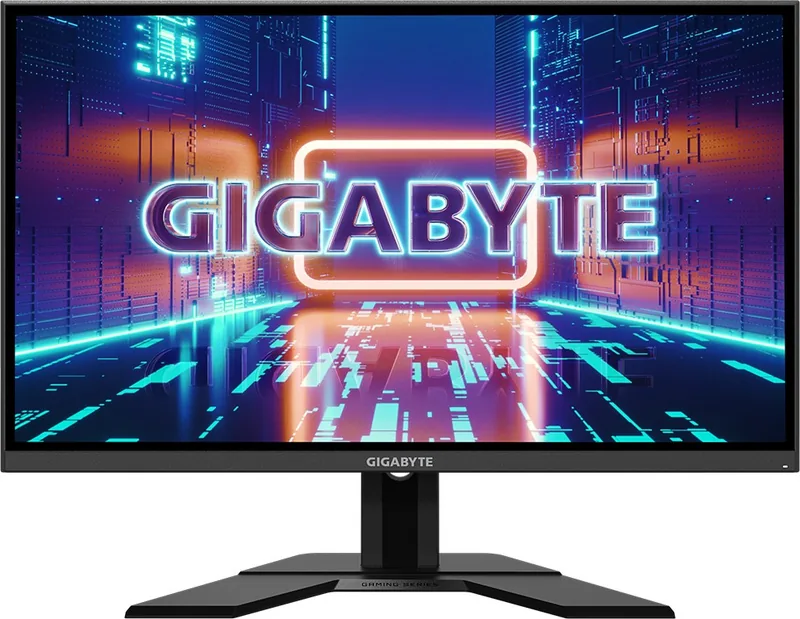

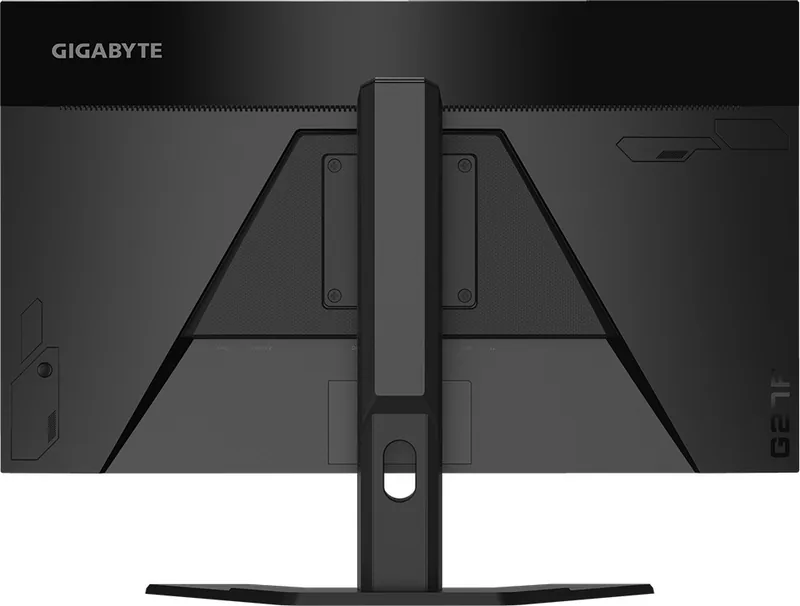
GIGABYTE G27F Manual
PDF manual · 40 Pages
English



Quick check
Incorrect answer, please try again.
Chat with your GIGABYTE G27F manual using AI
Get instant AI answers from your GIGABYTE G27F manual
Ask anything about the GIGABYTE G27F. Answers come from this manual, with the pages they are based on.
Ask a Question
Do you recommend G27F?
Yes No
Anna Schmidt
6 months ago
Is this product reliable for daily use based on customer feedback?

Manual.ly
6 months ago
Yes, recent customer experiences indicate the product is reliable and satisfactory for everyday tasks. Many users report high satisfaction with its quality and performance. For specific technical details, please refer to the product specifications.
Frequently Asked Questions
The monitor supports up to 144Hz in gaming mode.
Is this answer helpful?
Yes, it supports 100x100mm VESA standards for wall brackets.
Is this answer helpful?
There are two HDMI 1.4 ports available on the rear panel.
Is this answer helpful?
Yes, the stand allows up to 130mm height adjustment.
Is this answer helpful?
Yes, it has TUV Low Blue Light Certification for eye comfort.
Is this answer helpful?
The response time is 1ms MPRT for reduced motion blur.
Is this answer helpful?
Use the menu to select Reset All for factory default settings.
Is this answer helpful?
Advantages and Disadvantages
Advantages

- High 144Hz refresh rate ensures fluid motion during gameplay.
- 1ms MPRT response time reduces motion blur significantly.
- Multiple connectivity options include HDMI and DisplayPort.
- FreeSync support eliminates screen tearing effectively.
- USB hub functionality adds convenience for peripherals.
Disadvantages

- Standard 1000:1 contrast ratio is not high for dark rooms.
- Screen lacks built-in speakers for all-in-one audio.
- Height adjustment limit is only 130mm maximum.
- Resolution remains at 1080p rather than higher standards.
- Panel type is not explicitly defined in specifications.
Product Specification
Function
Monitor (Fixed)
Diagonal
27" (27.0 in)
Resolution
1920x1080 (FHD), 16:9, 82 ppi
Panel
IPS
Backlight
LED, Blue Light Filter, flicker-free
Brightness
300 cd/m2 (typical)
Contrast
1,000:1 (static), 12,000,000:1 (dynamic)
Response Time
1 ms (MPRT)
Refresh Rate
144 Hz (1920x1080)
Variable Refresh Rate
Adaptive Sync, AMD FreeSync Premium certified (48-165 Hz via DisplayPort, 48-144 Hz via HDMI, with LFC support, without HDR)
Motion Blur Reduction
GIGABYTE Aim Stabilizer
Signal Frequency
48-144 Hz (V)
Connections
2x HDMI 1.4, 1x DisplayPort 1.2, 1x USB Type-B 3.0 (Upstream, 5 Gb/s), 2x USB Type-A 3.0 (Downstream, 5 Gb/s, BC), 1x 3.5mm Jack (Line-Out), 1x DC-In Power Socket (Power)
Form
Flat
Viewing Angles
178 deg / 178 deg
Coating
Non-glare (Matte)
Color Depth
8 bit (16.7 Million Colors)
FRC
N/A (8 bit native)
sRGB
125%
DCI-P3
95%
Speakers
Speakers (2x 2W)
Controls
Joystick
Ergonomics
With Stand, Height Adjustable (5.12 in), Pivot N/A, Rotate N/A, Tilt (+20 deg / -5 deg)
VESA
100x100 (Supported)
Power Consumption
60W (Max), 0.5W (Standby)
SDR Energy Efficiency (A to G)
25 kWh/1000h (F)
Features
Security Lock (Kensington Security Slot), Slim Bezel
Screen-to-Body Ratio
88.83% (Calculated)
Dimensions
24.4x20.4x8.0 in (W x H x D) with Folded Stand, 24.4x14.4x2.2 in (W x H x D) Without Stand
Color
Black (Display Bezel) / Black (Bottom Bezel) / Black (Stand) / Black (Rear)
Weight
14.55 lbs (With Stand)
Power Supply
External
USB Port Orientation
Left
Product Description
Elevate Your Gaming Experience with the GIGABYTE G27F
The GIGABYTE G27F, 27" Manual serves as a comprehensive guide for users looking to maximize the potential of this gaming masterpiece. When considering a new monitor for desktop enhancements, finding the right balance between performance and price is crucial. This specific model stands out in the crowded market due to its dedicated focus on speed and clarity. It is designed for gamers who want smooth visuals without breaking the budget.
Key Features of the Device
Owners of this hardware will find a versatile setup experience. The screen offers a resolution of 1920 x 1080 pixels, ideal for competitive gaming on various systems. The refresh rate reaches up to 144Hz, ensuring smooth motion for fast-paced titles. With a response time of 1ms MPRT, input lag remains minimal, giving players a distinct advantage during critical moments. The display supports FreeSync technology to eliminate screen tearing and stuttering.
Connectivity and Design
A major strength lies in the connection options. The rear panel includes two HDMI ports and one DisplayPort, allowing for easy integration with different graphics cards and consoles. Users also benefit from USB 3.0 ports for connecting peripherals like keyboards or mice directly to the screen. The ergonomic stand allows for height adjustments up to 130mm and tilts between five and twenty degrees. Wall mounting is possible using standard VESA kits for a cleaner desk setup.
Navigating the Interface
Getting started is straightforward for new users. The Control button on the back manages all on-screen interactions. It provides access to menus for color settings and gaming enhancements. Features like Black Equalizer help illuminate dark corners in games. Users can also monitor system stats like CPU and GPU temperature via the dashboard feature. This integration helps in tuning performance without leaving the game view.
Safety and Maintenance
Proper handling ensures longevity. The device requires a stable connection and regular cleaning with soft, lint-free cloths. Avoid spraying liquids directly on the screen to prevent damage. Power management features allow the unit to sleep automatically. The instructions emphasize safety regarding voltage and grounding. Keeping the packaging helps during future moves or warranty services. The monitor includes multiple picture modes such as FPS, RTS/RPG, and sRGB. This customization allows gamers to tailor visuals for specific genres. Low Blue Light certification adds eye comfort during long sessions. Power consumption is relatively low at 60W max. The LED life is rated for thirty thousand hours. Troubleshooting tips cover power issues and sound connectivity. Language options exist for international owners. Always check voltage compatibility before plugging in. Adhere to these guidelines for the best experience.
Search for 67,706 Manuals online


Type-in Brand or Model
Julia Schmidt
5 months ago
Is there a warranty included with this product?
Manual.ly
5 months ago
Yes, this item comes with a 1-year manufacturer warranty. It covers all defects in materials and workmanship. Please retain your proof of purchase for any future claims or support interactions.