
GIGABYTE DDR4-2666 Manual
PDF manual · 2 Pages
English



Quick check
Incorrect answer, please try again.
Chat with your GIGABYTE DDR4-2666 manual using AI
Get instant AI answers from your GIGABYTE DDR4-2666 manual
Ask anything about the GIGABYTE DDR4-2666. Answers come from this manual, with the pages they are based on.
Ask a Question
Do you recommend DDR4-2666?
Yes NoFrequently Asked Questions
Yes, it comes with a limited lifetime warranty for the original end user provided the product is not damaged improperly.
Is this answer helpful?
Turn off the computer, disconnect power, discharge static electricity, align the notch, and press until clips snap.
Is this answer helpful?
Using third-party accessories might affect compatibility or void the warranty protection if damage occurs.
Is this answer helpful?
The recommended voltage is shown on the DRAM label and must be adhered to avoid damaging the module.
Is this answer helpful?
GIGABYTE will replace it with a substitute product if the original is no longer under production life cycle.
Is this answer helpful?
No, the warranty is non-transferable and applies only to the original end user who owns the product.
Is this answer helpful?
Yes, proof of original purchase date is required for all warranty service claims regarding replacement or repair.
Is this answer helpful?
Advantages and Disadvantages
Advantages

- Limited lifetime warranty for original end user provides long-term assurance
- DDR4 technology delivers 2666 MHz speed for smooth multitasking
- Secure clip retention system ensures modules stay firmly in place
- Compatible with standard desktop memory slots for easy upgrades
- Stable CL16 timing balances latency and performance effectively
Disadvantages

- Warranty is non-transferable to new owners of the hardware
- Requires specific motherboards and CPUs for rated data speed
- Excludes damage caused by third-party accessories or improper handling
- Proof of original purchase date is mandatory for warranty claims
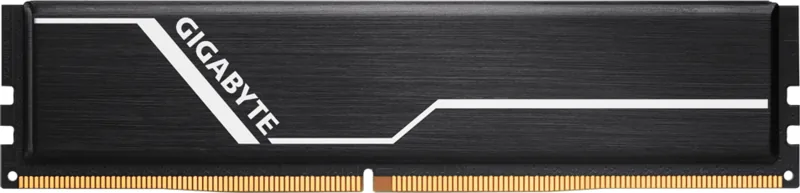
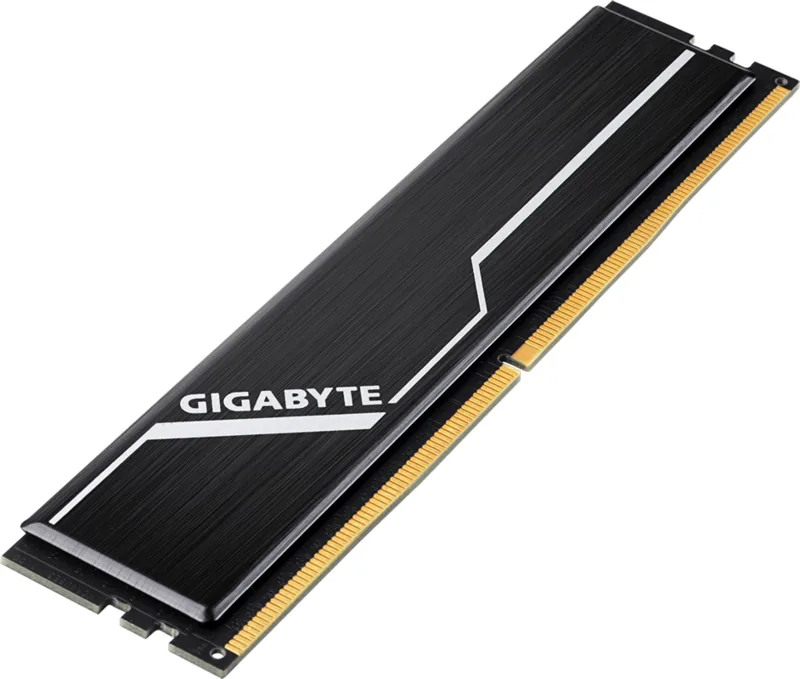
- No RGB lighting features for aesthetic customization purposes
Product Specification
Type
DDR4 DIMM 288-Pin
Clock Speed
2666MHz
Memory Modules
1 x 8GB
JEDEC
PC4-21300U
CAS Latency CL
16 (equivalent to ~12.00ns)
Row-to-Column Delay tRCD
16 (equivalent to ~12.00ns)
Row Precharge Time tRP
16 (equivalent to ~12.00ns)
Active-to-Precharge Time tRAS
35 (equivalent to ~26.26ns)
Voltage
1.2V
Module Height
1.26 inches
Case
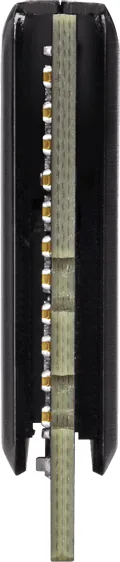
Heatspreader
Lighting
None
Features
Intel XMP 2.0
Warranty
120 months (Lifetime Warranty Promise)
Product Description
Enhance Your Desktop Performance
Upgrading your computer requires reliable components that deliver consistent speed and stability for everyday tasks. The GIGABYTE Memory DIMM 8GB provides a robust solution for desktop systems looking to improve multitasking capabilities significantly. DDR4 technology ensures that data transfer rates reach 2666 MHz, allowing for smoother gameplay and faster application loading times compared to older standards. The timing of CL16-16-16-35 offers a balanced approach for latency without sacrificing throughput for professional applications.
Reliability and Warranty Coverage
GIGABYTE stands behind its memory products with a limited lifetime warranty dedicated to the original end user. This coverage ensures that customers receive replacement or repair services for defective items within the applicable period from the day of purchase. However, the warranty is strictly non-transferable and does not cover damage from natural calamities, vandalism, or unauthorized modifications. Keeping proof of the original purchase date is essential for claiming services under these terms.
Installation Safety and Guidelines
Proper installation is crucial for optimal performance and preventing hardware damage during the process. Discharge static electricity by touching a grounded metal object before handling the module or motherboard slots. Ensure all memory slots are empty or replace lower density modules to make room for the new unit. Align the notch on the module with the slot key and press firmly until the clips snap into place securely. Always turn off the computer and disconnect power cords before starting any physical maintenance.
Compatibility and System Configuration
Note that specific motherboards and CPUs are required to operate at the specified data rate effectively. Compatibility problems might arise if mixing different memory brands or speeds within the same system configuration. Using identical density and data rates in a single system is recommended for better stability and performance consistency. If you encounter issues, verify that the product was not purchased from unauthorized channels to avoid voiding support.
Final Maintenance Thoughts
Investing in quality RAM extends the functional life of your computer system significantly. Whether for gaming, work tasks, or general browsing, this GIGABYTE Memory DIMM 8GB, DDR4-2666, CL16-16-16-35 Manual information helps you locate specific technical data if needed later. Always follow safety precautions regarding voltage and packaging when shipping for service returns. This ensures your system remains protected and functional for years while maintaining warranty validity.
Search for 67,706 Manuals online


Type-in Brand or Model
Sarah K.
7 months ago
Can I count on this quality lasting over time? I want to avoid frequent replacements.
Manual.ly
7 months ago
Based on customer reports, the product maintains high standards with flawless function. Users describe it as reliable and highly recommended for long-term use. For specific warranty terms, please check our support pages or contact service directly.