
GIGABYTE B760 Series Manual
PDF manual · 42 Pages
English



Quick check
Incorrect answer, please try again.
Chat with your GIGABYTE B760 Series manual using AI
Get instant AI answers from your GIGABYTE B760 Series manual
Ask anything about the GIGABYTE B760 Series. Answers come from this manual, with the pages they are based on.
Ask a Question
Do you recommend B760 Series?
Yes NoFrequently Asked Questions
The motherboard supports 14th, 13th, and 12th Generation Intel Core, Pentium Gold, and Celeron processors using the LGA1700 socket.
Is this answer helpful?
No, you must choose either DDR4 or DDR5 modules based on your specific motherboard revision. They are not compatible simultaneously.
Is this answer helpful?
Use the Q-Flash Plus feature by saving the BIOS file on a USB drive, plugging it into the designated port, and pressing the button.
Is this answer helpful?
Yes, it supports RAID 0, 1, 5, and 10 for SATA storage devices, but NVMe SSDs do not have RAID support on the B760 chipset.
Is this answer helpful?
Depending on the CPU, you can use HDMI, DisplayPort, and D-Sub ports to connect up to three monitors simultaneously.
Is this answer helpful?
Some models include Wi-Fi 6 and Bluetooth 5.1/5.2, while others require an external adapter or rely on wired LAN only.
Is this answer helpful?
Advantages and Disadvantages
Advantages

- Supports latest 12th to 14th Gen Intel Core processors
- Dual channel memory architecture with DDR5 and DDR4 options
- Realtek 2.5GbE LAN for high-speed networking
- Q-Flash Plus enables BIOS updates without CPU installation
- Multiple M.2 slots with PCIe 4.0 support for fast storage
Disadvantages

- Limited to two DIMM slots may restrict maximum RAM capacity
- Wi-Fi and Bluetooth modules vary by specific sub-model
- No onboard USB 3.2 Gen 2x2 ports on standard models
- RAID support does not extend to NVMe drives in all cases
- Requires careful handling to avoid static discharge damage
Product Specification
Socket
Intel 1700
Chipset
Intel B760
CPU Compatibility
Core i-14000, Core i-13000, Core i-12000, Pentium Gold G7000, Celeron G6000
Graphics
iGPU
RAID Level
0/1/5/10 (B760)
Manufacturer Warranty
three years (from production date, handled via specialist retailer)
USB Labeling
Link
Product Description
GIGABYTE B760 Motherboard Overview
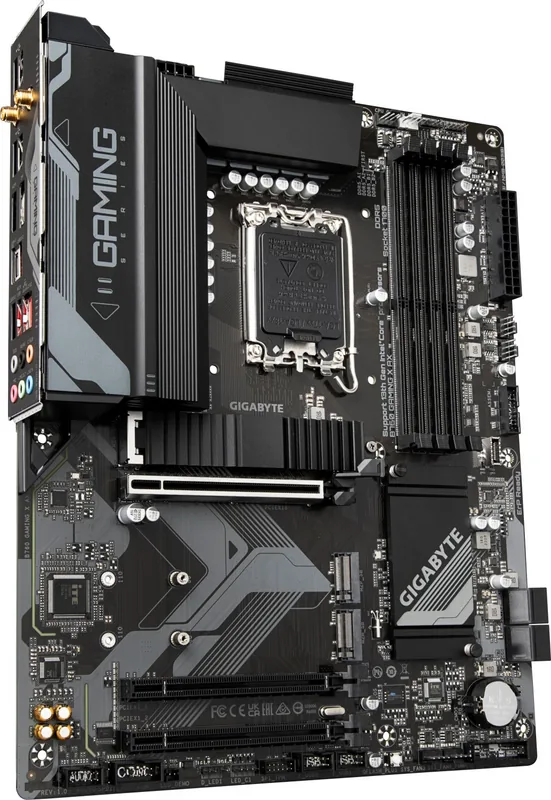
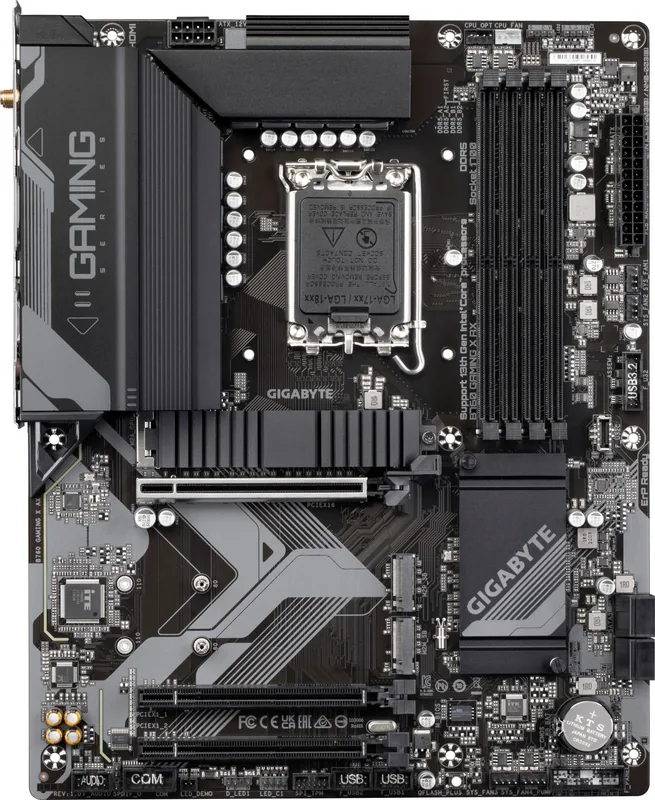
The GIGABYTE B760 series represents a robust foundation for modern computing, designed to deliver exceptional performance and reliability for gamers and professionals alike. Built around the Intel B760 chipset, these motherboards support the latest 14th, 13th, and 12th Generation Intel Core processors, offering a versatile platform that accommodates both DDR5 and DDR4 memory configurations depending on the specific model variant.
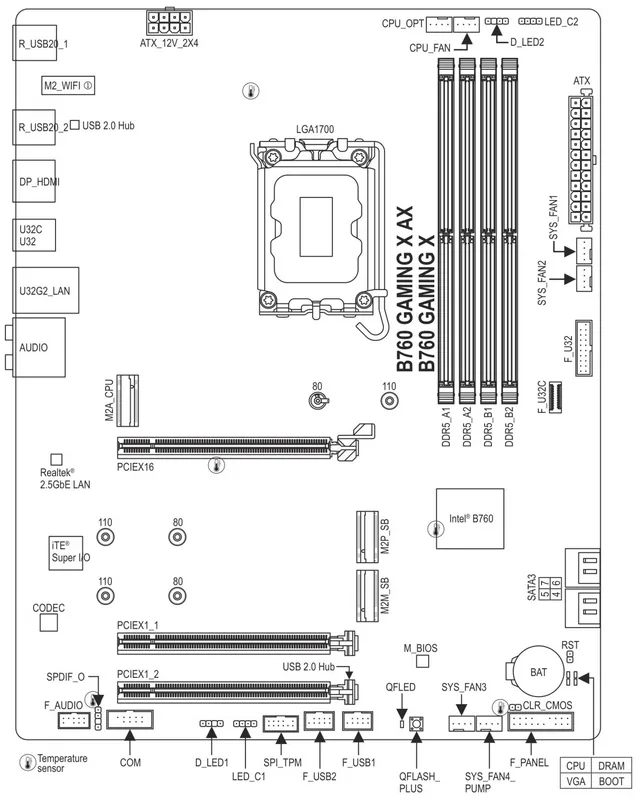
At the heart of the system lies the LGA1700 socket, which provides the necessary power and connectivity for high-end CPUs. The board features a comprehensive array of expansion slots, including a PCIe 4.0 x16 slot for graphics cards, ensuring compatibility with future hardware upgrades. Storage options are plentiful, with multiple M.2 connectors supporting fast NVMe SSDs via PCIe 4.0 interfaces, alongside traditional SATA ports for additional drive capacity. This flexibility allows users to build storage arrays or RAID configurations for enhanced speed and data redundancy.
Connectivity is a key strength of the GIGABYTE B760 lineup. Integrated Realtek 2.5GbE LAN ensures faster network speeds compared to standard Gigabit Ethernet, reducing bottlenecks during large file transfers or online gaming. Wireless capabilities vary by model, with some versions featuring advanced Wi-Fi 6 solutions and Bluetooth 5.1 support for seamless peripheral connections. The rear I/O panel includes a variety of USB ports, including USB Type-C, as well as HDMI, DisplayPort, and D-Sub outputs for versatile display setups supporting triple-monitor configurations.
Audio quality is handled by a dedicated Realtek Audio CODEC, providing immersive sound experiences with support for multi-channel audio setups. The motherboard also incorporates GIGABYTE-specific utilities like Q-Flash Plus, allowing users to update the BIOS without needing a CPU or memory installed, simplifying maintenance and troubleshooting. With support for Windows 11 and optimized power management features, this platform stands ready to handle demanding workloads while maintaining stability and efficiency.
Search for 67,706 Manuals online


Type-in Brand or Model