
GIGABYTE B550 Series Manual
PDF manual · 44 Pages
English



Quick check
Incorrect answer, please try again.
Chat with your GIGABYTE B550 Series manual using AI
Get instant AI answers from your GIGABYTE B550 Series manual
Ask anything about the GIGABYTE B550 Series. Answers come from this manual, with the pages they are based on.
Ask a Question
Do you recommend B550 Series?
Yes NoFrequently Asked Questions
Yes, the GIGABYTE B550 motherboard supports PCIe 4.0, but only when paired with third-generation AMD Ryzen processors. Older CPUs will limit the system to PCIe 3.0 speeds.
Is this answer helpful?
Yes, the board features Q-Flash Plus technology. You simply need to save the BIOS file to a USB drive, plug it into the designated port, and press the button to update automatically.
Is this answer helpful?
The motherboard supports DDR4 memory speeds up to 3200 MHz with compatible processors and memory modules, utilizing dual-channel architecture for optimal bandwidth.
Is this answer helpful?
There are two M.2 sockets available. One is integrated with the CPU supporting PCIe 4.0, and the other is connected via the chipset supporting PCIe 3.0.
Is this answer helpful?
Only the B550 AORUS ELITE AX model includes Intel Wi-Fi 6 and Bluetooth 5.0. The standard B550 AORUS ELITE requires a separate Wi-Fi adapter or card.
Is this answer helpful?
It uses the Realtek ALC1200 codec, which supports 7.1-channel surround sound and High Definition Audio for immersive gaming and media experiences.
Is this answer helpful?
Advantages and Disadvantages
Advantages

- Supports PCIe 4.0 for next-gen graphics cards and storage
- Includes Q-Flash Plus for easy BIOS updates without CPU
- Realtek 2.5GbE LAN provides faster network speeds
- Multiple M.2 slots support high-speed NVMe SSDs
- Comprehensive RGB Fusion headers for custom lighting
Disadvantages

- No built-in Wi-Fi on the standard Elite model
- BIOS advanced settings can be overwhelming for beginners
- Limited VRM cooling on some budget variants
- Requires specific CPU generations for full PCIe 4.0 speeds
- Audio codec lacks dedicated DAC for audiophile-grade output
Product Specification
Socket
AMD AM4
Chipset
AMD B550
RAID Level
0/1/10 (B550)
Manufacturer Warranty
three years (from production date, processed through authorized dealer)
USB Notation
Link
Product Description
Unlocking the Power of the GIGABYTE B550
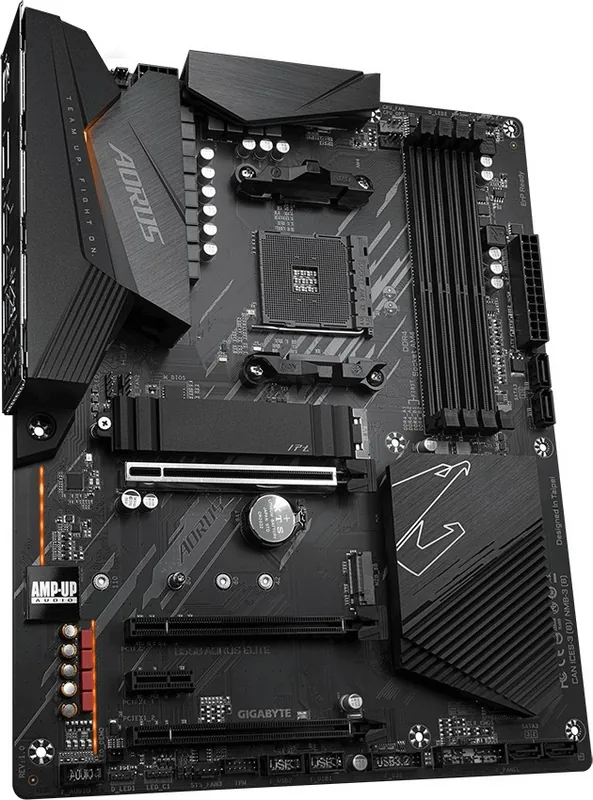
The GIGABYTE B550 motherboard series stands as a cornerstone for enthusiasts and gamers seeking a balance between high performance and value. Designed around the AMD B550 chipset, these boards offer robust support for third-generation AMD Ryzen processors, delivering exceptional speed through PCIe 4.0 connectivity. Whether you are building a system for intense gaming, content creation, or heavy multitasking, the B550 platform provides the necessary foundation to push your hardware to its limits.
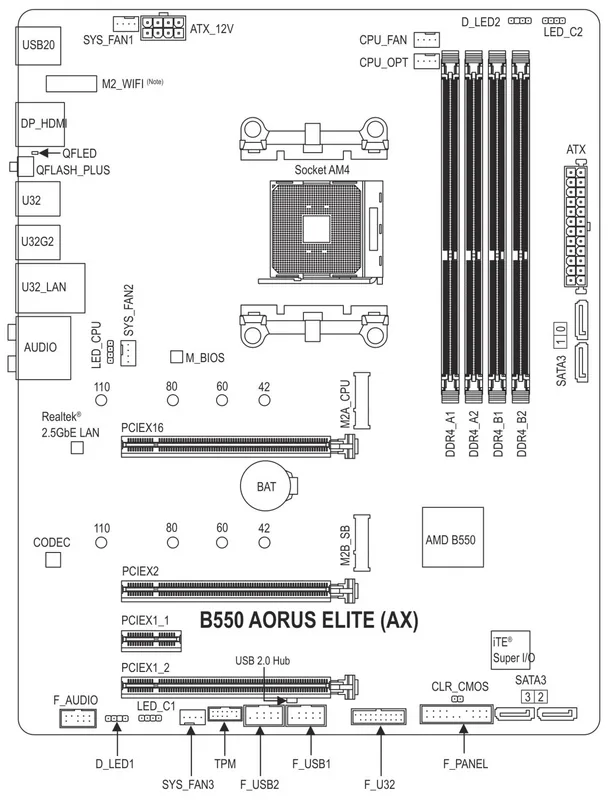
At the heart of the experience is the superior memory architecture. The board features four DDR4 DIMM slots supporting speeds up to 3200 MHz, enabling dual-channel configurations that double memory bandwidth for smoother operations. For storage, users benefit from multiple M.2 sockets capable of handling both SATA and PCIe NVMe SSDs, ensuring rapid boot times and snappy application loading. The inclusion of Q-Flash Plus allows for BIOS updates even without a CPU installed, simplifying maintenance and keeping your system secure with the latest firmware.
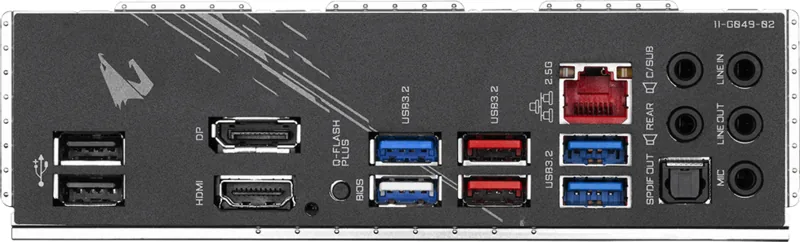
Connectivity is another area where this motherboard shines. It integrates Realtek 2.5GbE LAN for faster network throughput compared to standard Gigabit connections, reducing lag during online gaming or large file transfers. The rear panel boasts a comprehensive array of USB ports, including high-speed USB 3.2 Gen 2 Type-A options, alongside HDMI and DisplayPort outputs for multi-monitor setups. Audio enthusiasts will appreciate the Realtek ALC1200 codec, which delivers high-definition sound across multiple channels.
Customization is key for modern PC builders, and the B550 offers extensive RGB Fusion support. Multiple headers allow for the connection of addressable and standard LED strips, letting users synchronize lighting effects across their entire build. The BIOS interface further enhances control, offering detailed tuning options for CPU overclocking, fan curves, and voltage adjustments. With features like Smart Fan 5, maintaining optimal thermal performance becomes an intuitive process, ensuring your components stay cool under load.
Environmental responsibility is also woven into the design, with recyclable packaging materials reflecting a commitment to sustainability. By combining powerful specifications with user-friendly features and eco-conscious practices, the GIGABYTE B550 manual guides users toward building reliable, high-performance machines tailored to their unique needs.
Search for 67,706 Manuals online


Type-in Brand or Model