
GIGABYTE AORUS C700 Glass Manual
PDF manual · 2 Pages
English



Quick check
Incorrect answer, please try again.
Chat with your GIGABYTE AORUS C700 Glass manual using AI
Get instant AI answers from your GIGABYTE AORUS C700 Glass manual
Ask anything about the GIGABYTE AORUS C700 Glass. Answers come from this manual, with the pages they are based on.
Ask a Question
Do you recommend AORUS C700 Glass?
Yes NoFrequently Asked Questions
Yes, the GIGABYTE AORUS C700 Glass supports vertical graphics card installation. However, please note that the PCI-E riser cable is not included in the box and must be purchased separately to complete this setup.
Is this answer helpful?
The case ships with five fans pre-installed: three standard PWM fans and two ARGB & PWM fans, all measuring 120mm. These provide immediate airflow and customizable lighting upon unboxing.
Is this answer helpful?
Absolutely. The chassis includes dedicated cages for both 2.5" SSDs and 3.5" HDDs. The 3.5" drive bays can be disassembled if you need more space for a large radiator or a different power supply configuration.
Is this answer helpful?
You can use the RGB FUSION 2.0 software to sync with your motherboard or use the physical buttons on the top I/O panel. The Mode button switches lighting styles, the RGB button changes colors, and the Fan +/- buttons adjust fan speeds directly.
Is this answer helpful?
Yes, the top panel features a detachable dust filter. This design allows you to easily remove and clean the filter to prevent dust accumulation inside the case without needing tools.
Is this answer helpful?
The front I/O panel includes a USB-C 3.1 port, standard USB ports, and an HDMI output. There is also a dedicated hub for connecting ARGB and PWM fans to simplify wiring.
Is this answer helpful?
Advantages and Disadvantages
Advantages

- Supports vertical GPU installation with riser cable compatibility
- Pre-installed PWM and ARGB fans for immediate cooling and lighting
- Detachable top dust filter simplifies routine cleaning
- Flexible drive bay configuration allows radiator or PSU placement
- Top I/O panel enables direct fan speed and RGB mode control
Disadvantages

- Vertical GPU installation requires a separate riser cable purchase
- Tempered glass panels require careful handling during assembly
- Cable routing can be tight depending on component size
- No included USB hub expansion beyond the built-in ports
- Fan headers may require specific adapter cables for older boards
Product Specification
Extern
N/A
Intern
4x 2.5"/3.5" (horizontal, drive rails), 6x 2.5"
Connections
1x USB-C 3.1 (10Gb/s, 20-Pin Key-A Header), 4x USB-A 3.0 (5Gb/s), 1x HDMI, 1x 3.5mm Jack (Line-Out), 1x 3.5mm Jack (Line-In)
PCI Slots
10 (2x Riser Card)
Fan (front)
3x 120mm or 3x 140mm (optional)
Fan (rear)
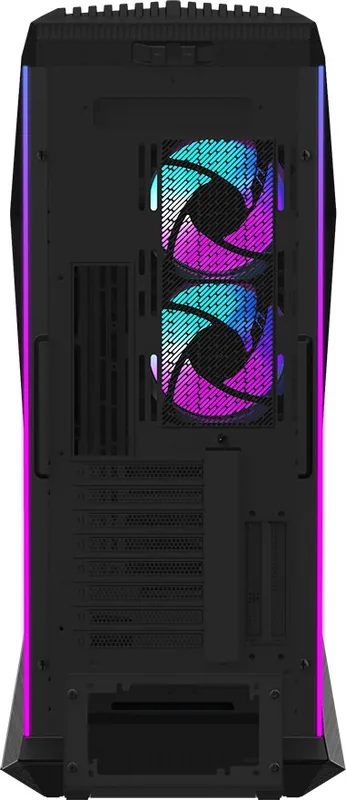
2x 120mm (RGB lit) or 1x 140mm (optional)
Fan (left)
N/A
Fan (right)
N/A
Fan (top)
3x 140mm (optional)
Fan (bottom)
N/A
Fan (other)
N/A
Radiator Sizes
120/140/240/280/360mm front, 120/140/240/280/360/420mm top, 120/140mm rear
Motherboard
up to ATX (E-ATX with unknown dimensions possible)
Supported Motherboards
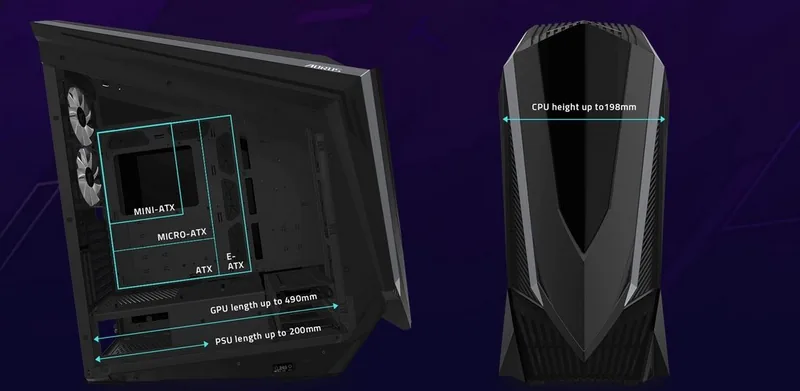
Mini-ITX (6.7"x6.7")/µATX (9.6"x9.6")/ATX (12"x9.6")/E-ATX (unknown dimensions)
Power Supply
ATX (max. 7.87" deep)
Power Supply Position
bottom
CPU Cooler
max. 7.79" height
Graphics Cards
max. 19.29"
Color
black/silver, interior black
Lighting
RGB Header 3-Pin ARGB (+5V/DATA/GND), integrated LED controller, integrated RGB LED lighting, lit fans
Dimensions (WxDxH)
11.85x28.11x26.42"
Volume
5.09 cu ft
Weight
42.33 lbs
Chassis Type
Big-Tower
Front
closed, ventilation slots bottom, ventilation slots side
Top
closed
Bottom
partially closed, fan grille rear, dust filter outside
Left
closed, mostly glass
Right
closed, mostly glass
Rear
partially closed, fan grille right top, fan grille right middle, PCI Slots (8x horizontal, 2x vertical)
Front I/O Position
Chassis side: top, Height: Front, Position: center
Features
integrated fan controller, cable management, dust filter, graphics card mountable vertically, glass window
Note on E-ATX
Motherboard and chassis manufacturers designate different dimensions as E-ATX. This manufacturer provides no information on supported E-ATX dimensions. Motherboards with E-ATX/SSI EEB dimensions of 12.01x12.99" or 12"x13" may not be supported.
USB Spelling
Link
Product Description
GIGABYTE AORUS C700 Glass: The Ultimate Build Platform
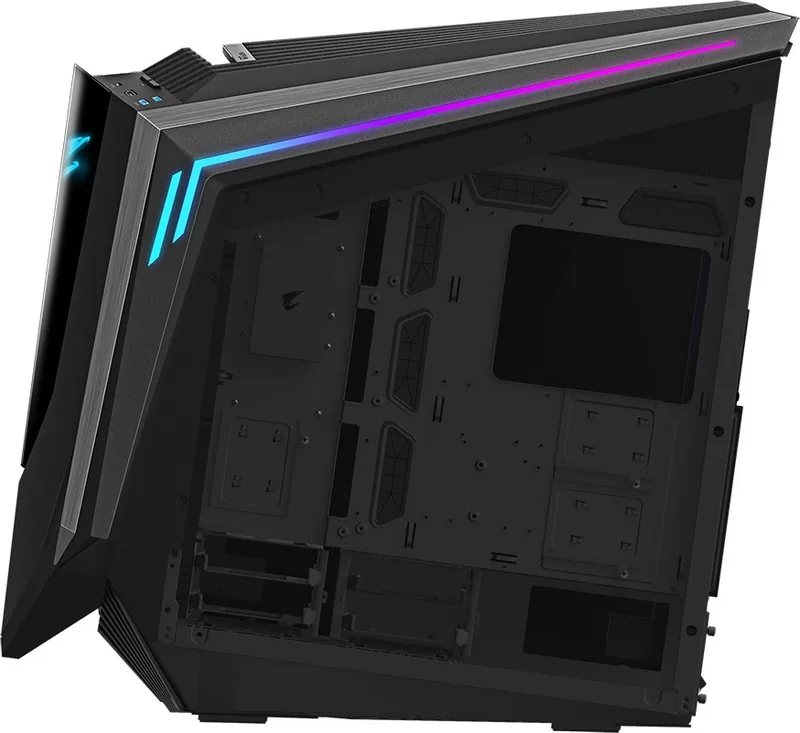
The GIGABYTE AORUS C700 Glass is a premium mid-tower chassis designed for enthusiasts who demand both aesthetics and functionality. Its standout feature is the expansive tempered glass side panel, which showcases your internal components with crystal clarity. This case supports vertical graphics card installation, allowing you to display your GPU proudly while optimizing airflow through a meticulously engineered interior.
At the heart of the C700 lies its superior thermal management system. It comes pre-installed with three PWM fans and two ARGB & PWM fans, ensuring your system stays cool under heavy loads. The top panel features a detachable dust filter that makes maintenance effortless, keeping your hardware clean without the hassle. Cable management is simplified with ample space behind the motherboard tray, including dedicated mounting points for SSDs and HDDs. You can install up to six 2.5" drives or utilize the flexible 3.5" bays, which can be reconfigured or removed entirely to accommodate large radiators or power supplies.
Lighting enthusiasts will appreciate the integrated RGB FUSION 2.0 support. With 16.7 million customizable color options, you can synchronize lighting effects across your entire rig using compatible motherboards. The top I/O panel provides direct control over fan speeds and RGB modes via intuitive buttons, eliminating the need to access software for basic adjustments. Connectivity is robust, featuring an HDMI port, USB-C 3.1, and a built-in hub for easy connection of additional peripherals. Whether you are building a silent workstation or a high-performance gaming beast, the GIGABYTE AORUS C700 Glass offers the versatility and style required to stand out.
Search for 67,706 Manuals online


Type-in Brand or Model