
GIGABYTE AORUS 17X AZG-65DE665SH Manual
PDF manual · 155 Pages
English



Quick check
Incorrect answer, please try again.
Chat with your GIGABYTE AORUS 17X AZG-65DE665SH manual using AI
Get instant AI answers from your GIGABYTE AORUS 17X AZG-65DE665SH manual
Ask anything about the GIGABYTE AORUS 17X AZG-65DE665SH. Answers come from this manual, with the pages they are based on.
Ask a Question
Do you recommend AORUS 17X AZG-65DE665SH?
Yes NoFrequently Asked Questions
Turn off the laptop and restart it. While it is turning on, press and hold the F9 key until the recovery menu appears. Select Troubleshoot to access your options.
Is this answer helpful?
The AI Mode switch allows you to toggle artificial intelligence features that optimize system resources and performance based on the current application or game being used.
Is this answer helpful?
Yes, you can toggle the keyboard backlight on and off by pressing the Fn+Space key combination. This helps visibility in low-light environments.
Is this answer helpful?
Yes, this model adopts Flicker-Free technology which clears visible monitor flicker and prevents users from suffering eye strain and fatigue during extended use.
Is this answer helpful?
To set the fan speed to maximum, press the Fn+ESC key combination. This is useful when the laptop needs extra cooling during intense gaming sessions.
Is this answer helpful?
Advantages and Disadvantages
Advantages

- Exceptional performance with Core i9-14900HX and RTX 4090 DE
- Generous 32GB RAM and 2TB SSD storage capacity
- AI Mode feature optimizes system usage automatically
- Comprehensive connectivity options including LAN and USB
- Flicker-free display reduces eye strain effectively
Disadvantages

- High power consumption may limit battery life during gaming
- Device can generate significant heat under maximum load
- Recovery process requires specific key presses during boot
- Heavy weight may reduce portability for some users
- Complex setup may require initial configuration time
Product Specification
Type
Notebook
Display
17.3, 2560x1440 (QHD), 16:9, 170ppi, 240Hz, non-glare (matt), Dolby Vision, NVIDIA G-Sync, Pantone validated, 100% DCI-P3
CPU
Intel Core i9-14900HX, 8C+16c/32T, 2.20-5.80GHz, 36MB+32MB Cache, 55-157W TDP (PBP/MTP), Codename "Raptor Lake-HX" (Raptor Cove + Gracemont, Intel 7)
RAM
32GB DDR5-5600 (2x 16GB SO-DIMM Module, 2 Slots, max. 64GB)
SSD
2TB M.2 PCIe 4.0 (2280)
HDD
N/A
Flash
N/A
Graphics
NVIDIA GeForce RTX 4090 - 16GB GDDR6 - Mobile, 76SM/9728SP, Codename "AD103" (Ada Lovelace, TSMC 5nm "NVIDIA 4N"), 2040MHz, 175W Max GPU Power
Operating System
Windows 11 Home
Input
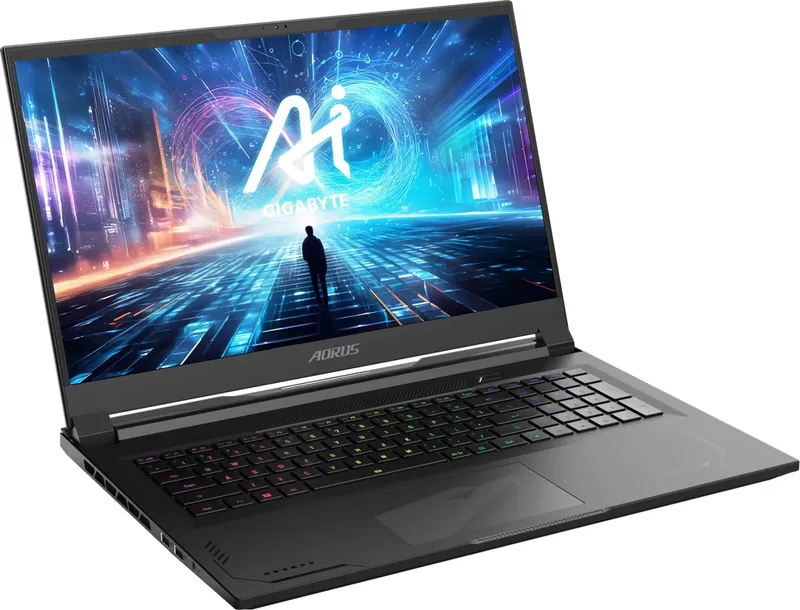
Keyboard with US layout (Individual keys RGB illuminated, Numpad, Anti-Ghosting/N-Key-Rollover, 2mm key travel), Touchpad (Glass)
Ports
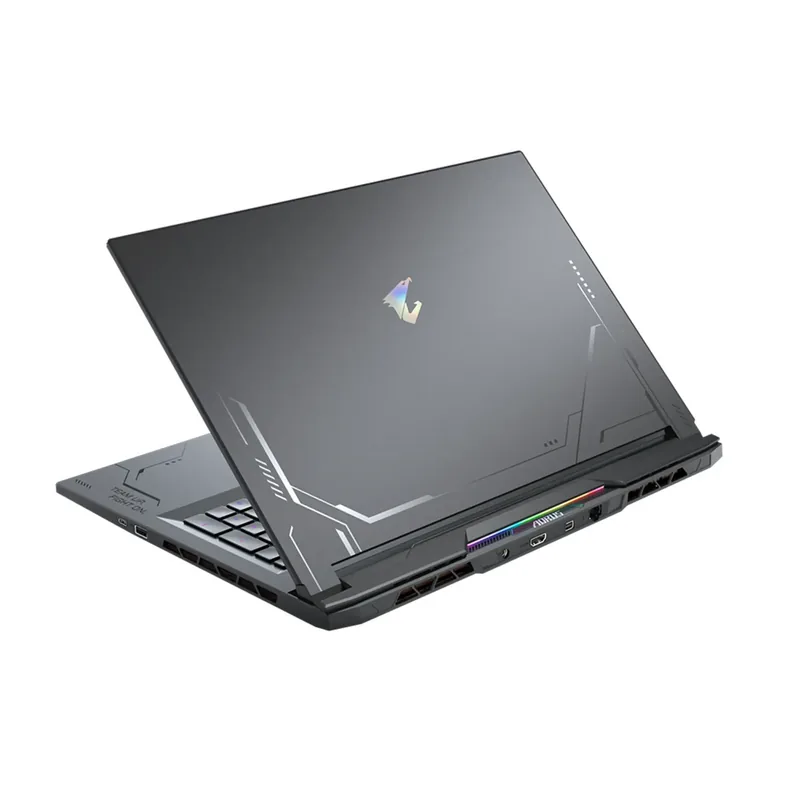
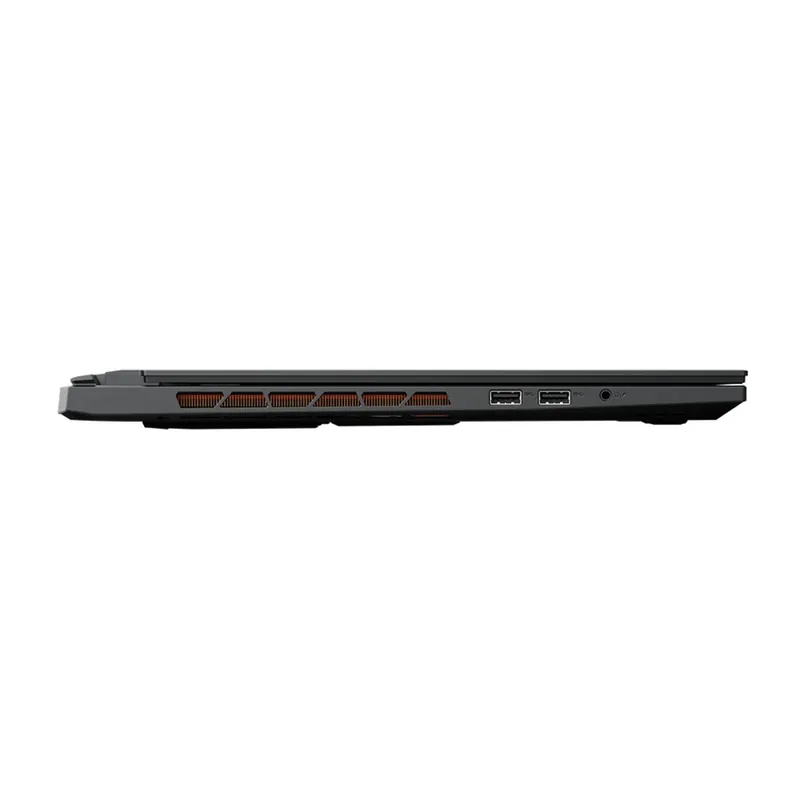
3x USB-A 3.1 (10Gb/s), 1x Thunderbolt 4 (40Gb/s, PD), 1x Mini DisplayPort 1.4, 1x HDMI 2.1, 1x 3.5mm Jack (Line-In/Out), 1x RJ-45 2.5Gb LAN, 1x DC-In Barrel Jack (Power Connection)
Wireless
Wi-Fi 6E (WLAN 802.11a/b/g/n/ac/ax, 2x2, Intel), Bluetooth 5.2
Authentication
IR Camera, TPM 2.0
Camera
2 Megapixel
Optical Drive
N/A
Battery
Built-in, Li-Polymer, 99Wh
Power Supply
1x Barrel Plug (330W)
Features
LED Lighting, MUX Switch (Advanced Optimus)
Weight
6.17 lbs
Dimensions
15.6x11.5x0.86 in (WxDxH)
Color
black, Manufacturer name: Royal Black
SSD/HDD Slots
2x M.2 PCIe 4.0 x4 (2280)
Warranty
Two years (Send-in with pickup)
USB Spelling
Link
Product Description
Unleash Ultimate Gaming Power with the GIGABYTE AORUS 17X
The GIGABYTE AORUS 17X AZG-65DE665SH represents the pinnacle of portable gaming performance. Equipped with the powerful Intel Core i9-14900HX processor, this machine delivers desktop-grade speed in a sleek chassis. Paired with 32GB of high-speed RAM and a massive 2TB SSD, users experience seamless multitasking and lightning-fast load times for even the most demanding titles.
At the heart of this beast lies the NVIDIA GeForce RTX 4090 DE graphics card. This component ensures that players can enjoy ultra-high settings, ray tracing, and AI-enhanced features without compromise. The laptop is designed for those who refuse to compromise on frame rates or visual fidelity while on the go.
Ergonomics and Connectivity
The AORUS 17X features a comprehensive layout including a dedicated microphone, webcam, and full-sized keyboard with customizable backlighting. The touchpad is easily toggleable via hotkeys, offering flexibility for gamers who prefer external mice. The device includes multiple USB ports, an HDMI output, and a LAN port for stable network connections during competitive matches.
Smart Features and Recovery
One standout feature is the AI Mode switch, which optimizes system resources automatically based on the application running. The laptop also includes a robust recovery system accessible via the F9 key during boot. Users can choose between Smart Recovery to reset to factory settings or Advanced Options for deeper troubleshooting. The screen technology supports Flicker-Free standards to reduce eye strain during long gaming sessions.
Key Highlights
- Processor: Intel Core i9-14900HX for extreme performance.
- Graphics: GeForce RTX 4090 DE for top-tier rendering.
- Storage: 2TB SSD provides ample space for large game libraries.
- Memory: 32GB RAM ensures smooth operation under heavy loads.
- Display: High refresh rate panel with eye-care technology.
Important Notes
Always ensure proper ventilation around the device to prevent overheating. The fan speed can be manually maximized using the Fn+ESC shortcut if needed. Remember to keep the power adapter connected during critical updates or recovery processes.
Search for 67,706 Manuals online


Type-in Brand or Model