
GIGABYTE A620 Series Manual
PDF manual · 31 Pages
English



Quick check
Incorrect answer, please try again.
Chat with your GIGABYTE A620 Series manual using AI
Get instant AI answers from your GIGABYTE A620 Series manual
Ask anything about the GIGABYTE A620 Series. Answers come from this manual, with the pages they are based on.
Ask a Question
Do you recommend A620 Series?
Yes NoFrequently Asked Questions
It supports AMD Socket AM5 and Ryzen 7000 Series processors.
Is this answer helpful?
Yes, Q-Flash Plus allows BIOS updates when the system is off.
Is this answer helpful?
The board supports up to 128 GB of DDR5 memory modules.
Is this answer helpful?
Yes, it supports RAID 0, 1, and 10 for SATA devices.
Is this answer helpful?
The AX version includes Wi-Fi 6E and Bluetooth 5.2.
Is this answer helpful?
It supports Windows 11 and Windows 10 64-bit editions.
Is this answer helpful?
You can use the CLR_CMOS jumper on the motherboard.
Is this answer helpful?
Advantages and Disadvantages
Advantages

- Supports DDR5 memory up to 128GB for high bandwidth applications.
- Includes Wi-Fi 6E and Bluetooth 5.2 for seamless wireless connectivity.
- Features Q-Flash Plus for BIOS updates even when powered off.
- Provides PCIe 4.0 M.2 slot for fast SSD performance.
- Offers comprehensive audio codec with multi-channel sound support.
Disadvantages

- Limited to Micro ATX form factor which restricts case choices.
- Ethernet port is Gigabit instead of faster 2.5Gbps variants.
- Only one M.2 slot supports PCIe 4.0 from the CPU.
- Integrated graphics require specific AMD CPU support for outputs.
- Fan headers limit power output for high consumption cooling units.
Product Specification
Socket
AMD AM5
Chipset
AMD A620
Fan Headers
1x CPU Fan 4-Pin, 2x Fan 4-Pin
Lighting Headers
1x 3-Pin ARGB (+5V/DATA/GND, max. 5A), 1x 4-Pin RGB (+12V/G/R/B, max. 2A)
Audio
7.1 (Realtek ALC897)
Graphics
iGPU
RAID Level
0/1/10 (A620)
Power Connectors
1x 24-Pin ATX, 1x 8-Pin EPS12V
MOSFETs AUX (VCCAUX)
Not available
Lighting
N/A
BIOS
1x 32MB (256Mb)
Manufacturer Warranty
3 years (from date of production, claims via authorized retailer)
USB Labeling
Left
Product Description
Unleash Modern Gaming Performance
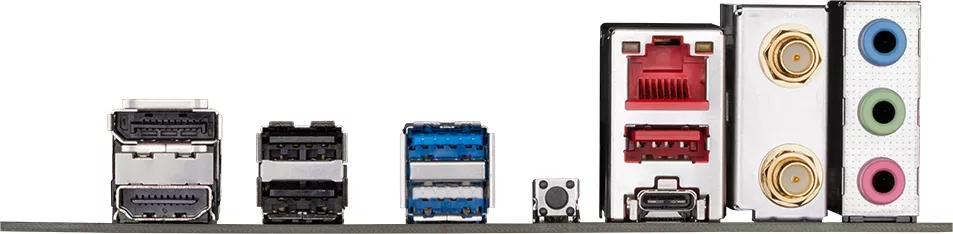
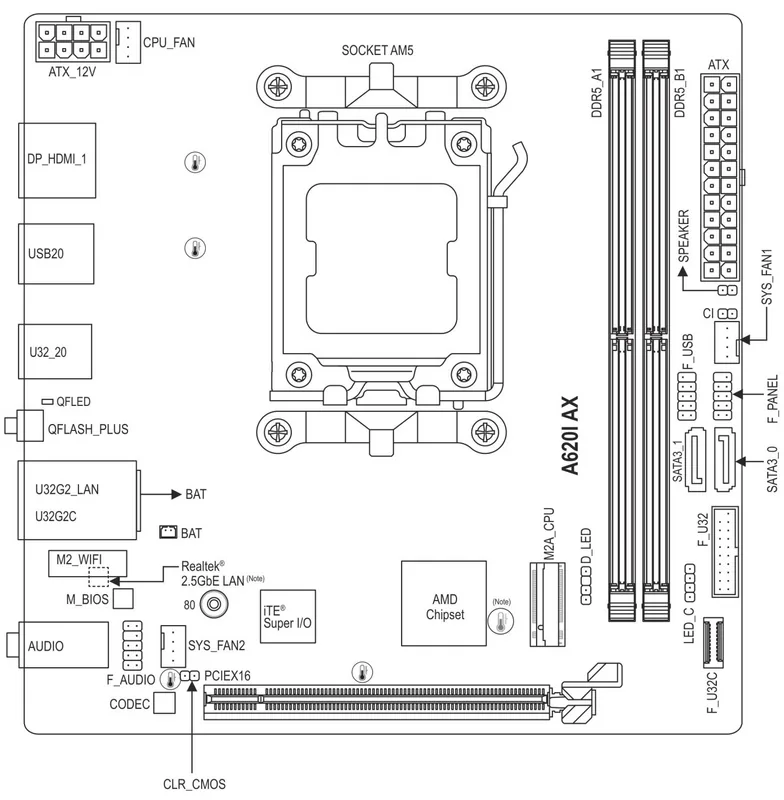
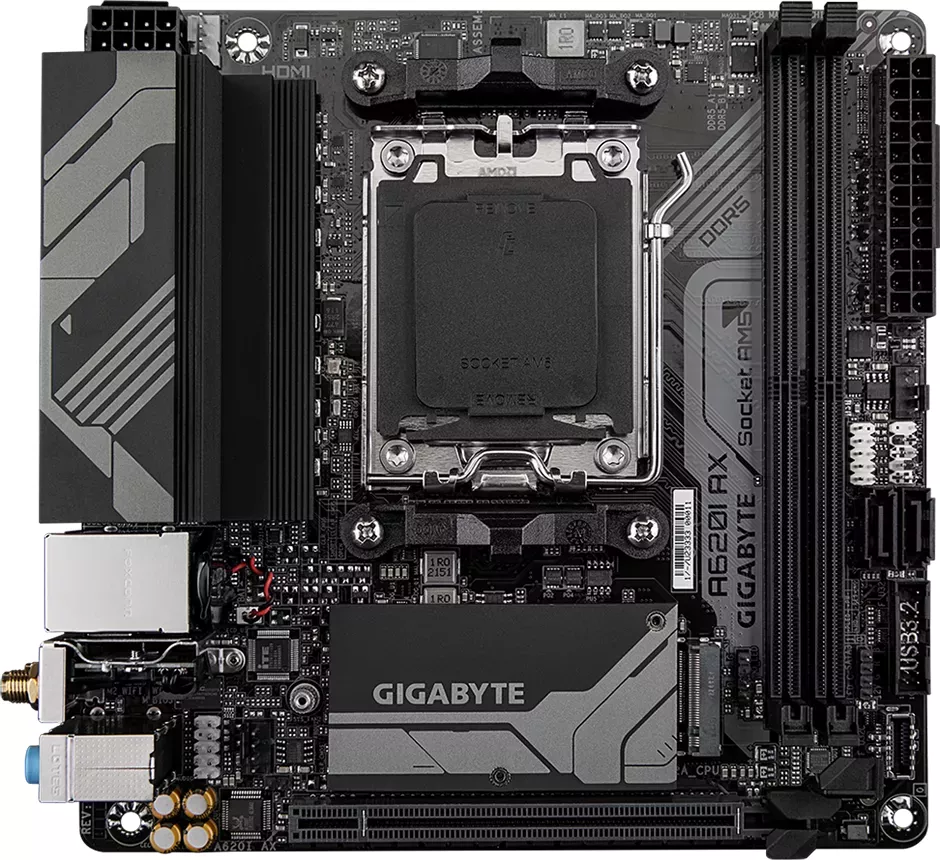
Building a high-performance gaming PC requires a solid foundation. The GIGABYTE A620M series provides an excellent platform for AMD Ryzen enthusiasts. This Micro ATX motherboard utilizes the AM5 socket to support the latest Ryzen 7000 Series processors. Users seeking stability and power find DDR5 memory support crucial for modern computing tasks. The system accommodates up to 128 GB of RAM across four DIMM sockets. Connectivity options are diverse and robust for this chipset tier. Integrated graphics work well for initial setup, but dedicated cards fit into the PCIe 4.0 x16 slot. Audio quality is maintained through a Realtek codec supporting multiple channels.
Wireless and Storage Solutions
Wireless enthusiasts benefit from the AX variant featuring built-in Wi-Fi 6E technology. Bluetooth 5.2 ensures seamless peripheral connections for keyboards and mice. Advanced signal processing allows for stable internet speeds across all frequency bands. Storage expansion remains a priority for gamers and creators alike. One M.2 connector runs at full PCIe 4.0 speeds provided by the CPU. Four SATA ports allow for additional drive capacity from the chipset. RAID configurations are available for critical data protection scenarios involving multiple drives. Installation procedures focus on safety to prevent electrostatic discharge damage. Proper grounding and power disconnection are essential steps during hardware assembly. BIOS management is streamlined with unique utility options for power users. Q-Flash Plus enables updates even when the system is powering off completely. This convenience helps maintain system stability without complex boot sequences interfering with workflows. Users often reference the GIGABYTE A620 Manual for specific pinout information during internal cabling. Operating system installation is straightforward supporting Windows 11 and Windows 10 platforms natively. Drivers can be managed centrally through the control center utility for ease of deployment.
Environmental and Regulatory Standards
Environmental responsibility is highlighted by the manufacturer through recyclable packaging. Paper usage has been minimized significantly to protect the global climate. Every component is engineered to withstand demanding loads within regulated safety standards. Regular voltage monitoring ensures power delivery remains within safe thresholds. Fan headers provide adjustable cooling solutions for overclocking enthusiasts seeking thermal efficiency. This board balances cost and performance effectively for budget-conscious builds. The layout facilitates component access while maintaining structural integrity inside the chassis. Future upgrades remain viable thanks to flexible expansion slots available on the PCB. Regulatory compliance covers global safety requirements for electronic equipment usage worldwide. Always verify compatibility lists for CPU and RAM support before purchasing modules. Reliable support channels exist for technical inquiries regarding board functionality. Warranty validation requires keeping the serial number sticker intact during setup.
Search for 67,706 Manuals online


Type-in Brand or Model