
Garmin vivofit jr. 3 Manual
PDF manual · 12 Pages
English


Quick check
Incorrect answer, please try again.
Chat with your Garmin vivofit jr. 3 manual using AI
Get instant AI answers from your Garmin vivofit jr. 3 manual
Ask anything about the Garmin vivofit jr. 3. Answers come from this manual, with the pages they are based on.
Ask a Question
Do you recommend vivofit jr. 3?
Yes NoFrequently Asked Questions
It tracks daily steps, active minutes, sleep movement, and timed activities. The display also shows progress toward a 60-minute daily activity target, completed chores, earned coins, and other selected information.
Is this answer helpful?
Parents create and assign chores in the Garmin Jr. app. After a task is completed, parents can award virtual coins. Children can collect those coins and exchange them for custom rewards set up by the family.
Is this answer helpful?
No. It uses a replaceable CR2025 coin-cell battery with a stated battery life of up to one year. When needed, the battery can be replaced by removing the back cover screws and fitting a new battery correctly.
Is this answer helpful?
Yes. After initial setup, the tracker can pair with up to two additional mobile devices, such as another parent's phone or a tablet. Each device uses the Garmin Jr. app and joins the existing family setup.
Is this answer helpful?
Yes. It has a 5 ATM water rating, meaning it is designed to withstand pressure equivalent to a depth of 50 meters. It should be rinsed with clean water after exposure to chlorine, saltwater, sunscreen, or harsh chemicals.
Is this answer helpful?
Toe-to-Toe is a two-minute step contest. A child can challenge another nearby Garmin vivofit jr. 3 user, and both devices count steps during the timer. At the end, the devices show each player's result and ranking.
Is this answer helpful?
Advantages and Disadvantages
Advantages

- Tracks steps, active minutes, sleep, and timed activities to support healthy daily habits.
- Garmin Jr. app lets parents assign chores, award coins, and create personalized rewards.
- Adventure map progress and Toe-to-Toe challenges make activity feel like a game.
- Replaceable CR2025 battery can last up to one year, reducing charging needs.
- 5 ATM water rating and replaceable bands suit active children and everyday use.
Disadvantages

- A parent or guardian needs a Garmin Connect account and Garmin Jr. app for setup and management.
- Some repetitive hand or arm movements may be recorded as steps.
- Activity, chore, and coin updates depend on syncing with a nearby paired mobile device.
- The device stores limited history before older data is overwritten if it is not synchronized.
- It is designed around child and family features, so it has fewer advanced sports metrics than adult trackers.
Product Specification
Display
112 x 112 pixels, color display, rectangular
Operating system
proprietary
Interfaces
Bluetooth
Heart rate monitoring
no
Measurement functions
time, stopwatch, countdown, pedometer, distance, sleep monitoring
Other functions
date, alarm
Navigation
no
Compatibility
Android, iOS
Power supply
battery (1 x CR2025)
Battery life
365 days (typical)
Case material
plastic
Band material
silicone
Weight
0.88 oz
Special features
water resistant (up to 164 ft water column), user-replaceable battery, replaceable band
Product Description
Garmin vivofit jr. 3 - Read, Download & Print Free
The Garmin vivofit jr. 3 is a child-focused activity tracker designed to make everyday movement, routines, and responsibilities more engaging. Built for children aged four and older, it combines a durable wearable design with family-friendly tools in the Garmin Jr. app. Parents can monitor activity, manage tasks, set rewards, and encourage healthier habits through a simple connected experience.
Everyday activity made motivating
This tracker records daily steps, active minutes, sleep activity, and timed activities. Its main daily movement target is 60 active minutes, helping children see their progress toward an achievable wellness goal. When activity goals are met, children can unlock progress on an adventure map, adding a playful reason to stay active throughout the day.
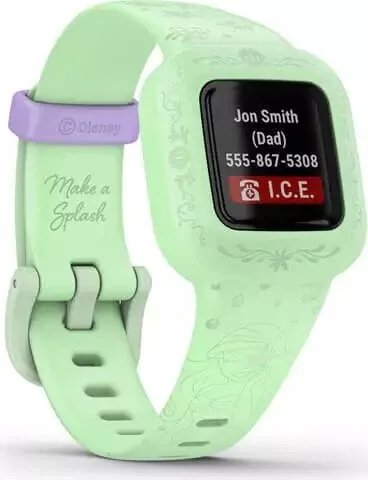
The easy-to-use display shows key information such as the date, step total, active minutes, completed chores, earned coins, and emergency contact details when configured. A single button lets children move through screens, start features, and activate the backlight without complicated controls.
More than a step counter
Garmin vivofit jr. 3 supports household routines with chore tools that parents control through the Garmin Jr. app. Adults can assign tasks, mark them complete, award virtual coins, and create custom rewards. This turns familiar responsibilities, from brushing teeth to reading or tidying toys, into clear goals with positive reinforcement.
Built-in task timers offer preset durations for common activities. Children can use timers for two-minute brushing, reading, study time, screen time, and other routines. A stopwatch and timed activity mode add flexibility for school breaks, sports, games, and family activities.
Family connection and friendly challenges
The Toe-to-Toe feature enables a two-minute step challenge between nearby compatible devices. It creates a quick, active game for siblings or friends while showing each participant's result and rank. Families can also use the app to view activity information, compare step counts, and participate in Garmin Connect community features.
The tracker pairs directly through the Garmin Jr. app with compatible Android and Apple mobile devices using Bluetooth technology. A parent or guardian needs a Garmin Connect account for setup. Up to three mobile devices can be paired, which is useful for households where more than one adult manages a child's account.
Practical design for active kids
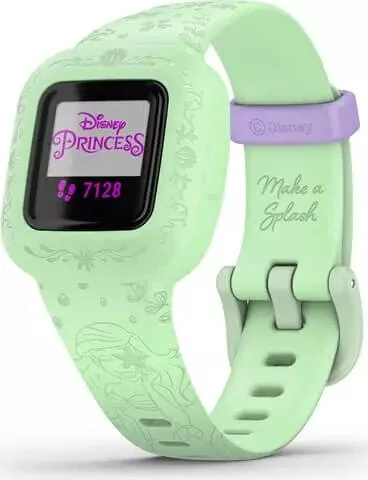
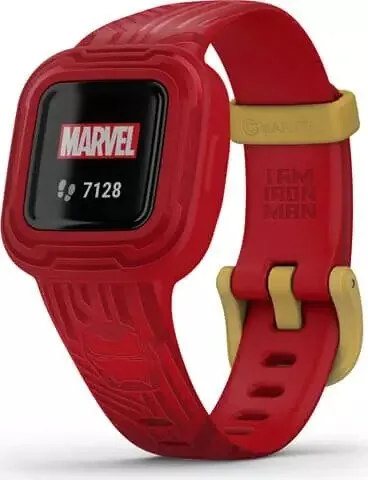
With a replaceable CR2025 battery rated for up to one year, the Garmin vivofit jr. 3 avoids frequent charging. Its 5 ATM water rating supports everyday water exposure and swimming-related use. Replaceable bands offer a way to refresh the look and may unlock additional adventure content when registered.
Notes
- Sync regularly to keep time, chores, coins, and activity information current.
- Clean the tracker gently and rinse it after contact with chlorine, saltwater, sunscreen, or cosmetics.
- Step totals can occasionally count repetitive arm movements, such as clapping or brushing teeth.
Search for 67,706 Manuals online


Type-in Brand or Model