
Garmin MARQ Commander (Gen 2) Carbon Edition Manual
PDF manual · 174 Pages
English


Quick check
Incorrect answer, please try again.
Chat with your Garmin MARQ Commander (Gen 2) Carbon Edition manual using AI
Get instant AI answers from your Garmin MARQ Commander (Gen 2) Carbon Edition manual
Ask anything about the Garmin MARQ Commander (Gen 2) Carbon Edition. Answers come from this manual, with the pages they are based on.
MARQ Commander (Gen 2) Carbon Edition Maintenance Schedule
Rinse the device with clear water after contact with chlorine, saltwater, sunscreen, cosmetics, alcohol, or other harsh chemicals to prevent corrosion and damage.
Thoroughly clean and dry the contacts and surrounding area before charging or connecting to a computer to protect against corrosion.
Rinse the watch with clear water after each training session to maintain hygiene and sensor accuracy.
Ask a Question
Do you recommend MARQ Commander (Gen 2) Carbon Edition?
Yes NoFrequently Asked Questions
No, the device is designed for swimming but not for scuba diving. Using it for diving may damage the unit and void the warranty. It is suitable for surface water sports.
Is this answer helpful?
Yes, it offers a virtual caddie, measures distance to pins, and tracks swing tempo. It includes preloaded courses and allows manual shot recording.
Is this answer helpful?
It displays flight weather data like METAR and TAF. It can also navigate to airports and show radar. It is a supportive tool only, not a primary navigation source.
Is this answer helpful?
Yes, it features a QuickFit system that allows quick changes between different strap types without tools for customization.
Is this answer helpful?
Yes, it monitors heart rate wrist-based all day. It also works with compatible chest straps for chest-based activity tracking.
Is this answer helpful?
Yes, you can connect via Bluetooth to stream or download specific audio content for playback with compatible headphones.
Is this answer helpful?
Yes, data syncs automatically to the Garmin Connect app for detailed analysis and sharing on social platforms.
Is this answer helpful?
Advantages and Disadvantages
Advantages

- Extensive aviation support includes METAR and TAF weather data reports
- Carbon fiber reinforced aluminum case offers superior durability and weight
- Golf features include virtual caddie and detailed course mapping
- Advanced health monitoring covers sleep, recovery, and stress levels
Disadvantages

- Complex navigation menu requires careful reference to the manual
- Battery life decreases significantly when using NEXRAD weather radar
- Not designed for scuba diving which may affect warranty
Product Specification
Display
1.2", 390x390 Pixel, Color Display, OLED, Touchscreen, Round, Backlit
Operating System
Proprietary
Device Storage
32GB
Connectivity
Wi-Fi, Bluetooth, NFC, ANT+
Measurement Functions
Time, Stopwatch, Countdown, Step Counter, Stair Counter, Cadence, Swimming Laps, Speed, Distance, Lap Counter, Sleep Tracking, Cycle Tracking, Heart Rate, Blood Oxygen, Calories Burned, Temperature, Altimeter
Sensors
Accelerometer, Gyroscope, Light Sensor, Barometer, Thermometer
Navigation
Yes, Compass, GPS, GLONASS, Galileo
Compatibility
Android, iOS
Power Source
Battery
Battery Life
21 Days (typical), 42h (GPS)
Glass Type
Sapphire Crystal
Case Material
Carbon Fiber, Titanium
Case Colors
Black
Dimensions (Case)
1.81x0.59"
Band Width
0.87"
Features
Vibration, Water Resistant (up to 328 ft), Interchangeable Band, Cadence Sensor Compatible
Note
Some measurement functions are only possible with an optional cadence sensor.
Product Description
Explore the Garmin MARQ Generation 2 - Carbon Edition
The Garmin MARQ Generation 2 - Carbon Edition stands as a premier choice for athletes who demand high performance and luxury design. This smartwatch combines a carbon fiber reinforced aluminum case with rugged functionality suitable for extreme environments. Users who value both weight and durability will appreciate the construction quality. Whether you are navigating mountain trails or flying aircraft, this timepiece adapts to your specific needs with precision and reliability. The device integrates advanced sensors that track your movements throughout the day.
Aviation and Flight Support
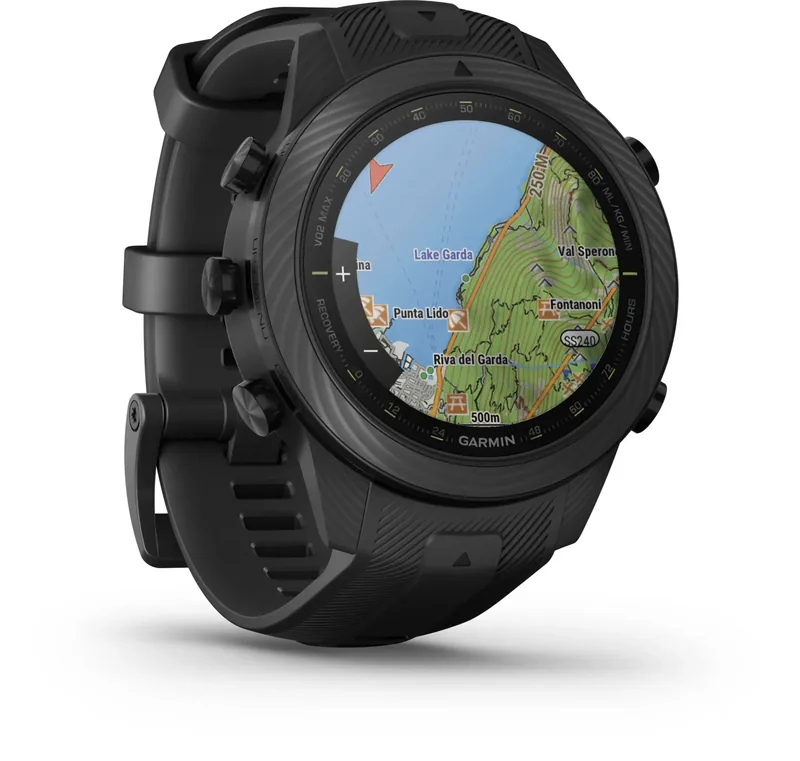
Aviation Support extends capabilities for pilots seeking detailed weather data. The watch supports aviation modes allowing users to view METAR and TAF reports directly from the wrist without needing a separate computer screen. It helps with navigation to the nearest airport and displays relevant weather radar images on the map. The system serves as a supportive tool rather than a primary navigation source for safety. Refer to the Garmin MARQ Generation 2 - Carbon Edition Manual for detailed setup instructions regarding these specialized flight parameters to ensure the device performs correctly in air. This feature set makes it unique among standard sports watches.
Elite Golf Performance Features
Golfers benefit from extensive course mapping and smart tools designed to improve performance. The watch includes preloaded courses and offers a virtual caddie to suggest the best club choices for every shot. Players can see plays like distances and measure their own shots with high accuracy on the course. Advanced stats track swing tempo and provide feedback to improve consistency during rounds. The scorecard feature helps manage rounds efficiently while reducing phone usage. These tools ensure that players have the critical data needed to lower their handicap and enjoy the sport more deeply with every round played on the green.
Comprehensive Fitness Tracking
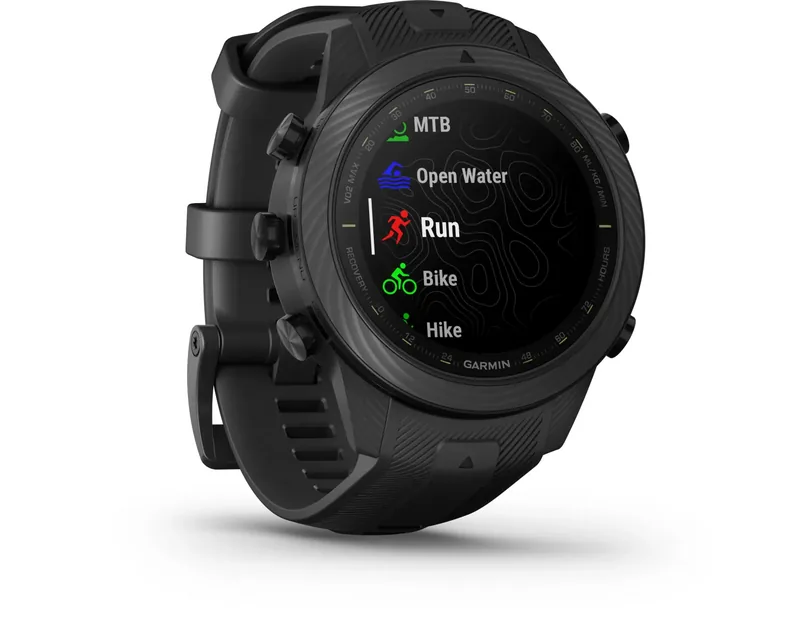
Fitness enthusiasts will find over twenty different workout modes available within the activity menu. Runners can track pace and heart rate zones with high accuracy using GPS connectivity. Swimmers get automatic lap detection and stroke type recognition without manual input after calibration. The device also tracks strength training reps and sets automatically using the accelerometer. Health metrics like Body Battery and sleep score help optimize daily recovery periods effectively. Recovery time estimates prevent overtraining and ensure peak performance levels when needed. You can customize data screens to see the information that matters most when training hard.
Connectivity, Battery and Interface
Connectivity and Battery Life management is seamless with Bluetooth and Wi-Fi support built into the hardware. Music controls allow you to manage playlists directly from your wrist during runs. Notifications keep you updated without interrupting your activity or focus. The battery life is optimized for long expeditions through specific energy saving modes available in the settings. Security features like GroupTrack help friends and family monitor your location during travel or solo adventures safely. The interface includes quick keys for flashlight access in the menu.
Conclusion
In conclusion, this smartwatch excels in versatility and build quality for any adventurer. The combination of luxury materials and functional technology makes it a top choice for active individuals worldwide. Its comprehensive feature set supports everything from daily activities to extreme adventures across the globe with reliability. The design ensures it remains stylish while delivering the data you need to push your limits every single day.
Search for 67,706 Manuals online


Type-in Brand or Model