
Garmin fenix 5X Plus Sapphire Manual
PDF manual · 48 Pages
English


Quick check
Incorrect answer, please try again.
Chat with your Garmin fenix 5X Plus Sapphire manual using AI
Get instant AI answers from your Garmin fenix 5X Plus Sapphire manual
Ask anything about the Garmin fenix 5X Plus Sapphire. Answers come from this manual, with the pages they are based on.
fenix 5X Plus Sapphire Maintenance Schedule
Rinse with water after each use. Wash by hand every seventh use or after pool swimming with mild soap.
Rinse with clear water after exposure to chlorine, salt water, sunscreen, cosmetics, alcohol, or other harsh chemicals.
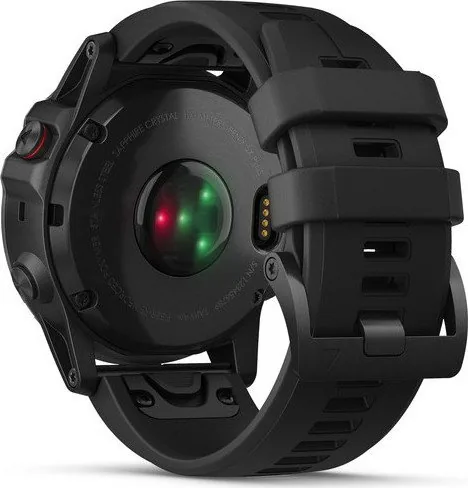
Thoroughly clean and dry the contacts and surrounding area to protect against corrosion.
Wipe with a cloth dampened with mild cleaning solution and dry completely.
Wipe with a dry cloth or use a leather care product.
Ask a Question
Do you recommend fenix 5X Plus Sapphire?
Yes NoFrequently Asked Questions
Yes, the fenix 5X Plus is water resistant and designed for swimming. However, do not use it for diving as it may damage the device and void the warranty. It tracks swims in pools and open water effectively.
Is this answer helpful?
Press and hold the MENU button, then navigate to settings and sensors. Select add sensors and choose headphones. Pair your Bluetooth headphones within two meters of the watch to start streaming stored tracks.
Is this answer helpful?
Yes, the fenix 5X Plus supports Garmin Pay. You must add your credit or debit cards to the wallet through the Garmin Connect app. You can then pay at compatible terminals by unlocking the watch near the reader.
Is this answer helpful?
The battery life is robust and supports long adventures. However, it depends on activity type. Continuous GPS tracking, music playback, and high-frequency HR monitoring will deplete the battery faster than standard watch mode.
Is this answer helpful?
The device provides advanced metrics like VO2 max and training stress. Accuracy improves when the watch is worn correctly and is calibrated with sensors. Regular firmware updates from Garmin ensure the data remains precise.
Is this answer helpful?
Yes, it includes dedicated golf features. You can access course map data for thousands of golf courses. The watch provides distance to greens, hazards, and allows you to manually input your score or connect to swing sensors.
Is this answer helpful?
Clean the contacts before charging and the band with a damp cloth. Avoid abrasive cleaners for leather bands. Remove sweat after workouts. Do not submerge the watch or band for cleaning if it has metal bands.
Is this answer helpful?
Advantages and Disadvantages
Advantages

- Advanced multi-constellation GPS for accurate navigation in challenging environments.
- Onboard music storage allows listening without carrying a smartphone nearby.
- Comprehensive health metrics include heart rate, stress, and VO2 max.
- Durable Sapphire glass resists scratches and impacts effectively.
- Seamless connectivity with Garmin Pay for contactless transactions.
Disadvantages

- Heart rate accuracy can fluctuate with arm movement during workouts.
- Continuous monitoring features may drain the battery faster.
- Initial setup requires pairing with a smartphone app for full use.
- Not designed for scuba diving, risking warranty voiding.
- Complex menu system may take time for new users to learn.
Product Specification
Display
1.2", 240x240 Pixel, Color Display, LED, Round
Operating System
Proprietary
Interfaces
Wi-Fi (Wireless LAN), Bluetooth, NFC, ANT+
Heart Rate Monitoring
Integrated
Measurement Functions
Time, Stopwatch, Countdown, Step Counter, Stair Counter, Swimming Laps, Speed, Distance, Lap Counter, Sleep Tracking, Cycle Tracking, Heart Rate, Blood Oxygen, Calorie Consumption, Temperature, Altimeter
Other Features
Time Zones, Date, Calendar, 12/24h Display, Alarm, Weather Forecast, Internal Music Storage, Map Storage, Inactivity Alert, Payment Function, Music Control (iOS, Android), Notifications for Messages (iOS, Android), Notifications for Calls (iOS, Android)
Navigation
Yes, Compass, GPS, GLONASS
Compatibility
Android, iOS
Power Supply
Battery
Battery Life
20 Days (typical), 32h (GPS)
Glass Type
Sapphire Glass
Dimensions (Case)
2.01 x 0.69 inches
Special Features
Vibration, Waterproof (up to 328 feet), Interchangeable Strap, Cadence Sensor Compatible
Note
Some measurement functions are only possible with an optional cadence sensor.
Product Description
Fenix 5X Plus Sapphire Blog Review
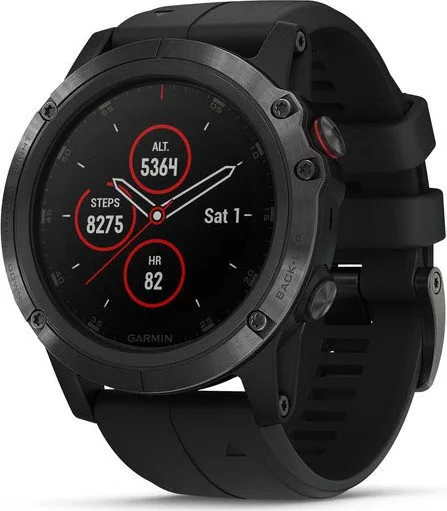
The fenix 5X Plus Sapphire represents the pinnacle of rugged wearable technology for athletes and adventurers. It offers tools to master activities indoors and outdoors. From high-resolution mapping to onboard music storage, this device connects you to fitness goals. The interface is intuitive, allowing easy access to widgets during workouts. This tool is essential for modern sports. You can manage your training with advanced metrics tracking heart rate, recovery time, and training stress score.
Navigation is a key strength. The device utilizes multi-constellation satellite support to ensure you never lose your way. In dense forests or canyons, GPS accuracy remains high. This is crucial for hikers and trail runners venturing away from civilization. This ensures safety and better performance on trails. The watch also supports Garmin Pay, making transactions on the go seamless. You can leave cards at home and rely on the screen to pay for fuel or food.
Golfers benefit from dedicated course map data. The watch provides hole information, obstacle locations, and distances to greens. It tracks swings and helps manage scorecards efficiently. The scorecard updates in real time for accuracy. For multisport athletes, switching between disciplines like swimming, cycling, and running is fluid. The watch records transitions accurately, ensuring you get total workout time and distance data.
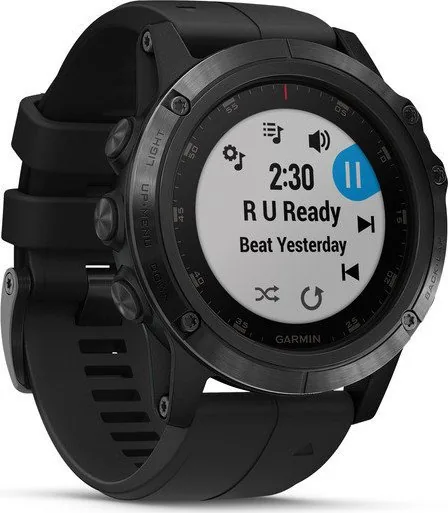
Connectivity allows syncing with the Garmin Connect platform. Bluetooth notifications keep you connected while you train. Music lovers should note the onboard storage capability. You can store playlists directly on the device, letting you listen to tunes without needing the phone nearby. This gives freedom during long runs. Just connect wireless headphones and enjoy your workout.
For detailed guidance, the Garmin Fenix 5X Plus Sapphire Manual provides instructions on setup and features. It covers from initial pairing to customizing data fields. Accessing this resource ensures you maximize the hardware potential. Whether training for a triathlon or mapping a mountain expedition, this tool adapts to your needs. The interface supports QuickFit bands for easy customization. The battery life is robust, supporting long adventures.
In summary, this watch blends health tracking, navigation, and connectivity into one durable package. It caters to serious athletes demanding precision and reliability. Sapphire glass ensures the display survives scrapes. With features like Pulse Ox and running dynamics, the data depth is impressive. This device is a training partner that never quits. It is a top choice for outdoor lovers everywhere. With every feature, the performance remains consistent. It is a must-have for any serious athlete today. The manual is very useful for new users. Always update the software for best results.
Notes
Notes: Always charge the battery fully before first use.
Search for 67,706 Manuals online


Type-in Brand or Model