
Garmin Approach R10 Manual
PDF manual · 20 Pages
English


Quick check
Incorrect answer, please try again.
Chat with your Garmin Approach R10 manual using AI
Get instant AI answers from your Garmin Approach R10 manual
Ask anything about the Garmin Approach R10. Answers come from this manual, with the pages they are based on.
Approach R10 Maintenance Schedule
Wipe with a soft cloth dampened with mild cleaning solution, then dry. Do not use sharp objects or harsh chemicals.
Carefully dry the USB port, protective cap, and surrounding area to prevent corrosion before connecting for charging.
Ask a Question
Do you recommend Approach R10?
Yes NoFrequently Asked Questions
It is a portable golf simulator that uses radar to track ball flight and swing data, allowing users to play virtual rounds or practice on a driving range.
Is this answer helpful?
No, you do not need a dedicated screen. You can project the image from your smartphone onto a wall or TV, or simply view the data on your phone screen.
Is this answer helpful?
Users have access to over 42,000 licensed golf courses through the Garmin Golf App subscription service.
Is this answer helpful?
Yes, it works perfectly indoors provided there is sufficient ceiling height and at least 8 feet of clearance behind the hitting area.
Is this answer helpful?
Yes, the Garmin Approach R10 is compatible with both iOS and Android smartphones via the Garmin Golf App.
Is this answer helpful?
Basic driving range features work without a subscription, but playing full rounds and entering tournaments requires a paid Garmin Golf subscription.
Is this answer helpful?
Advantages and Disadvantages
Advantages

- Advanced radar technology tracks swing metrics without cameras
- Access to over 42,000 virtual golf courses worldwide
- Swing Capture feature syncs video with radar data for analysis
- Long battery life supporting up to 10 hours of continuous play
- IPX7 water resistance ensures durability in various conditions
Disadvantages

- Requires a compatible smartphone for operation and display
- Magnetic components may interfere with pacemakers or hard drives
- Limited accuracy compared to professional commercial simulators
- Subscription required for full access to virtual tournaments
- Setup requires specific alignment and clear space behind the ball
Product Specification
Type
Accessory
Colors
Black
Dimensions
3.5x2.8x1in
Weight
5.22oz
Product Description
Unlock Your Golf Game with the Garmin Approach R10
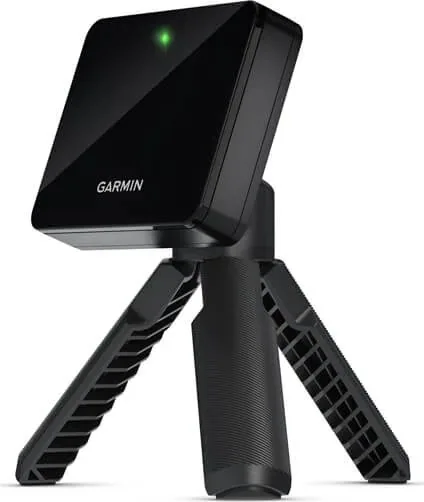
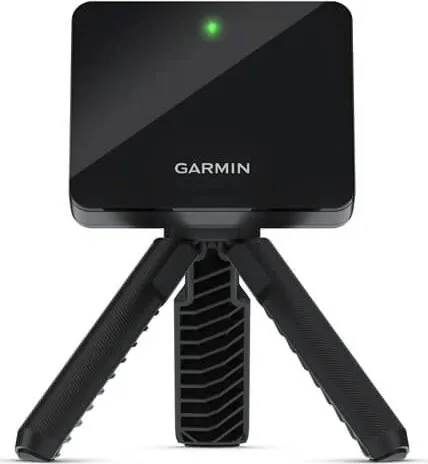
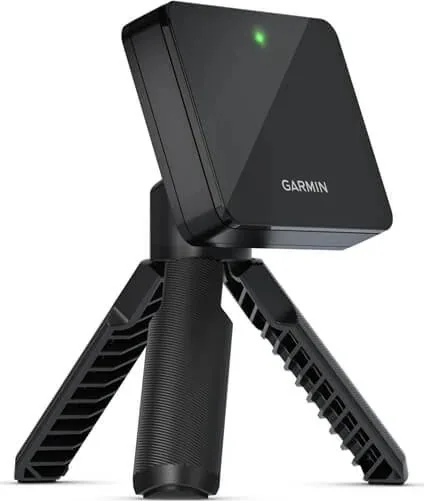
The Garmin Approach R10 is a revolutionary portable golf simulator that brings the course to your backyard, garage, or indoor space. This compact device utilizes advanced radar technology to provide precise data on your swing, ball flight, and shot dispersion without the need for cameras or complex setups. Whether you are looking to improve your driving distance, refine your short game, or simply enjoy a round of virtual golf at home, the R10 offers an immersive experience powered by the intuitive Garmin Golf App.
At the heart of the system is its ability to track critical metrics such as carry distance, total distance, club speed, and launch angle. The device connects seamlessly via Bluetooth to your smartphone, transforming it into a powerful display for real-time analysis. With access to over 42,000 world-famous courses, you can play realistic simulations that mimic wind conditions, elevation changes, and terrain features. The Home Tee Hero mode allows you to play full rounds, while the Driving Range mode provides detailed feedback after every shot to help you make immediate adjustments.
One of the standout features is the Swing Capture capability. By using your smartphone camera in conjunction with the R10, you can record video of your swing and sync it with the radar data. This visual feedback loop is invaluable for understanding how your mechanics translate into actual ball flight. The device also supports integration with TruGolf E6 Connect, expanding your options for high-end simulation software and desktop viewing. Setup is incredibly simple; just attach the magnetic tripod mount, align the red laser line with your target, and you are ready to hit.
The battery life is impressive, offering up to ten hours of continuous use on a single charge, ensuring you can practice for hours without interruption. Its rugged design includes an IPX7 water rating, making it durable enough for various weather conditions if used outdoors. From weekly virtual tournaments where you compete against golfers globally to detailed session statistics that track your progress over time, the Garmin Approach R10 is more than just a tool; it is a comprehensive training companion designed to elevate your game to the next level.
Search for 67,706 Manuals online


Type-in Brand or Model