
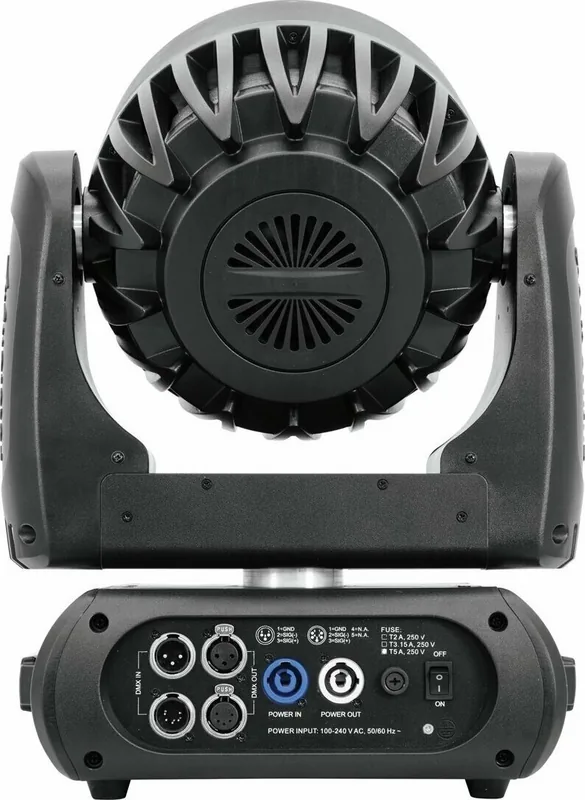
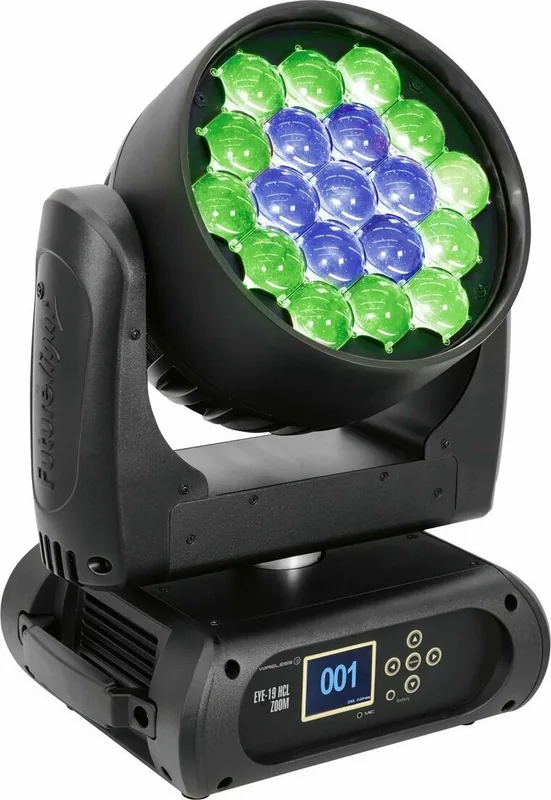
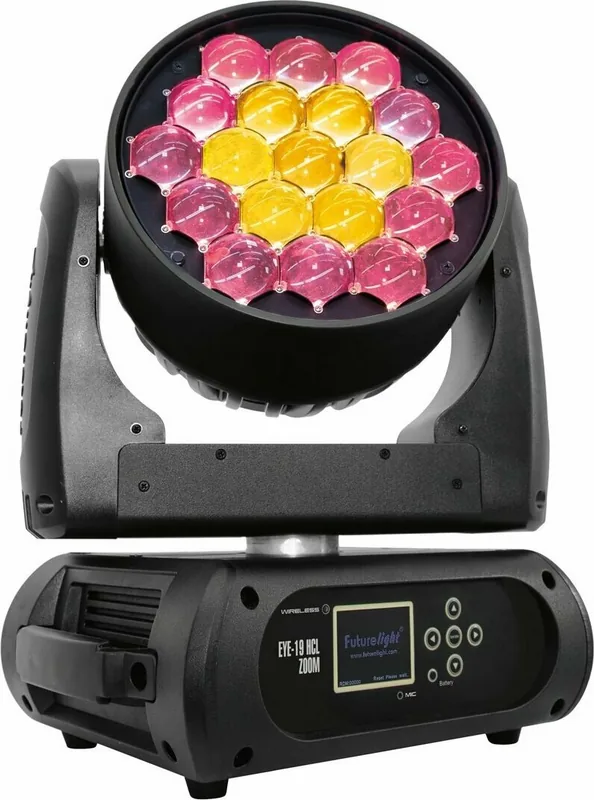
Futurelight EYE-19 HCL Zoom Manual
PDF manual · 52 Pages
English



Quick check
Incorrect answer, please try again.
Chat with your Futurelight EYE-19 HCL Zoom manual using AI
Get instant AI answers from your Futurelight EYE-19 HCL Zoom manual
Ask anything about the Futurelight EYE-19 HCL Zoom. Answers come from this manual, with the pages they are based on.
EYE-19 HCL Zoom Maintenance Schedule
Remove dust from the outside and clean lenses with a soft, lint-free, moistened cloth. Never use alcohol or solvents. Disconnect power and let cool before cleaning.
After installation, inspect the device periodically to prevent rot, deformation, and looseness of the mounting structure and safety bonds.
Ask a Question
Do you recommend EYE-19 HCL Zoom?
Yes NoFrequently Asked Questions
No. This device is designed for indoor use only. Exposure to rain, moisture, or outdoor weather conditions can damage the internal electronics and invalidate the warranty. Keep it away from water sources.
Is this answer helpful?
Use the Control Board located on the front. Navigate the menu using arrow keys to select DMX Address, then use the buttons to set the starting channel. Press Enter to confirm the changes.
Is this answer helpful?
The pan angle is switchable. You can choose between 540 degrees and 630 degrees using the settings menu. This flexibility allows adaptation to different truss types and venue requirements.
Is this answer helpful?
Yes. The unit supports Standalone mode and Music mode. You can run internal programs or activate effects using the built-in microphone without connecting to a computer or controller.
Is this answer helpful?
Wireless operation is available with an optional receiver module. Ensure you install the Futurelight WDR-G4 receiver to enable wireless DMX control from a compatible transmitter.
Is this answer helpful?
You can power up to eight devices from a single outlet using the Power Out feature. Connect the Power Out to the Power In of the next unit in the chain for daisy-chaining.
Is this answer helpful?
The unit weighs 12.5 kg. This requires a sturdy mounting structure capable of handling significant weight. Always use recommended Omega clamps and safety cables for securing the unit.
Is this answer helpful?
Advantages and Disadvantages
Advantages

- High color rendering index above 90 ensures accurate color representation on stage.
- Zoom range of 6 to 52 degrees offers versatile beam shaping capabilities.
- Supports 4 different DMX channel modes for flexible control configurations.
- Built-in microphone enables music mode operation without external lighting desk.
- Wireless receiver option available to reduce DMX cable clutter effectively.
Disadvantages

- Designed for indoor use only, exposure to moisture causes severe damage.
- Heavy weight of 12.5 kg requires robust overhead rigging structures.
- Requires secondary safety line when installed above audience areas strictly.
- No direct weather protection limits outdoor deployment options significantly.
- Maintenance requires professional service to prevent safety risks.
Product Specification
Beam Pattern
Wash
Light Source
LED
Power Consumption
300W
Beam Angle
6-52°
PAN Angle
630°
TILT Angle
265°
Color Mixing
LED (RGBW)
Effects
Dimmer, Strobe (18Hz), Zoom (motorized)
Control
DMX (33 Channels), RDM, Music Control, Master/Slave
Dimensions
9.84x18.03x13.46 in (WxHxD)
Weight
31.75 lbs
Product Description
Futurelight EYE-19 HCL Zoom LED Moving-Head Wash Review
The Futurelight EYE-19 HCL Zoom LED Moving-Head Wash represents a significant leap in professional stage lighting technology. Designed for high-performance venues, this fixture utilizes advanced 6in1 COB LED technology to deliver vibrant, flicker-free illumination. With a high color rendering index exceeding 90, colors appear true and rich on stage. The 19 x 17-watt LEDs provide ample power while maintaining energy efficiency. A standout feature is the extensive zoom range from 6 to 52 degrees, allowing operators to switch from tight beams to wide washes seamlessly.
Control is flexible with selectable DMX channel modes including 16, 19, 20, or 33 channels. This ensures compatibility with various lighting consoles and setups. The motorized movement offers precise positioning via 16-bit resolution for smooth pans and tilts. Users can choose between 540 and 630-degree pan angles to suit different trussing requirements. Internal programs and sound activation via the built-in microphone offer standalone functionality for DJs or smaller gigs without a full lighting desk.
The integrated Control Board simplifies setup with a graphic LCD and foil keypad. Operators can adjust settings like DMX start addresses, reverse movement directions, and hibernation timers. Support for RDM adds convenience for remote diagnostics and address setting on hard-to-reach fixtures. Scene recording allows users to save complex sequences directly to the unit, reducing reliance on external controllers during playback.
Safety warnings emphasize indoor use only due to potential water damage risks. Operating temperatures must remain manageable to prevent overheating, which is mitigated by an intelligent fan system with selectable speeds. The device supports wireless DMX operation with an optional receiver module, reducing cable clutter significantly. Maintenance is straightforward, requiring only surface cleaning with a damp cloth. Avoid solvents to prevent cosmetic damage. Technical data specifies a weight of 12.5 kg and supports standard XLR connections. The power feed-through feature allows up to eight devices to be daisy-chained from a single outlet. Ultimately, the system balances robust build quality with intuitive user controls for professional applications ranging from concerts to theatrical productions. Whether for dynamic washes or precise accent lighting, the EYE-19 proves to be a versatile tool for modern event production teams. Rigging professionals must adhere to strict safety protocols. Secondary securing systems are required for overhead installations. Do not remove the serial number label to maintain warranty validity. Always ensure the cooling vents remain unobstructed. This ensures longevity through reduced thermal stress.
Important User Notes
Always inspect rigging equipment before installation. Ensure the area below is clear during operation. Check cabling for damage daily. Keep the unit away from direct sunlight and moisture.
Search for 67,706 Manuals online


Type-in Brand or Model