
Fluke TiS20+ Manual
PDF manual · 38 Pages
English



Quick check
Incorrect answer, please try again.
Chat with your Fluke TiS20+ manual using AI
Get instant AI answers from your Fluke TiS20+ manual
Ask anything about the Fluke TiS20+. Answers come from this manual, with the pages they are based on.
TiS20+ Maintenance Schedule
If the battery is not used, charge it at least every six months for 2.5 hours to maintain maximum runtime and prevent self-discharge.
Clean the housing with a damp cloth and mild soapy solution. Do not use isopropyl alcohol, abrasives, or solvents.
Blow particles off with compressed air. Gently wipe with a lint-free cloth soaked in lens cleaner using circular motions. Avoid harsh cleaning.
Free maintenance reminders
Timed to your purchase date. Always free, unsubscribe anytime.
Ask a Question
Do you recommend TiS20+?
Yes NoFrequently Asked Questions
The product comes with a two-year warranty covering defects in material and workmanship under normal use. The warranty for parts and repairs is ninety days from the date of shipment.
Is this answer helpful?
The camera uses Wi-Fi to connect to the Fluke Connect system. This allows users to transfer images to mobile devices or cloud storage for immediate sharing and analysis without needing a cable.
Is this answer helpful?
Clean the lens gently with a soft, lint-free cloth using approved cleaning fluid. Do not use solvents or alcohol as they can damage the anti-reflective coating on the infrared lens.
Is this answer helpful?
Yes, the camera supports Asset-ID tagging. You can assign asset information to images using QR codes or barcodes to organize data for specific equipment during inspections.
Is this answer helpful?
The device is compatible with Fluke Connect Desktop Software. This tool allows for advanced analysis of images, organization of data, and firmware updates on a personal computer.
Is this answer helpful?
It is designed for troubleshooting equipment, preventive maintenance, building diagnostics, research, and development. It helps identify thermal anomalies in electrical and mechanical systems.
Is this answer helpful?
Advantages and Disadvantages
Advantages

- Accurate thermal imaging with IR fusion technology for detailed inspections.
- Supports wireless connectivity via Wi-Fi and Fluke Connect cloud integration.
- Durable design with a two-year warranty covering material defects.
- Asset-ID tagging allows linking images to specific equipment easily.
- Clear LCD touchscreen ensures good visibility in various light conditions.
Disadvantages

- Learning curve for advanced features like emissivity adjustments.
- Price point may be higher than competing budget thermal models.
- Battery life requires regular charging every six months for maintenance.
- Lens requires careful cleaning to avoid damaging anti-reflective coating.
- Wi-Fi functionality may not be available in all countries.
Product Specification
Camera
120x90 (max. Sensor resolution), 320x240 (max. Display resolution), 50° (horizontal field of view), 38° (vertical field of view)
Display
Touchscreen
Features
SD Card, USB
Smart Home
App Control (Wi-Fi)
Power Source
Battery (Li-Ion)
Dimensions
3.98 x 10.51 x 5.71 in (W x H x D)
Weight
1.59 lbs
Product Description
Fluke TiS20+ Thermal Camera Overview
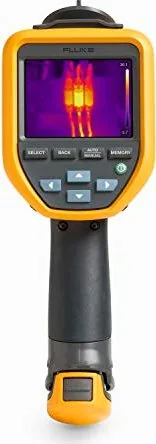
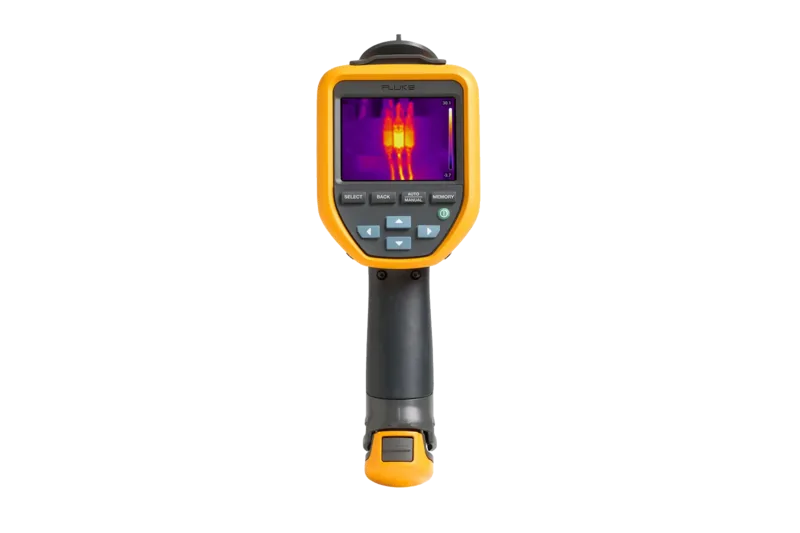
The Fluke TiS20+ Thermal Camera represents a significant advancement in portable thermal imaging technology. Designed for diverse applications, this device excels in troubleshooting equipment, preventive maintenance, and building diagnostics. It features a high-resolution LCD touchscreen that provides clear visual feedback even in challenging industrial environments. Users benefit from a durable design that supports rigorous daily tasks while maintaining accuracy in temperature measurement. Warranty terms provide peace of mind, with a two-year guarantee covering normal usage defects and ninety-day parts coverage for included components.
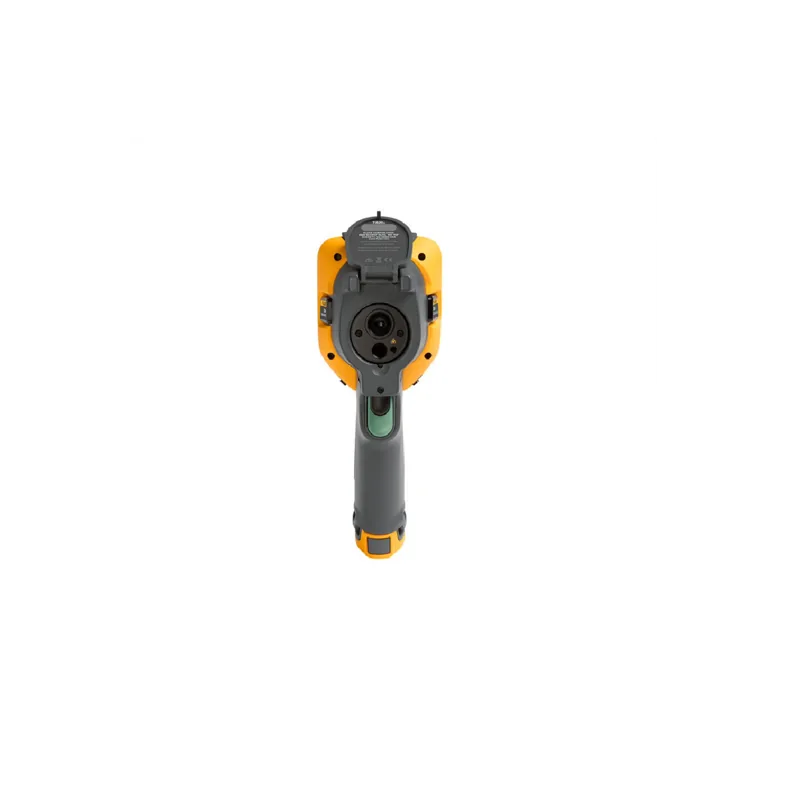
One of the standout capabilities involves the IR fusion technology. This feature allows operators to blend visible light imagery with thermal data, ensuring precise targeting of potential issues. The camera includes two lenses, one dedicated to infrared detection and another for standard visual confirmation. This dual-lens approach enhances situational awareness during complex inspections. Additionally, the device supports Asset-ID tagging. Users can link images to specific equipment using QR codes or barcodes, streamlining data management and reporting workflows effectively within industrial settings for better organization and asset tracking efficiency.
Connectivity is another critical aspect of this system. Through the Fluke Connect feature, the camera enables wireless data transfer to mobile devices and cloud storage via Wi-Fi. This ensures that reports can be generated on-site and shared immediately with technical teams. The included software allows for detailed analysis of captured images on desktop computers. Furthermore, maintenance is straightforward with clear guidelines on cleaning lenses and managing the lithium-ion battery. The battery supports extended usage, with options for charging via standard outlets or vehicle adapters for flexibility. This system provides seamless integration with cloud platforms for easy access.
Following the information found in the Fluke TiS20+ Thermal Camera Manual, operators can adjust settings like emissivity and level span manually or automatically. This flexibility ensures accurate readings across different materials and surface types. Proper maintenance of the lens coating is essential to preserve image quality over time. Operators should avoid solvents on the lens to prevent damage. Overall, this thermal imager offers a robust solution for professionals requiring reliable diagnostic tools for facility management and engineering tasks worldwide. This device is ideal for engineers and technicians.
Notes Ensure the sensor warms up for accurate readings before critical measurements. Keep the device within specified temperature limits during operation. Update firmware regularly via the software for best performance. Clean lenses with a soft cloth and approved fluid only.
Search for 67,706 Manuals online


Type-in Brand or Model