
Fluke 54-II B Manual
PDF manual · 26 Pages
English



Quick check
Incorrect answer, please try again.
Chat with your Fluke 54-II B manual using AI
Get instant AI answers from your Fluke 54-II B manual
Ask anything about the Fluke 54-II B. Answers come from this manual, with the pages they are based on.
54-II B Maintenance Schedule
Fluke recommends annual calibration to ensure operation according to specifications. Contact a Fluke service center or follow the procedure in the Service Manual.
Replace the three AA batteries immediately when the low battery indicator is displayed to prevent false readings and potential injury.
Free maintenance reminders
Timed to your purchase date. Always free, unsubscribe anytime.
Ask a Question
Do you recommend 54-II B?
Yes NoFrequently Asked Questions
Yes, it supports types J, K, T, E, R, and S thermocouples for versatile applications and high accuracy across various ranges.
Is this answer helpful?
Press the clear memory button combination to delete recorded measurements safely without affecting other system settings.
Is this answer helpful?
The unit comes with a three-year limited warranty covering material and manufacturing defects from original purchase date.
Is this answer helpful?
Yes, via an infrared port using compatible software on a PC for data transfer and detailed analysis.
Is this answer helpful?
Annual calibration is recommended to ensure continued accuracy within specifications for consistent performance over time.
Is this answer helpful?
It utilizes three standard alkaline AA batteries for power and must be replaced when low indicators appear.
Is this answer helpful?
Be cautious as reflective surfaces may cause measurement errors due to radiant heat bouncing off shiny objects.
Is this answer helpful?
Advantages and Disadvantages
Advantages

- Supports multiple thermocouple types for versatile industrial applications
- Dual input channel enables differential temperature measurements accurately
- Internal memory stores up to five hundred data points for logging
- Infrared communication allows easy data transfer to personal computers
- Three alkaline batteries provide long lasting reliable power source
Disadvantages

- Requires specific thermocouple compatibility for maximum measurement accuracy
- Battery indicators warn of replacement to prevent faulty readings
- Calibration is recommended annually to maintain specified accuracy standards
- Not rated for connection to live power circuits beyond CAT I
- Reflective surfaces can cause radiant heat measurement errors potentially
Product Specification
Units
°C, °F, K
Temperature Range
-418.0 to 3212.6°F
Display
Yes
Features
Auto-off, Data Hold
Power Supply
Battery Powered (3 AA Batteries)
Dimensions
3.39 x 6.81 x 1.50 in (WxHxD)
Weight
0.88 lbs
Product Description
Unlocking Precision with Fluke Instruments
Mastering Thermal Data Collection
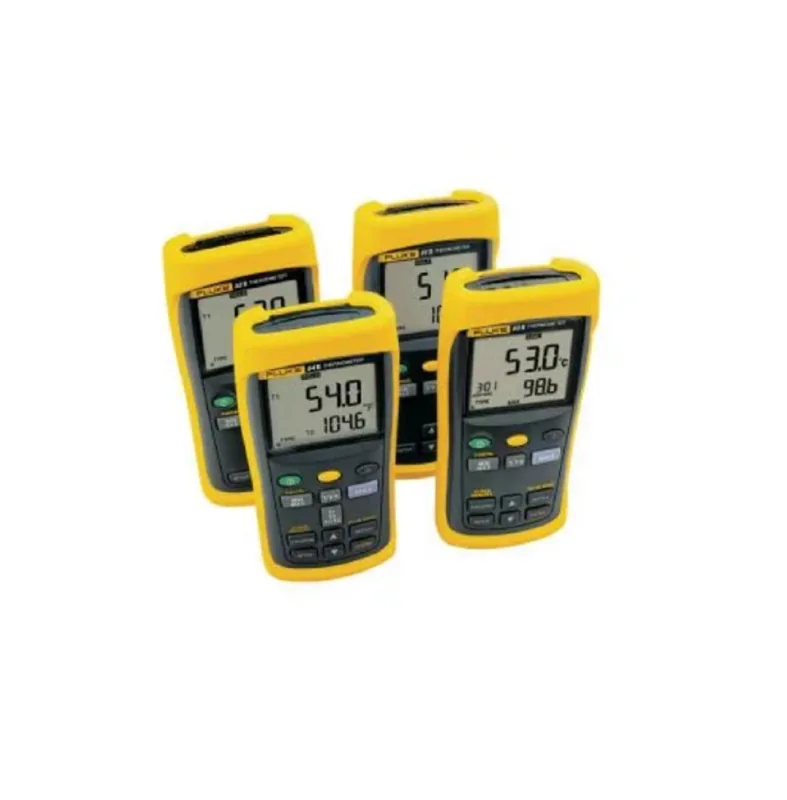
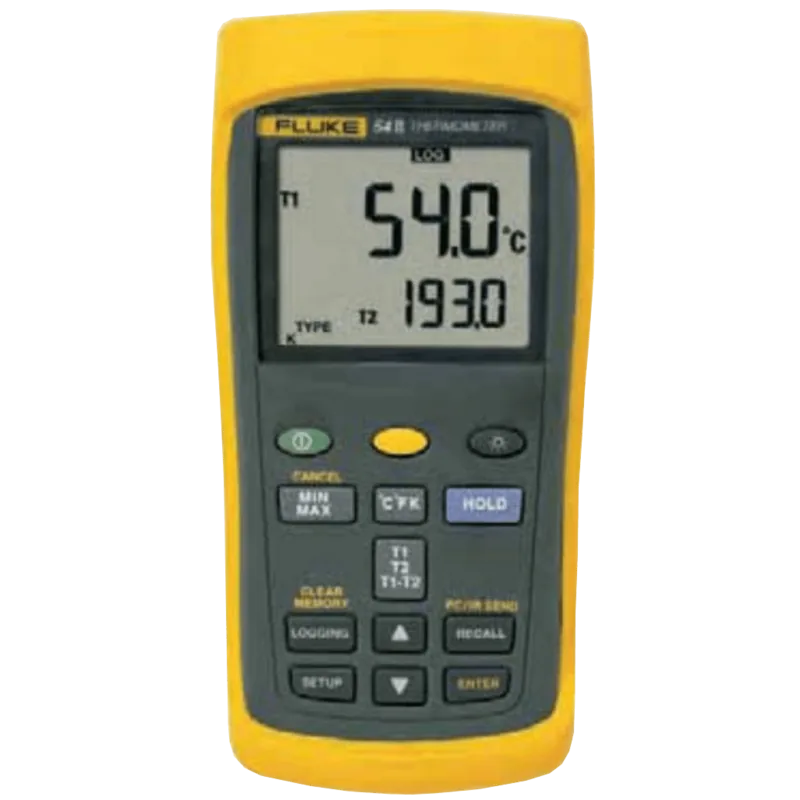
Accurate temperature readings are critical for maintenance and engineering teams. The Fluke 54-II B Thermometer provides a reliable platform for gathering essential thermal data. Professionals who need operational guidance frequently reference the Fluke 54-II B Thermometer Manual to ensure parameters are optimized correctly. This digital microprocessor instrument supports thermocouple types including J, K, T, E, R, and S. Each offers a specific measurement range suitable for varied industrial applications. The device allows technicians to track precise thermal differences efficiently with ease.
Advanced Display and Measurement Capabilities
The front panel features a large display handling primary and secondary readings clearly. Users monitor real-time data or analyze historical points stored in internal memory. The device tracks maximum, minimum, and average values automatically during sessions. A hold function freezes current readings for documentation without losing the live signal. Switching between Celsius, Fahrenheit, and Kelvin happens instantly via dedicated keys. Memory slots record up to five hundred data points for later review and analysis.
Configuration and Setup Options
Non-volatile storage allows saving preferences regarding offsets, time settings, and AC frequency. The setup mode enables changing recording intervals to suit testing protocols. Users calibrate offset values to compensate for sensor inaccuracies before work. This flexibility ensures high accuracy when dealing with thermal differences. Power is handled through three alkaline batteries monitored closely for low voltage warnings. Battery replacement must occur immediately when indicators appear to prevent errors.
Safety and Maintenance Guidelines
Safety warnings emphasize avoiding high voltages relative to protective earth. The device is rated for use in CAT I environments. Battery replacement should occur immediately when low indicators appear on the screen to prevent measurement errors. Cleaning the casing requires a damp cloth without harsh chemicals or excessive water. Annual calibration by an authorized center maintains accuracy specifications for years of continuous service. Do not attempt battery charging as cells contain sealed chemistries.
Operational Notes
Ensure thermoelements are disconnected before opening the housing to avoid circuit shorts. Follow strict disposal protocols when removing old batteries to comply with environmental laws. Verify environment temperatures fall within the specified operating range before power up. Use reflective surface precautions to avoid measurement errors caused by radiant heat. Always verify the setup mode is correct before starting tests to ensure data integrity and safety for all users.
Search for 67,706 Manuals online


Type-in Brand or Model