
Fantec WK-300 Manual
PDF manual · 2 Pages
English



Quick check
Incorrect answer, please try again.
Chat with your Fantec WK-300 manual using AI
Get instant AI answers from your Fantec WK-300 manual
Ask anything about the Fantec WK-300. Answers come from this manual, with the pages they are based on.
Ask a Question
Do you recommend WK-300?
Yes NoFrequently Asked Questions
Charge the battery for at least 15 minutes before use. Check the cable connection to the charger thoroughly. If it still does not charge after connecting properly, contact the service team for further assistance.
Is this answer helpful?
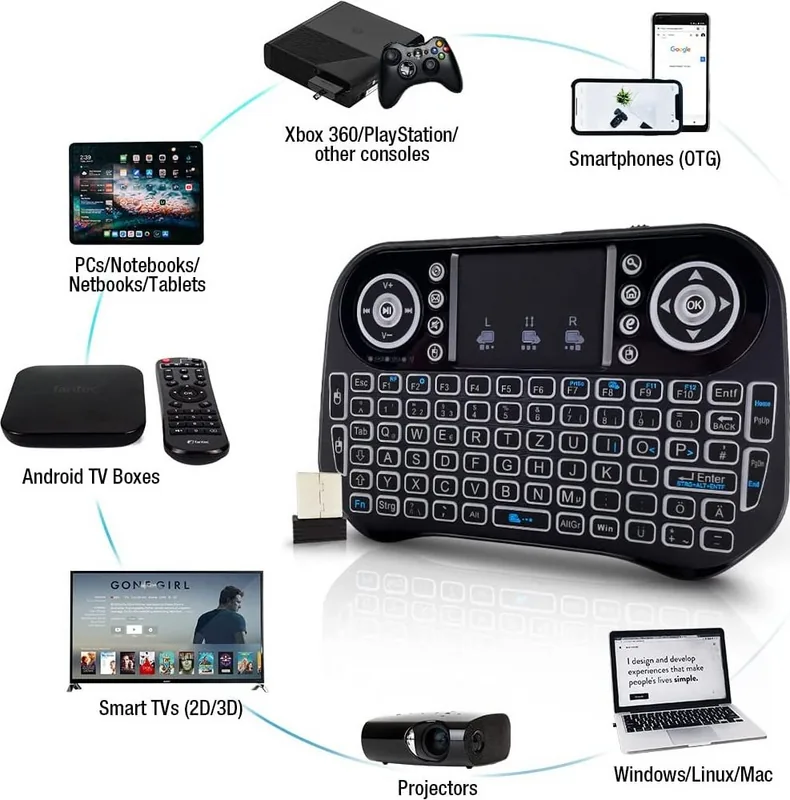
Yes, the Fantec WK-300 is compatible with Android TV Boxes, Notebooks, PC, HTPC, IPTV devices, and gaming consoles like the XBOX or PS 3.
Is this answer helpful?
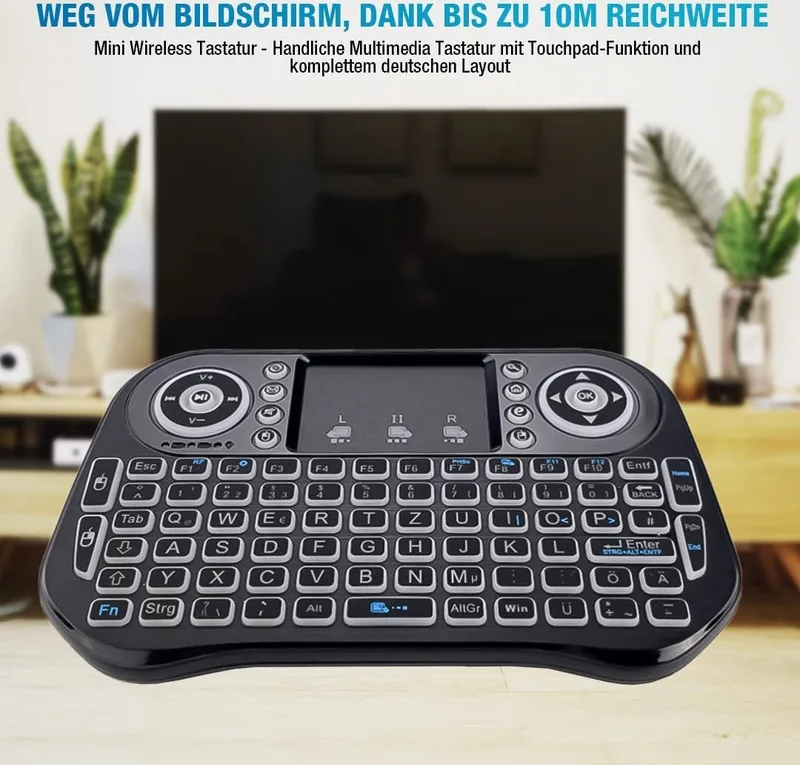
The wireless range extends up to 10 meters. Reducing the distance between the keyboard and receiver can help if signal issues arise.
Is this answer helpful?
The touchpad can be toggled using a function key combination, often involving the FN key. Ensure the device is powered on by sliding the switch to the left.
Is this answer helpful?
Reduce the distance between the keyboard and receiver. Ensure the battery is fully charged and clean the touchpad carefully with a slightly damp cloth.
Is this answer helpful?
The dimensions are 146.8mm in length, 97.5mm in width, and 19mm in height. The weight is 110 grams.
Is this answer helpful?
Advantages and Disadvantages
Advantages

- Lightweight design at just 110 grams for easy transport
- Long wireless range up to 10 meters for freedom of movement
- Rechargeable battery with low current drain for extended use
- Integrated touchpad eliminates the need for a separate mouse
- Broad compatibility with Android TV, PC, and gaming consoles
Disadvantages

- Small physical dimensions may limit typing speed for some users
- Initial battery charge requires at least 15 minutes of usage
- Cursor drift can occur if the touchpad is not cleaned regularly
- Pairing is handled at the factory with limited user adjustment
- Specific RGB lighting details are not explicitly detailed
Product Specification
Layout
German
Type
Rubber Dome
Lighting
RGB
Key Cap Profile
Standard, with frame, Chiclet
Key Cap Shape
Flat
Key Cap Top
Straight
Numpad
N/A
Arrow Keys
Offset
Control Keys
N/A
Enter Key
Compact
Delete Key
N/A
Wrist Rest
N/A
Housing
Plastic
Housing Color
Solid, Black
Keycap Color
Solid, Black
Keycap Marking
Solid, White (Translucent)
Connectivity
Wireless (2.4GHz), USB (USB-A Receiver)
Power Source
Battery
Dimensions (WxHxD)
5.78x0.75x3.84 inches
Weight
0.24 lbs
Features
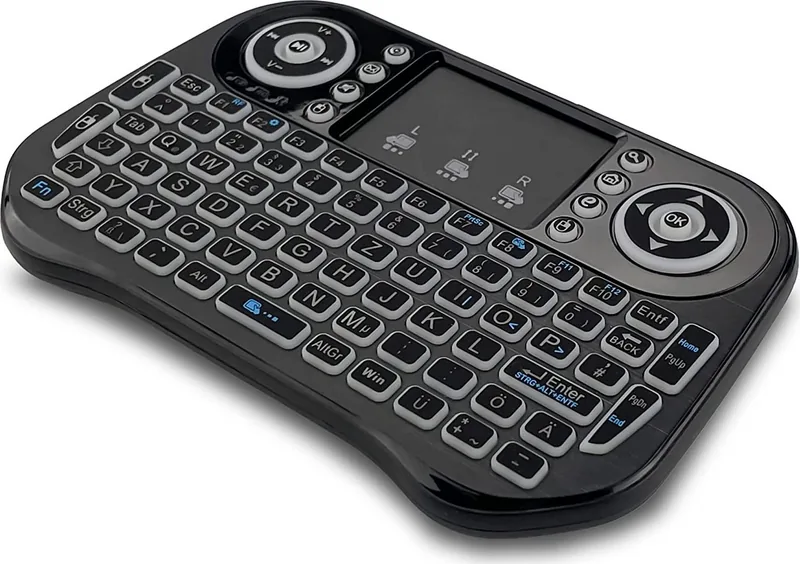
12 Media Keys, FN Key, Touchpad
Product Description
Discover the Fantec WK-300 Mini RGB Keyboard Wireless Experience
Enhance Your Mobile Computing Environment
The Fantec WK-300 Mini RGB Keyboard Wireless, USB, DE is designed for users who value portability without sacrificing control. This compact device fits perfectly on small desks or laps while connecting to various modern electronics. Its specifications highlight a lightweight build weighing only 110 grams. The physical dimensions of 146.8mm by 97.5mm by 19mm ensure it is not obtrusive. With a wireless range of 10 meters, you have significant freedom to move while controlling your media consumption devices or computers securely.
Power Efficiency and Battery Life
Users appreciate the rechargeable nature of this keyboard. It operates on a working voltage of 3.3 volts which is standard for portable peripherals. The operating current stays under 50 mA, ensuring long battery life between charges. Charging current does not exceed 300 mA, protecting the internal battery cells from damage. Standby current drain is minimal at under 1 mA, which means the battery retains power during periods of inactivity. This efficiency is crucial for users who rely on their devices throughout the day without access to a constant power source.
Device Compatibility and Range
The keyboard connects via an RF receiver that pairs with the factory settings. This FN and RF Matching ensures a secure connection with minimal configuration steps. It supports a wide range of hardware including Android TV Boxes, Notebooks, PCs, HTPC systems, IPTV devices, and gaming consoles like the XBOX or PS 3. The 10-meter range covers most living rooms and home offices. The receiver plugs directly into a USB port, ensuring compatibility with almost any computer or media hub.
Touchpad Functionality and Maintenance
A key feature is the integrated touchpad which replaces the need for an external mouse. This adds convenience for navigating onscreen interfaces from the couch. If the cursor moves irregularly, cleaning the touchpad with a slightly damp cloth helps restore precision. Users can also toggle the touchpad on or off to save battery or prevent accidental clicks. If the keyboard does not operate correctly, ensure the battery is charged for at least 15 minutes. Slide the switch to the left to power the device on.
Troubleshooting and Support
Should the device fail to connect, pull the receiver out of the USB port and reinsert it. Reducing the distance between the keyboard and receiver can also solve signal issues. If the battery refuses to charge, check the cable connection to the charger thoroughly. For persistent problems, please contact the service team for assistance. The overall design prioritizes ease of use and robust performance for daily tasks. This solution balances performance and portability for the modern user.
Ergonomics and Setup Simplicity
The low profile design at 19mm thickness reduces wrist strain. Entering data is quick and easy despite the compact layout. The German layout option ensures localized input for European markets. This specificity caters to users who require precise typing mechanics in their native language. The setup process is streamlined to allow immediate use out of the box. Manufacturers handle the pairing, so the end user does not need complex driver installations.
Final Summary
The Fantec WK-300 Mini RGB Keyboard Wireless, USB, DE offers a practical approach to wireless input. Its focus on battery longevity and multi-device support makes it a versatile tool. Whether browsing the web or controlling media playback, this keyboard simplifies the interaction. It serves as a reliable companion for travel and home entertainment alike. The combination of RF technology and intuitive controls ensures a smooth user experience.
Search for 67,706 Manuals online


Type-in Brand or Model