
Fantec WK-200 Manual
PDF manual · 2 Pages
English



Quick check
Incorrect answer, please try again.
Chat with your Fantec WK-200 manual using AI
Get instant AI answers from your Fantec WK-200 manual
Ask anything about the Fantec WK-200. Answers come from this manual, with the pages they are based on.
Ask a Question
Do you recommend WK-200?
Yes NoFrequently Asked Questions
The WK-200 is compatible with Android TV boxes, HTPC/IPTV setups, notebooks, PCs, and consoles such as Xbox and PS3 via its RF USB receiver.
Is this answer helpful?
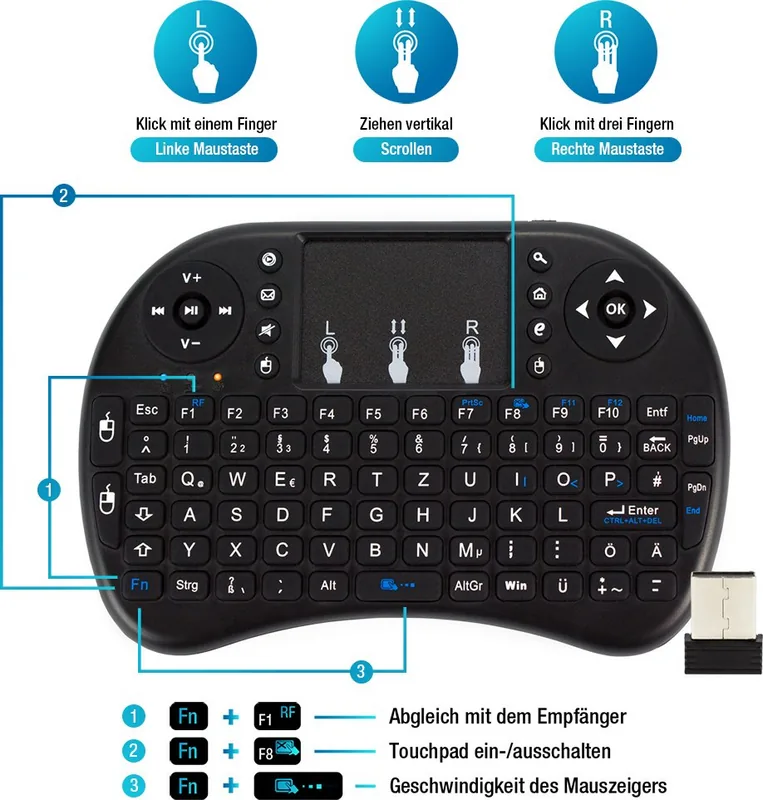
The keyboard and receiver are paired at the factory. If pairing is needed, use the FN + RF matching key sequence to re-establish the connection as described in the manual.
Is this answer helpful?
First charge the battery for at least 15 minutes and ensure the power switch is on. If it still does not respond, remove and reinsert the USB receiver, check cable connections, and try re-pairing.
Is this answer helpful?
Irregular cursor behavior commonly results from distance from the receiver, low battery, or a dirty touchpad. Reduce distance, fully charge the battery, and clean the touchpad with a slightly damp cloth.
Is this answer helpful?
The WK-200 offers an approximate operating range of 10 meters, though actual performance may vary with obstacles and interference.
Is this answer helpful?
The keyboard operates at 3.3 V with operating current under 50 mA, charging current below 300 mA, and standby current under 1 mA.
Is this answer helpful?
If basic troubleshooting (charging, reseating receiver, cleaning touchpad, re-pairing) does not resolve the issue, contact Fantec customer service for assistance.
Is this answer helpful?
Advantages and Disadvantages
Advantages

- Compact footprint (146.8 x 97.5 x 19 mm) and lightweight (110 g) for easy handling and storage.
- Integrated touchpad eliminates need for separate mouse, ideal for media-center control.
- Factory-paired RF USB receiver enables simple plug-and-play setup.
- Low power consumption with <1 mA standby and modest charging requirements.
- Broad compatibility with Android TV, HTPC/IPTV, notebooks, PCs and gaming consoles.
Disadvantages

- Mini key size may hinder prolonged typing or users with larger hands.
- RF receiver can lose connection if removed or if distance exceeds ~10 m.
- Touchpad sensitivity may degrade if surface is dirty or battery is low.
- Limited charging current (<300 mA) could mean slower full-charge times.
- Troubleshooting sometimes requires reseating receiver or contacting service.
Product Specification
Layout
DE
Type
Rubber Dome
Lighting
N/A
Keycap Level
regular, framed, Chiclet
Keycap Format
flat
Keycap Profile
straight
Numpad
N/A
Cursor Block
offset
Control Keys
N/A
Enter Key
shortened
Delete Key
N/A
Palm Rest
N/A
Housing
Plastic
Housing Color
monochrome, black
Keycap Finish
monochrome, black
Key Labeling
monochrome, white
Connection
wireless (2.4GHz), USB (USB-A receiver)
Power Supply
Battery
Dimensions (WxHxD)
5.78x0.75x3.84in
Weight
0.24lb
Special Features
12 multimedia keys, FN key, Touchpad
Product Description
Fantec WK-200 Mini Keyboard Wireless, USB, DE Manual
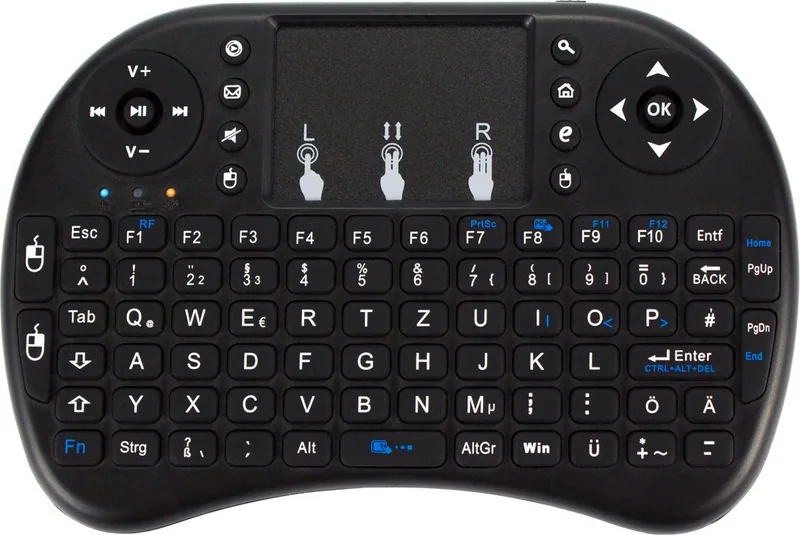
The Fantec WK-200 Mini Keyboard Wireless is a compact, German-layout mini keyboard designed for living-room devices and portable setups. With a small footprint (146.8 x 97.5 x 19 mm) and lightweight build (110 g), it pairs wireless convenience with a built-in touchpad for cursor control. Intended for use with Android TV boxes, HTPC/IPTV setups, notebooks, PCs, and consoles like Xbox or PS3, the WK-200 aims to replace bulky remotes and full-size keyboards for casual browsing, media control, and light typing.
Design and functionality
The WK-200 combines a low-profile keyboard with an integrated touchpad, offering a neat all-in-one input surface. It operates over RF with a USB receiver, delivering a practical range of about 10 meters. The unit runs on a 3.3 V system with low operating current (<50 mA) and charging current under 300 mA, while standby consumption is minimal (<1 mA). The keyboard and receiver come factory-paired for immediate use; pairing can be re-established using the FN + RF matching key sequence if needed.
Performance and usability
Typing on the compact keys delivers straightforward input for short messages, searches, and navigation. The touchpad supports typical pointer movement and can be toggled on or off. For best performance, keep the keyboard within range of the USB receiver and ensure the touchpad surface is clean. Charging the internal battery only requires modest time to restore basic functionality; a brief 15-minute charge can resolve initial power issues.
Troubleshooting highlights
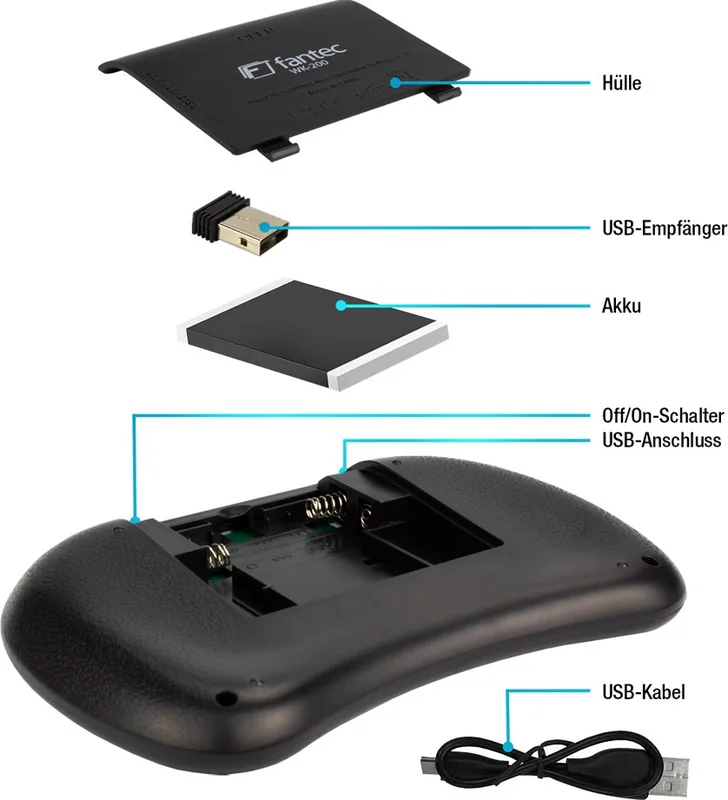
Common issues are easily addressed: if the keyboard fails to function, verify the battery and slide the power switch to the on position. If the device does not connect, reseat the USB receiver. If charging seems ineffective, check the charge cable and connectors. Irregular cursor movement often stems from distance, low battery, or a dirty touchpad surface; cleaning with a slightly damp cloth and recharging usually helps.
Who should choose the WK-200?
This mini keyboard suits users who want a compact, wireless input for media centers, set-top boxes, or casual PC use where space is limited. It’s particularly convenient for living-room setups where a small, unobtrusive keyboard with an integrated touchpad is preferable to a remote or full keyboard.
Notes
- Factory-paired RF receiver simplifies initial setup.
- Keep the device within ~10 m of the receiver for reliable operation.
- Touchpad can be switched on or off; consult the FN key combination for functions.
- For persistent faults, contact Fantec service for assistance.
Search for 67,706 Manuals online


Type-in Brand or Model
Lina Hoffmann
9 months ago
The reviews say the buttons are small. Are they actually too small to use comfortably?
Manual.ly
9 months ago
The buttons are indeed on the smaller side, but most users find them usable without problems once you get used to the size. The controls are laid out clearly and require only light, precise taps. If you have larger fingers or prefer very large buttons, you might notice the difference during the first days. A good tip is to use gentle, accurate finger placement and avoid pressing with the pad of your whole finger. Overall, aside from the smaller button size, customers generally rate the device as working great.