
Fantec SQ-35U3e-6G Manual
PDF manual · 12 Pages
English



Quick check
Incorrect answer, please try again.
Chat with your Fantec SQ-35U3e-6G manual using AI
Get instant AI answers from your Fantec SQ-35U3e-6G manual
Ask anything about the Fantec SQ-35U3e-6G. Answers come from this manual, with the pages they are based on.
Ask a Question
Do you recommend SQ-35U3e-6G?
Yes No
maria_k
10 months ago
Does the case provide enough cooling for all hard drives? I saw reviews saying the middle drives get no airflow and overheat in under an hour.

Manual.ly
10 months ago
The placement of the top fan and the airflow path can cause uneven cooling between drive bays. If your middle HDDs run significantly hotter, please check the fan direction and ensure there are no obstructions blocking the intake and exhaust. Also verify that the drive brackets are seated correctly and that no cables restrict the middle area airflow. For sustained use, we recommend adding or optimizing case fans to create direct, balanced airflow over all HDD positions, then monitoring temperatures (aim to keep HDDs within the manufacturer spec). If overheating persists after airflow adjustments, contact support with your fan and fan-speed setup so we can advise the best configuration.
Yvonne Pfleger
8 months ago
Will this computer case keep all hard drives cool during long periods of use, especially the middle two HDD bays?
Manual.ly
8 months ago
Some customers report that while the case performs well overall, the two middle hard drives receive little to no direct airflow. They can run more than 10 C hotter than the top and bottom drives, becoming too warm for continuous operation. If you plan on long, heavy use, consider adding or repositioning fans to improve airflow toward the middle bays, double-check that no cables block the airflow path, and monitor HDD temperatures (for example via SMART) during your first sustained run. If stable low temperatures are critical, you may want to choose a case with dedicated airflow for each drive slot.
Frequently Asked Questions
It is designed for four 3.5-inch SATA hard drives. The enclosure supports SATA I, II, and III drives, making it compatible with a wide range of desktop-class HDDs.
Is this answer helpful?
Both work well, but USB 3.0 is the easiest choice for most modern computers. If your system supports eSATA, it can also provide fast performance. When both are connected, eSATA is recognized first.
Is this answer helpful?
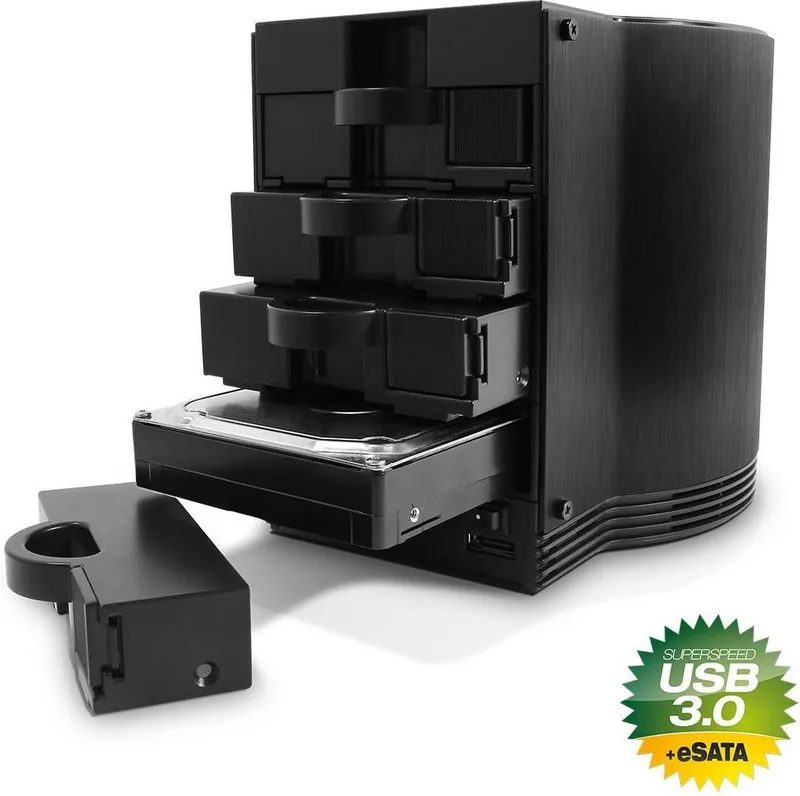
Yes. The drives are hot-swappable, so you can replace supported drives without shutting the system down, as long as your operating system and workflow allow it.
Is this answer helpful?
After installing the drive, open Disk Management in Windows, initialize the disk if needed, create a new partition, and then format it. Once completed, the drive appears as a new volume.
Is this answer helpful?
Use MBR for total volumes under 2TB. Choose GPT if the total drive size is above 2TB, especially on Windows Vista or Windows 7 systems.
Is this answer helpful?
It includes an 80 mm cooling fan, smart ventilation, and manual fan speed control. These features are meant to reduce drive temperature and improve long-term reliability.
Is this answer helpful?
Advantages and Disadvantages
Advantages

- Supports up to four independent 3.5-inch SATA drives for flexible storage.
- USB 3.0 and eSATA connections provide fast, adaptable compatibility.
- Hot-swap support and removable trays simplify drive changes.
- Built-in fan control and ventilation help manage heat effectively.
Disadvantages

- Windows XP cannot handle 3TB drives in this configuration.
- Requires manual drive initialization, partitioning, and formatting.
- Uses an external power adapter, so it is not fully bus-powered.
- If USB and eSATA are connected together, eSATA takes priority.
Product Specification
Form Factor
3.5"
Internal Connector
4x SATA 6Gb/s
External Connector
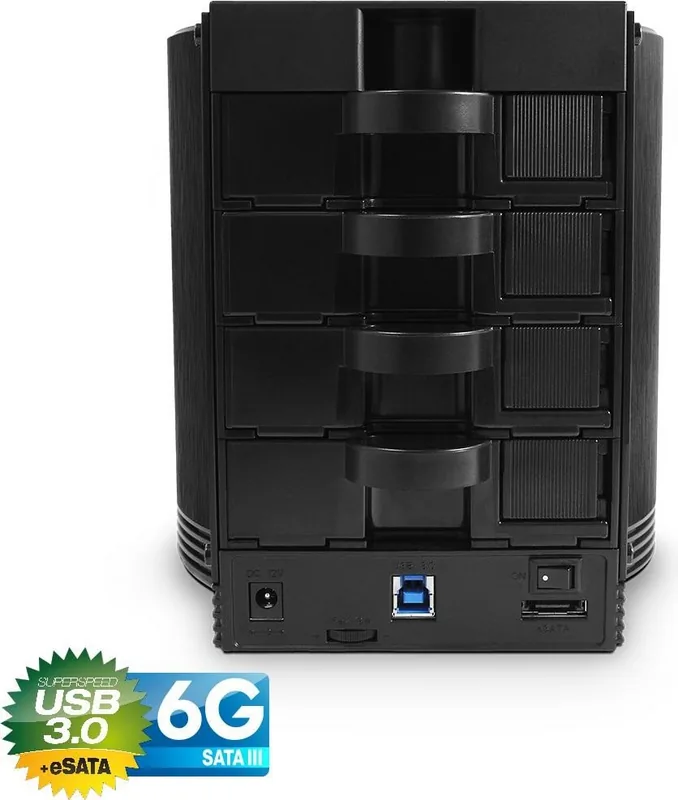
1x USB-B 3.0 (5Gb/s), 1x eSATA
Fan
1x 3.15 in
Dimensions
8.23x7.13x6.69in
Weight
3.31 lb
Color
black
Special Features
trayless
USB Designation
Link
Product Description
Fantec SQ-35U3e: A Practical 4-Bay Home for SATA Storage
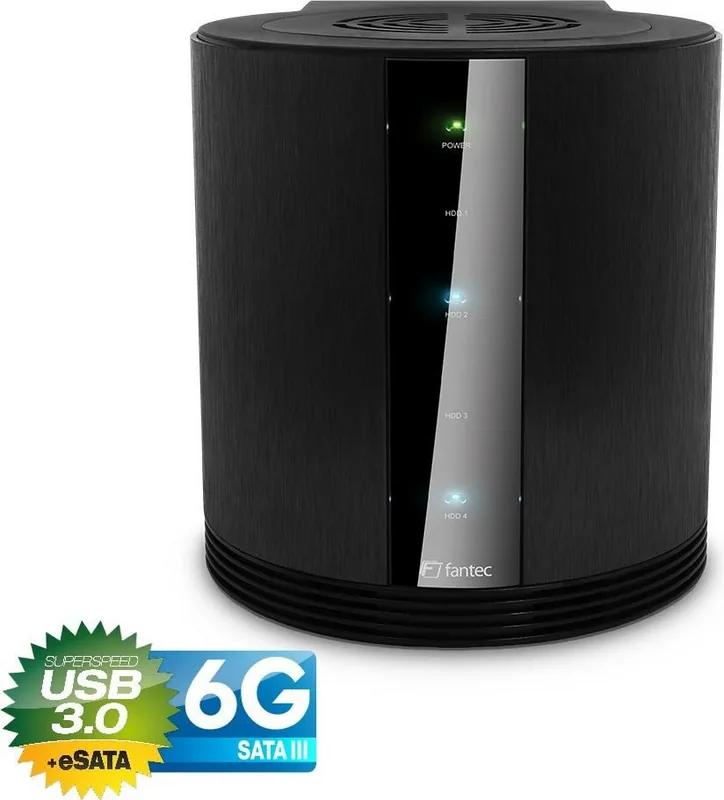
The Fantec SQ-35U3e is a versatile 4-bay enclosure designed for 3.5-inch SATA hard drives, built for users who want flexible external storage without sacrificing speed or cooling. In the spirit of the Fantec SQ-35U3e, USB-B 3.0/eSATA Manual, this product stands out for its straightforward hardware design, independent drive operation, and support for both USB 3.0 and eSATA connections. It is a solid choice for backups, media libraries, or a compact multi-drive workspace.
One of its strongest points is connectivity. USB 3.0 offers transfer speeds up to 5 Gbps, while eSATA gives users another fast option for systems that support it. The enclosure is also backward compatible with USB 2.0 and USB 1.1, which makes it easier to use across older and newer computers. When both USB and eSATA are connected at the same time, the system prioritizes eSATA, which can be useful in professional setups.
Cooling and power efficiency are also central to the design. The unit uses an 80 mm fan and a smart ventilation layout to help reduce drive temperature, and the fan speed can be adjusted manually. The enclosure also includes Green Power features, automatic sleep and wake behavior, and hot-swap support, making it more convenient for daily use. Each drive bay operates independently, so users can mix tasks across four drives instead of treating them as a single block.
Setup is relatively simple, though it does require care. Drives are mounted into removable trays, secured with screws, and then slid into the chassis. Small rubber pads can help stabilize shorter drives. After installation, Windows users may need to initialize, partition, and format new drives through Disk Management. For modern capacities, GPT is recommended above 2TB, while MBR is suited to smaller volumes.
Overall, this enclosure is aimed at users who value control, expandability, and practical cooling over flashy extras. It offers a dependable way to build a multi-drive external storage system with a clean workflow and clear status indicators.
Notes
- Hot-swappable drive bays make maintenance easier.
- LED indicators help track power and disk activity at a glance.
- Windows XP does not support 3TB drives in this setup.
- Use only the supplied power adapter for safe operation.
Search for 67,706 Manuals online


Type-in Brand or Model
twild28
8 months ago
Does this case cool the hard drives properly during continuous use, especially the middle drives?
Manual.ly
8 months ago
Based on customer reports, the cooling airflow can be uneven. With the fan located above, air is moved through the top and bottom areas, while the two middle HDDs may receive little direct airflow. This can lead to middle drives running more than 10 C hotter and reaching unsafe temperatures in under an hour, so the case is not well-suited for continuous operation as-is. If you plan to run HDDs long-term, we recommend improving cooling before use: ensure the fan configuration provides direct airflow over all drive bays, consider adding or repositioning fans, and verify temperatures with monitoring software under your typical workload. If middle drives still climb quickly, avoid long duty cycles or consider a case designed for balanced HDD airflow.