
Fantec QB-X8US3R Manual
PDF manual · 13 Pages
English



Quick check
Incorrect answer, please try again.
Chat with your Fantec QB-X8US3R manual using AI
Get instant AI answers from your Fantec QB-X8US3R manual
Ask anything about the Fantec QB-X8US3R. Answers come from this manual, with the pages they are based on.
QB-X8US3R Maintenance Schedule
If there is noise with the fan, power off the device, unscrew the fan, take out the cover, clean the fan and assemble it back.
If the fan stops working, turn off the unit and replace the fan with an identical fan of size 80x80x20mm.
Ask a Question
Do you recommend QB-X8US3R?
Yes NoFrequently Asked Questions
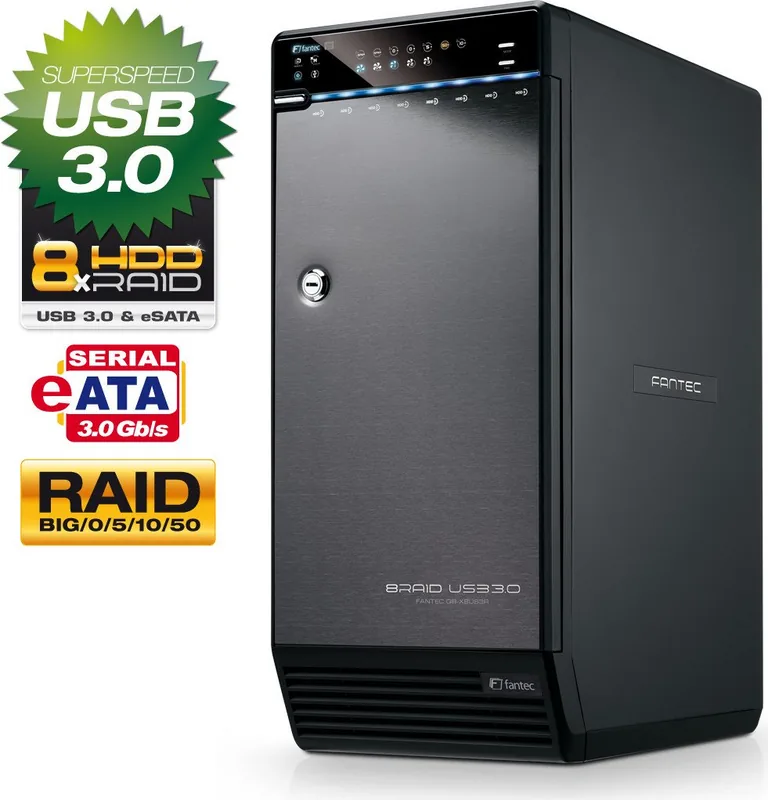
It supports Spanning, RAID 0, RAID 5, RAID 10, and RAID 50.
Is this answer helpful?
No, the interfaces cannot be used simultaneously.
Is this answer helpful?
Yes, it supports both 32 and 64 bit versions.
Is this answer helpful?
Use Disk Utility to erase and format the partition.
Is this answer helpful?
RAID 5 and 50 allow survival of single drive failure without data loss.
Is this answer helpful?
Yes, but it requires holding the RAID button and causes data loss.
Is this answer helpful?
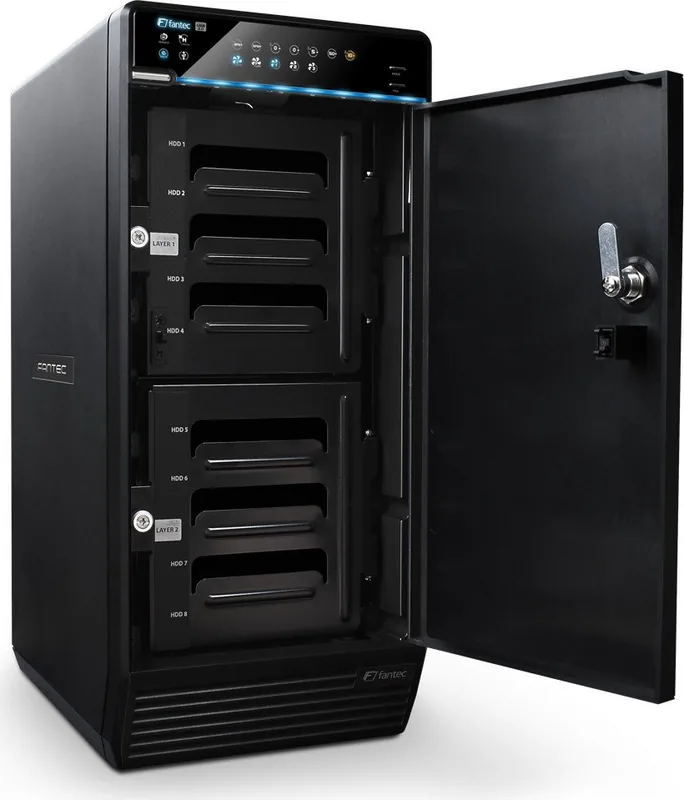
It has a key slot and button to lock the HDD handle.
Is this answer helpful?
Advantages and Disadvantages
Advantages

- Supports eight hard drives for massive storage capacity.
- Multiple RAID modes including RAID 50 for redundancy.
- USB 3.0 and eSATA interface for high speed.
- Smart Fan with automatic thermal adjustment.
- Clear LED status indicators for monitoring.
Disadvantages

- Changing RAID mode causes data loss.
- USB and eSATA ports cannot be used simultaneously.
- Requires same brand HDDs for best RAID performance.
- Direct motherboard SATA connection not recommended.
- Initialization requires specific partition settings like GPT.
Product Specification
Form Factor
3.5 in
Internal Interface
8x 3.5 in SATA 3Gb/s
External Interface
1x USB-B 3.0 (5Gb/s), 1x eSATA
RAID Level
0/5/10/50
Fan
2x 3.15 in (temperature-controlled)
Dimensions
13.86 x 9.96 x 6.10 in
Weight
11.02 lbs
Color
black
USB Orientation
Left
Product Description
Powerful Storage Solutions for Professionals
Expanding Your Digital Horizons
In the modern digital landscape, reliable storage is paramount for professionals and enthusiasts alike. The Fantec QB-X8US3R USB 3.0/eSATA offers an impressive solution for high-capacity data management. This eight-bay RAID enclosure allows users to configure multiple hard drives into a single massive logical unit, ensuring superior data integrity and read/write speeds. Whether you are backing up critical corporate archives, managing video editing projects, or hosting personal media servers, this device provides the robustness needed for demanding daily tasks.
Advanced RAID Configuration Options
One of the standout features is the incredible flexibility in storage configuration. Users can choose from various modes including Spanning for simple concatenation, RAID 0 for maximum performance, RAID 5 for balanced safety, RAID 10 for speed and mirror protection, and RAID 50 for high-level redundancy. Each mode serves different purposes, balancing speed against data redundancy effectively. For instance, RAID 0 maximizes throughput, while RAID 5 and RAID 50 provide essential fault tolerance to protect against unexpected drive failures. The device handles up to eight hard drives, allowing for massive virtual volumes that can exceed the limits of individual physical components.
Connectivity and Interface Specifications
Connectivity options are versatile, supporting both USB 3.0 and eSATA interfaces to ensure fast transfer rates compatible with modern computing environments. This flexibility allows the device to integrate seamlessly into various setups. However, the manual for the Fantec QB-X8US3R USB 3.0/eSATA Manual details how to connect drives and set up partitions correctly. It is important to note that the USB and eSATA ports cannot be used simultaneously, which is a key consideration for network architecture. Additionally, users should ensure the device is connected via a compatible eSATA PCI card rather than a direct motherboard port for optimal recognition on Windows and Mac systems.
System Management and Monitoring Features
Managing the physical unit is straightforward with intuitive front panel controls. The system includes a Smart Fan with automatic and manual speed adjustments based on built-in thermal sensor readings. This ensures the enclosure runs quietly under low heat but cools aggressively during heavy load. LED indicators provide real-time status updates, showing drive activity, power states, and potential hardware errors clearly. Blue lights indicate active drives, while red signals rebuild processes or critical errors. This visual feedback helps users maintain the health of their storage array without needing complex diagnostics.
Operating System Support and Initialization
The enclosure is designed for cross-platform compatibility across major operating environments. It supports Windows Vista and Windows 7 on both 32 and 64-bit architectures with GPT settings. Macintosh users running OS X 10.5 or later can also utilize the device, though specific partition settings like GPT are recommended for volumes over two terabytes to avoid capacity restriction issues. Following the initialization steps precisely ensures full capacity utilization for all drives without data loss.
Conclusion
In summary, the Fantec QB-X8US3R offers a robust 8-bay solution suitable for varied storage needs. It balances performance and safety well.
Search for 67,706 Manuals online


Type-in Brand or Model