
Fantec QB-35US3-6G Manual
PDF manual · 5 Pages
English



Quick check
Incorrect answer, please try again.
Ask a Question
Do you recommend QB-35US3-6G?
Yes No
Thomas Klein
6 months ago
Is the cooling fan noise acceptable for home office use?

Manual.ly
6 months ago
The fan noise is a common observation. Some owners find it audible in quiet rooms, particularly on higher speed settings. Most users report it is acceptable for normal use or can be mitigated by placing the device in a cabinet. The fan speed can be adjusted depending on temperature. If noise is critical for your setup, consider using a case that shields the sound or placing it away from your main listening position. Reviews indicate reliability remains high despite this noise factor.
dicta_itaque
6 months ago
Is the fan on this enclosure too loud for use on a desk, and can it be adjusted?
Manual.ly
6 months ago
The cooling fan is adjustable with three speed settings. While many users find it quiet enough for desktop use on lower settings, some reviewers note that it can become quite loud under load or at higher speeds. If noise is a concern, we recommend starting with the lowest setting or placing the unit in a separate location.
deichmann71
4 months ago
Why do all hard drives spin up sequentially when I turn on the device instead of starting individually?
Frequently Asked Questions
This enclosure is designed exclusively for four 3.5-inch internal hard disk drives. It does not natively support 2.5-inch laptop drives without specific adapters.
Is this answer helpful?
Yes, the unit supports various RAID modes such as RAID 0, 1, 5, and JBOD depending on your operating system and software configuration capabilities.
Is this answer helpful?
Yes, the package includes an external power adapter necessary to run all four 3.5-inch drives simultaneously at full speed.
Is this answer helpful?
Both interfaces offer similar theoretical maximum speeds around 6 Gbps. However, eSATA often provides slightly better stability for direct desktop connections.
Is this answer helpful?
Installation is tool-free. You simply slide the drives into the designated bays and secure them using the provided mounting rails or screws depending on the specific model revision.
Is this answer helpful?
Advantages and Disadvantages
Advantages

- Dual interface support with USB 3.0 and eSATA for versatile connectivity options
- Supports four 3.5-inch HDDs for massive total storage capacity expansion
- Robust black casing aids in passive cooling and heat dissipation
- Easy installation process allows for quick drive swaps without tools
- Ideal for building RAID arrays to improve speed or data redundancy
Disadvantages

- Requires external power adapter which adds cable clutter
- No built-in fan means noise levels depend on the drives themselves
- Limited to 3.5-inch drives so cannot accommodate smaller 2.5-inch units directly
- Bulkier size may not fit well in small form factor PC cases
- Performance depends heavily on the quality of installed hard drives
Product Specification
Form Factor
3.5"
Internal Connection
4x SATA 6Gb/s 3.5"
External Connection
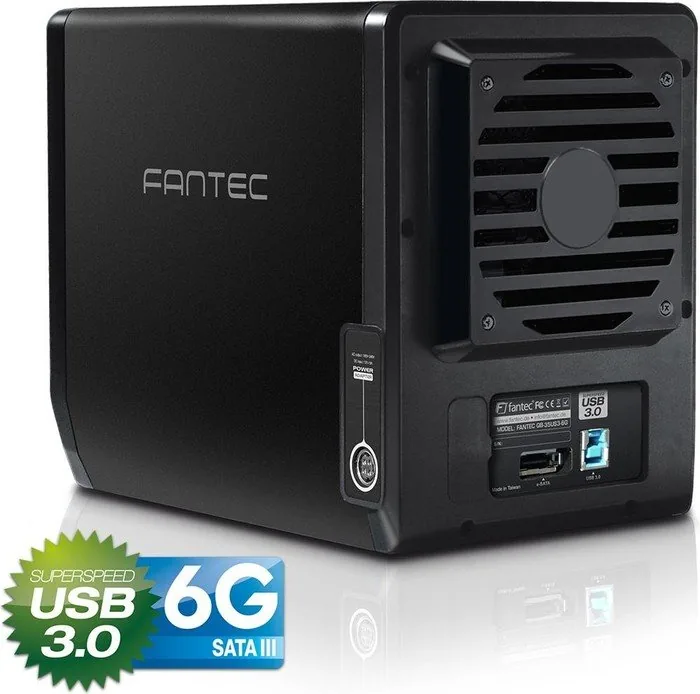
1x USB-B 3.0 (5Gb/s), 1x eSATA
Fan
1x 80mm (temperature controlled)
Dimensions
8.46 x 6.54 x 4.96 inches
Weight
3.97 lbs
Color
black
Features
For JBOD mode via eSATA, a controller with Port Multiplier (PM) is required.
Manufacturer Warranty
two years
USB Spelling
Link
Product Description
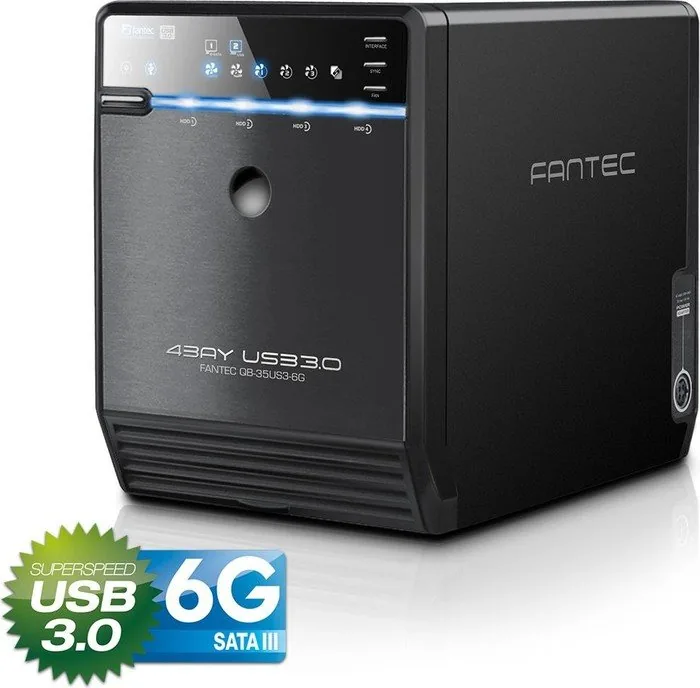
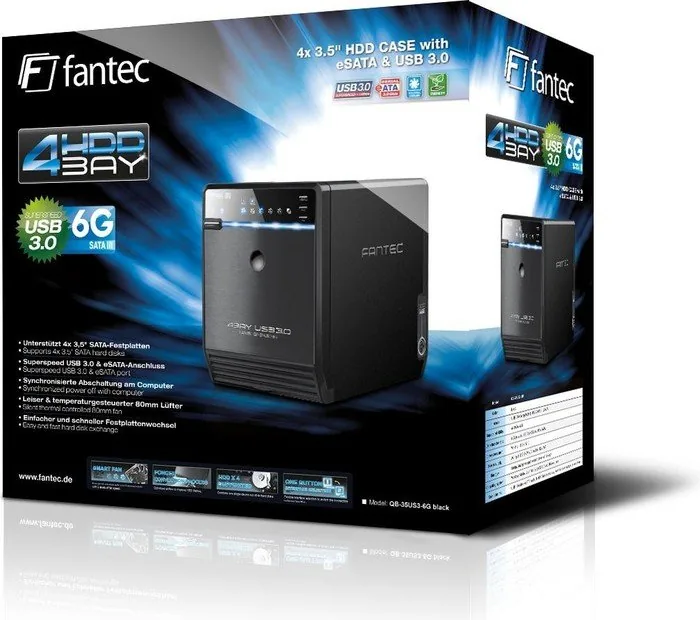
Fantec QB-35US3-6G: The Ultimate Storage Expansion Solution
The Fantec QB-35US3-6G stands as a robust powerhouse for users demanding high-capacity storage solutions without compromising on speed. Designed specifically for four 3.5-inch hard drives, this enclosure transforms your existing collection of mechanical drives into a unified, high-performance storage array. Whether you are a professional video editor needing rapid access to massive files or a home user looking to build a personal cloud server, this device offers the versatility required for modern data management.
At the heart of its performance lies dual connectivity options that cater to various system requirements. The inclusion of USB 3.0 ensures backward compatibility with older ports while delivering blazing fast transfer speeds when connected to compatible systems. Simultaneously, the eSATA port provides an alternative connection method that prioritizes stability and throughput for desktop setups. This flexibility allows the unit to integrate seamlessly into both legacy and cutting-edge computer architectures.
The black chassis not only looks sleek but also serves a functional purpose by aiding in heat dissipation. Managing thermal output is critical for 3.5-inch drives which generate significant heat during operation. The design facilitates airflow around the drive bays, ensuring longevity for your valuable data. Installing drives is straightforward, allowing users to swap out components quickly without specialized tools. This ease of maintenance makes it an ideal choice for environments where drive configurations might change frequently.
Beyond simple storage, the QB-35US3-6G supports various RAID configurations depending on the operating system and controller support. Users can set up redundancy to protect against drive failure or configure arrays for increased read and write speeds. The manual often referenced alongside this product guides users through these advanced setup procedures, ensuring optimal performance regardless of the chosen configuration. It is a reliable companion for anyone serious about data integrity and accessibility.
Notes: Ensure your power supply unit has sufficient wattage to run four 3.5-inch drives simultaneously. Use high-quality SATA cables to maintain maximum transfer rates. Regularly check firmware updates if available for enhanced compatibility.
Pros and Cons
Pros
- Dual interface support with USB 3.0 and eSATA for versatile connectivity options.
- Supports four 3.5-inch HDDs for massive total storage capacity expansion.
- Robust black casing aids in passive cooling and heat dissipation.
- Easy installation process allows for quick drive swaps without tools.
- Ideal for building RAID arrays to improve speed or data redundancy.
Cons
- Requires external power adapter which adds cable clutter.
- No built-in fan means noise levels depend on the drives themselves.
- Limited to 3.5-inch drives so cannot accommodate smaller 2.5-inch units directly.
- Bulkier size may not fit well in small form factor PC cases.
- Performance depends heavily on the quality of installed hard drives.
Search for 67,706 Manuals online


Type-in Brand or Model
emetz69
6 months ago
Is the fan noise tolerable for quiet environments when running four hard drives?
Manual.ly
6 months ago
The fan features three adjustable speed settings. While most users report acceptable noise levels on the lowest setting, others find it audible during high load. The automatic mode adjusts cooling based on drive temperature. If necessary, the fan component is user-replaceable to reduce noise. Proper ventilation is recommended to ensure stable performance. Ensure the unit is not enclosed in tight spaces to prevent overheating and excessive fan acceleration.