
Fantec MB-X5U31H Manual
PDF manual · 8 Pages
English



Quick check
Incorrect answer, please try again.
Chat with your Fantec MB-X5U31H manual using AI
Get instant AI answers from your Fantec MB-X5U31H manual
Ask anything about the Fantec MB-X5U31H. Answers come from this manual, with the pages they are based on.
Ask a Question
Do you recommend MB-X5U31H?
Yes NoFrequently Asked Questions
The device accommodates five 3.5-inch SATA hard disk drives simultaneously within a standard chassis.
Is this answer helpful?
It supports USB 3.1 Type-C Gen II speeds up to ten gigabits per second efficiently.
Is this answer helpful?
Yes, each drive has a specific button allowing independent activation and deactivation individually.
Is this answer helpful?
It works with Windows 7, 8, and 10, Mac OS 10.5 and higher, and Linux Kernel 2.4 and newer.
Is this answer helpful?
You must initialize them via the OS disk management tool using GPT or MBR depending on size.
Is this answer helpful?
Always eject the partition safely in the OS before unplugging the USB cable to avoid corruption.
Is this answer helpful?
Yes, a 120mm fan operates with a thermal sensor to maintain optimal temperature levels.
Is this answer helpful?
Advantages and Disadvantages
Advantages

- Supports five 3.5 inch SATA hard drives for massive storage capacity in one unit
- USB 3.1 Type-C Gen II connection delivers high speed transfers up to ten gigabits per second
- Individual power buttons allow controlling each drive separately to save energy and reduce wear
- Advanced cooling fan controlled by thermal sensor ensures safe operating temperatures under heavy load
Disadvantages

- Additional USB cable is necessary as it is not always included with the basic package setup
- Standby behavior may affect all drives if operating system power settings are not configured correctly
- Specific thermal sensor relies on accurate placement which might vary across different usage environments
- USB hub port connector is identical but not suitable for connecting directly to the host computer
Product Specification
Form Factor
3.5 inches
Internal Connection
5x SATA 6Gb/s
External Connection
1x USB-C 3.1 (10Gb/s)
RAID Level
N/A
Fan
1x 4.72 inches
Dimensions
10.51x7.31x5.91 inches
Weight
6.61 lbs
Color
Black
Features
On/Off Switch, Tray-less, Tool-less installation, Screw-free installation, Lockable, Aluminum enclosure, incl. USB cable (USB-A), incl. USB cable (USB-C), Security lock (Kensington), USB Hub (1x USB-C 3.1), Independently switchable
Manufacturer Warranty
2 years
USB Designation
Link
Product Description
Revolutionize Your Data Storage with the Fantec MB-X5U31H
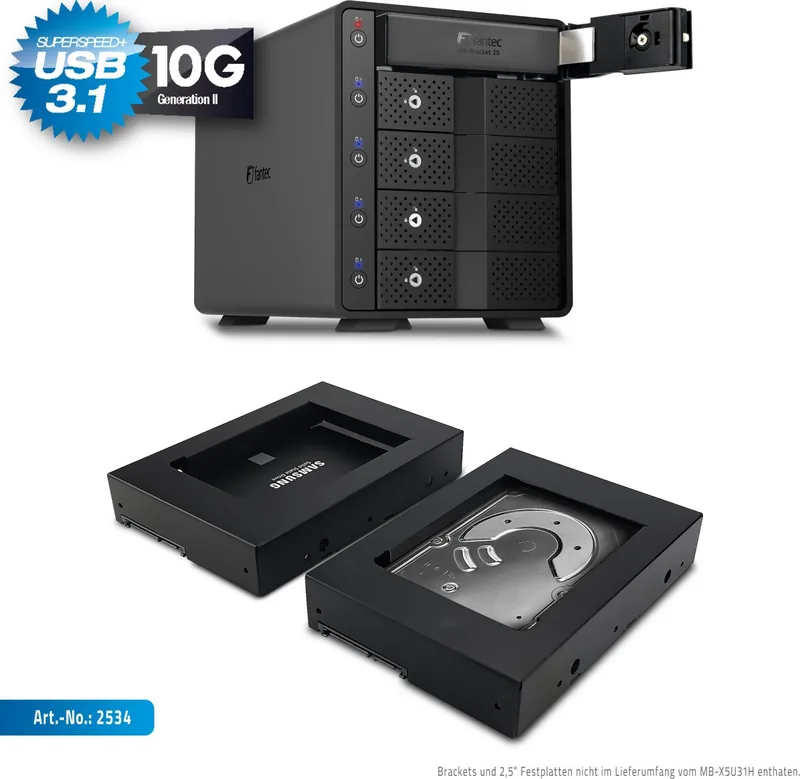
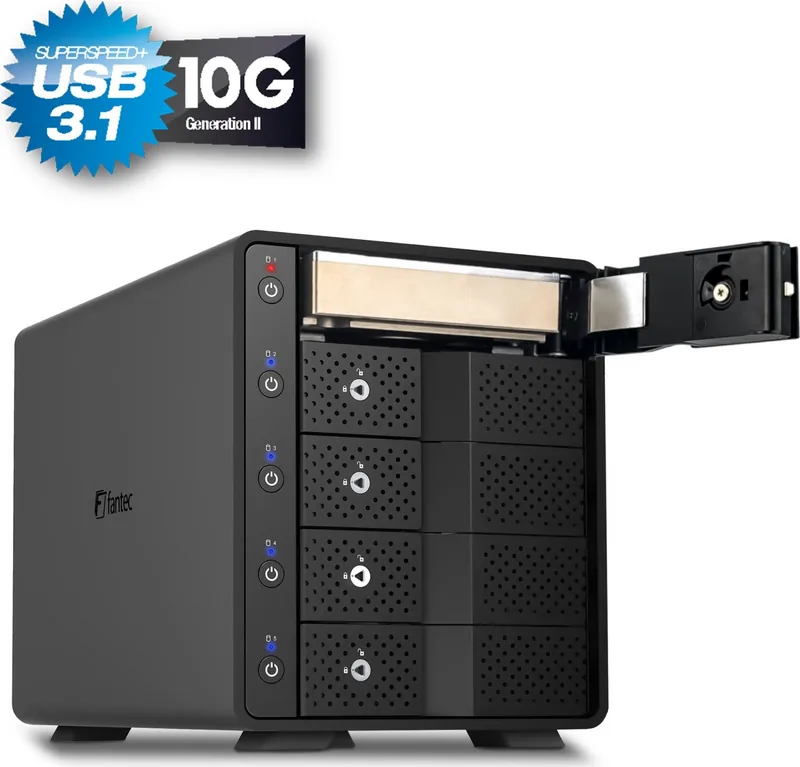
Are you searching for a reliable way to manage multiple hard drives? The Fantec MB-X5U31H offers a powerful solution for your digital archives. This advanced enclosure supports five 3.5-inch SATA HDDs in a single compact unit. It is perfect for media servers or extensive backup routines. The interface utilizes USB 3.1 Type-C Gen II technology. Maximum transfer speeds reach ten gigabits per second efficiently. This ensures fast workflows for large professional files.
Independent Control and Monitoring
Each drive slot has dedicated functionality for users. You can power on or off each disk individually. Short presses activate the drive while a long press deactivates it after three seconds. Visual feedback is provided by status LEDs per bay. Blue means active, purple shows access, red indicates standby or connection loss. This granular control prevents unnecessary power consumption and wear. The front doors also include locking mechanisms for security.
Advanced Cooling and System Support
Thermal management is critical for hard drive health. A 120mm fan regulates temperature using a built-in thermal sensor. It ramps up speed only when necessary to reduce noise. The device supports Windows seven through ten and Mac OS X ten point five and newer. Linux Kernel two point four is also compatible. You must ensure the environment stays within five to fifty-five degrees Celsius. Humidity levels should stay between twenty and eighty percent.
Installation and Safety Guidelines
Connect the power cable first then attach the USB link. You must initialize drives using your operating system software. Use GPT formats for capacities exceeding two terabytes. For smaller drives, MBR remains the preferred method. Always eject partitions before unplugging cables to avoid corruption. Keep the device away from water sources and direct heat. Clean only with a soft dry cloth to maintain cleanliness. Do not block ventilation holes during operation to ensure airflow. Regular backups preserve your data against potential unexpected failures.
Connectivity and Expansion Options
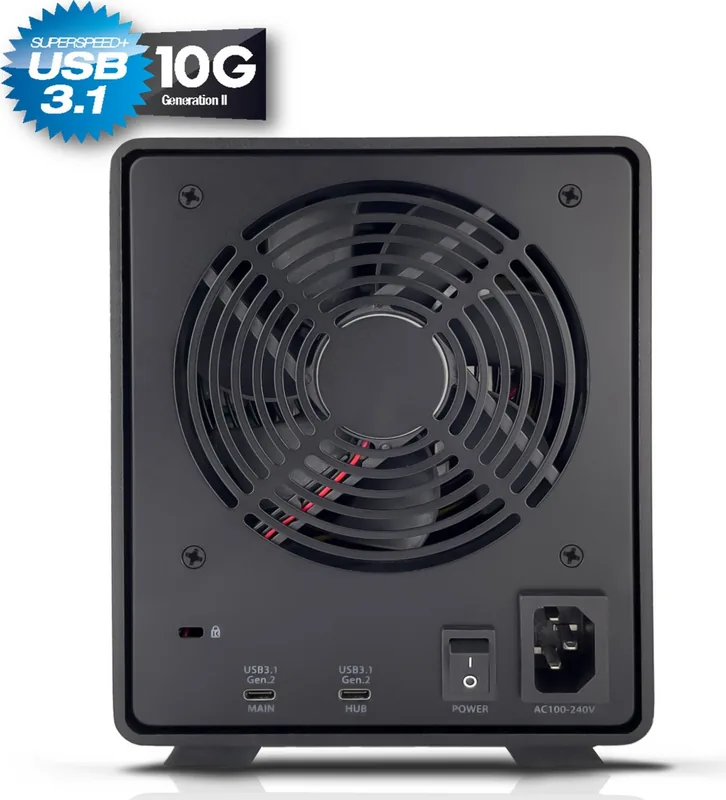
The rear panel includes a dedicated central power switch for safety. There are two USB-C Type-C connections on the back. One connects to the host computer for mass storage. The other serves as a USB hub for extra gadgets. This design reduces cable clutter significantly. However, additional cables may be required for optimal connectivity. The USB hub connector is not suitable for the main PC link directly. Ensure you use the correct ports for reliable connections. Stability depends heavily on driver compatibility with your mainboard.
Conclusion on Performance
This unit combines speed, capacity, and security features well. The hub function allows additional peripherals to connect through one port. It is a robust choice for home or small office needs. Proper handling ensures long lasting performance. You can expand your storage ecosystem effortlessly. Make sure to install correct drivers for stability. Follow all instructions for the best user experience.
Search for 67,706 Manuals online


Type-in Brand or Model