
Fantec MB-X4U31 Manual
PDF manual · 8 Pages
English



Quick check
Incorrect answer, please try again.
Chat with your Fantec MB-X4U31 manual using AI
Get instant AI answers from your Fantec MB-X4U31 manual
Ask anything about the Fantec MB-X4U31. Answers come from this manual, with the pages they are based on.
Ask a Question
Do you recommend MB-X4U31?
Yes NoFrequently Asked Questions
The Fantec MB-X4U31 supports USB 3.1 Gen II Type-C connections with transfer rates reaching up to 10 Gbps for rapid data movement.
Is this answer helpful?
Yes, the device is compatible with Mac OS versions 10.5 and higher for initialization and formatting via Disk Utility.
Is this answer helpful?
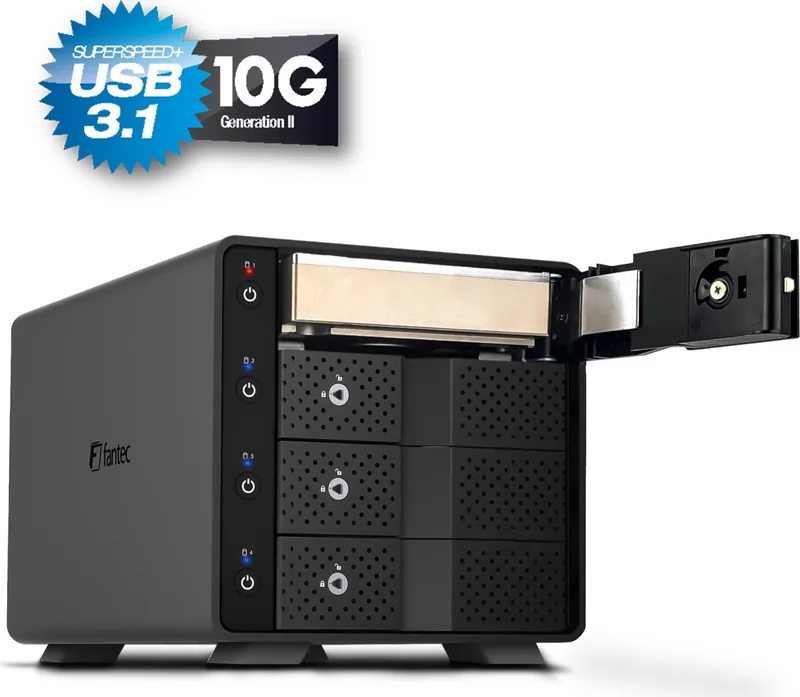
First perform a safe hardware removal in your operating system. Then press the drive button for three seconds to turn it off before opening the door.
Is this answer helpful?
The fan is controlled by an onboard thermal sensor. If temperatures rise too high, the fan adjusts speed automatically.
Is this answer helpful?
Yes, each front door for the hard drive bays includes a key lock to prevent unauthorized physical access to the drives.
Is this answer helpful?
An additional USB cable is often required as the unit does not always include one. Avoid using adapter converters for best stability.
Is this answer helpful?
Initialize the disk using Windows Disk Management or Mac Disk Utility. Create a new partition and select the appropriate file system.
Is this answer helpful?
Advantages and Disadvantages
Advantages

- Accommodates four 3.5 inch SATA hard drives with independent power controls for each bay.
- USB 3.1 Gen II Type-C interface supports fast transfer rates up to 10 Gbps.
- LED status indicators show drive activity with blue active light and purple access flashing.
- Dynamic thermal fan control manages internal heat to ensure drive longevity.
- Secure locking mechanism included for protecting sensitive data on individual bays.
Disadvantages

- Requires separate power cable for external DC supply which may not be included.
- Fan noise may be audible in quiet environments during high activity cycles.
- Large footprint requires significant desk space for proper ventilation clearance.
- USB 3 drivers must be manually installed on some systems for optimal performance.
- No internal power supply unit means reliance on external adapter at all times.
Product Specification
Form Factor
3.5 inch
Internal Connection
4x SATA 6Gb/s
External Connection
1x USB-C 3.1 (10Gb/s)
RAID Level
N/A
Fan
1x 3.62 inch
Dimensions
9.19 x 5.91 x 5.83 inch
Weight
6.39 lb
Color
Black
Features
On/Off Switch, Bracketless, Tool-less installation, Screw-free installation, Lockable, Aluminum case, incl. USB Cable (USB-A), incl. USB Cable (USB-C), Security Lock (Kensington), Individually switchable
Manufacturer Warranty
2 years
USB Labeling
Link
Product Description
Fantec MB-X4U31 High Speed Storage Guide
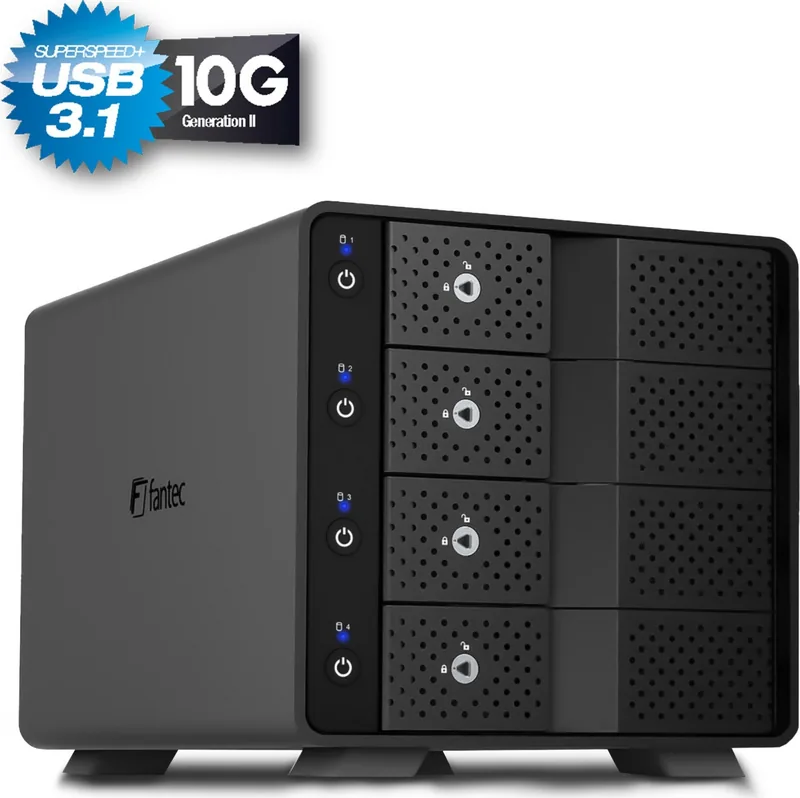
The Fantec MB-X4U31 stands out as a robust external storage solution designed for professionals needing high capacity and speed. This enclosure accommodates four 3.5 inch SATA hard drives within a single sleek chassis. Connectivity is prioritized through the USB 3.1 Type-C interface, delivering transfer rates up to 10 Gbps. This ensures seamless integration with modern computers for quick file sharing and backup tasks.
Independent Drive Management
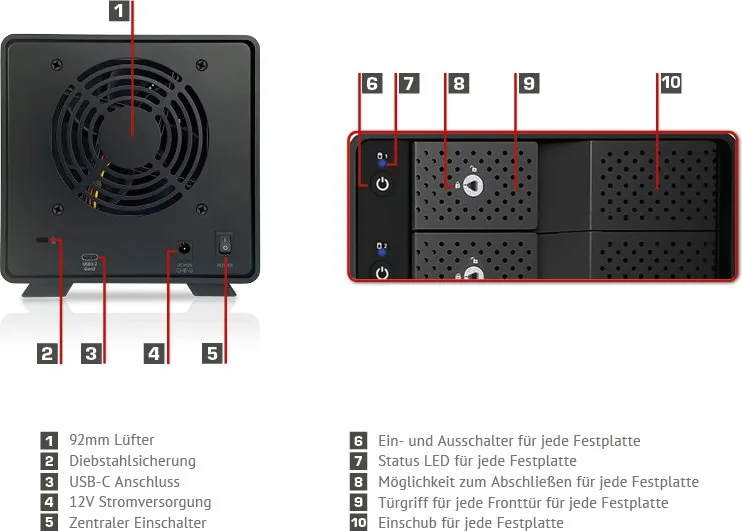
Each hard drive bay features its own dedicated power button. This allows users to toggle individual drives without powering the entire unit down. Status LEDs provide instant visual feedback regarding power and activity. A blue light indicates active status, while purple flashing signals data transfer. If the light is off, the drive is inactive or disconnected. This granular control helps maintain system stability and energy efficiency during heavy workloads.
Intelligent Cooling and Safety
Internal heat management is handled by a 92mm fan controlled by a thermal sensor. This dynamic cooling system ensures longevity for your spinning rust drives. Safety measures include lockable front doors for security and a central main switch on the rear panel. The guide highlights specific usage instructions such as avoiding water exposure and heat sources to ensure optimal performance over time. Fans automatically adjust speed to keep temperatures in check.
Setup and Compatibility
Operating system compatibility spans across Windows 7 and later, Mac OS 10.5, and Linux Kernel 2.4. Initialization requires creating a new partition via Disk Management on Windows while Mac users utilize Disk Utility. Properly formatting drives prevents issues during the data migration process. Always ensure the USB connection is secure before accessing data to prevent corruption. Remember to eject drives safely to avoid hardware malfunctions.
Users seeking a reliable Fantec MB-X4U31, 4x 3.5, USB-C 3.1 Manual experience often appreciate the balance between capacity and transfer speed. Whether for archival storage or active project work, this device supports a flexible workflow. Regular backups are recommended to protect valuable data against potential hardware failures. Additional cable is required for operation as the unit lacks an internal power supply for the USB connection in some contexts. Installing the correct USB 3 drivers is often necessary for optimal mainboard matching. Unstable connections can lead to data loss, so update software regularly. Proper ventilation is critical for the unit to handle sustained loads effectively. Do not block ventilation holes to prevent overheating issues during intensive usage cycles. The central power switch on the back controls the overall power state for the enclosure. Individual bay switches allow selective activation for specific volumes.
Note: Always check driver versions for USB 3.0 compatibility to maintain connection stability.
Search for 67,706 Manuals online


Type-in Brand or Model