
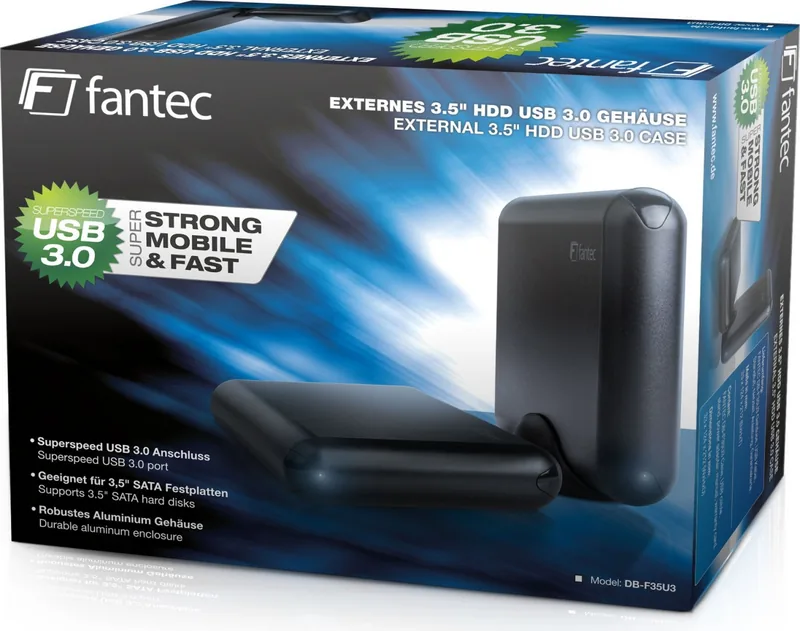
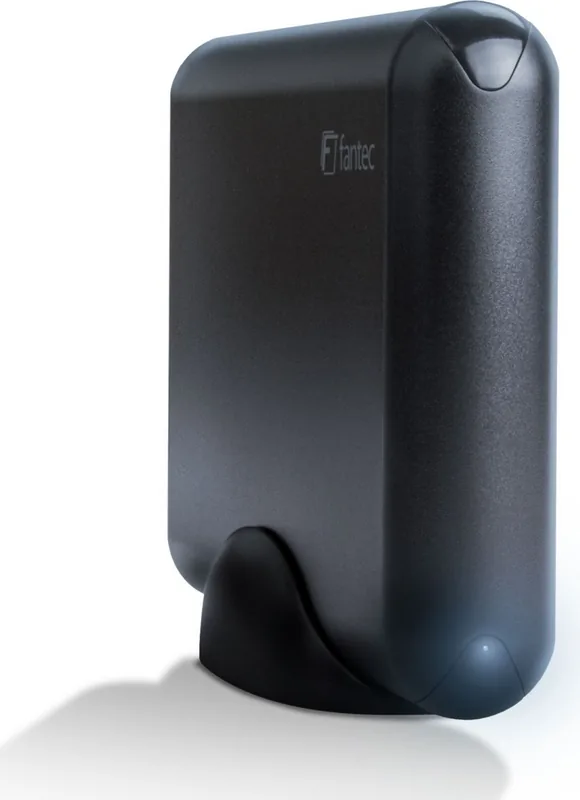
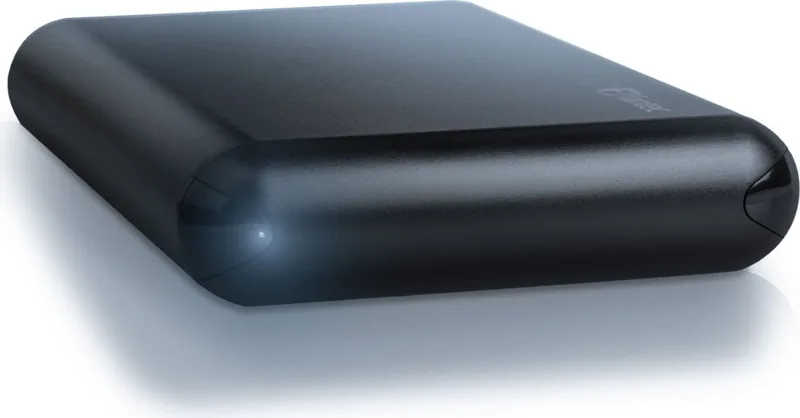
Fantec DB-F35U3 Manual
PDF manual · 1 Pages
English


Quick check
Incorrect answer, please try again.
Chat with your Fantec DB-F35U3 manual using AI
Get instant AI answers from your Fantec DB-F35U3 manual
Ask anything about the Fantec DB-F35U3. Answers come from this manual, with the pages they are based on.
Ask a Question
Do you recommend DB-F35U3?
Yes NoFrequently Asked Questions
The device supports transfer rates up to five gigabits per second, ensuring smooth operation for video editing and database backups without latency issues.
Is this answer helpful?
Yes, the device is designed to work with both Windows and Mac computers without the need for additional software drivers.
Is this answer helpful?
You must contact your local dealer for warranty claims. This ensures that the manufacturer backs its commitment to quality with proper regional support services.
Is this answer helpful?
No, you do not need additional drivers. The unit features plug and play capabilities that make it accessible for everyone regardless of technical expertise.
Is this answer helpful?
The specific product code is DB-F35U3. This ensures accurate identification when ordering replacement cables or searching for manuals online.
Is this answer helpful?
Users should ensure they use a certified cable for best results and maximum compatibility to avoid electrical issues during installation.
Is this answer helpful?
Yes, USB-C is the future standard for universal connectivity options. It offers reversible plug orientation for improved user convenience and flexibility.
Is this answer helpful?
Advantages and Disadvantages
Advantages

- High transfer speeds up to five gigabits per second
- Universal USB-C compatibility for multiple operating systems
- Plug and play functionality without driver installation
- Robust build quality designed for durability under heavy usage
- Reliable manufacturer support network via local dealers
Disadvantages

- Requires certified cables for optimal performance and stability
- Limited availability in some specific regional markets
- Requires a specific USB-C port on the host computer
- No included carrying case for portable protection
- Warranty validation handled through local dealers only
Product Specification
Form Factor
3.5"
Internal Interface
1x SATA 6Gb/s
External Interface
1x USB-C 3.0 (5Gb/s)
RAID Level
N/A
Fan
N/A
Dimensions
9.96x7.48x2.76 inches
Weight
0.75 lbs
Color
Black
Features
Aluminum Housing
Manufacturer Warranty
2 years
USB Labeling
Left
Product Description
The Fantec DB-F35U3 USB-C 3.0 Experience
Overview
The Fantec DB-F35U3 USB-C 3.0 revolutionizes data transfer for modern users who demand speed and reliability. This device connects seamlessly to your computer through a versatile USB-C port. High-speed data transmission is the core promise of this hardware solution available today. It features robust construction designed for daily reliability under heavy usage. Every user values efficiency when transferring large data from storage drives to their system. This unit ensures that efficiency is not compromised during heavy workloads involving media editing or system backups.
Performance Features
Speed is essential for professionals working in fast-paced environments. The underlying technology supports transfer rates up to five gigabits per second effectively. This ensures smooth operation when editing high-definition video or backing up critical databases. Users can expect consistent performance without encountering annoying latency issues during peak activity. The design focuses on minimizing heat generation during extended usage periods to protect internal components. Thermal management is crucial for longevity and performance stability over many years of service.
Integration and Setup
Connecting to your system is overwhelmingly straightforward without complex configurations. You do not need additional drivers for basic functionality and plug and play capabilities. This makes it accessible for everyone regardless of technical expertise level. Whether you use Windows or Mac, compatibility is key to a hassle-free experience. The Fantec DB-F35U3 USB-C 3.0 Manual provides insights into optimal setup procedures for specific needs. Refer to standard guides for pinout configurations to avoid electrical issues during installation.
Real World Application
Professionals rely on this gear for field work and studio environments alike. Photographers transfer large RAW images quickly to their laptops during on-location shoots. Video editors benefit from the sustained transfer speeds when exporting final renders. It supports various storage form factors commonly found in the modern computing market. Durability is a hallmark of this series of products built for tough conditions.
Conclusion
Investing in quality hardware means less downtime for your workflow and better results. The Fantec DB-F35U3 USB-C 3.0 stands out in a crowded market of similar devices. It delivers on its promises of speed and reliability consistently across different systems. Users should ensure they use a certified cable for best results and maximum compatibility. This device remains a top choice for connectivity needs requiring robust performance. Experience the difference with every connection made using this equipment.
Support and Reliability
Warranty processing requires contacting your local dealer for assistance. This ensures that support is handled through certified channels effectively. The manufacturer backs its commitment to quality with regional support services.
Connectivity Standards
USB-C is the future standard for universal connectivity options. It offers reversible plug orientation for improved user convenience and flexibility. The DB-F35U3 adheres to these global standards for widespread adoption.
Search for 67,706 Manuals online


Type-in Brand or Model
joanne76
6 months ago
Does this enclosure support 12TB drives and reduce vibration effectively?
Manual.ly
6 months ago
Yes, this enclosure supports standard 3.5-inch hard drives, including high capacities like 12TB. It features rubber feet designed to absorb vibrations and minimize noise during operation. Users generally report stable performance and easy installation. Just ensure adequate power supply for your specific drive model when connected.