
Fantec ALU-25B31 Manual
PDF manual · 2 Pages
English



Quick check
Incorrect answer, please try again.
Chat with your Fantec ALU-25B31 manual using AI
Get instant AI answers from your Fantec ALU-25B31 manual
Ask anything about the Fantec ALU-25B31. Answers come from this manual, with the pages they are based on.
Ask a Question
Do you recommend ALU-25B31?
Yes NoFrequently Asked Questions
The ALU-25B31 supports standard 2.5-inch SATA HDDs and SSDs. It is not intended for 3.5-inch desktop drives.
Is this answer helpful?
After physically installing the drive, you must format and partition it using Windows Disk Management. Once initialized and partitioned, it appears as a new volume and functions as plug-and-play.
Is this answer helpful?
The enclosure uses a USB 3.1/3.0 Micro-B interface and is backward compatible with USB 2.0 and 1.1. For best performance, use a USB 3.x port on your computer.
Is this answer helpful?
Yes. 2.5-inch drives draw power over the USB connection and the enclosure supplies it; no external power adapter is typically required for standard 2.5" HDDs and SSDs.
Is this answer helpful?
Slide out the inner plastic frame from the rear, push the drive onto the SATA board, secure it with side screws, reinsert the frame into the aluminum housing, and fasten the bottom screws per the manual instructions.
Is this answer helpful?
Yes. The simple assembly process and compact design make it convenient for occasional swapping, though care is needed to avoid losing small screws and covers.
Is this answer helpful?
For warranty or RMA, contact FANTEC GmbH’s RMA/Service department at the address and contact details provided in the manual or on the official Fantec website.
Is this answer helpful?
Advantages and Disadvantages
Advantages

- Aluminum chassis enhances heat dissipation and offers a premium, durable build.
- Compact 2.5" design makes it highly portable and ideal for travel or backups.
- USB 3.1/3.0 Micro-B connection provides fast transfers and backward compatibility.
- Simple tool-free-ish installation with clear step-by-step instructions in the manual.
- Includes USB cable and manual, so it’s ready to use out of the box after formatting.
Disadvantages

- Requires manual formatting and partitioning before first use, which may confuse beginners.
- Micro-B connector can be less robust than newer USB-C interfaces.
- No built-in power supply may limit use with some high-power drives (rare for 2.5").
- Lacks advanced features like hardware encryption or RAID support.
- Screws and small parts may be easy to misplace during assembly.
Product Specification
Form factor
2.5"
Internal connector
1x SATA 6Gb/s
External connector
1x USB 3.1 Micro-B (10Gb/s)
RAID Level
N/A
Fan
N/A
Dimensions
4.53x3.11x0.37in
Weight
0.13 lb
Color
black
Special features
Aluminum housing
Manufacturer's warranty
two years
USB notation
Link
Product Description
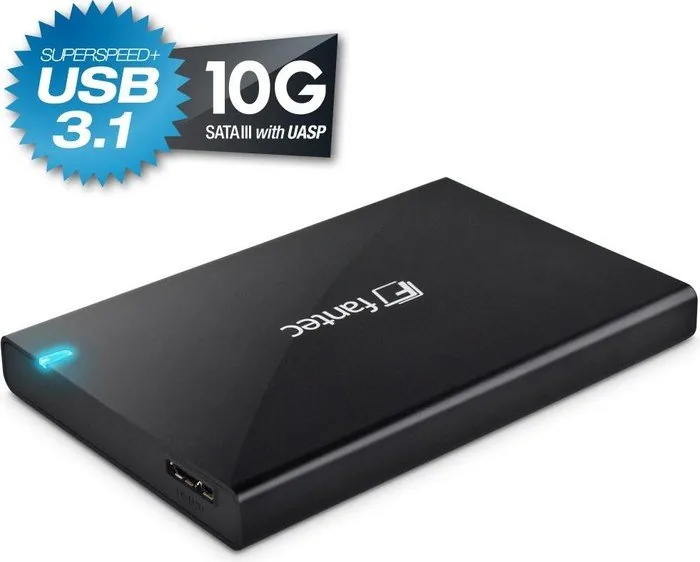
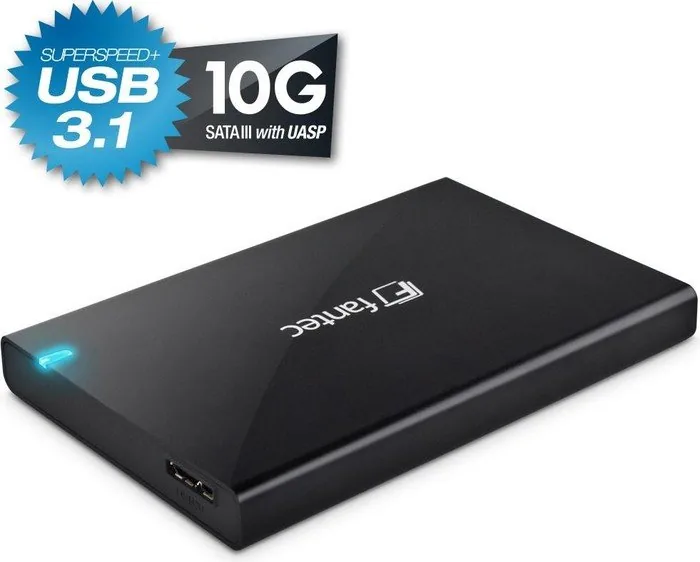
Fantec ALU-25B31 black, USB 3.1 Micro-B Manual
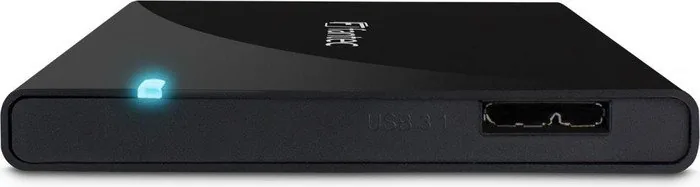
The Fantec ALU-25B31 black is a compact 2.5" aluminum external drive enclosure designed for users who want a durable, portable solution for installing a SATA HDD or SSD. Built with a brushed aluminum shell, the enclosure provides both heat dissipation and a sleek aesthetic. It supports USB 3.0/3.1 connectivity via a Micro-B port, offering fast data transfer rates while maintaining backward compatibility with USB 2.0 and 1.1.
Easy installation and setup
Installing a drive into the ALU-25B31 is straightforward: slide out the inner plastic frame from the rear, insert the 2.5" SATA drive until it connects to the internal board, secure the drive with the side screws, then reinsert the inner frame into the aluminum housing and fasten the bottom screws. A small sticker covers the screws for a clean finish. The package typically includes the Fantec ALU-25B31 enclosure, a USB 3.0 cable, and a user manual with step-by-step assembly guidance.
Formatting and compatibility
New drives must be formatted before first use. The manual guides users through Windows Disk Management: open Computer Management, select Disk Management, initialize and partition the new drive using the New Partition Wizard, then the drive appears as a new volume in My Computer. Thanks to USB 3.x support and downward compatibility, the enclosure works with modern and older systems alike, though performance will match the connected interface.
Build quality and portability
The aluminum chassis offers better thermal performance than plastic alternatives and adds a premium feel. The compact 2.5" form factor makes it ideal for travel, backup, and quick drive swaps. The black finish blends with most laptops and peripherals while providing a sturdy outer shell to protect the internal drive.
Practical uses
Whether you need extra storage for backups, a portable media library, or a way to repurpose an old 2.5" drive, the ALU-25B31 delivers a simple, tool-light solution. Its plug-and-play nature after formatting makes it suitable for tech enthusiasts and casual users alike.
Notes
- Package contents generally include the Fantec ALU-25B31 enclosure, USB 3.0 cable (Micro-B), and installation manual.
- Ensure proper formatting and partitioning in your OS before storing data.
- Maintain compatibility by using a USB 3.0/3.1 port for full performance.
- For warranty or RMA, contact FANTEC GmbH service as listed in the manual.
Search for 67,706 Manuals online


Type-in Brand or Model
DoloremqueAlias44
9 months ago
Why does the data transfer speed keep changing or dropping (sometimes only around 150 Mbps, sometimes 380 Mbps, and occasionally it seems not to transfer) on both my desktop and laptop?
Manual.ly
9 months ago
Inconsistent speeds are usually caused by the connection and interface link rather than the product itself. Please try: 1) Make sure the cable is fully seated and not loose at both ends. 2) Use the correct port: for USB 3.0/USB 3.1 Gen 1+ data transfer, connect to a blue USB 3.x port or the labeled high-speed port. 3) Test with a different device and a different cable to isolate whether the cable/port is the limiting factor. 4) Update your system USB drivers/chipset drivers. 5) If speeds still fluctuate, the cable may be faulty; contact support for replacement or inspection.