
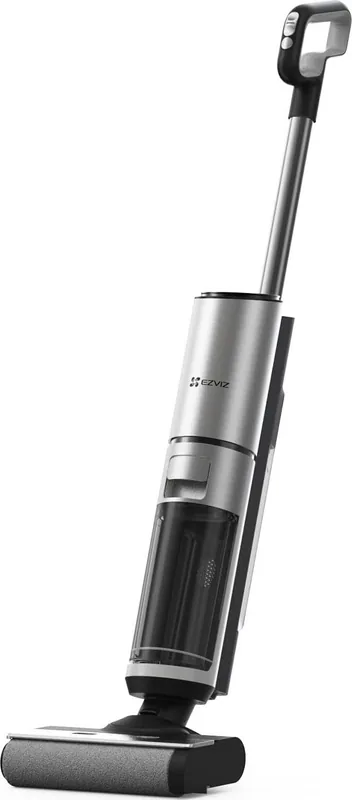
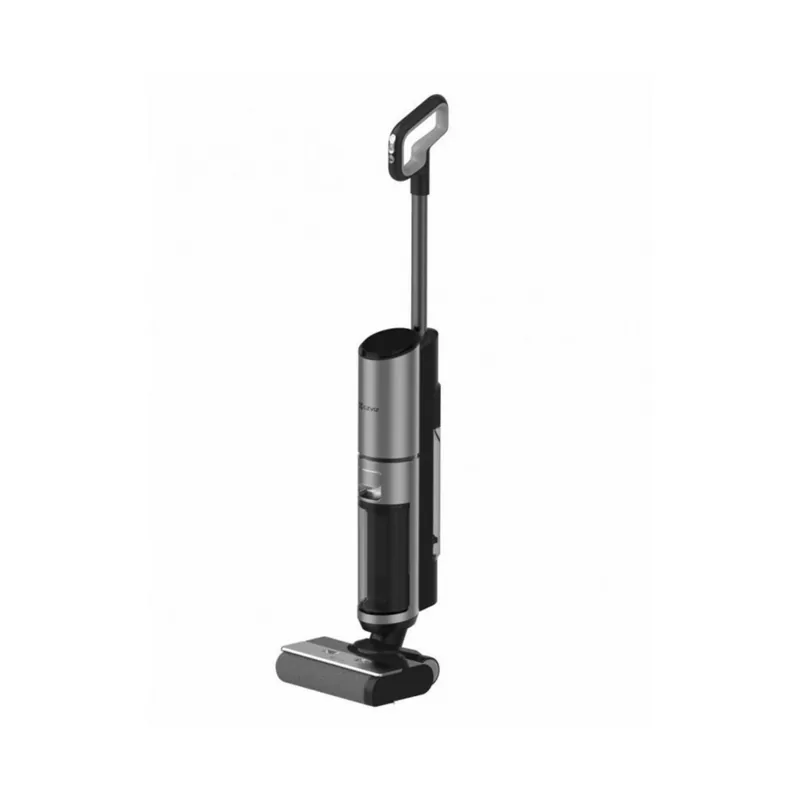
Ezviz RH2 Manual
PDF manual · 20 Pages
English



Quick check
Incorrect answer, please try again.
Chat with your Ezviz RH2 manual using AI
Get instant AI answers from your Ezviz RH2 manual
Ask anything about the Ezviz RH2. Answers come from this manual, with the pages they are based on.
RH2 Maintenance Schedule
Remove hair or debris from the rolling brush with the cleaning brush and rinse with water. Clean the cover with the brush.
Replace the HEPA filter with a new one once every 2 to 3 months to ensure optimal performance.
If the device is not used for a long time, charge it for 3 hours every 3 months to maintain battery health.
Regularly check the suction nozzle for obstructions and clear any blockage to prevent weakened suction.
Free maintenance reminders
Timed to your purchase date. Always free, unsubscribe anytime.
Ask a Question
Do you recommend RH2?
Yes NoDo you recommend RH2?
Yes NoFrequently Asked Questions
The Ezviz RH2 uses a 21.6V, 4000mAh lithium-ion battery. A full charge takes approximately 5 ± 0.5 hours using the supplied charging base (CS-RH2-MGA2-D). For storage, partial charges every three months are recommended if unused.
Is this answer helpful?
No. Do not vacuum flammable liquids (gasoline, kerosene, alcohol), detergents intended for immersion, printer toner, or very fine powders like cement or sawdust. These materials can cause fire, explosion, clogging, or motor damage.
Is this answer helpful?
Empty and rinse the dirty water bucket after each use, clean and dry the HEPA filter thoroughly before reinstalling, remove and rinse the rolling brush and cover regularly, and clear the dirt-detection channel. Use the self-cleaning cycle and allow the brush hot-air dry cycle to finish.
Is this answer helpful?
The display provides voice/text alerts: dirty water full means empty the tank; clean water shortage means refill the clean tank; rolling brush error indicates tangled debris—remove and clean the brush; low battery shows ‘Lo’—recharge the device.
Is this answer helpful?
Children under 8 should not use the appliance unsupervised. Persons with reduced physical or sensory capabilities should only use it under supervision or instruction to ensure safe operation. Keep charging equipment and cleaning solutions out of children’s reach.
Is this answer helpful?
Check for blockages in the suction nozzle, buoy carrier, and tubes; clean the rolling brush and HEPA filter and ensure the dirty water bucket is not full. If overheating, electric leakage, or unusual smells occur, stop using and contact professional service.
Is this answer helpful?
No. Use only the supplied charging base CS-RH2-MGA2-D. The battery is non-user-removable; do not attempt to replace it yourself. Contact authorized service for battery issues or replacement.
Is this answer helpful?
Advantages and Disadvantages
Advantages

- Cordless design with a 4000mAh battery for convenient, portable cleaning.
- Wet-and-dry capability with separate 850mL clean and 750mL dirty water tanks.
- Self-cleaning plus rolling-brush hot-air dry and ozone antibacterial function for hygiene.
- Intelligent mode with color-coded dirt detection for adaptive suction and efficiency.
- Comprehensive accessories (HEPA, rolling brush, cleaning tools) for easy maintenance.
Disadvantages

- Requires specific charging base (CS-RH2-MGA2-D); third-party chargers may damage battery.
- Not suitable for highly flammable liquids, toner, very fine powders, or sharp debris.
- Battery is non-user-removable; battery service requires professional handling.
- HEPA must be fully dried before reuse to avoid performance loss; replacement recommended every 2–3 months.
- Tilt angle must be limited (~140°) during use to prevent water entering the motor.
Product Specification
Type
Stick vacuum cleaner
Operating mode
Battery operation (21.6V, 4.0Ah, Li-Ion)
Suction power
Airflow 26.49 cfm
Capacity
1.69 qt (0.90 qt fresh water, 0.79 qt dirty water)
Filtration
HEPA filter
Features
Parking system, Swivel casters, Carrying handle, Brushless motor, Mopping function, Automatic cleaning function, Automatic drying function
Smart Home
no
Noise level
80dB
Operating time
40min
Charging time
5h
Dimensions
10.63x45.67x10.12in (WxHxD)
Weight
9.92lb
Scope of delivery
Charging station, Cleaning agent, Aroma card, Cleaning brush, Cleaning brush stand, HEPA stand, Replaceable roller brush, Replaceable HEPA filter, Screwdriver
Product Description
Ezviz RH2 Cordless Wet-Dry Vacuum — Powerful, Portable Cleaning
The Ezviz RH2 Cordless Wet-Dry Vacuum combines cordless convenience with wet-and-dry cleaning capability, designed for homes with hard floors and mixed dirt types. Lightweight and upright, it features a 21.6V, 4000mAh lithium-ion battery that delivers practical runtime and recharges fully in about 5 hours. A dedicated charging base (model CS-RH2-MGA2-D) supports safe charging and an automated self-cleaning sequence after use.
This vacuum is built for everyday household maintenance: it suctions dirt, liquids (within safe limits), and handles moderate spills on surfaces like hardwood, tile, laminate, marble and stone. The unit includes an 850 mL clean water tank and a 750 mL dirty water tank, a HEPA filter, a rolling brush with removable cover, and a fragrance card slot for optional scenting. The display and mode button let you switch between Intelligent, Standard, Power and Suction modes; Intelligent mode dynamically adjusts suction and indicates floor dirt level via color-coded icons.
Maintenance and hygiene are core strengths: a self-cleaning cycle rinses the brush and internal channels, followed by an automatic rolling-brush hot-air dry and ozone antibacterial stage to reduce odors and microbial load. The HEPA is washable and should be thoroughly dried before reuse; routine cleaning of the buoy carrier, dirty water bucket, and sensors keeps suction strong and prevents motor strain. The rolling brush and cover are user-removable for debris and hair removal.
Built-in safety guidance covers battery and charger use, avoiding flammable or hazardous liquids, and preventing blockages. The charging base is matched to the product and the manual strongly advises using the supplied charger only. The device includes overload and fault prompts (e.g., dirty water full, low water, brush error) and voice/display alerts to guide users.
Compact but feature-rich, the Ezviz RH2 is suited to households seeking an all-in-one upright that cleans both wet and dry messes, simplifies upkeep with self-cleaning and drying, and offers a clear user interface for troubleshooting and maintenance.
Notes
- Use only recommended charging base CS-RH2-MGA2-D to avoid battery damage.
- Do not vacuum flammable liquids, toner, burning objects, or very fine powders.
- Dry HEPA filter completely before reinstalling; replace HEPA every 2–3 months for optimal performance.
- Observe tilt restrictions (do not exceed ~140°) to prevent water ingress into the motor.
Search for 67,732 Manuals online


Type-in Brand or Model