
Ezviz Mini 360 Plus C6T Manual
PDF manual · 76 Pages
English



Quick check
Incorrect answer, please try again.
Chat with your Ezviz Mini 360 Plus C6T manual using AI
Get instant AI answers from your Ezviz Mini 360 Plus C6T manual
Ask anything about the Ezviz Mini 360 Plus C6T. Answers come from this manual, with the pages they are based on.
Ask a Question
Do you recommend Mini 360 Plus C6T?
Yes NoFrequently Asked Questions
It is an indoor smart camera for home or small office monitoring. It helps users watch rooms remotely, adjust the viewing angle, and store footage locally or through the EZVIZ app.
Is this answer helpful?
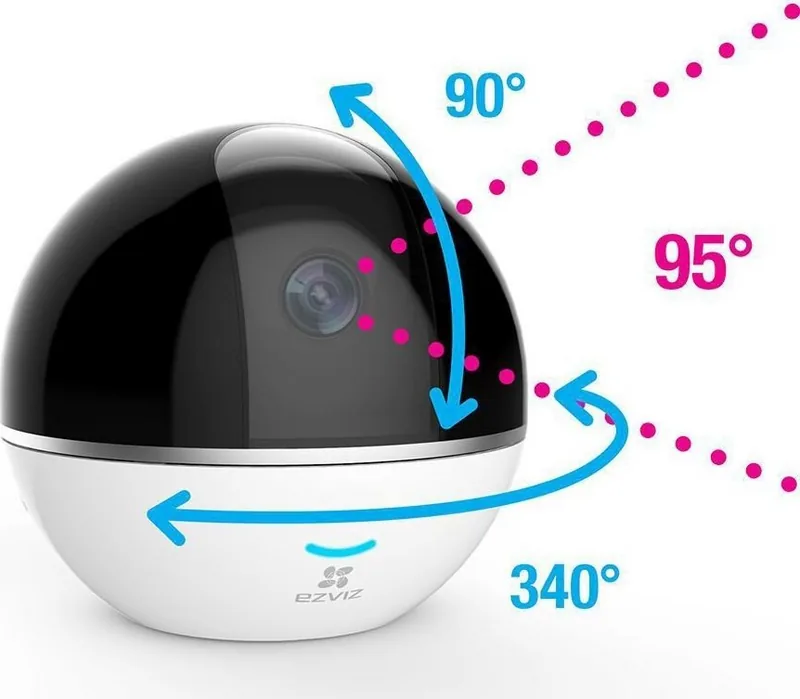
Yes. The camera supports wide horizontal panning and vertical tilt adjustment, making it easier to track activity and cover a larger indoor area from one installation point.
Is this answer helpful?
Install the EZVIZ app, create an account, connect to a 2.4 GHz Wi-Fi network, scan the camera QR code, enter the Wi-Fi password, and finish the setup in the app.
Is this answer helpful?
The default password is based on the verification code printed on the camera. Changing it improves security and helps protect live video and recorded content from unauthorized access.
Is this answer helpful?
Yes. The manual mentions optional microSD card support, which allows local storage for recordings if you prefer not to rely only on app-based viewing.
Is this answer helpful?
Yes. It can be mounted on either a wall or ceiling using the supplied template, screws, and base. The surface should be clean, flat, and strong enough to hold the device securely.
Is this answer helpful?
Advantages and Disadvantages
Advantages

- Wide pan-and-tilt range helps cover more of a room with fewer blind spots.
- EZVIZ app setup is straightforward and includes QR code pairing.
- Supports password change and image encryption for better privacy control.
- Optional microSD storage and wall/ceiling mounting increase flexibility.
Disadvantages

- Setup requires a 2.4 GHz Wi-Fi network, not 5 GHz.
- The default password must be changed manually after installation.
- Some users may need to reset the device if Wi-Fi pairing fails.
- Best suited for indoor use and fixed home-style monitoring tasks.
Product Specification
Type
PTZ
Image Sensor
1/3" CMOS 2.0 MP
Resolution
1920x1080 Pixels (15fps)
Lens
0.16 in (F2.2)
Light Sensitivity
0.02 Lux (Color), 0 Lux (IR)
Viewing Angle
72° (horizontal), 95° (diagonal)
Pan
0° to 340° (motorized)
Tilt
-10° to 80° (motorized)
Compression/Codecs
H.264
Connections
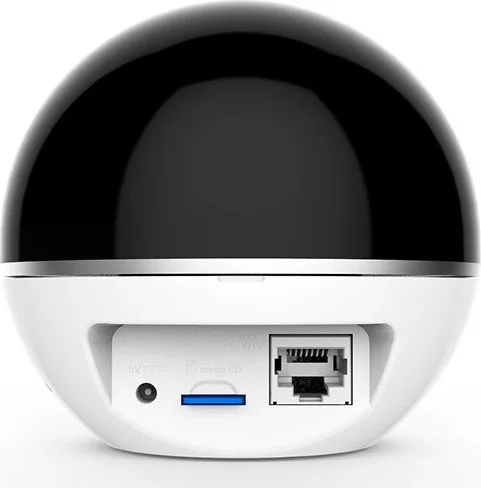
1x RJ-45 100Mb LAN
Wireless
Wi-Fi 4 (WLAN 802.11b/g/n)
Data Storage
1x microSD-Slot (max. 128GB)
Microphone
integrated
Speaker
integrated
Illumination
IR illumination (32.81 ft)
Protection Class
N/A
Housing
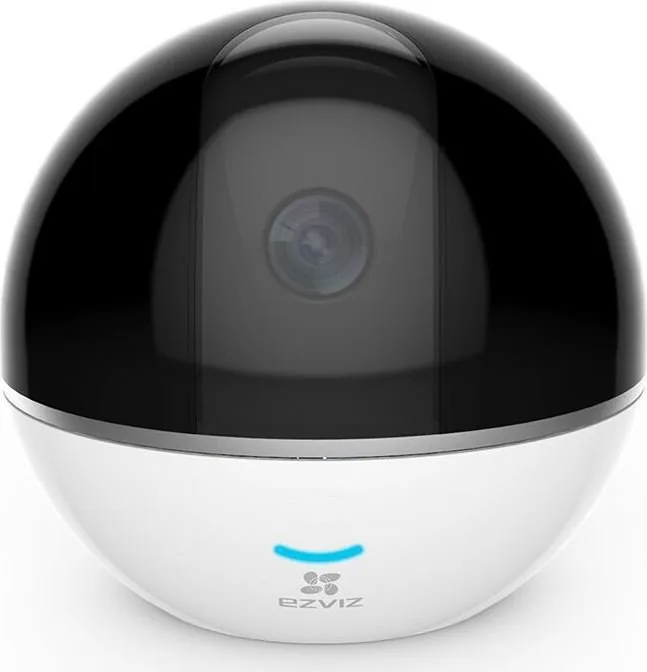
white
Control & Operation
Mobile app (Android, iOS)
Zone & Analysis Functions
Motion detection, Privacy zones, IR filter
Product Description
Ezviz Mini 360 Plus C6T (C6TC) White: Compact Smart Monitoring for Everyday Peace of Mind
The Ezviz Mini 360 Plus C6T (C6TC) white is a practical indoor security camera designed for people who want simple setup, flexible viewing, and reliable remote monitoring. Its clean white finish helps it blend into home interiors, while the motorized design gives it a wide field of view that can cover a room with minimal blind spots.
Easy setup with app control
One of the strongest points of this model is how quickly it can be brought online. The camera connects through the EZVIZ app, which guides you through account creation, QR code scanning, Wi-Fi pairing, and device configuration. The manual emphasizes using a 2.4 GHz network, which is important for a smooth first-time setup. Once connected, the camera can be adjusted directly from the app to find the best viewing angle.
Flexible motion and smart viewing
The C6T is built for movement. It offers wide horizontal panning and vertical tilt control, allowing it to follow activity across a room rather than staying fixed in one direction. This makes it useful for living rooms, entry areas, nurseries, or small offices. The camera can also return to a previous Wi-Fi network automatically after reboot, which adds convenience for everyday use.
Security-focused features
The setup process includes an important step: changing the default password. The verification code printed on the camera acts as the initial password, and users are encouraged to replace it with a stronger one for better protection. Image encryption is also supported, adding another layer of privacy when viewing live video or playback. For storage, a microSD card can be installed, giving users a local recording option.
Mounting and installation notes
The camera is not limited to a tabletop position. It can be mounted on a wall or ceiling using the included template, screws, and base. The manual notes that the installation surface should be clean, flat, and strong enough to support the device securely. This makes the C6T suitable for more permanent placement when a broader room overview is needed.
What stands out
The LED status light is another helpful detail, giving quick visual feedback during startup and setup. Blue, red, and alternating signals indicate network status, activation, setup readiness, or possible errors. Combined with the app-based controls, this helps make the camera approachable even for users who are not deeply technical.
Notes
- Use a 2.4 GHz Wi-Fi network for setup.
- Change the default password after adding the camera.
- Optional microSD storage adds local recording flexibility.
- Wall or ceiling mounting may improve coverage.
In short, the Ezviz Mini 360 Plus C6T (C6TC) white is a well-rounded indoor camera that balances easy installation, broad coverage, and essential privacy controls. For users looking for a compact smart camera with app guidance and adjustable viewing angles, it is a dependable everyday option.
Search for 67,732 Manuals online


Type-in Brand or Model