
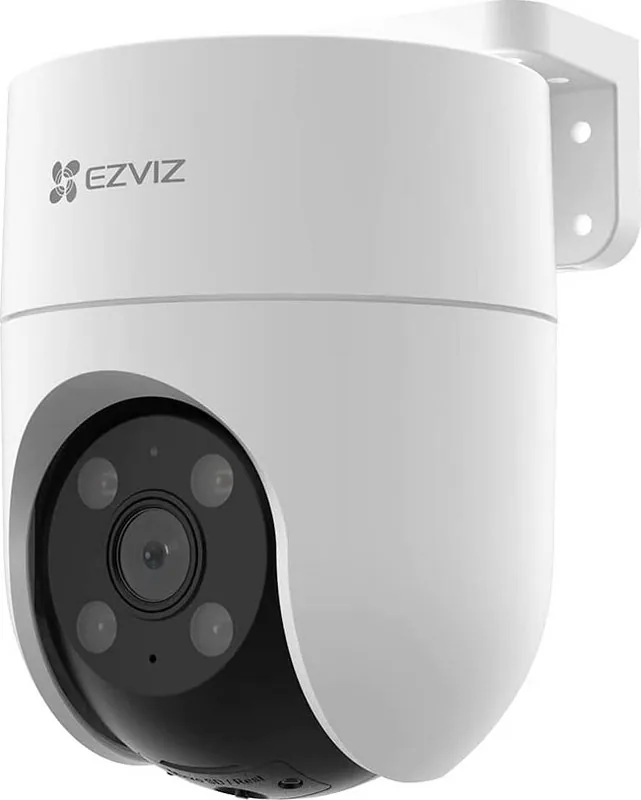
Ezviz H8c Manual
PDF manual · 16 Pages
English



Quick check
Incorrect answer, please try again.
Chat with your Ezviz H8c manual using AI
Get instant AI answers from your Ezviz H8c manual
Ask anything about the Ezviz H8c. Answers come from this manual, with the pages they are based on.
Ask a Question
Do you recommend H8c?
Yes NoFrequently Asked Questions
No, local recording continues if powered but cloud recording stops temporarily.
Is this answer helpful?
Adjust sensitivity; animals or vehicles may trigger motion detection sensors.
Is this answer helpful?
Insert card and initialize it directly within the EZVIZ app settings menu.
Is this answer helpful?
Check app notifications and ensure background permissions are enabled on your device.
Is this answer helpful?
Check network connection and refresh the page to resolve streaming lag.
Is this answer helpful?
Yes, authorize the service within the Google Home app to link devices.
Is this answer helpful?
Yes, using the optional waterproof kit for outdoor use ensures protection.
Is this answer helpful?
Advantages and Disadvantages
Advantages

- Easy installation with wall or ceiling mounting options
- Integration with Alexa and Google Assistant for voice control
- Supports 512GB Micro SD card for local storage
- Color night vision for improved low light visibility
- Two-way audio enables real-time communication with visitors
Disadvantages

- Requires 2.4GHz Wi-Fi network for wireless setup
- Micro SD card sold separately for local recording
- Ethernet cable not included in the standard package
- Initial setup requires account registration on the app
- Direct sunlight can affect lens clarity and image quality
Product Specification
Type
PTZ
Image Sensor
1/2.7" CMOS
Resolution
1920x1080 Pixels (30 fps)
Lens
4.0-6.0mm (F2.0)
Light Sensitivity
0.5 Lux (Color), 0 Lux (IR)
Field of View
52-89° (horizontal), 28-46° (vertical), 60-104° (diagonal)
Pan
350°
Tilt
80°
Zoom Function
8x digital
Compression/Codecs
H.264, H.265
Ports
1x RJ-45 100Mb LAN
Wireless
Wi-Fi 4 (WLAN 802.11b/g/n)
Storage
1x microSD Slot (max. 512GB), Cloud connection (optional)
Microphone
Integrated
Speaker
Integrated
Illumination
IR Illumination (98.43 ft)
Ingress Protection
IP67
Housing
Suitable for outdoor use
System Control & Operation
Mobile App (Android, iOS)
Zone & Analysis Functions
Motion Detection, Person Detection, IR Filter
Special Features
Integrated Siren
Product Description
Secure Your Home With The Ezviz H8c Camera
Protecting your property requires reliable surveillance technology. The Ezviz H8c offers a robust solution for modern security needs. This device supports both wired and wireless connections to ensure stability in various environments. Setting up the system involves downloading the Ezviz application and linking the hardware to your local network. Adhering to best practices outlined in the Ezviz H8c Manual ensures safety during mounting and power connection. Users should check for clear fields of view and strong wireless signals before installation begins.
Installation is versatile allowing wall, ceiling, or pole mounting configurations. A waterproof kit is available for outdoor environments to resist harsh weather conditions. Local storage is supported via Micro SD cards up to 512GB if purchased separately. Cloud storage options are also available through the service platform for remote access. Night vision capabilities include color modes for low light scenes and standard black and white infrared modes. Smart motion detection reduces false alarms by distinguishing between humans and other moving objects effectively.
Home automation enthusiasts will appreciate the integration with Amazon Alexa and Google Assistant platforms. Users can view live feeds using simple voice commands through compatible devices. Two-way audio allows communication with visitors directly through the application interface. Audio settings can be toggled to mute or enable intercom features easily. Intelligent alerts send notifications to mobile devices when events occur unexpectedly.
Network configuration is straightforward for most users. The device operates on a 2.4 GHz Wi-Fi band or can be hardwired via Ethernet cable. If connection issues arise, resetting the unit restores factory settings for fresh configuration. Privacy is prioritized with encryption options for stored footage to prevent unauthorized access. Legal compliance regarding surveillance laws varies by location, so users should check local regulations.
The Ezviz H8c continues to receive firmware updates to improve performance over time. Checking the application regularly ensures the latest security patches are installed automatically. Protocol standards established in the Ezviz H8c Manual context ensure safety recommendations are followed correctly. Installation steps should follow clear instructions to avoid physical damage to the lens or brackets. Proper placement avoids direct sunlight to maintain lens clarity and video quality.
The app interface displays various icons for live view, snapshots, and recording controls. Swiping reveals additional features like PTZ rotation and floodlight activation capabilities. Users can customize video definitions from Standard to Full HD depending on bandwidth. Multi-screen live views allow monitoring of multiple devices simultaneously for comprehensive coverage. LED indicators communicate status clearly. Solid blue means operation while red indicates errors. Reset button is located on the back for reconfiguration if needed.
Search for 67,732 Manuals online


Type-in Brand or Model