
Ezviz H3 Manual
PDF manual · 15 Pages
English



Quick check
Incorrect answer, please try again.
Chat with your Ezviz H3 manual using AI
Get instant AI answers from your Ezviz H3 manual
Ask anything about the Ezviz H3. Answers come from this manual, with the pages they are based on.
Ask a Question
Do you recommend H3?
Yes NoFrequently Asked Questions
If the camera is powered on but disconnected from the Internet, local recording will continue but cloud recording will stop. If the camera is powered off, both video recordings will stop.
Is this answer helpful?
This usually happens due to high detection sensitivity. Configure a lower value for the detection sensitivity to reduce triggers. Please also notice that vehicles and animals are common alarm triggering sources.
Is this answer helpful?
First ensure the card is inserted and the camera is added to your account. Open the app and enter Device Details. If the Initialize Storage Card button appears, initialize it first. Motion detection recording is enabled by default.
Is this answer helpful?
Make sure that your network is well connected. Watching live videos needs good bandwidth. You can refresh the video, or change a network and try again.
Is this answer helpful?
Press and hold the reset button for about 4 seconds until the LED indicator changes. This restarts the camera and restores all parameters to default settings.
Is this answer helpful?
Your device might have been disconnected from the network. Restart the smart device and re-discover on Alexa. Check if your router is connected to the Internet and try again.
Is this answer helpful?
Yes, you can activate your device and watch live by speaking Google Assistant commands. Ensure Audio is turned on in Device Settings and your TV has functional Chromecast.
Is this answer helpful?
Advantages and Disadvantages
Advantages

- Supports 2.5K ultra HD video resolution for clear details
- Flexible connectivity with both wired Ethernet and 2.4 GHz Wi-Fi options
- Optional Micro SD card slot for local storage backup
- Compatible with Amazon Alexa and Google Assistant for voice control
- Smart Night Vision switches to color when motion is detected
Disadvantages

- Wireless connection limited to 2.4 GHz Wi-Fi networks only
- Image encryption must be disabled for voice assistant linkage
- Requires sufficient wall strength to support camera weight
- No battery option available, requires constant power supply
- False alarms may occur if motion sensitivity is not adjusted correctly
Product Specification
Type
PTZ
Image Sensor
1/2.7" CMOS
Resolution
2304 x 1296 Pixels (30fps)
Light Sensitivity
0 Lux (IR)
Pan
0 to 360 deg (manual)
Tilt
0 to 90 deg (manual)
Zoom Function
8x Digital
Compression/Codecs
H.264, H.265
Ports
1x RJ-45 100Mb LAN
Wireless
Wi-Fi 4 (WLAN 802.11b/g/n)
Storage
1x microSD Slot (max. 512GB)
Microphone
Integrated
Speaker
Integrated
Lighting
IR Lighting (98.4 ft)
Protection Rating
IP67
Housing
Suitable for outdoor use
System Control & Operation
Mobile App (Android, iOS), Voice Assistant (Amazon Alexa, Google Assistant)
System Compatibility
IFTTT
Zone & Analysis Functions
Motion Detection, Person Detection, Vehicle Detection, IR Filter
Product Description
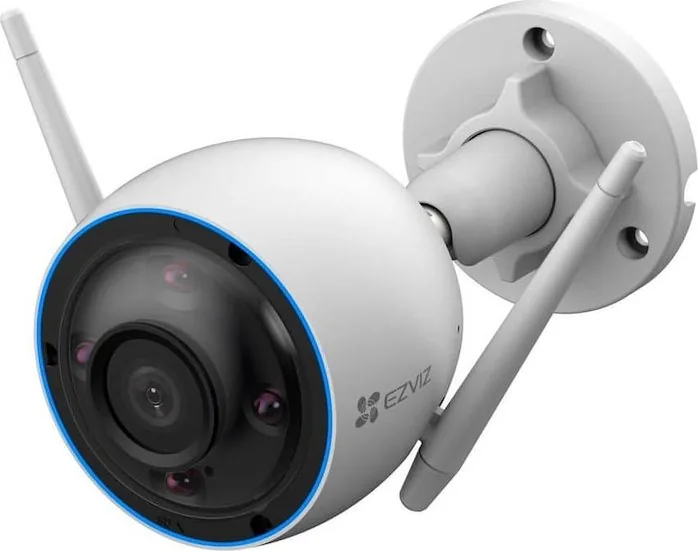
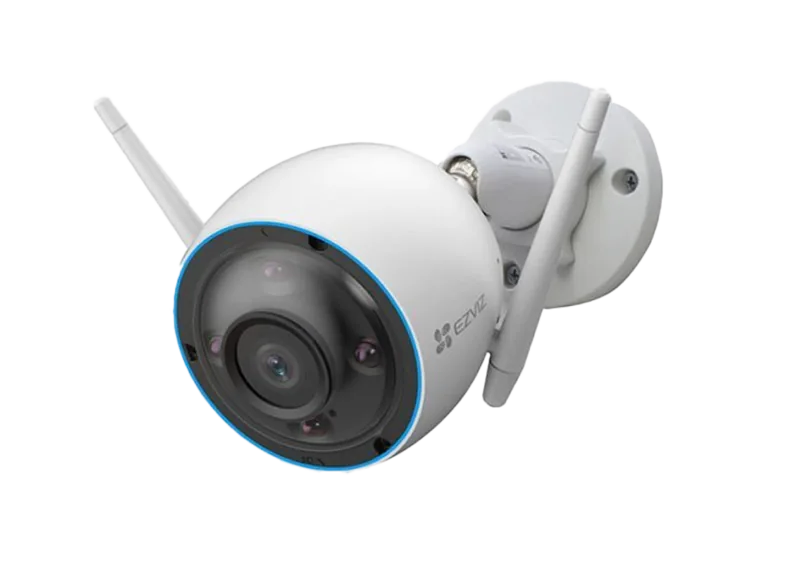
Ezviz H3 2K Home Security System Review
Protecting your property starts with high-definition awareness. The Ezviz H3 2K is designed to deliver superior visual quality to any modern household. Installation is intuitive and requires minimal technical expertise. You simply attach the camera to a chosen location using the provided screw kit and anchor. Ensure the wall can support the weight securely. A clear field of view and a strong wireless signal are essential for optimal performance. The device includes a waterproof kit that protects against outdoor elements.
Network setup offers two distinct paths for connectivity depending on your preference. Option A involves a wired connection using an Ethernet cable and power adapter. This ensures the most stable link to your router. Option B utilizes wireless Wi-Fi capabilities, requiring only a mobile phone and standard router access. The LED indicator provides visual feedback during the process. A fast flashing blue light means the camera is ready for configuration. A slow flashing blue light confirms a successful Internet connection. This visual cue helps users troubleshoot connection issues easily without external support.
Managing the feed occurs through the dedicated mobile application. You can check live views, record video, and take snapshots directly from the interface. Settings allow you to customize audio, date formats, and night vision modes. Smart night vision adapts automatically when motion is detected in the dark. Local storage is supported by inserting a Micro SD card into the slot behind the cover. You must initialize the card through the app settings for video recording to begin. The system displays storage status to manage space effectively.
Smart home integration brings added convenience to daily operations. Amazon Alexa and Google Assistant compatibility allows voice control of your camera. To use these services, specific settings like image encryption might need adjustment. This ensures seamless communication between platforms. Alerts send notifications to your phone when unusual activity is detected. Adjusting sensitivity helps filter out harmless triggers like small animals. If the device goes offline or fails to send prompts, a reset procedure can restore full functionality. The reset button requires holding for approximately four seconds to reach default settings.
If the camera loses Internet access while powered on, local recording continues to function. However, cloud recording will stop until connectivity returns. Users should ensure their network bandwidth is sufficient for watching live videos without lag. Refreshing the video stream or switching networks can solve playback failures. Regarding false alarms, configuration adjustments are key. A lower detection sensitivity value prevents vehicles or animals from triggering notifications. For users facing offline notification issues, verify that the application is running in the background. Android and iOS systems have specific settings for message push functions to ensure alerts reach you.
Privacy and legal compliance are central to the user experience. Users must adhere to local surveillance laws before installation. Data security relies on your network environment and password management. The Ezviz H3 2K Manual serves as a reference for maintenance and updates. Firmware changes may add new features or improve security protocols. Regular checks ensure the device operates within safe legal boundaries for privacy. This balance of technology and responsibility makes it a standout choice for security.
Note: The power adapter appearance may vary from the box to the one received. Please check firmware for the latest features.
Search for 67,635 Manuals online


Type-in Brand or Model