
Ezviz eLife Manual
PDF manual · 9 Pages
English



Quick check
Incorrect answer, please try again.
Chat with your Ezviz eLife manual using AI
Get instant AI answers from your Ezviz eLife manual
Ask anything about the Ezviz eLife. Answers come from this manual, with the pages they are based on.
Ask a Question
Do you recommend eLife?
Yes NoFrequently Asked Questions
Choose a location with a clear view and strong Wi-Fi signal. Secure the mounting plate with screws, then attach either the magnetic base or screw base and fit the camera. A mounting height of about 3 meters with a slight downward angle is recommended.
Is this answer helpful?
Yes. If the camera remains powered on but loses internet access, local recording can continue using its built-in storage. Cloud recording stops until the internet connection is restored. If the camera is powered off, both local and cloud recording stop.
Is this answer helpful?
No. The camera uses built-in 32 GB eMMC storage with loop recording and does not support external SD card expansion. Displayed usable capacity may appear lower than 32 GB because of storage calculation differences.
Is this answer helpful?
When enabled in the EZVIZ app, intelligent human detection can send notifications for detected activity. Sensitivity can be adjusted according to the size and distance of expected subjects. Vehicles and animals can also cause alerts in some situations.
Is this answer helpful?
Active defense is a deterrence feature that can activate an alarm and rapidly flash the camera spotlight. It may start automatically after a detection event when configured, or it can be triggered manually from the EZVIZ app.
Is this answer helpful?
Yes, the camera can work with Amazon Alexa and Google Assistant when supported devices, apps, and linked EZVIZ account settings are in place. Alexa requires image encryption enabled, while Google Assistant setup requires image encryption disabled and audio enabled.
Is this answer helpful?
Advantages and Disadvantages
Advantages

- Wireless camera design with magnetic and screw-mount installation options.
- EZVIZ app supports live viewing, snapshots, manual recording, video history, and two-way audio.
- Intelligent human detection offers adjustable sensitivity and activity notifications.
- Active defense can use an alarm and flashing spotlight to deter unwanted activity.
- Built-in 32 GB eMMC storage supports loop recording without a separate memory card.
Disadvantages

- External SD cards are not supported, so storage cannot be expanded beyond built-in capacity.
- Cloud recording stops when the camera loses internet access.
- Animals and vehicles may trigger alerts unless detection sensitivity is adjusted.
- Charging is restricted in temperatures below 0 C or above 45 C and should not be done outdoors.
- Voice integration requires compatible Alexa or Google Assistant hardware, apps, and account linking.
Product Specification
Type
Bullet
Image sensor
1/2.8" CMOS
Resolution
2,560 x 1,440 pixels (15 fps)
Lens
0.11 in (f/2.0)
Light sensitivity
0.01 lux (color), 0 lux (IR)
Viewing angle
100 degrees (horizontal), 52 degrees (vertical), 116 degrees (diagonal)
Compression/codecs
H.264, H.265
Wireless
Wi-Fi 4 (WLAN 802.11b/g/n)
Microphone
Integrated
Speaker
Integrated
Illumination
IR illumination (32.81 ft)
Power supply
Battery (Li-ion, 10,400 mAh), solar-powered
Housing
Suitable for outdoor use
System control and operation
Mobile app (Android, iOS), voice assistant (Amazon Alexa, Google Assistant)
Zones and analysis functions
Motion detection, person detection, IR filter
Manufacturer warranty
2 years
Product Description
Ezviz eLife 2K+ 4MP - Read, Download & Print Free
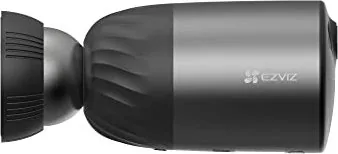
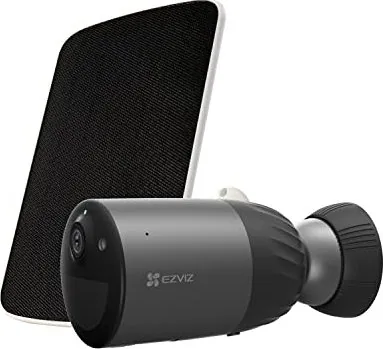
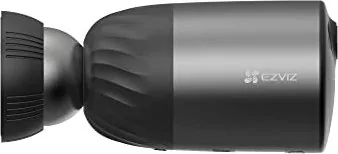
The Ezviz eLife 2K+ 4MP is designed for homeowners who want flexible, app-connected monitoring around entrances, gardens, driveways, and other important outdoor areas. Its compact wireless design supports placement without relying on a fixed camera cable, while the included mounting accessories provide options for magnetic or screw-based installation. A clear viewing position, reliable Wi-Fi coverage, and a mounting height of about 3 meters help support dependable operation.
Everyday monitoring with smart controls
The camera is managed through the EZVIZ app, where users can view live video, listen to audio, capture snapshots, start recordings, and select a preferred video quality. Two-way audio adds a practical communication feature for visitors or activity near the camera. The app also offers video history tools, allowing recordings to be located through a calendar and timeline.
The Ezviz eLife 2K+ 4MP includes intelligent human detection settings that can send notifications when activity is detected. Detection sensitivity can be adjusted to suit the location, helping users balance coverage with unnecessary alerts. For best performance, place the camera where people move across its field of view rather than directly toward it, as side-to-side movement is detected more effectively.
Active deterrence and local storage
For additional response options, active defense can trigger an alarm and flashing spotlight when a person or animal is detected. Users can also activate the deterrent feature manually from the app. This combination of lighting, sound, and monitoring can make the camera useful for areas where a visible security presence is preferred.
Storage is handled by built-in 32 GB eMMC memory with loop recording, so older footage can be replaced as new recordings are created. The camera does not support external SD card expansion. When the unit is powered on but offline, local recording can continue, while cloud recording requires an internet connection.
Setup, charging, and smart home access
Setup begins by charging the camera with a 5V/2A adapter, installing the EZVIZ app, scanning the device QR code, and following the Wi-Fi connection steps. LED indicators communicate pairing, charging, network, and device status. The camera should not be charged outdoors or in temperatures below 0 C or above 45 C.
Amazon Alexa and Google Assistant compatibility extend viewing and voice-control possibilities when the required accounts, apps, and supported devices are connected. Relevant privacy and surveillance laws should always be reviewed before installation.
Notes
- Use the supplied power equipment where possible.
- Avoid direct sunlight and air-conditioner airflow.
- Adjust motion sensitivity after checking the installed camera view.
- Cloud features depend on a stable internet connection.
Search for 67,732 Manuals online


Type-in Brand or Model