
Ezviz DB2C Manual
PDF manual · 11 Pages
English



Quick check
Incorrect answer, please try again.
Chat with your Ezviz DB2C manual using AI
Get instant AI answers from your Ezviz DB2C manual
Ask anything about the Ezviz DB2C. Answers come from this manual, with the pages they are based on.
Ask a Question
Do you recommend DB2C?
Yes NoFrequently Asked Questions
The kit includes a video doorbell, signal chime, mounting plate, screw set, adhesive pad, drilling template, pin tool, charging cable, and setup information. The chime acts as an indoor ringer and network connection point for the doorbell.
Is this answer helpful?
Plug in the signal chime, wait for its LED to flash blue rapidly, then add it in the EZVIZ app by scanning its QR code. Follow the app prompts to complete Wi-Fi setup. The doorbell then connects automatically through the chime.
Is this answer helpful?
Install it near an indoor or sheltered entrance at a height of approximately 1.2 to 1.5 meters. Avoid areas with many metal objects, structural wall corners, or numerous partitions. Keep the chime and doorbell close together for better wireless performance.
Is this answer helpful?
Yes. The kit includes an adhesive pad for attaching the mounting plate to a smooth surface. For a more secure long-term installation, use the supplied screws and mounting template.
Is this answer helpful?
Use the supplied pin tool to release the doorbell from its mounting plate, then charge it with a 5V 2A power adapter. The LED flashes red while charging and stays blue when charging is complete.
Is this answer helpful?
Yes. The signal chime has a microSD card slot for video storage. Select a suitable card and manage recording settings through the EZVIZ app, while also securing access to stored footage.
Is this answer helpful?
Yes, compatible Amazon Alexa and Google Assistant setups can provide voice-controlled live viewing. Link the EZVIZ account through the relevant app or service. The device settings may require video encryption to be turned off for integration.
Is this answer helpful?
Advantages and Disadvantages
Advantages

- Battery-powered doorbell and plug-in chime reduce the need for complex doorbell wiring.
- The chime provides Wi-Fi connectivity and a microSD slot for local video storage.
- Two mounting choices support permanent screw installation or adhesive placement on smooth surfaces.
- Works with Amazon Alexa and Google Assistant for supported voice-controlled live viewing.
Disadvantages

- The recommended placement keeps the doorbell and chime within about three meters for reliable connectivity.
- The doorbell must be removed from its mount and recharged when the battery runs low.
- It is recommended mainly for sheltered entrances rather than direct exposure to outdoor conditions.
- Smart display functions may require video encryption to be disabled in the EZVIZ app.
Product Specification
Type
Set
Standard
Wi-Fi (802.11b/g/n)
Function
Doorbell, alert function
Dimensions
2.36 x 5.75 x 1.34 in (Video Doorbell), 2.13 x 3.94 x 1.46 in (Chime)
Special features
Integrated rechargeable battery (5,200 mAh), app-controlled (iOS, Android)
Set includes
1x Video Doorbell, 1x Chime
Product Description
Ezviz DB2C Video Doorbell Kit Set Manual: A Smarter Way to Monitor Your Entrance
The Ezviz DB2C Video Doorbell Kit Set is a practical wireless security solution designed to help households see and respond to visitors at the door. Combining a battery-powered video doorbell with an indoor chime and network gateway, the kit creates a convenient front-door monitoring setup without relying on complex wiring. It is particularly suited to apartment entrances and sheltered indoor entry areas.
What Comes in the Kit
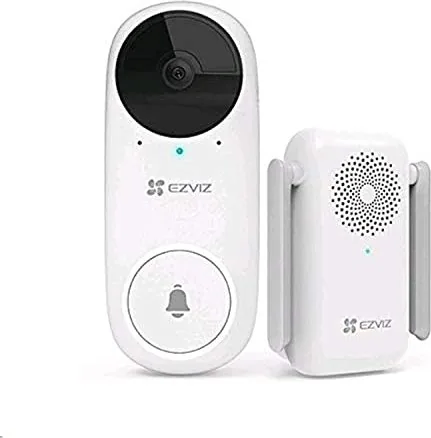
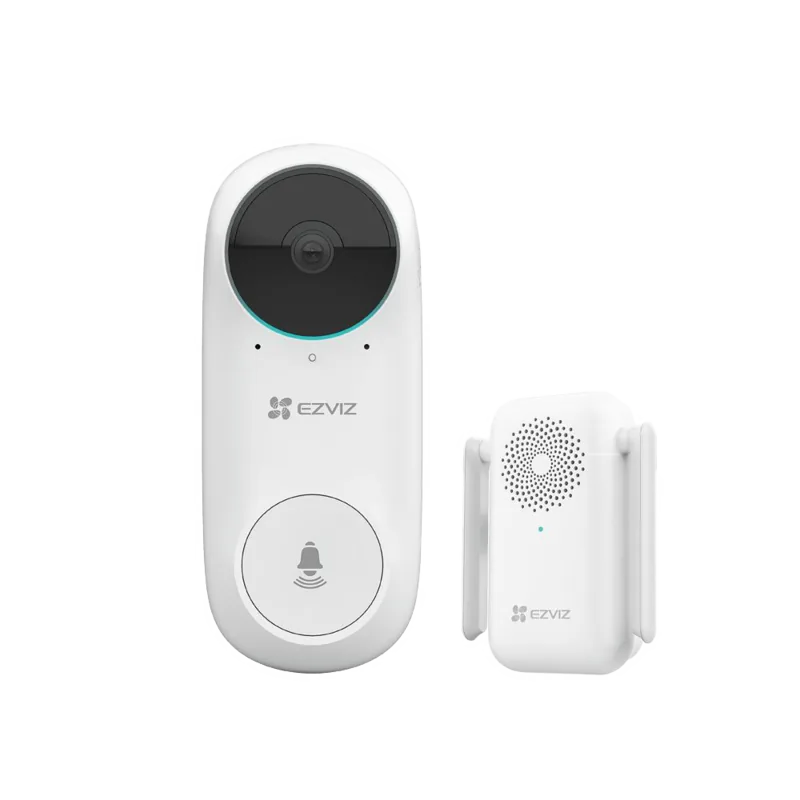
The set includes the video doorbell, signal chime, mounting plate, screws, adhesive pad, drilling template, pin tool, charging cable, and setup materials. The doorbell features a PIR motion sensor, camera lens, LED status indicator, call button, power button, and a release opening for removal from its mount. The chime includes an antenna, LED indicator, reset button, and microSD card slot for local video storage.
Setup and Everyday Use
The Ezviz DB2C Video Doorbell Kit Set Manual outlines a straightforward startup process. Charge the doorbell, hold its power button for one second, and plug the chime into a wall outlet. When the chime LED flashes blue rapidly, it is ready for Wi-Fi setup through the EZVIZ app. After scanning the QR code on the chime, users can follow the in-app prompts to connect the system to their wireless network.
The doorbell connects through the supplied chime, so positioning matters. For a dependable connection, the two devices should ideally remain within three meters of each other. If the connection is unstable, relocating either unit can improve performance. The system is intended to be installed at a height of about 1.2 to 1.5 meters for a balanced view of visitors.
Flexible Installation Options
The DB2C kit supports screw-mounted or adhesive installation. The screw method is recommended for a more permanent installation, while the adhesive pad can be used on a smooth, clean surface. Avoid areas with heavy metal objects, thick structural wall corners, or many partitions, as these may weaken wireless performance. Charging is handled by removing the doorbell from its mounting plate with the supplied pin tool and using a 5V 2A power adapter.
Smart Home Compatibility
For connected homes, the kit can work with Amazon Alexa and Google Assistant. Once the EZVIZ account is linked and the relevant skill or service is enabled, compatible displays can show the camera feed by voice command. Video encryption may need to be disabled for this function, so users should review their privacy and network settings before enabling smart display access.
Notes
Use the doorbell responsibly, respect local privacy laws, and notify people where video monitoring is active. Secure Wi-Fi, account credentials, and storage access are important for protecting recorded footage.
Search for 67,732 Manuals online


Type-in Brand or Model