
Ezviz DB2 Manual
PDF manual · 11 Pages
English



Quick check
Incorrect answer, please try again.
Chat with your Ezviz DB2 manual using AI
Get instant AI answers from your Ezviz DB2 manual
Ask anything about the Ezviz DB2. Answers come from this manual, with the pages they are based on.
Ask a Question
Do you recommend DB2?
Yes NoFrequently Asked Questions
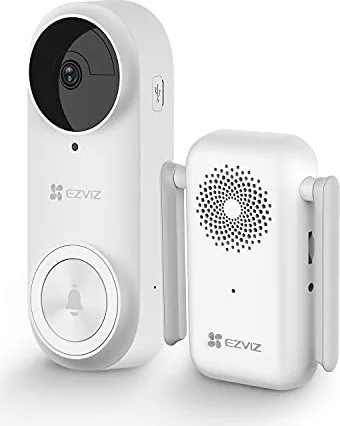
The kit includes the video doorbell, indoor chime, mounting plate, two angled mounting plates, mounting hardware, cable connectors, U-shaped terminal cables, a power cable, screwdriver, release pin, drill template, foam pads, and setup materials. Included chime and adapter appearance may vary by package.
Is this answer helpful?
Yes. The doorbell can be mounted without existing wiring. It can also be connected to compatible existing doorbell cables if wiring is available. For any work involving electrical wiring, turn off power at the circuit breaker before starting.
Is this answer helpful?
Install the EZVIZ app, create or sign in to an account, then scan the QR code on the chime. Follow the in-app steps to configure Wi-Fi. The doorbell connects to the network through the chime. Use a 2.4 GHz Wi-Fi network.
Is this answer helpful?
The system offers basic detection, PIR infrared detection, human-shape detection, and loitering detection. Sensitivity can be adjusted in the app. Higher sensitivity can detect people farther away but may also increase alerts and power use.
Is this answer helpful?
Yes. Insert a separately purchased microSD card into the chime's card slot. Check Storage Status in the EZVIZ app and format the card if it is shown as uninitialized. Cloud storage options may also be available through subscription.
Is this answer helpful?
Connect the doorbell to a power adapter to charge it directly, or remove it from the mount for charging. Disable the tamper alarm before removal. If the unit is wired, switch off circuit power before taking it down. Use a weatherproof cable for outdoor charging.
Is this answer helpful?
Advantages and Disadvantages
Advantages

- PIR motion, human-shape detection, and loitering alerts support more informed entrance monitoring.
- Two-way audio and live viewing let users respond to visitors through the EZVIZ app.
- Includes chime, mounting hardware, angled plates, and accessories for flexible installation.
- Supports optional microSD recording, cloud storage options, video encryption, and device sharing.
- Multiple power and performance modes help balance responsiveness with battery life.
Disadvantages

- The chime is recommended to be placed within about 4 meters of the doorbell for reliable pairing.
- MicroSD storage is optional and requires a separately purchased card.
- Wi-Fi setup uses the 2.4 GHz band, which may limit compatibility with some network configurations.
- Wired installation requires care with electrical circuits and may require a qualified electrician.
- Higher detection sensitivity and performance modes can increase battery consumption.
Product Specification
Type
Set
Standard
Wi-Fi (802.11b/g/n)
Function
Doorbell, warning function
Dimensions
2.28 x 5.91 x 1.26 in (Video Doorbell), 2.17 x 3.94 x 1.38 in (Chime)
Features
IP65, integrated battery (5,200 mAh), app-controlled (iOS, Android)
Set includes
1 x Video Doorbell, 1 x Chime
Product Description
Ezviz DB2 Video Doorbell Kit Set Manual: Smarter Front Door Monitoring
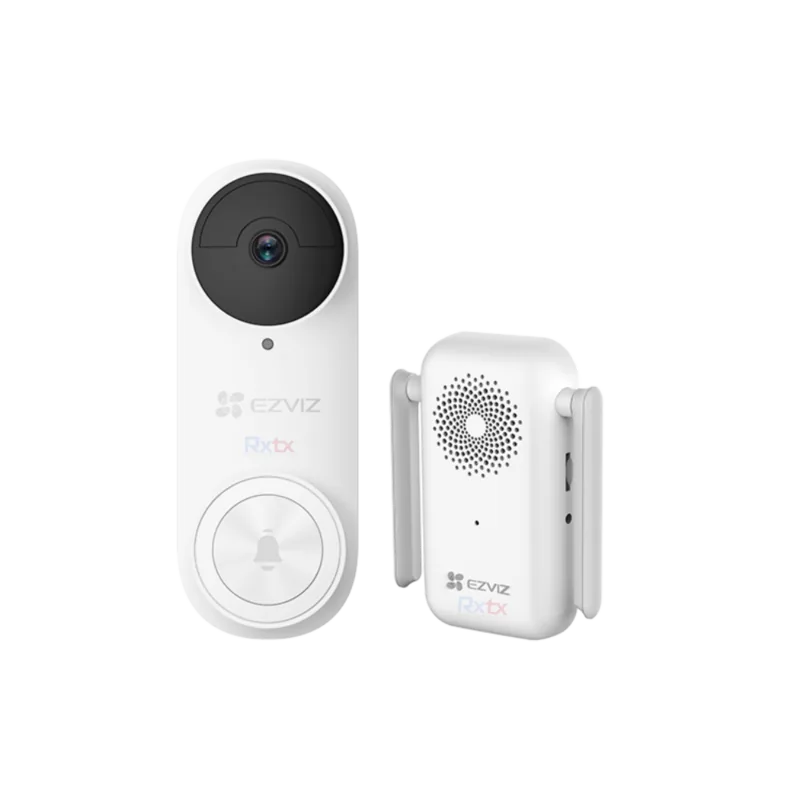
The Ezviz DB2 Video Doorbell Kit Set is designed to add practical video monitoring and visitor alerts to a home's entrance. This kit combines a doorbell camera with an indoor chime unit, allowing users to see who is at the door, receive notifications, and communicate through the EZVIZ app. Its cordless-friendly design also makes it suitable for homes where installing a traditional wired doorbell is inconvenient.
Everyday Security Features
A PIR sensor helps detect motion near the entrance, while human-shape detection and loitering detection can provide more targeted alerts. Detection sensitivity can be adjusted in the app, helping users balance awareness with fewer unnecessary notifications. When a visitor presses the button, the doorbell and chime provide an immediate alert, and the mobile app can offer a live view of the doorstep.
The app supports two-way audio, so users can speak with visitors remotely. It also provides options for snapshots, manual video recording, video history, device sharing, notification controls, and selectable video quality. Video encryption settings are available for users who want added protection for recorded footage.
Installation and Power Options
The Ezviz DB2 Video Doorbell Kit Set includes a mounting plate, angled mounting plates, screws, connectors, a drill template, and other fitting accessories. The angled plates can help direct the camera view toward a preferred side of the doorway. A recommended mounting height of 1.2 to 1.5 meters supports a useful face-level perspective.
The unit can be fitted without existing doorbell wiring, or connected to compatible existing doorbell cables. For wired work, switch off power at the circuit breaker first and consider using a qualified electrician when necessary. The supplied chime should be positioned within about four meters of the doorbell for a reliable connection during setup.
Storage, Charging, and Settings
Local recording can be enabled with a separately purchased microSD card installed in the chime. Cloud storage may also be available through a subscription. The doorbell can be charged directly with a power adapter, or removed from its mount for charging after disabling the tamper alarm in the app.
The Ezviz DB2 Video Doorbell Kit Set Manual highlights several operating modes, including performance, power-saving, and super power-saving options. These settings let owners choose between quicker responsiveness and longer battery life. Automatic day and night switching, adjustable indicator lights, and configurable chime settings add further control.
Note: Use a 2.4 GHz Wi-Fi network, keep the light sensor unobstructed, and verify local privacy and surveillance requirements before installation.
Search for 67,732 Manuals online


Type-in Brand or Model