
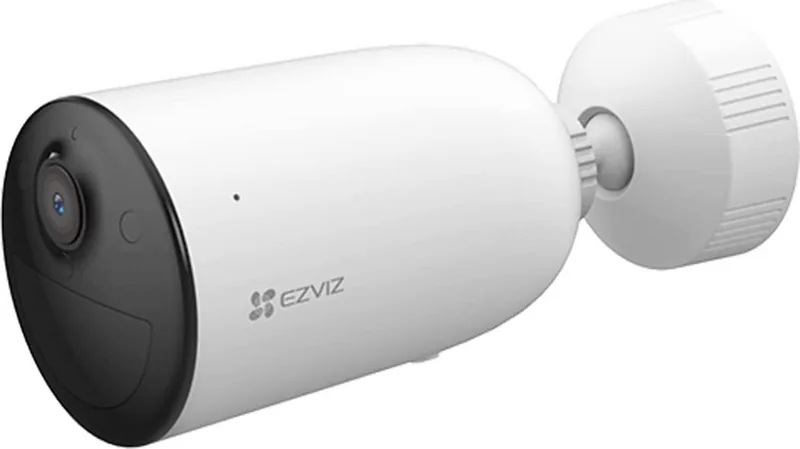
Ezviz CB3 Manual
PDF manual · 13 Pages
English



Quick check
Incorrect answer, please try again.
Chat with your Ezviz CB3 manual using AI
Get instant AI answers from your Ezviz CB3 manual
Ask anything about the Ezviz CB3. Answers come from this manual, with the pages they are based on.
Ask a Question
Do you recommend CB3?
Yes NoFrequently Asked Questions
Install and open the EZVIZ app, sign in to your account, then hold the reset button for four seconds until the LED flashes blue quickly. Use the app's add-device option to scan the QR code and follow the Wi-Fi setup prompts.
Is this answer helpful?
The camera supports an optional Class 10 microSD card with a maximum capacity of 256 GB. Insert the card under the camera cover, then initialize or format it in the EZVIZ app before recording video to it.
Is this answer helpful?
Lower the detection sensitivity and review the installation location. Bright lights, direct sunlight, air outlets, strong wind, animals, vehicles, mirrors, and wireless interference can affect motion detection or create unwanted alerts.
Is this answer helpful?
Choose a location with a clear view and reliable Wi-Fi signal. Mount it around 2 to 3 meters above the ground and tilt it about 20 degrees downward. Position it so people move across the viewing area rather than directly toward the camera.
Is this answer helpful?
If the camera is powered on but disconnected from the internet, local recording can continue when local storage is available. Cloud recording stops while the device is offline. If the camera is powered off, both local and cloud recording stop.
Is this answer helpful?
Yes. The camera can be linked with supported Amazon Alexa and Google Assistant environments for live viewing. Setup requires linking your EZVIZ account in the relevant assistant app and adjusting camera settings as required, including audio and video encryption options.
Is this answer helpful?
Advantages and Disadvantages
Advantages

- Rechargeable battery design supports flexible placement without permanent power wiring.
- EZVIZ app provides live view, snapshots, manual recording, two-way audio, alerts, and device sharing.
- PIR and human-shape detection sensitivity can be adjusted to better match the installation area.
- Supports optional local recording on Class 10 microSD cards up to 256 GB, plus cloud storage options.
- Works with Amazon Alexa and Google Assistant for compatible smart display viewing.
Disadvantages

- Power adapter and solar panel are sold separately.
- PIR detection may be less reliable when ambient temperature is close to body temperature or movement is directly toward the sensor.
- Vehicles, animals, bright light, wind, and nearby vents can contribute to unwanted alerts.
- The camera must be removed from the wall before charging.
- Cloud recording stops if the powered-on camera loses its internet connection.
Product Specification
Type
Bullet
Image sensor
1/2.9" CMOS
Resolution
1920 x 1080 pixels (15 fps)
Lens
0.11 in (F2.0)
Light sensitivity
0 lux (IR)
Field of view
108 degrees (horizontal), 56 degrees (vertical), 128 degrees (diagonal)
Zoom function
8x digital
Compression/codecs
H.264, H.265
Multistreaming
supported
Connections
1x USB 2.0 Micro-B (480 Mb/s)
Wireless
Wi-Fi 4 (WLAN 802.11b/g/n)
Data storage
1x microSD slot (max. 256 GB)
Microphone
integrated
Speaker
integrated
Illumination
IR illumination (49.21 ft)
Power supply
Battery (5,200 mAh)
Housing
suitable for outdoor use
System control & operation
Mobile app (Android, iOS), voice assistant (Amazon Alexa, Google Assistant)
Zones & analysis functions
motion detection, person detection, IR filter
Special features
integrated siren, PIR sensor
Product Description
Ezviz CB3 Manual: Smarter Battery-Powered Home Monitoring
The Ezviz CB3 is a versatile wireless security camera designed for convenient indoor or outdoor monitoring. Built around a rechargeable battery, it helps reduce the need for permanent power wiring while giving homeowners a flexible way to watch entrances, gardens, driveways, and other important areas. This Ezviz CB3 Manual overview highlights the camera's setup, recording, alert, and installation capabilities so users can get the most from daily operation.
Simple App-Based Setup
Getting started is centered on the EZVIZ app. After creating or signing into an EZVIZ account, users power on the camera, hold the reset button for pairing mode, and scan the device QR code in the app. The guided process connects the camera to Wi-Fi and makes it available for remote viewing. If the network changes later, resetting the camera for four seconds allows the Wi-Fi setup process to be repeated.
The camera's LED indicator provides useful status feedback. Blue signals cover startup, live viewing, normal operation, and pairing, while red indications can point to network or device exceptions. Green lighting shows charging progress or a fully charged battery.
Video, Audio, and Active Deterrence
From the live-view screen, users can watch and listen to the camera feed, take snapshots, start manual recordings, select video resolution, and share access with family members or guests. Two-way audio enables communication with people near the camera. A sound or flashing-light alarm can also be used to discourage unwanted visitors.
The CB3 includes PIR motion sensing and human-shape detection options. Detection sensitivity can be adjusted in the app to suit the distance and size of subjects in the monitored area. Users can choose notification preferences and tailor camera behavior through several working modes, including recording, performance, power-saving, and super power-saving modes.
Storage and Installation Options
Video can be stored locally with an optional Class 10 microSD card up to 256 GB, provided it is initialized through the EZVIZ app. Cloud storage management is also available through the camera settings. Local recording can continue if the powered-on camera loses internet access, although cloud recording stops while it is offline.
For dependable detection, install the camera about 2 to 3 meters above ground and angle it downward by roughly 20 degrees. Motion crossing the field of view is generally detected more effectively than movement directly toward the lens. Avoid direct sunlight, bright lamps, air vents, windy locations, mirrors, and nearby wireless devices that may cause false alerts or signal interference.
Smart Home Compatibility
The CB3 can work with Amazon Alexa and Google Assistant for supported live-view functions. Linking the camera requires the related voice assistant app, an EZVIZ account, and appropriate camera settings such as enabled audio and disabled video encryption. This adds convenient voice-controlled viewing to a compatible smart home setup.
Note: Charge the camera only within the stated temperature range, keep the charging port sealed after charging, and follow local privacy rules when positioning a surveillance camera.
Search for 67,706 Manuals online


Type-in Brand or Model