
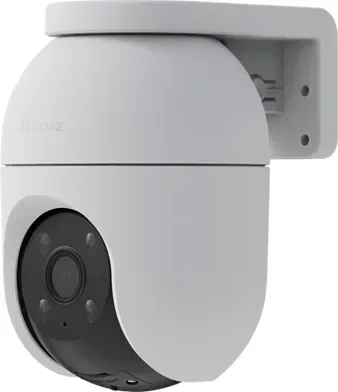
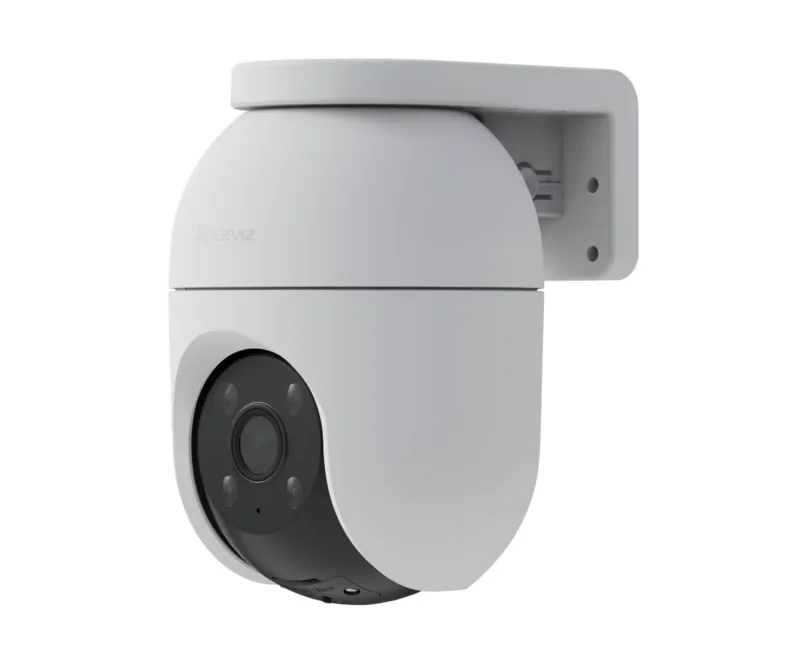
Ezviz C8C Manual
PDF manual · 17 Pages
English



Quick check
Incorrect answer, please try again.
Chat with your Ezviz C8C manual using AI
Get instant AI answers from your Ezviz C8C manual
Ask anything about the Ezviz C8C. Answers come from this manual, with the pages they are based on.
Ask a Question
Do you recommend C8C?
Yes NoFrequently Asked Questions
If the camera is powered on but disconnected from the Internet, then local recording will continue but cloud recording will stop. If the camera is powered off, both video recordings will stop.
Is this answer helpful?
Configure a lower value for the detection sensitivity in the app settings. Please notice that vehicle and animals are also alarm triggering sources that may cause notifications.
Is this answer helpful?
Insert the card into the slot and initialize it in the EZVIZ app under Device Settings. The micro SD card recording for motion detection is enabled by default once initialized.
Is this answer helpful?
Ensure the EZVIZ app is running and notifications are enabled in settings. For Android, allow background running; for iOS, enable message push in system settings. Reset the device if needed.
Is this answer helpful?
Make sure that your network is well connected. Watching live videos needs good bandwidth. Refresh the video or change networks to test the connection stability.
Is this answer helpful?
Advantages and Disadvantages
Advantages

- High 3K resolution provides excellent video clarity for detailed footage capture.
- Flexible connectivity supports both wired Ethernet and wireless Wi-Fi setups.
- Compatible with major voice assistants including Amazon Alexa and Google Assistant.
- Supports local Micro SD card storage up to 512GB for private data retention.
- Includes waterproof kit options for reliable operation in harsh weather conditions.
Disadvantages

- Requires active internet connection for initial setup and remote viewing.
- Motion sensors may occasionally trigger false alarms from small animals.
- SD card is sold separately and requires manual initialization in the app.
- Liability is excluded for damages resulting from improper usage or network failure.
- Users must comply with varying local laws regarding privacy and surveillance placement.
Product Specification
Type
Dome, PTZ
Image Sensor
1/3" CMOS
Resolution
2880x1620 Pixels (30fps)
Lens
4.0mm (F1.6)
Sensitivity
0.5 Lux (Color), 0 Lux (IR)
Viewing Angle
91° (horizontal), 48° (vertical), 109° (diagonal)
Pan
350°
Tilt
80°
Compression / Codecs
H.264, H.265
Multistreaming
Supported
Ports
1x RJ-45 1Gb LAN
Wireless
Wi-Fi 4 (WLAN 802.11b/g/n), WPA2/WPA
Storage
1x microSD Slot (max. 512GB), Cloud Connection (optional)
Lighting
IR Lighting (98.43 ft), Spotlight
Power Supply
AC Power (12V, 1A, 12W)
Operating Temperature
-22°F to 122°F
Ingress Protection
IP65
Housing
Plastic, suitable for outdoor use
Mount
Wall Mount
Dimensions (WxHxD)
4.03x5.79x5.06 inches
Weight
1.12 lbs
System Control & Operations
Mobile App (Android, iOS), Voice Assistant (Amazon Alexa, Google Assistant)
Zones & Analysis Features
Motion Detection, Person Detection, Vehicle Detection, IR Filter
Special Features
Integrated Siren
Product Description
Ezviz C8C 3K Outdoor PTZ Cam Manual Overview
Welcome to the Ezviz C8C 3K Outdoor PTZ Cam Manual guide. This comprehensive resource ensures you get the most out of your security device. The Ezviz C8C 3K Outdoor PTZ Cam is designed for robust outdoor surveillance capabilities. It offers exceptional 3K video quality that captures every critical detail of your surroundings. You can manage the camera remotely using the dedicated Ezviz app available on iOS and Android platforms. Connectivity options include both wired Ethernet and wireless Wi-Fi connections for flexible installation scenarios.
The manual covers everything from initial unboxing to advanced configuration settings. Inside the package, you will find the main camera unit, a sturdy mounting bracket, a drilling template, and a power adapter. Optional accessories like a compatible Micro SD card allow for local storage, enhancing privacy by keeping footage off the cloud unless desired for backup. Installation involves securing the mount firmly and ensuring a clear field of view away from direct sunlight to prevent glare. Remember to remove the protective film from the lens before installing the camera for optimal image quality. Understanding the LED indicators is crucial during setup as they signal network status clearly.
Advanced features include full compatibility with Amazon Alexa and Google Assistant ecosystems. This allows for seamless voice control when integrated correctly within the smart home environment. The spotlight feature helps deter potential intruders while providing essential illumination at night. Users can customize motion detection sensitivity levels to significantly reduce false alarms triggered by animals or passing vehicles. Firmware updates may change interface details, so checking for the latest versions via the official Ezviz website is highly recommended regularly.
Security is paramount when handling surveillance data. Data encryption protects your live feeds and recorded clips during transmission over the internet. However, users must strictly comply with local surveillance laws to avoid legal issues regarding privacy expectations in public areas or shared spaces. The manual explicitly states liability limitations regarding data loss or service interruptions caused by network instability or improper hardware usage. Proper disposal instructions for electronic waste equipment are also included to meet current environmental standards globally.
Whether you need basic perimeter monitoring or intelligent human shape detection, this Ezviz C8C 3K Outdoor PTZ Cam Manual provides detailed step-by-step guidance. Resetting the device restores factory defaults if persistent connection problems arise. Always initialize the storage card within the app interface before any recording begins successfully. With a focus on technology for good, EZVIZ encourages responsible usage of these powerful security tools. This documentation serves as your primary reference for operating the hardware safely and effectively in various extreme weather conditions using the provided waterproof kits. Enjoy peace of mind knowing your property is protected with high-tech solutions tailored specifically for modern residential needs.
Important Notes
Always verify local laws before installation. Keep your firmware updated for best performance.
Search for 67,732 Manuals online


Type-in Brand or Model