
Ezviz C6W Manual
PDF manual · 16 Pages
English



Quick check
Incorrect answer, please try again.
Chat with your Ezviz C6W manual using AI
Get instant AI answers from your Ezviz C6W manual
Ask anything about the Ezviz C6W. Answers come from this manual, with the pages they are based on.
Ask a Question
Do you recommend C6W?
Yes No
ipsa_ut
5 months ago
Does the screen stay clear over time or does it get blurry?
Richmond Spinka
6 months ago
How easy is the setup process and how clear is the display?

Manual.ly
6 months ago
The device can be set up in just a few simple steps. The screen display is very clear and distinct, ensuring an excellent viewing experience for all users.
aut46
4 months ago
Is this product recommended for first-time users?
Frequently Asked Questions
Download the Ezviz app, create an account, and scan the QR code on the camera. Follow the wizard to configure your 2.4 GHz Wi-Fi network. The LED will flash blue rapidly when ready.
Is this answer helpful?
Yes, enable the Ezviz skill in the Alexa app, sign in with your Ezviz credentials, and authorize access. You can then discover devices and use voice commands to view feeds.
Is this answer helpful?
Check your internet connection and reboot the camera. If issues persist, verify router settings and ensure the camera is powered correctly. Re-discover the device in the app after rebooting.
Is this answer helpful?
Yes, it has a Micro SD card slot. Insert a card (sold separately) and initialize it in the Ezviz app to start recording locally without needing cloud storage.
Is this answer helpful?
Press and hold the reset button for five seconds until the LED indicator changes. This restores all parameters to default, requiring reconfiguration in the app.
Is this answer helpful?
Yes, link your Ezviz account in the Google Home app by searching for Ezviz skills, signing in, and authorizing access. You can then control the camera via voice commands.
Is this answer helpful?
Advantages and Disadvantages
Advantages

- Supports both Wi-Fi and Ethernet connections for flexible installation
- Seamless integration with Amazon Alexa and Google Assistant for voice control
- Intuitive LED status indicators simplify setup and troubleshooting
- Includes local storage via Micro SD card slot for offline recording
- Privacy mode allows users to disable video capture instantly
Disadvantages

- Micro SD card must be purchased separately and initialized in the app
- Requires 2.4 GHz Wi-Fi network which may limit range in some environments
- Voice commands require disabling image encryption in device settings
- Mounting requires drilling into walls or ceilings for permanent installation
- Initial setup involves multiple steps including account creation and QR scanning
Product Specification
Type
PTZ
Image sensor
1/2.7" CMOS
Resolution
2560x1440 pixels (25fps)
Lens
4.0mm (F2.0)
Viewing angle
83 degrees (horizontal), 57 degrees (vertical), 104 degrees (diagonal)
Pan
340 degrees
Tilt
75 degrees
Compression/Codecs
H.264, H.265
Multistreaming
supported
Connections
1x RJ-45 100Mb LAN
Wireless
Wi-Fi 4 (WLAN 802.11b/g/n)
Data storage
1x microSD slot (max. 256GB)
Microphone
integrated
Speaker
integrated
Lighting
IR lighting (33ft)
Protection class
N/A
Zone & analysis functions
Motion detection, Person detection, IR filter
Product Description
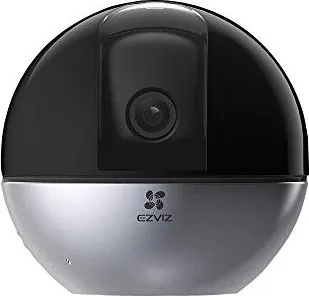
Ezviz C6W: Your Ultimate Smart Security Companion
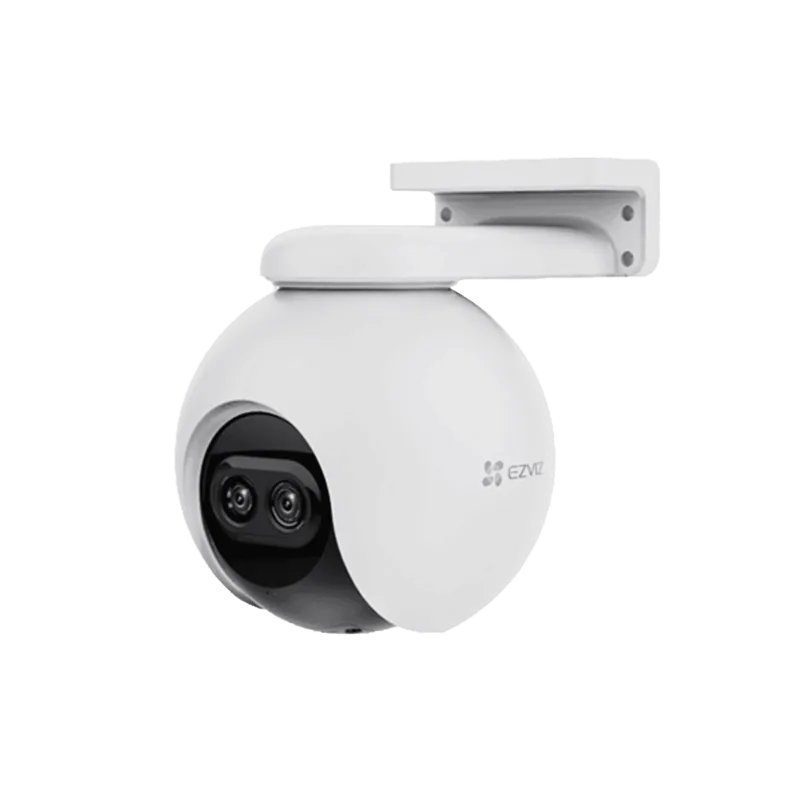
The Ezviz C6W represents a significant leap in home surveillance technology, offering users a reliable and versatile solution for monitoring their property. Designed with flexibility in mind, this camera supports both wireless Wi-Fi connections and wired Ethernet setups, ensuring stable performance regardless of your network environment. Whether you are securing a living room or an outdoor area, the Ezviz C6W adapts to your specific needs with ease.
Installation is straightforward, thanks to the included drill template and comprehensive mounting kit. The device features intuitive LED indicators that provide real-time status updates, guiding you through setup from power-on to successful Wi-Fi pairing. Once connected, the camera integrates seamlessly with the Ezviz mobile app, allowing you to view live feeds, review recorded footage, and manage settings from anywhere in the world. The inclusion of a Micro SD card slot enables local storage options, providing an additional layer of security for your video data.
One of the standout features of the Ezviz C6W is its smart home integration. Users can effortlessly link the camera with Amazon Alexa and Google Assistant, enabling hands-free voice control. This compatibility allows you to check your cameras using simple voice commands or display live feeds on compatible smart displays. The privacy mode feature ensures that you maintain control over when your camera is active, adding peace of mind during personal moments.
With robust build quality and user-friendly design, the Ezviz C6W stands out as a top choice for those seeking a balance between advanced functionality and simplicity. Its ability to handle firmware updates remotely means the device continues to improve over time without requiring physical intervention. For anyone looking to enhance their home security with a modern, connected device, the Ezviz C6W offers a compelling package of features and reliability.
Important Notes
- Ensure your router supports 2.4 GHz networks for optimal Wi-Fi connectivity.
- Initialize any inserted Micro SD card within the Ezviz app before use.
- Regularly check for firmware updates to maintain security and performance.
Search for 67,732 Manuals online


Type-in Brand or Model
aut_voluptatem
7 months ago
Is the device easy to set up and is the screen display clear?
Manual.ly
7 months ago
Yes, the device can be brought into operation with simple steps. The image on the screen is very clear and distinct. We are glad that you would like to recommend it.