
Ezviz C6 Manual
PDF manual · 10 Pages
English



Quick check
Incorrect answer, please try again.
Chat with your Ezviz C6 manual using AI
Get instant AI answers from your Ezviz C6 manual
Ask anything about the Ezviz C6. Answers come from this manual, with the pages they are based on.
Ask a Question
Do you recommend C6?
Yes NoFrequently Asked Questions
The Ezviz C6 supports both Wi-Fi and wired network connections. Choose the option that best matches your local network conditions. For Wi-Fi setup, reset the camera if needed, then use the EZVIZ app to scan its QR code and complete the guided connection process.
Is this answer helpful?
If the camera remains powered on and an initialized microSD card is installed, local recording can continue without internet access. Cloud recording stops while the camera is offline. If the camera loses power, both local and cloud recording stop.
Is this answer helpful?
Open the camera settings in the EZVIZ app and reduce motion detection sensitivity. You can also define a motion detection area and use a notification schedule. Pets, vehicles, changing light, and other movement may trigger alerts at higher sensitivity settings.
Is this answer helpful?
Yes. Its infrared light helps the camera capture black-and-white images in low-light environments. Turning off the IR light can reduce image quality in dark areas, so it is generally best left enabled when nighttime monitoring is needed.
Is this answer helpful?
Yes. The camera can be installed horizontally or mounted on a ceiling using the included mounting plate, template, screws, and anchors where appropriate. Use a strong indoor surface that can hold at least three times the camera weight and avoid direct bright light into the lens.
Is this answer helpful?
Privacy mode hides the camera image in the EZVIZ app when you do not want active viewing. It is a convenient option for times when monitoring is temporarily unnecessary. Review the app settings to confirm how privacy controls behave with your selected recording and alert preferences.
Is this answer helpful?
Advantages and Disadvantages
Advantages

- Pan and tilt controls provide flexible coverage for indoor rooms.
- Live viewing, manual recording, snapshots, and two-way audio are managed in the EZVIZ app.
- Supports optional microSD local recording and offers cloud storage options.
- Motion zones, sensitivity controls, schedules, privacy mode, and image encryption add useful customization.
- Works with supported Amazon Alexa and Google Assistant setups for voice-enabled live viewing.
Disadvantages

- Designed for indoor use only and is not waterproof.
- A microSD card is not included and cloud storage may require a subscription.
- Internet-dependent features such as cloud recording and remote viewing stop when connectivity is lost.
- Motion alerts can be triggered by pets, vehicles, or other non-human activity.
- Smart assistant setup requires account linking, compatible devices, and specific settings.
Product Specification
Type
PTZ
Image sensor
1/3" CMOS
Resolution
2560 x 1440 pixels (25 fps)
Lens
0.16 in (F1.6)
Light sensitivity
0.1 lux (color), 0 lux (IR)
Viewing angle
79 degrees (horizontal), 42 degrees (vertical), 92 degrees (diagonal)
Pan
353 degrees
Tilt
133 degrees
Compression/codecs
H.264, H.265
Multi-streaming
supported
Connections
1 x RJ-45 100 Mb LAN
Wireless
Wi-Fi 5 (WLAN 802.11a/b/g/n/ac)
Storage
1 x microSD slot (max. 256 GB)
Microphone
integrated
Speaker
integrated
Illumination
IR illumination (32.81 ft)
Protection rating
N/A
Zone and analysis functions
Motion detection, sound detection, person detection, IR filter
Product Description
Ezviz C6 - Read, Download & Print Free
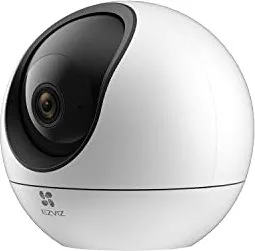
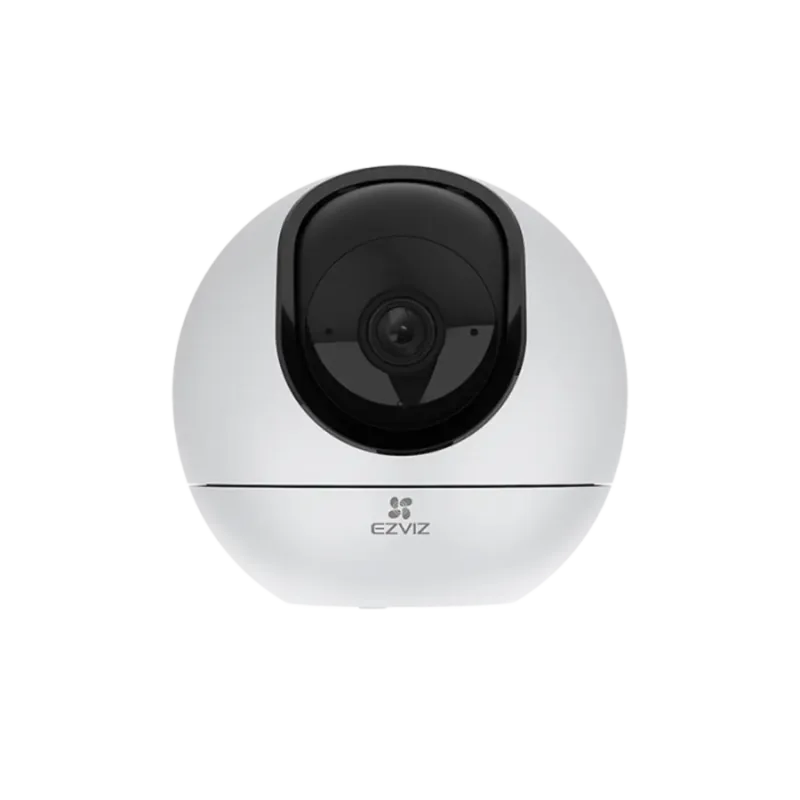
The Ezviz C6 is an indoor smart security camera designed for everyday home monitoring. With a compact pan-and-tilt form, it can be placed on a flat surface or installed on a ceiling to help cover a wider area than a fixed-position camera. It is intended for users who want to check live activity, receive motion alerts, and manage camera settings through the EZVIZ app.
Everyday Indoor Monitoring
The camera supports live video viewing with selectable Ultra HD, HD, and standard resolution options. Its pan and tilt controls allow users to adjust the viewing direction remotely, while the built-in microphone and speaker enable two-way audio. This can be useful for checking in on family members, pets, or a room while away from home.
An infrared light supports black-and-white viewing in low-light conditions. Users can also choose image preferences such as original, soft, vivid, and backlight modes to suit the environment. For greater privacy, the app includes a privacy mode that hides the camera view when monitoring is not required.
Flexible Storage and Alerts
The Ezviz C6 can use a separately purchased microSD card for local recordings, and cloud storage options may also be available through the app. If the camera remains powered on but loses internet access, recording to an installed microSD card can continue, while cloud recording stops until the connection returns.
Motion detection settings can be tailored by selecting a detection area and adjusting sensitivity. Notification schedules let users decide when push alerts should be active. Lowering sensitivity may help reduce unwanted alerts caused by pets, vehicles, or other movement outside the intended monitoring zone.
Setup and Smart Home Features
Setup begins by connecting the camera to power, installing the EZVIZ app, and scanning the camera QR code. The C6 supports wireless and wired network connections, giving users flexibility based on their home setup. A reset button restores default settings after being held for five seconds.
Compatible smart home users can connect the camera with Amazon Alexa or Google Assistant to access supported live-view functions by voice. Account linking and device discovery are required, and configuration requirements can differ between platforms.
Note: The Ezviz C6 is designed for indoor use and is not waterproof. For ceiling mounting, choose a secure surface that can support at least three times the camera weight. Avoid placing the lens directly toward strong light sources.
Privacy and Security Considerations
Image encryption can protect recorded images with a password, and users should update passwords and manage access carefully. Always follow applicable privacy and surveillance laws, especially before placing a camera where other people may be recorded. Ezviz C6 - Read, Download & Print Free offers a practical overview for anyone evaluating the camera's setup, controls, storage, and connected-home capabilities.
Search for 67,732 Manuals online


Type-in Brand or Model