
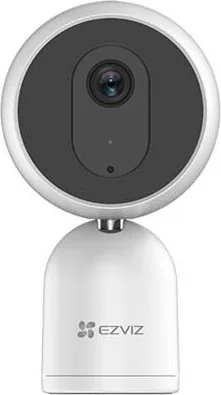
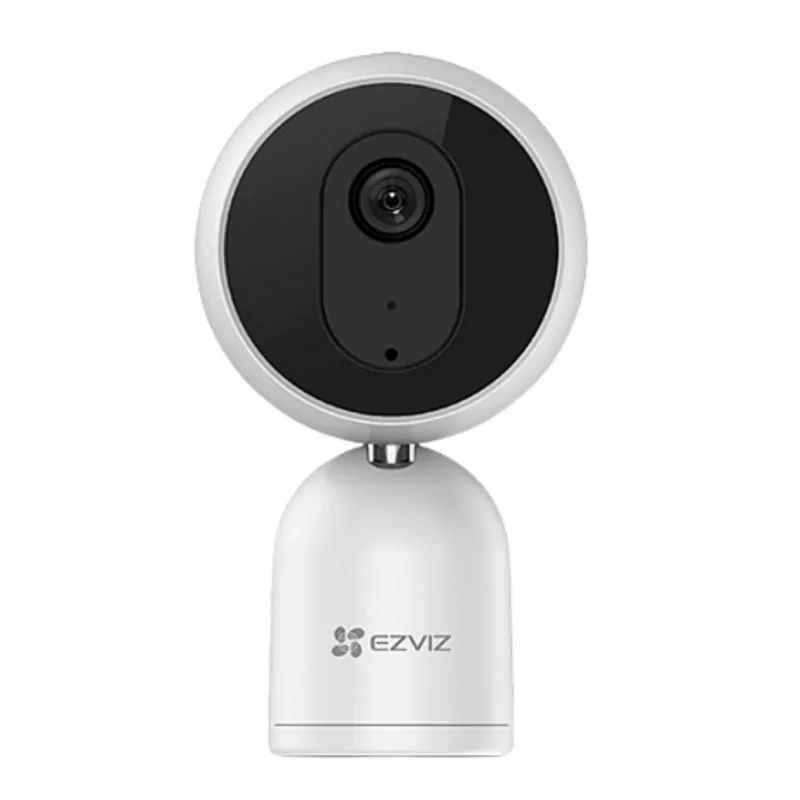
Ezviz C1T Manual
PDF manual · 5 Pages
English



Quick check
Incorrect answer, please try again.
Chat with your Ezviz C1T manual using AI
Get instant AI answers from your Ezviz C1T manual
Ask anything about the Ezviz C1T. Answers come from this manual, with the pages they are based on.
Ask a Question
Do you recommend C1T?
Yes NoFrequently Asked Questions
Open the Alexa app, go to Skills and Games, search for Ezviz, enable the skill, sign in with your Ezviz credentials, authorize access, and then discover devices to link them.
Is this answer helpful?
The camera requires a 2.4GHz Wi-Fi network for setup and operation. It does not support 5GHz networks directly during the initial configuration process.
Is this answer helpful?
Yes, the Ezviz C1T features a microSD card slot that allows you to save recordings locally. You must initialize the card within the Ezviz app before it will record.
Is this answer helpful?
While the text does not explicitly detail infrared LEDs, the camera includes an LED indicator system and is designed for 24/7 monitoring, implying standard low-light functionality typical of this device class.
Is this answer helpful?
Hold down the RESET button located on the side of the camera for approximately 5 seconds while the device is powered on. This will restart the camera and restore all parameters to factory defaults.
Is this answer helpful?
Yes, the Ezviz C1T is equipped with both a microphone for audio input and a speaker for audio output, allowing for real-time two-way conversations through the mobile app.
Is this answer helpful?
Advantages and Disadvantages
Advantages

- Seamless integration with Amazon Alexa and Google Assistant for voice control
- Flexible installation with magnetic base or permanent screw mounting options
- Clear visual status indicators via multi-color LED light system
- Supports local storage via microSD card slot for flexible recording
- Two-way audio communication with built-in microphone and speaker
Disadvantages

- Requires a 2.4GHz Wi-Fi network which may limit range compared to 5GHz
- Image encryption must be disabled for voice assistant integration
- MicroSD card is sold separately and not included in the box
- Setup requires creating an account and downloading a specific mobile app
- Magnetic mount may be less stable than permanent wall mounting in high wind
Product Specification
Image Sensor
1/2.7" CMOS
Resolution
1920x1080 pixels (25fps)
Lens
2.8mm
Sensitivity
0 Lux (IR)
Viewing Angle
100 degrees (horizontal), 54 degrees (vertical), 124 degrees (diagonal)
Compression/Codecs
H.264
Multistreaming
supported
Wireless
Wi-Fi 4 (WLAN 802.11b/g/n)
Data Storage
1x microSD slot (max. 256GB)
Microphone
integrated
Speaker
integrated
Lighting
IR lighting (39ft)
System Control & Operation
Mobile app (Android, iOS)
Zones & Analysis Functions
Motion detection, IR filter
Product Description
Ezviz C1T: Your Smart Home Security Companion
The Ezviz C1T represents a significant leap in home surveillance technology, designed to offer peace of mind through seamless integration and intuitive operation. This versatile internet camera serves as the cornerstone of a modern smart security system, allowing users to monitor their property from anywhere in the world. With its sleek design and robust feature set, it caters to both residential homeowners and small business owners seeking reliable protection.
At the heart of the Ezviz C1T is its ability to connect effortlessly with popular voice assistants like Amazon Alexa and Google Assistant. This compatibility transforms your daily routine, enabling hands-free control over your security feed. Simply ask your device to show you the living room or check the front door, and the Ezviz C1T responds instantly. The setup process is straightforward, guiding users through Wi-Fi configuration via the dedicated EZVIZ app on iOS or Android devices.
Installation offers flexibility with two distinct mounting options. The first utilizes a magnetic base for quick attachment to any metal surface, perfect for temporary setups or renters. Alternatively, users can permanently secure the camera using screws and anchors for cement walls or ceilings, ensuring stability against vibrations or tampering. The inclusion of a microSD card slot allows for local storage of recorded footage, providing an additional layer of data safety alongside cloud solutions.
Visual clarity is paramount, supported by advanced LED indicators that communicate the camera's status at a glance. Whether it is starting up, connecting to Wi-Fi, or actively recording, the color-coded lights keep you informed without needing to open an app. Audio capabilities are equally impressive, featuring built-in microphones and speakers for two-way communication, letting you hear and speak to visitors or deter intruders remotely.
Important Notes
- Ensure your Wi-Fi network operates on the 2.4GHz band for optimal connectivity.
- Initialize any inserted microSD card within the app before use to ensure proper recording.
- Disable image encryption in settings if you plan to integrate with Alexa or Google Assistant.
- Always comply with local surveillance laws when installing cameras in public or shared areas.
Search for 67,732 Manuals online


Type-in Brand or Model